Your reps sent 4,000 emails last month. The activity report looks busy, the pipeline report looks thin, and nobody can say which of those 4,000 emails produced a single qualified meeting.
Sales performance management software connects the two by logging every email, LinkedIn touch, and call against the lead, then linking those records to replies, meetings, pipeline stages, and closed revenue. You stop counting effort and start seeing which actions created pipeline. SalesTarget.ai does this in one workspace, so lead data, outreach, and CRM records sit on the same timeline.
The Gap Between Sales Activities and Revenue Results
Most outbound teams track activity in one tool and revenue in another. Sequences live in an outreach app, contacts in a spreadsheet, deals in a CRM, and someone rebuilds the story by hand at the end of the month.
Salesforce's State of Sales research has found that reps spend under a third of their week selling. The rest goes to research, data entry, and admin, and that work rarely appears in any report. Leaders see a rep who "did 60 activities" and a quarter that missed quota, with nothing in between to explain it.
Closing that gap means every activity carries an ID that follows the lead all the way to a deal outcome.
Understanding Sales Performance Management Software
Sales performance management software tracks what reps do, what prospects do back, and what revenue follows, then reports on all three together. It covers targets, activity, pipeline, and reporting in one view.
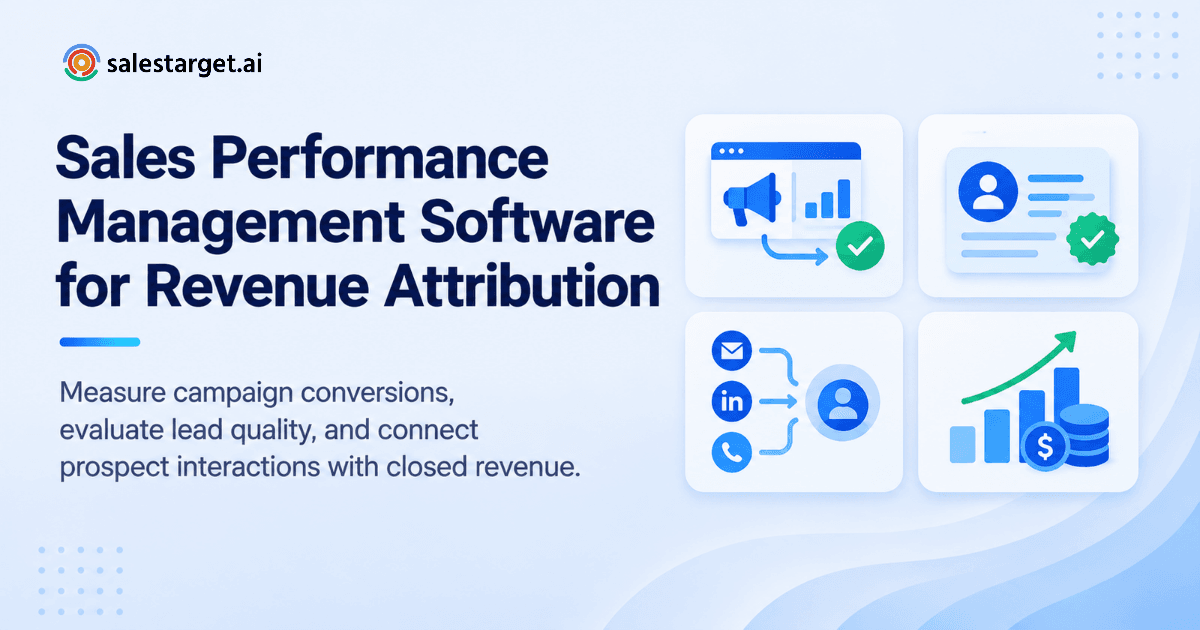
How sales performance management software connects activities, conversions, and revenue
It works as a chain: activity, reply, meeting, opportunity, deal. Each link is recorded against the same lead, so you can read the chain backward from any closed deal.
In SalesTarget.ai, campaign leads land in the CRM automatically with no imports, and every email and call is logged to the lead timeline. The chain stays unbroken because nobody has to rebuild it.
The role of sales activity tracking in monitoring prospect engagement
Activity tracking shows what happened and whether the prospect responded. Sends alone mean little. Opens, replies, accepted LinkedIn invites, and answered calls show real engagement.
Here is an angle most guides skip: bounced emails inflate activity counts. A rep with 500 sends and 60 bounces did 440 real touches. SalesTarget.ai's Email Validator checks contacts before sending (MX and SMTP checks, disposable-email detection, risk scoring), so the activity numbers reflect emails that could land.
How CRM data connects sales interactions with opportunity progress
The CRM is where an interaction becomes a stage change. A reply turns into a task, a meeting turns into an opportunity, and a proposal moves a deal forward.
SalesTarget.ai creates follow-up tasks automatically when a lead replies or a meeting ends. Those task records show whether deals stall because of a weak offer or a slow follow-up, which are two very different fixes.
Turning sales performance analytics into actionable insights
Analytics matter when they change what someone does on Monday. A report that says "reply rate fell" helps no one. A report that says "reply rate fell on the VP-level segment after step three" gives a rep something to change.
SalesTarget.ai's Reports & Analytics module and AI Copilot let you ask in plain language which campaigns are driving deals, then act on the answer.
The Business Impact of Connecting Sales Activities to Measurable Results
Connected data changes three things: how reps spend time, how leaders see the pipeline, and how targets get set. Each one cuts waste in a different place.
Improving sales productivity through activity and conversion analysis
Productivity is output per hour, not hours worked. When you compare activity against conversions, you find the 20% of actions that drive most meetings and cut the rest.
SalesTarget.ai's CRM data shows about 6 hours saved per rep per week and 2.4X more meetings from the same leads. Those gains come from less manual logging and faster follow-up, not from sending more.
Identifying the prospecting activities that generate qualified leads
Not every channel works equally for every segment. Email may win with operations managers while LinkedIn wins with founders. You only see that when email and LinkedIn results sit in the same report.
SalesTarget.ai runs both in one coordinated flow, so you can compare which touch sequence produced qualified leads for each ICP.
Giving sales leaders and RevOps teams better pipeline visibility
Leaders want one live pipeline, not five exported spreadsheets. RevOps wants clean stage definitions and no duplicate records.
SalesTarget.ai gives a live shared pipeline with a dashboard of email stats, open deals, meetings, and pending tasks. For a deeper look at how deal-level tracking shortens cycles, read this data playbook on smart deal tracking software.
Aligning individual sales performance with revenue targets
A quota number means little to a rep until it converts into daily inputs. Working backward from the target gives the rep a weekly count of meetings, opportunities, and sends.
Start free and see how SalesTarget.ai's CRM tracks each rep against their own number, from first touch to closed deal.
Building a Sales Performance Tracking Process From Prospecting to Revenue
A tracking process has five steps: set targets, log activity, score lead quality, map stages, and review. Skipping any one leaves a hole in the chain.
Define sales targets and performance metrics before launching campaigns
Set the goal and its inputs before the first send. Decide the number of qualified meetings you need, the conversion rate you expect from reply to meeting, and the volume that implies.
If you launch first and decide metrics later, you end up fitting the definitions to whatever the data shows.
Track prospecting activities across email, LinkedIn, and calls
Log all three channels against the same lead record. A prospect who ignored two emails and accepted a LinkedIn invite is one story, and it only reads that way when the timeline is shared.
SalesTarget.ai's built-in dialer logs click-to-call activity automatically, and Unibox pulls every email reply into one view.
Measure lead quality, engagement, and conversion rates
Lead quality sets the ceiling on everything after it. Track fit (does the lead match your ICP), contact accuracy, and engagement signals together.
Lead Explorer filters across 840M+ profiles by industry, role, seniority, company size, and Intent Topics, and enriches contacts at the moment you find them. Better inputs make every downstream rate easier to read.
Connect qualified opportunities with pipeline stages and deal outcomes
Define what "qualified" means in writing, then map it to a stage. A meeting held is not an opportunity until the buyer confirms a problem, a timeline, and a decision path.
Tie each opportunity back to its source campaign. That link is what lets you say which outreach produced revenue.
Review performance reports and adjust outreach strategies
Review weekly for activity and replies, monthly for pipeline, and quarterly for revenue. Each cadence answers a different question.
Change one variable per review: the subject line, the target title, or the follow-up timing. Changing five at once tells you nothing.
Key Sales Performance Metrics That Connect Activity With Revenue
Good metrics sit on a ladder: activity, lead quality, conversion, pipeline, revenue. Each rung should explain the one above it.
Sales activity metrics for emails, calls, meetings, and follow-ups
Track emails sent (net of bounces), calls connected, meetings booked, and follow-ups completed. Connected calls matter more than dials.
SalesTarget.ai's CRM reports 91% follow-up completion, which is a useful number because missed follow-ups are the quietest source of lost deals.
Lead quality and qualification metrics for outbound prospecting
Watch the verified-contact rate, ICP match rate, and the share of leads showing buyer intent. Bounce rate belongs here too, since it measures list quality rather than rep effort.
SalesTarget.ai's Email Outreach reports 90% of emails validated before sending, which keeps that metric clean.
Conversion metrics for replies, meetings, opportunities, and wins
Measure each step separately: send to reply, reply to meeting, meeting to opportunity, opportunity to win. A single "overall conversion" number hides where the leak is.
Positive replies matter more than raw replies. Unibox sorts replies by intent (Interested, Follow-Up, Not a Fit), so you can count the ones that count.
Pipeline metrics for deal progression, velocity, and coverage
Pipeline coverage compares open pipeline value against target. Velocity measures how fast deals move through stages. Stage-to-stage conversion shows where deals die.
SalesTarget.ai's CRM shows 3.2X faster deal cycles, which is the kind of velocity gain you can measure against your own baseline.
Revenue metrics for quota attainment and campaign contribution
Quota attainment shows who hit the number. Campaign contribution shows which outreach produced the revenue behind it. Look at both.
SalesTarget.ai's AI Copilot answers "which campaigns drive revenue" in plain language, pulling from CRM deals and campaign records.
Core Features of Effective Sales Performance Management Tools
Effective tools share six features. If one is missing, someone fills the gap by hand, and hand-built reports go stale fast.
Sales performance dashboards for activity and revenue visibility
A dashboard should answer "are we on track" in under a minute. It should show activity, pipeline, and revenue side by side, not in separate tabs.
Sales target tracking for individual and team goals
Targets need to live next to the data that moves them. Individual quotas roll up to team goals, and each rep sees their own gap.
Sales pipeline management for opportunity tracking and deal progression
A visual deal pipeline with clear stage rules keeps forecasts honest. Each stage should have an exit condition, so deals do not sit in "proposal" for 90 days.
Sales performance reporting for campaign and rep-level analysis
You need two views: by campaign, to see what works, and by rep, to see who needs support. Pair the rep view with lead quality context before drawing conclusions.
CRM activity tracking for consistent records and follow-up management
Consistent records beat perfect records. If logging takes effort, reps skip it. Automatic logging removes the choice.
For a closer look at tracking setups built for lean teams, see this guide on sales tracking software for small business sales growth.
Integrated reporting that reduces manual data entry
Integrated reporting means one record per lead, updated by the system. SalesTarget.ai connects with Google Calendar, Google Meet, Calendly, Slack, Zapier, HubSpot, Salesforce, and Zoho, so data moves without retyping.
Turning Sales Performance Data Into Better Decisions
Data only pays off when it changes an action. These five decisions are where connected tracking earns its keep.
Finding conversion bottlenecks across the sales funnel
Compare step-to-step rates against your own history. If sends and replies hold steady but meetings drop, the problem is the reply handling or the offer, not the list.
Identifying outreach campaigns that generate qualified opportunities
Rank campaigns by opportunities created, not by replies. A campaign with fewer replies and more qualified meetings is the better campaign.
Here is a second angle worth adding: measure reply-to-meeting lag. If positive replies take five days to become meetings, your attribution window must be longer than five days, or you will credit the wrong campaign.
Improving follow-up timing and stalled deal management
Set a stall rule, such as no activity for 10 days, and flag every deal that breaks it. SalesTarget.ai's AI Copilot flags at-risk deals and recommends the next move.
Adjusting sales targets based on conversion and pipeline data
If your reply-to-meeting rate is 20% and your sales cycle is 60 days, a quota set for next month needs pipeline that already exists today. Reset targets from real rates, not hope.
Using performance reviews to guide coaching and resource allocation
Review rep results by funnel step. One rep may book many meetings and close few, which is a discovery problem. Another may close well and book little, which is a prospecting problem. Each gets different coaching.
Why Choose SalesTarget.ai
SalesTarget.ai is an all-in-one AI sales intelligence and outbound platform. It connects lead data, outreach, validation, CRM, and an AI Copilot, so performance tracking starts at the first search instead of the first deal.
Lead Explorer for prospect discovery, enrichment, and intent signals
Lead Explorer searches 840M+ professional profiles and 146M+ business entities in plain English or with stacked filters. It adds 4,000+ intent signals, including Bombora Intent Topics and events such as funding rounds and hiring spikes.
Email and LinkedIn Outreach for connected multichannel prospecting
Email Outreach builds multi-step sequences from a plain-English audience description, with automatic AI warm-up and inbox rotation. LinkedIn Outreach automates connection requests, DMs, and follow-ups with built-in safety limits. Both run in one flow, so context carries across channels.
Email Validator for contact checks and bounce reduction
The Email Validator verifies addresses before sending through MX and SMTP checks and risk scoring. Fewer bounces protect sender reputation and keep your activity data honest.
Built-in CRM for activity records, follow-ups, calls, and deal tracking
The CRM covers Lead Management, Deal Pipeline, Tasks & Follow-Ups, Activity Tracking, and Reports & Analytics. It is built for outbound teams, and setup takes under a day.
AI Copilot for prospect research, sequence drafting, and sales questions
The AI Copilot is free inside the platform. Ask it to find leads, draft sequences, query deals and meetings, or show which campaigns drive revenue.
One platform connecting lead data, outreach, and CRM workflows
Apollo gives data and engagement but needs outside deliverability and CRM tools. Instantly, Smartlead, and lemlist focus on cold email without a native B2B database or full CRM. SalesTarget.ai keeps the chain in one place, from lead to closed deal.
Common Sales Performance Tracking Mistakes to Avoid
Most tracking failures come from measuring the wrong thing or measuring with bad data.
Focusing on activity volume instead of qualified pipeline
Volume is easy to count and easy to game. Reward qualified meetings and opportunities, and the volume problem sorts itself out.
Attributing revenue to a single touchpoint in a multichannel campaign
Gartner's B2B buying research has found that buyers spend only about 17% of their buying time meeting with suppliers. Most of the decision happens between your touches, across several channels. Crediting only the last email misses the LinkedIn invite that started the conversation.
Comparing sales reps without accounting for lead quality and territory
A rep with a weak territory and stale leads will look worse than a rep with warm, intent-tagged accounts. Compare reps within the same lead-quality cohort first.
Making decisions from incomplete CRM data
Missing call logs and unlogged meetings make reports wrong in a quiet way. Automatic logging fixes the root cause.
Setting targets without accounting for conversion rates and sales cycles
A target without a rate behind it is a wish. Work backward from deal size, win rate, and cycle length.
Overlooking delayed conversions and long-term pipeline contribution
Some campaigns pay off two quarters later. If you judge them at 30 days, you will cut the ones that work slowly.
Creating a Repeatable Framework for Sales Performance Improvement
A framework turns tracking into a habit. It has four parts, and they repeat.
Establishing baseline metrics and measurable sales goals
Pull 60 to 90 days of data and record your current rates at every funnel step. That baseline is what future results get compared against.
Connecting outreach data, CRM activity, and revenue reports
Make sure one lead record holds the source campaign, every touch, and the deal outcome. If you have to join spreadsheets to answer a question, the setup is wrong.
Reviewing performance trends at consistent intervals
Pick a rhythm and keep it. Trends need several data points, and a missed review week breaks the line.
Turning reporting insights into specific team actions
Every review ends with named actions and owners: who changes which sequence, by when. Insight with no owner is a slide deck.
Conclusion: Connecting Sales Performance With Measurable Business Outcomes
The gap between activity and revenue is a data problem. Sends live in one tool, replies in another, and deals in a third, so nobody can trace a closed deal back to the touch that started it.
SalesTarget.ai fixes that by keeping the whole chain in one workspace: find the lead, verify it, reach out on email and LinkedIn, and track every step in the built-in CRM. Reports then show what drives pipeline instead of what keeps reps busy.
Ready to see which of your activities produce revenue? Start free with SalesTarget.ai and connect your outreach to measurable results.