A prospect replies to your cold email on Tuesday. Your rep books a call for Thursday, scribbles notes in a notebook, and promises a proposal by Monday. By Friday, nobody can find the thread, the notes, or the task. The lead goes quiet, and the pipeline report still calls it "active."
That gap is where most follow-ups die. Not in the pitch, but in the handoff between inbox, dialer, and CRM.
Sales CRM tools connect emails, calls, and follow-up tasks by writing all three to one contact record. Email sync logs every sent and received message. Call tracking saves the call and its notes. When a prospect replies or a meeting ends, the CRM creates a task with an owner and a due date. SalesTarget.ai does this inside its built-in CRM, so every lead has one timeline and one clear next step.
How Sales CRM Tools Connect Email, Call, and Task Data
Sales CRM software ties these three activity types together through a shared identity: the contact record. An email, a call, and a task are three events attached to the same lead, matched by email address, phone number, or lead ID.
One edge case trips up many teams. A prospect replies from a colleague's address, a personal inbox, or a forwarded alias, and the CRM finds no match. The reply sits unlinked while the original lead looks ignored. Test how any tool handles unmatched replies before you trust its timeline.
CRM Email Integration and Automatic Email Logging
CRM email integration connects a mailbox to the CRM so sent and received messages land on the right contact timeline, with no copy, paste, or BCC tricks.
In SalesTarget.ai, Email Outreach sends sequences from connected inboxes, and replies flow back into one unified inbox. Each reply is sorted by intent (Interested, Follow-Up, Not a Fit) and synced to the CRM lead. Campaign leads land in the CRM automatically, so the record exists before the first email goes out. No import, no matching step.
Call Logging, Notes, and Contact History
Sales call logging software records that a call happened, who was on it, how long it ran, and what was said. Notes and transcripts attach to the lead, so the next person who opens the record sees the context.
SalesTarget.ai's built-in dialer supports click-to-call and logs each call to the lead automatically. Write the notes while the call is fresh. Ten minutes later, the prospect's exact words about timing and objections are already fading.
Follow-Up Tasks, Reminders, and Activity Timelines
A follow-up task is a dated to-do tied to a lead. Good CRM task management creates it from an event, such as a reply or a meeting ending, instead of waiting for a rep to remember.
The CRM activity timeline then lists emails, calls, meetings, and tasks in order. Anyone can read a lead's history in under a minute. In SalesTarget.ai, tasks are created automatically when a lead replies or a meeting ends.
The Role of Connected Sales Activities in B2B Pipeline Management
Connected activity data turns a pile of contacts into a pipeline you can manage. Each role on the team gets something different from it.
Keeping SDR and BDR Outreach Organized
Connected logging gives SDRs and BDRs one place to see last touch, next step, and reply status for every lead. Sequences run at volume, and no rep can hold 150 active conversations in their head.
Build the rep's daily view around tasks due today, not leads sorted by stage. The task list is the work. The stage list is just a report.
Giving Sales Managers Visibility Into Rep Activities
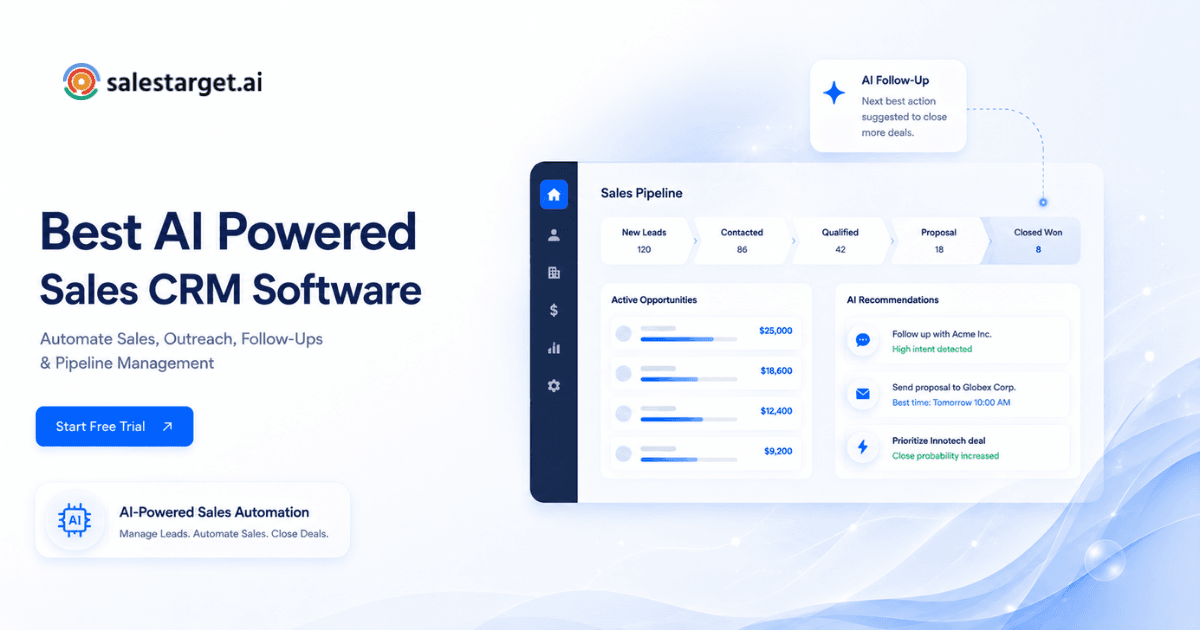
Managers see what reps did and what happened next, with no status meeting required. The SalesTarget.ai CRM dashboard shows email stats, open deals, meetings, and pending tasks in one view.
Use it to coach on conversion, not volume. Compare calls logged to meetings booked for each rep. A rep with fewer calls and more meetings is doing something worth copying.
Helping RevOps Teams Track Leads Across the Pipeline
RevOps teams need lead status to reflect what happened, not what someone typed. A lead with six emails and no reply should not share a status with a lead that has a booked meeting.
When every touch is logged, reports can trace a deal back to the campaign that produced it. That tells you which sequences create meetings and which only create activity.
How to Build a Connected Sales Workflow With CRM Tools
Build it in five steps: sync email, record calls, create tasks from replies, assign owners, and track stages. Each step feeds the next, so skipping one breaks the chain.
Sync Email Accounts and Link Conversations to Contact Records
Connect each sending mailbox, then confirm that replies land on the same lead record as the outbound message. In SalesTarget.ai, the Unibox unified inbox pulls every reply into one view and assigns an owner, while AI warm-up and SPF, DKIM, and DMARC checks protect sender reputation.
Keep one record per person. Merge duplicates early, using email address as the match key, before two timelines split one conversation.
Record Sales Calls and Save Notes to the CRM
Make click-to-call the only way reps dial from the CRM. Calls placed from a personal phone never reach the timeline, and those are the calls you lose.
Add one required field for call outcome: connected, voicemail, wrong person, or meeting set. That single field powers most of the call reporting you will want later.
Turn Prospect Replies and Calls Into Follow-Up Tasks
Map each reply type to its own task, not one generic reminder. An Interested reply creates a same-day task. A Follow-Up reply creates a task dated to the time the prospect named. A Not a Fit reply closes the lead and cancels anything still pending.
This is the step most teams skip. Without it, "automation" only means more activity, not better follow-up.
If you want to see the wiring in action, set up the built-in CRM, send one campaign, and watch tasks appear after the first reply. Setup takes under a day.
Assign Tasks and Set Reminders for the Next Sales Action
Give every task one owner and one due date. The rep who owns the lead owns the task, and a handoff to an Account Executive is an explicit reassignment with a note attached.
Send reminders where reps already work. SalesTarget.ai connects with Google Calendar, Google Meet, Calendly, and Slack, so a due task shows up in the tools reps check without prompting.
Track Every Lead Through the Sales Pipeline
Tie pipeline stages to events. A booked meeting moves the deal to the meeting stage. A Not a Fit reply closes it. A proposal sent starts a timer.
When stages move on activity, the board stays honest without anyone updating it by hand. Reps spend that time on conversations.
Key Features of Sales CRM Tools for Email Tracking and Follow-Up Automation
A long feature list matters less than the core CRM capabilities that keep deals moving. Test these five before you commit.
Automatic Activity Logging and Email Engagement Tracking
Automatic activity logging records every email and call without rep effort. Look for logging that works in both directions, so inbound replies are captured as reliably as outbound sends.
Treat replies as the real engagement signal. Open tracking has become unreliable since Apple Mail Privacy Protection began pre-loading messages, which inflates open counts. A reply is a fact. An open is a guess.
CRM Call Tracking and Built-In Dialers
CRM call tracking should log the call, duration, outcome, and notes without a manual step. A built-in dialer removes the gap where a rep calls from one app and logs in another.
Check that call data attaches to the lead, not to the rep. When a rep leaves or a lead is reassigned, the history has to stay put.
Automated Sales Follow-Ups and Task Management
Automated sales follow-ups should fire from triggers, assign an owner, and set a due date. The better tools also stop a scheduled task when the lead has already replied.
That one rule prevents the most awkward message in outbound: a follow-up asking "did you see my email?" sent to someone who answered yesterday.
Contact Activity Timelines and Meeting Synchronization
Calendar sync adds meetings to the same timeline as emails and calls. Look for support for the tools your team already books with, such as Google Calendar, Google Meet, and Calendly.
The meeting ending should be a trigger, not just a record. It is the best moment to create the next task, since the rep still remembers what was promised.
Sales Pipeline Tracking and Activity Reports
Pick reports that answer a decision, not a curiosity. Meetings booked by campaign, tasks completed on time, and deals by stage cover most weekly reviews.
SalesTarget.ai's Reports & Analytics module and live shared pipeline keep those views in one place, next to the lead records they come from.
How Connected CRM Activities Improve Sales Team Productivity
Connected activities save time in three places: data entry, follow-up, and review. Salesforce's State of Sales research has found that reps spend less than a third of their week actually selling. The rest goes to admin, research, and chasing context.
Less Manual Data Entry and Fewer Missed Follow-Ups
Automatic logging removes the typing. Automatic tasks remove the remembering. Harvard Business Review research on lead response time found that firms that contacted leads quickly were far more likely to qualify them than firms that waited.
SalesTarget.ai reports about 6 hours saved per rep per week and 91% follow-up completion in its CRM.
Better Handoffs Between SDRs and Account Executives
A connected timeline replaces the handoff document. When an SDR books a meeting, the Account Executive opens the lead and reads every email, call note, and reply in order.
Create the AE's prep task automatically when the meeting is booked. The AE walks in knowing what the prospect said, in the prospect's words.
More Accurate Lead Records and Pipeline Reviews
Pipeline reviews improve when status comes from logged activity. A deal with no touch in 14 days shows up on its own, instead of hiding behind a stage label.
SalesTarget.ai users see this in outcomes like 3.2X faster deal cycles and 2.4X more meetings from the same leads, since fewer replies fall through the gaps.
Why Choose SalesTarget.ai
Apollo gives you data and engagement, but you still bolt on deliverability and a CRM. Instantly, Smartlead, and lemlist focus on cold email and have no native B2B database or real CRM. SalesTarget.ai keeps prospecting, outreach, validation, and the CRM in one platform, so every email and call already belongs to a lead record.
Find and Enrich B2B Prospects With Lead Explorer
Lead Explorer searches 840M+ professional profiles and 146M+ business entities, with 4,000+ intent signals across 50+ data sources. One-click enrichment unlocks verified email and phone data at the moment you find the lead, and you push it straight to a sequence or the CRM. No CSV step means no orphaned contacts.
Run Email and LinkedIn Outreach in One Workflow
Email and LinkedIn sequences run in one coordinated flow, so context carries across channels. Conditional steps branch on replies, actions, or silence. A LinkedIn reply and an email reply both land on the same lead timeline.
Validate Email Addresses Before Sending Campaigns
The Email Validator runs MX and SMTP checks, flags disposable addresses, and scores risk before you send. SalesTarget.ai reports 90% of emails validated before sending. For CRM hygiene, this matters twice: bounced addresses create junk records and false "contacted" statuses.
Manage Leads and Sales Activities in the Built-In CRM
The CRM has five modules: Lead Management, Deal Pipeline, Tasks & Follow-Ups, Activity Tracking, and Reports & Analytics. Campaign leads arrive automatically, and every email and call is logged to the timeline. It also connects with HubSpot, Salesforce, and Zoho, so you can keep an existing system in place.
Record Call Notes With the Built-In AI Dialer
The built-in dialer offers click-to-call, with each call auto-logged to the lead. Call notes sit beside the emails that led to the call, so the next rep, or the next conversation, starts with the full picture.
Use the Free AI Copilot for Sales Tasks
The free AI Copilot is a chat-based sales teammate inside the platform. Ask it in plain language about your CRM deals, meetings, and tasks, or have it create and assign tasks. It flags at-risk deals and recommends the next move, so managers get answers without building a report.
Common Sales CRM Integration Mistakes That Disrupt Follow-Ups
Most broken follow-up traces back to four setup errors. Each one is cheap to fix early and costly to find late.
Duplicate Contact Records and Unlinked Conversations
Duplicates split one conversation across two timelines. Each rep sees half the story, and both think they are next in line.
Fix it at the source. Use email address as the match key, validate before import, and let campaign leads enter the CRM automatically instead of through spreadsheets.
Missing Call Notes and Incomplete Activity Histories
A call with no notes is a call that never happened, as far as the next person knows. Reps skip notes when logging takes more than a few seconds.
Make logging part of the dial. Click-to-call with auto-logging and a required outcome field leaves almost no room to forget.
Follow-Up Tasks That Ignore Replies and Lead Status Changes
Tasks created at campaign launch and never updated will chase leads who already replied, booked, or declined. It makes your team look careless to your best prospects.
Tie tasks to status. A reply should cancel the scheduled nudge and create a human task in its place.
Too Many Activity Metrics and Too Little Pipeline Insight
Dashboards packed with emails sent and calls dialed reward motion, not progress. Reps learn to hit the number instead of the meeting.
Keep two or three outcome metrics at the top: meetings booked, follow-up completion, and deals advanced. Activity counts belong lower on the page.
Choosing Sales CRM Tools That Fit Your Existing Sales Process
Pick the tool that fits how your team already sells, then close the gaps. A side-by-side look at the best sales CRM tools for B2B teams can narrow the shortlist before you run a trial.
Email, Calendar, and Calling Integration Requirements
List what your reps use daily: mailbox provider, calendar, meeting tool, dialer, and chat. Then check each one for two-way sync, not just a connector badge.
Ask one test question: if a prospect replies from a different address, where does the reply go?
Automation Rules, Task Ownership, and Data Accuracy
Check whether rules can branch on reply type, stop on reply, and assign by owner. Look for how the tool treats duplicates and unmatched contacts.
Automation that cannot be paused or edited by the team running it becomes a liability within a quarter.
Ease of Use, Reporting, and Total Software Cost
Ease of use decides adoption, and adoption decides data quality. If logging feels like work, reps will skip it. Run a trial with two or three reps and watch where they stall.
Count the whole stack. A CRM plus a dialer plus a sequencer plus a validator means four logins and four sync points to maintain. One platform has one.
Connect Every Sales Interaction to the Next Action
Missed follow-ups rarely come from lazy reps. They come from emails, calls, and tasks living in separate tools that never talk to each other.
SalesTarget.ai closes that gap. Lead Explorer finds and enriches the prospect. Email and LinkedIn outreach reach them. The Email Validator keeps bad addresses out. The built-in CRM and AI dialer log every touch and create the next task when a lead replies or a meeting ends. The AI Copilot answers questions about your deals without a report.
One platform, one timeline, one next step for every lead. Start free with SalesTarget.ai and see your first reply turn into a task.