TL;DR
- B2B firmographic data decays at roughly 30% a year — employee counts and revenue figures are often out of date the moment you pull them.
- Employee counts frequently conflict across sources — LinkedIn, job postings, and regulatory filings rarely agree exactly, and a single-source filter inherits whichever version happens to be wrong.
- The parent/subsidiary trap is a distinct, common failure: filtering on a subsidiary's headcount when the buying decision actually runs through a much larger parent company, or vice versa.
- The fix isn't a perfectly accurate single number — it's cross-verifying size signals and building deliberate buffers around your filter edges.
Your ICP says 50-200 employees. The account in front of you shows 180. It fits — until the rep discovers three weeks into the sequence that the company was acquired last quarter and now reports up through a 3,000-person parent, or that the "180" was a stale LinkedIn count from a team that's since tripled. The size filter did exactly what it was told to do. The data behind it just wasn't reliable enough to trust blindly.
Why Company Size Data Is Often Wrong or Stale
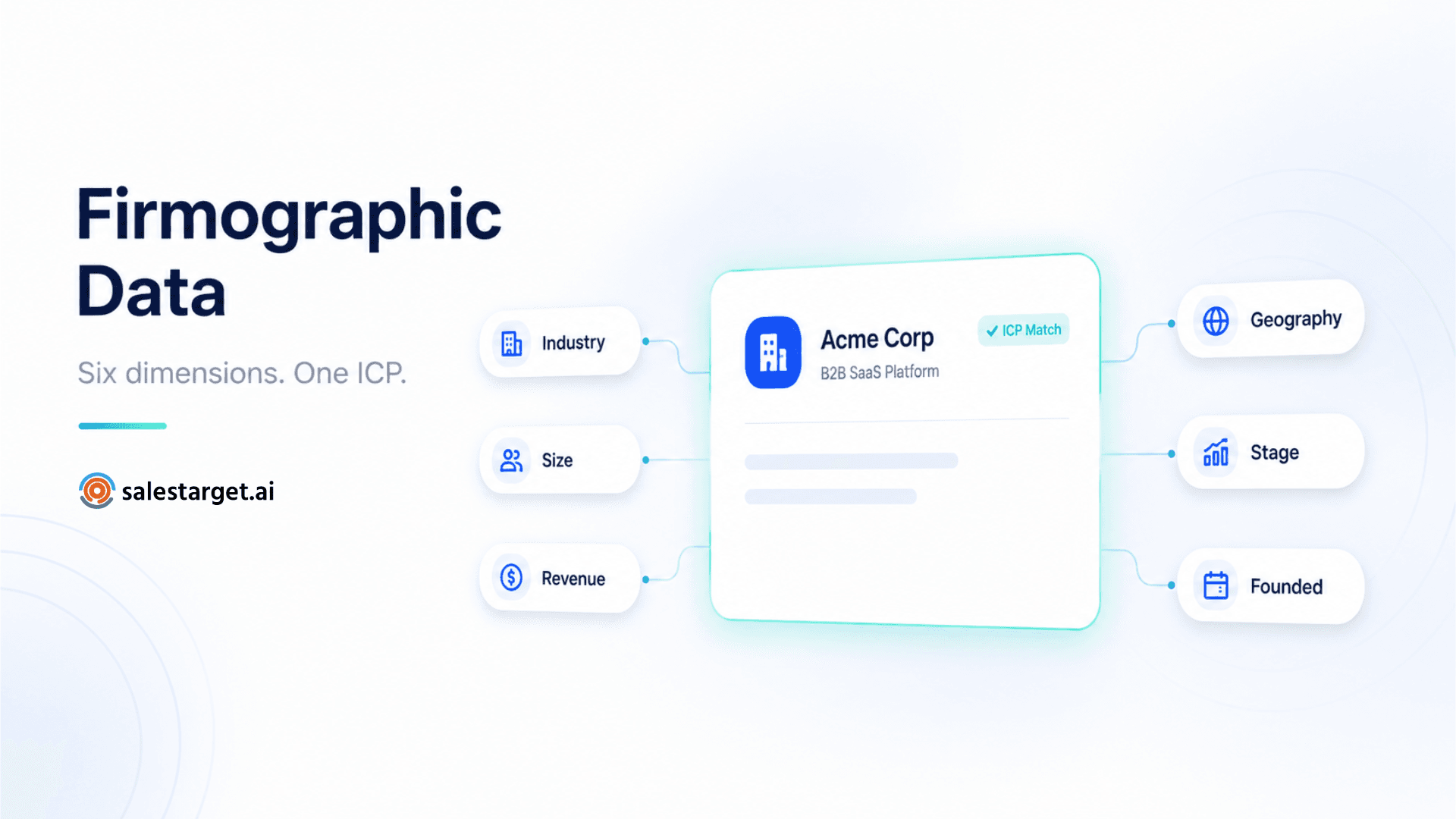
Firmographic data — the category that includes employee count, revenue, and company age — decays at roughly 30% a year industry-wide. That's not a niche data-quality footnote; it means a meaningful share of any list is already somewhat out of date the moment it's pulled, before a single email gets sent.
Part of the problem is that "employee count" isn't a single, agreed-upon number in the first place. A company's headcount reported on LinkedIn frequently differs from what shows up in a job posting or a regulatory filing — each source captures the number at a different moment, counts contractors and full-time staff differently, or simply hasn't been updated since the last hiring wave. A prospecting tool filtering on any single source inherits whichever version of "true" that source happened to have last, with no way to flag that two other sources might disagree.
The Parent/Subsidiary Trap
This is the size-filtering failure that looks like a data error but is actually a structural one. A company gets acquired, or operates as a subsidiary under a much larger (or much smaller) parent entity, and the "employee count" attached to the entity you're evaluating doesn't reflect who's actually making the buying decision.
- Subsidiary shows small, parent is large: A 40-person regional subsidiary gets filtered out of an enterprise ICP, even though budget authority and tooling decisions actually run through a 5,000-person parent company.
- Parent shows large, subsidiary operates independently: A filter targeting mid-market accounts skips a genuinely independent 150-person business unit because it's nested under a much larger corporate umbrella in the data.
- Recent acquisition, stale entity record: The target account was acquired two months ago, but the size and ownership data still reflects its pre-acquisition standalone status.
Reliable firmographic data providers track subsidiary relationships as a distinct attribute specifically because this pattern is common enough to require its own field, not just an employee-count number. Treating "employee count" and "corporate structure" as the same question is where a lot of size filtering quietly goes wrong.
How to Cross-Verify Size Signals
No single data point is reliable enough to be the sole gatekeeper on a size filter. Instead, treat employee count as one signal among several and look for agreement, not just a passing number:
| Signal | What it tells you |
|---|---|
| Employee headcount | A starting estimate, most reliable when it roughly agrees across more than one source |
| Revenue range | A useful cross-check — a company showing 200 employees but revenue far below or above the typical range for that headcount is worth a second look |
| Funding stage | Recent funding often precedes rapid headcount growth that hasn't been reflected in size data yet |
| Company age | A very young company with a surprisingly large reported headcount, or a decades-old company with a surprisingly small one, is a signal worth double-checking rather than accepting at face value |
| Number of locations | A jump in office locations without a corresponding headcount update often signals stale employee data specifically, not a data error elsewhere |
Setting Size Filter Buffers to Avoid Missing Good-Fit Accounts
A hard cutoff at exactly 200 employees excludes a 210-employee account that's a perfect fit in every other respect, purely because of a number that might itself be off by more than 10 in either direction given how much this data decays. The practical fix is a deliberate buffer rather than a precise line: widen the filter range by roughly 15-20% on both edges of your stated ICP size band, then use the other signals above to manually confirm edge-case results before committing outreach effort, rather than either excluding them outright or blindly including everyone in the widened range.
This buffer approach trades a small amount of extra manual review at the edges for a meaningfully lower chance of silently excluding good-fit accounts that happen to sit just outside a stale number.
Mistakes That Waste Outreach Effort
Trusting a single-source headcount number
Employee counts commonly disagree across LinkedIn, job postings, and filings. A filter built on only one source inherits that source's specific blind spots without any way to flag the disagreement.
Filtering the wrong entity in a parent/subsidiary structure
Evaluating size against a subsidiary when budget authority sits with the parent (or vice versa) filters out or includes accounts based on the wrong organizational layer entirely.
Using a hard cutoff with no buffer
Given how much this data decays, a strict line at your exact target size excludes good-fit accounts that happen to be measured slightly outside it, for reasons that have nothing to do with actual fit.
Layering Filters Instead of Trusting One Number
The practical mitigation for all of this isn't a single more-accurate data source — it's combining several firmographic signals in the same search so no one number silently gatekeeps your list. Advanced Targeting Filters let you stack company size alongside revenue, company age, and number of locations in a single search, rather than filtering on headcount in isolation — which gives you exactly the kind of cross-verification described above, built into the search itself rather than a manual step afterward.
Once a list is built this way, running it through ICP Builder to score each result against your defined profile adds a second layer of judgment on top of the raw filter match — useful specifically for the edge cases sitting near your size boundary, where a single firmographic field shouldn't be the only thing deciding whether an account gets outreach or gets skipped.
Filter on the Pattern, Not the Single Number
A company's "size" was never really one number — it's an estimate, assembled from sources that regularly disagree, describing an organizational structure that can shift with an acquisition or a hiring wave the data hasn't caught up to yet. Treat employee count as one signal to cross-check against revenue, age, funding stage, and location count, build a deliberate buffer at your filter edges, and you'll waste less outreach effort chasing companies the data got wrong — in either direction.
Filter with more than one signal.
Combine size, revenue, age, and location in a single precise search.
✓ 50 credits ✓ 7-day trial ✓ No credit card required