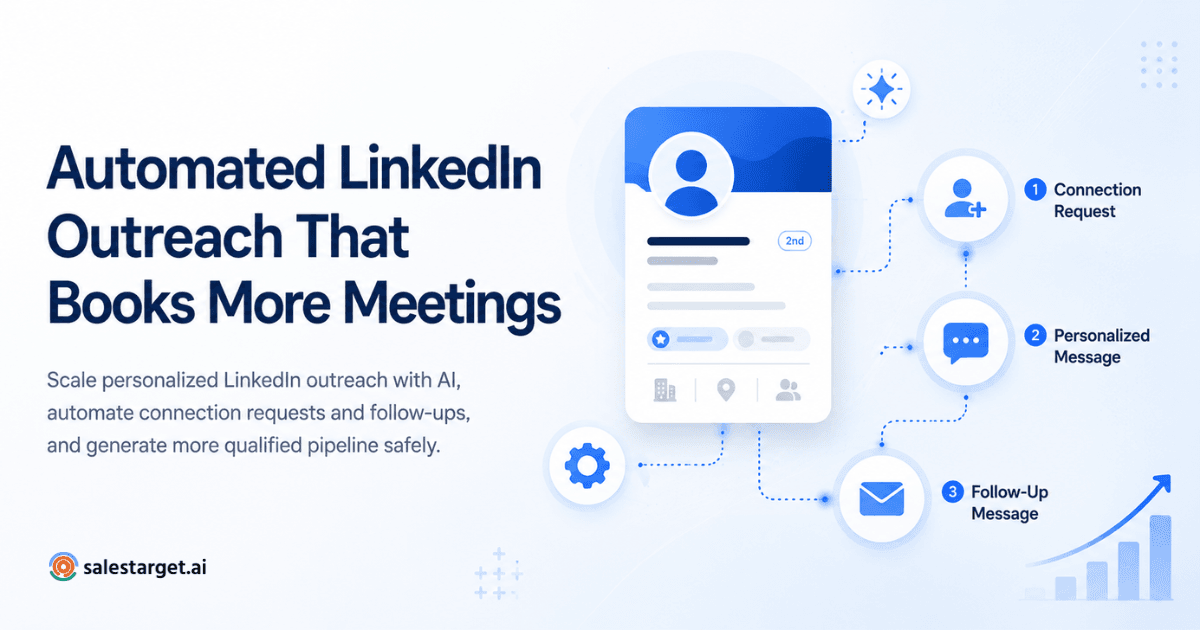
Automated LinkedIn outreach uses software to send connection requests, follow-up messages, and personalized DMs on a scheduled sequence - so SDRs can prospect at scale without spending hours on manual tasks. This guide walks you through the complete workflow: from defining your ICP and building prospect lists, to setting up sequences and tracking replies that actually turn into meetings.
If you've spent any time in an SDR seat, you already know: LinkedIn is where B2B deals start. The problem isn't access — it's bandwidth. Manually sending connection requests, crafting individual messages, and keeping track of who replied (and who didn't) eats up hours that should be spent on real sales conversations. That's exactly why automated LinkedIn outreach has become the backbone of high-performing outbound teams.
But here's the thing — automation only works when it's done right. Blast generic messages at scale, and you'll tank your acceptance rate and risk account restrictions. Do it thoughtfully, and you'll book more meetings with less effort. This guide breaks down the entire process, step by step, so you can build a target account list for LinkedIn outreach automation and turn it into a repeatable pipeline.
What Is Automated LinkedIn Outreach?
At its core, automated LinkedIn outreach means using a tool or platform to handle the repetitive parts of LinkedIn prospecting — sending connection requests, delivering follow-up messages, and managing sequences — without requiring you to do each one by hand.
The difference between manual and automated outreach isn't about replacing personalization with spam. Manual outreach means an SDR logs into LinkedIn, searches for prospects, writes a message from scratch, hits send, and tracks everything in a spreadsheet. It works when you're reaching out to five people a day. It breaks when you need to contact fifty.
Automated outreach keeps the personal touch — personalized first lines, references to a prospect's company or role — while handling the logistics. SDR teams automate LinkedIn prospecting because it frees reps to focus on the part that actually requires a human: responding to replies, qualifying interest, and booking calls.
Why Modern SDRs Are Automating LinkedIn Outreach
There are a handful of concrete reasons why automation has shifted from "nice to have" to standard operating procedure for outbound teams:
- Productivity gains: Reps can work through larger prospect lists without increasing headcount.
- Consistency: Every prospect gets the right message at the right time — no leads fall through the cracks because someone forgot to follow up.
- Personalization at scale: Modern tools let you insert dynamic fields — job title, company name, recent news — into every message.
- Multi-touch outreach: A single connection request rarely closes a deal. Automated sequences layer in multiple touches over days or weeks.
- Time savings: The manual steps of searching, sending, and logging take 60–90 seconds per prospect. Multiply that by 50 prospects daily, and you're losing over an hour to mechanical work.
SDRs spend nearly one-third of their prospecting time on repetitive LinkedIn actions — searching, sending, and logging — instead of actual conversations. Automation helps redirect that time toward qualified sales interactions that move pipeline forward.
Step-by-Step LinkedIn Outreach Workflow
Here are the core LinkedIn outreach steps that high-performing teams follow. Each one builds on the last, so resist the temptation to skip ahead to message writing before your targeting is dialed in.
Step 1 - Define Your Ideal Customer Profile
Before you touch any automation tool, get specific about who you're trying to reach. Your ideal customer profile should answer: What industry are they in? What's their company size? Who are the decision-makers — VPs, directors, C-suite? What problems do they face that your product actually solves?
Skip this step and your entire sequence runs against the wrong people. Nail it, and every downstream metric improves. If you're building this for the first time, this resource on how to build a target account list for LinkedIn outreach automation walks through the process in detail.
Step 2 - Build a Qualified Prospect List
Once your ICP is locked in, filter prospects by the criteria that matter: job title, industry, company size, region, and — when available - intent signals like job changes, funding rounds, or tech stack adoption. The sharper your filters, the higher your connection acceptance rate. A list of 200 tightly qualified prospects will outperform a list of 2,000 loosely matched names every time.
Step 3 - Set Up Connection Request Automation
Connection request automation is where the sequence begins. Most tools allow you to set daily sending limits (staying under LinkedIn's thresholds — generally 20–25 requests per day for newer accounts, scaling up for established ones). Use personalization tokens to insert the prospect's first name, company, or role into the request note. And keep your notes short — under 300 characters — because that's all LinkedIn allows. Compliance and safe sending practices aren't optional here; they protect your account from restrictions.
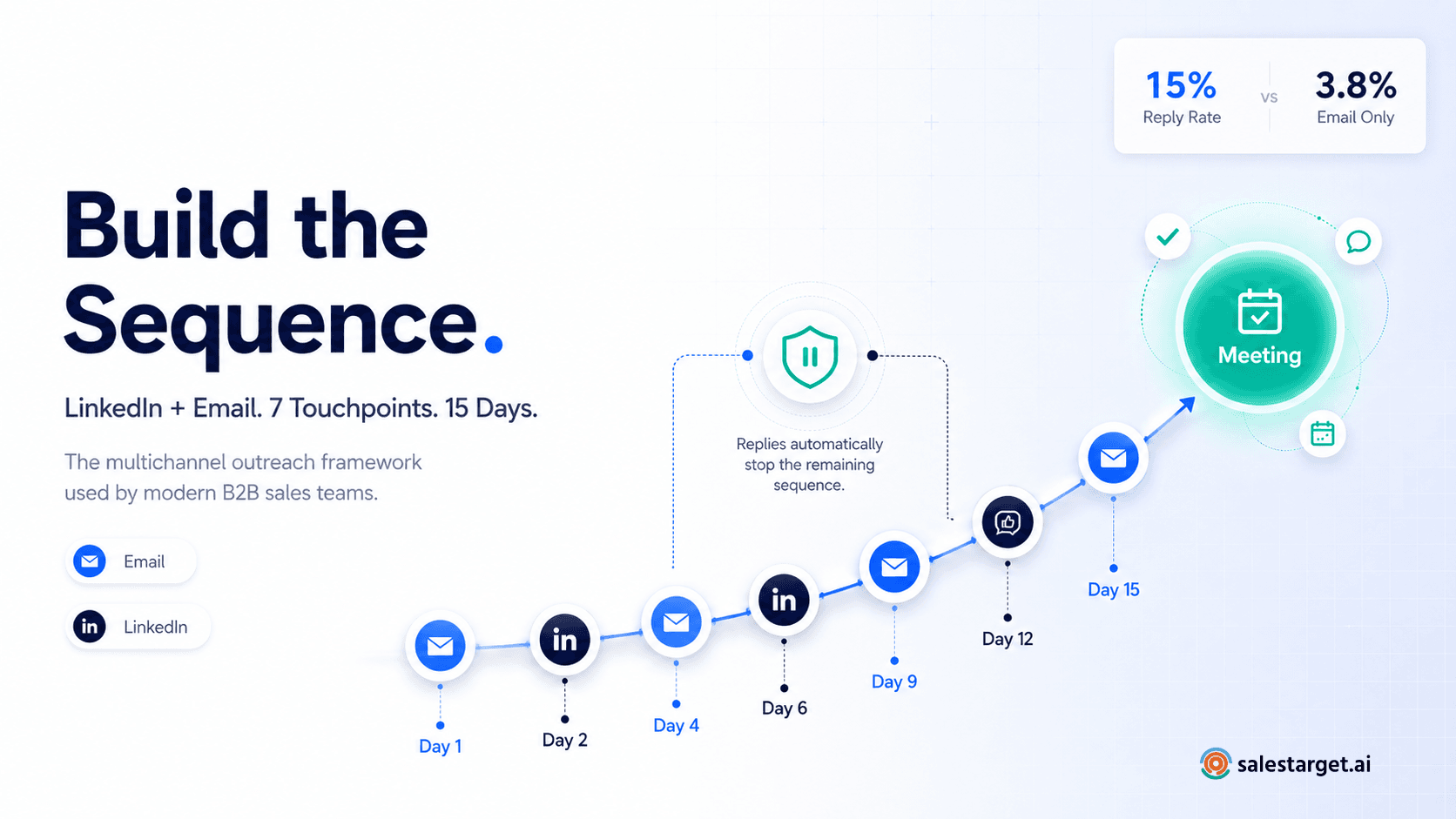
Step 4 — Create Your LinkedIn Sequence Setup
A strong LinkedIn sequence setup follows a clear progression. You're not just pinging someone five times — each message should add value and move the conversation forward. Here's a sample timeline that works well as a starting framework:
| Day | Action | Detail |
|---|---|---|
| Day 1 | Connection Request | Short personalized note referencing their role or company |
| Day 3 | Thank-You Message | Acknowledge the connection; offer a relevant insight |
| Day 5 | Value Message | Share a useful resource, article, or quick tip |
| Day 8 | Case Study / Social Proof | Brief story of a similar company's results |
| Day 12 | Meeting CTA | Direct ask for a 15-minute call with a clear reason |
Adjust timing based on your audience. Enterprise buyers often need longer gaps between touches. Startup founders might respond faster. Test and refine until you find your rhythm.
Step 5 - Personalize LinkedIn DM Automation
LinkedIn DM automation doesn't mean blasting the same canned message to every prospect. The best-performing sequences include personalized first lines that reference something specific — a recent company announcement, a mutual connection, a trigger event like a new hire or funding round. This is where most SDRs cut corners, and it's exactly where you can stand out.
Struggling with what to say? This guide on crafting personalized LinkedIn outreach openers breaks down formulas that earn replies instead of being ignored.
Step 6 - Track Replies and Optimize
Sending messages is only half the workflow. You need visibility into what happens next: who accepted, who replied, who showed positive intent, and who went quiet. Reply tracking lets you sort responses by sentiment (positive, neutral, objection) so your team can prioritize the hottest leads. Syncing this data back into your CRM keeps everyone aligned and prevents reps from working the same prospect.
Follow-up timing matters too - responding to a positive reply within the hour dramatically improves conversion compared to next-day follow-up. For a deeper look at analytics and measurement, explore these LinkedIn outreach tracking and engagement tools that help SDR teams keep everything in sync.
Common Mistakes That Hurt LinkedIn Outreach Automation
Even solid workflows break down when SDRs fall into these traps:
- Sending generic, templated messages that read like form letters. Prospects spot them instantly.
- Blowing past daily sending limits and triggering LinkedIn account restrictions or temporary bans.
- No follow-up sequence. A single connection request with no follow-up is a wasted contact.
- Ignoring engagement signals. If a prospect views your profile or likes your post, that's an opening — act on it.
- No CRM tracking. Without syncing outreach data, reps overlap on prospects and lose context between touches.
- Skipping A/B testing. Running one message version forever means you're optimizing on gut feeling, not data.
- Treating automation as "set it and forget it." Sequences need weekly review. Markets shift, messaging ages, and response rates decay.
Best Practices for a High-Converting LinkedIn SDR Workflow
Building an effective LinkedIn SDR workflow takes more than plugging in a tool. These practices separate teams that book meetings from teams that burn through prospect lists:
- Send connection requests and messages during your prospect's business hours — not yours.
- Personalize at least the first line of every message. Even small touches increase acceptance rates noticeably.
- Test two or three message variants per sequence step. Let the data pick the winner.
- Respect LinkedIn's daily outreach limits. Slow and steady protects your account long-term.
- Sync all outreach activity with your CRM automatically. Manual logging is where data dies.
- Monitor engagement metrics weekly: acceptance rate, reply rate, positive reply rate, and meetings booked.
- According to LinkedIn's own Sales Solutions research, buyers are five times more likely to engage with a rep who provides relevant, personalized insight. Your sequences should reflect that.
For a deeper understanding of how outreach analytics fit into the broader sales tech stack, HubSpot's Sales Blog offers practical frameworks for measuring outbound performance across channels.
How SalesTarget.ai Simplifies Automated LinkedIn Outreach ?
SalesTarget.ai was built specifically for SDR teams that want to run LinkedIn outreach without stitching together five different tools. Here's what that looks like in practice:
- AI-powered personalization: The platform generates custom first lines based on each prospect's profile, company news, and role - so your messages don't feel automated.
- Multi-step sequences: Build full outreach flows - connection request, follow-ups, value messages, meeting CTAs - in a visual sequence builder.
- LinkedIn message automation: Schedule and send DMs that land in the right inbox at the right time, with built-in safety limits to keep your account protected.
- Follow-up workflows: Automated triggers re-engage prospects who viewed your profile, accepted your connection, or went silent after an initial reply.
- CRM sync: Every touchpoint, reply, and status change flows directly into your CRM — no manual data entry.
- Analytics dashboard: Real-time visibility into acceptance rates, reply rates, and conversion metrics so you can optimize sequences on the fly.
- Compliance-first design: Built-in daily limits, warm-up periods, and sending randomization keep your activity within LinkedIn's acceptable-use guidelines.
The goal isn't to replace the SDR - it's to remove the manual grunt work so reps can spend their time on what actually books meetings: real conversations with qualified prospects.
Turn Every LinkedIn Connection Into a Sales Conversation
Stop wasting hours on manual LinkedIn prospecting. SalesTarget.ai gives your SDR team the tools to automate connection requests, personalize every message, and track every reply — all from a single platform. Start your free demo and see the difference in your first week.