Your SDR finds a strong prospect on Monday. By Thursday, that contact is stuck in a spreadsheet, the email bounced, and nobody knows who owns the lead. That is rarely a rep problem. It is a stack problem.
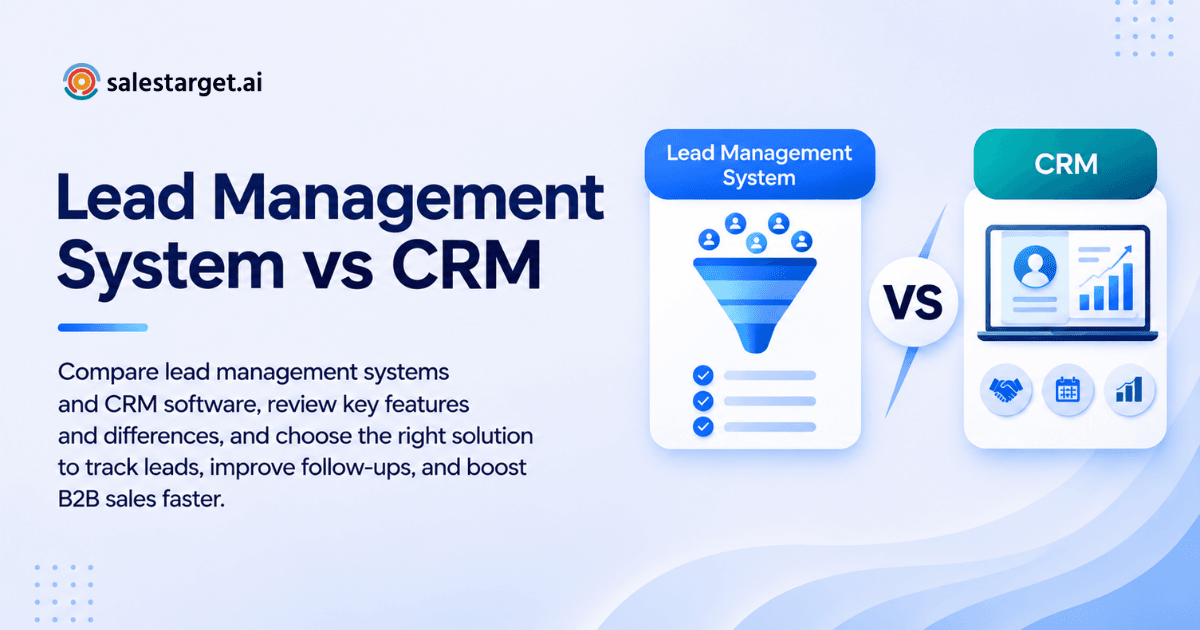
A lead management system captures, enriches, scores, and routes prospects before they become deals. A CRM manages the relationship once a lead turns into an opportunity: deals, accounts, tasks, and renewals. Outbound teams need both jobs covered, and Salestarget.ai covers them in one workspace, so a lead moves from search to closed deal without an export in between.
Most teams treat this as an either-or decision, and that is where the trouble starts. The real question is where your pipeline loses leads today, and which tool closes that specific gap. This guide compares the two side by side, shows where each one fits, walks through a working implementation, and gives you a clean way to choose.
Lead Management Challenges in Modern B2B Sales Teams
Fragmented Prospect Data Across Multiple Sales Tools
Prospect data fragments when one tool finds contacts, another verifies them, and a third sends the emails. Each handoff is a chance for a field to break, a record to age, or a duplicate to appear. Reps end up rebuilding the same list in three places and trusting none of them.
The damage is quiet. Nobody sees a dashboard that says "data lost in transit." You only notice when reply rates slip, bounces climb, and two reps email the same buyer in the same week. Fragmentation is the root cause behind most of the symptoms sales leaders complain about.
Missed Follow-Ups and Poor Lead Ownership
A lead with no clear owner gets no follow-up. Replies land in a shared inbox, everyone assumes a teammate has it, and the window closes. Gartner's buyer research shows buyers give any single seller only a small share of their buying process, so a late reply costs more than it looks.
Ownership problems get worse as teams grow. A founder running outbound alone knows every lead by name. Add two SDRs and an AE, and unclaimed leads start to pile up between handoffs. The fix is a rule, not a reminder: every lead has a named owner from the moment it enters the system.
Limited Visibility Into Lead Quality and Conversion Progress
Without stage data tied to lead quality, managers see activity counts instead of progress. A high send count tells you nothing about whether the right accounts are warming up. A busy team and a productive team look identical on an activity report.
Real visibility means knowing which source produced the leads that turned into meetings, which segment replies, and where leads stall between stages. If your reports cannot answer those three questions, you are managing effort instead of pipeline.
Disconnected Prospecting, Outreach, and Customer Records
When prospecting lives in one tool and customer records in another, context drops at handoff. The AE opens a deal with no idea which message earned the reply or what the prospect already heard. Salesforce's State of Sales research keeps pointing to manual admin as a drain on selling time, and disconnected records add to it.
The cost shows up on the first call. The buyer repeats what they told the SDR, the AE asks questions that were already answered, and trust takes a small hit before the conversation starts. A connected record lets the AE walk in prepared.
Lead Management System Fundamentals for B2B Sales
Lead Capture, Enrichment, Qualification, and Assignment
These are the four front-end steps of any lead system. Capture brings a lead in from search, intent signals, inbound replies, or referrals. Enrichment fills the gaps with a verified email, phone, role, and company details. Qualification decides whether the lead deserves rep time. Assignment gives it an owner.
Skip one step and the others weaken. Capture without enrichment gives you names with no way to reach them. Enrichment without qualification sends reps after poor fits. Qualification without assignment leaves good leads waiting for someone to claim them.
Lead Tracking, Nurturing, and Conversion Stages
Every lead sits in a stage: new, contacted, engaged, qualified, converted. Tracking shows where a lead sits right now. Nurturing moves it forward with timed touches across email and LinkedIn. Conversion marks the point where the lead becomes a real opportunity.
Stages only help when they reflect what actually happened. A lead should move to "engaged" because it replied, not because a rep remembered to drag a card. Tie stage changes to real events and the pipeline view becomes something you can trust.
Lead Management Lifecycle From First Touch to Closed Deal
The lifecycle starts with a first touch and ends with a closed deal. A lead system owns the early stretch: discovery, enrichment, outreach, and qualification. A CRM owns the later stretch: deal progress, stakeholder management, and close. The handoff between the two is where most deals get lost.
The cleaner that handoff, the fewer deals die in the gap between SDR and AE. When one platform holds both stretches, the lead record travels with its full history. When two tools hold them, someone has to carry the context across by hand.
Core Components of a Modern Lead Management System
A modern system needs a lead database with enrichment, scoring rules, assignment logic, outreach sequences, activity tracking, and reporting. Each part feeds the next. Scoring needs enriched data, assignment needs scores, sequences need verified contacts, and reporting needs clean activity logs.
If any piece lives in another tool, someone is exporting a file. Count the exports in your current workflow. Every export is a place where data ages and ownership blurs.
Complete Guide to Lead Management Systems
For the full breakdown of each stage, read the complete guide to lead management systems. It goes deeper on the components above and works well as a reference when you build your own process.
Lead Management System vs CRM: A Detailed Comparison
A lead management system decides who to contact and when. A CRM manages the people and accounts you already sell to. The two overlap at the edges, which is why teams confuse them, but their centers of gravity are different.
Core Purpose and Business Applications
A lead system fills and sorts the top of the funnel. Its job is to turn a market of possible buyers into a ranked list of qualified prospects with verified contact details. A CRM stores relationships, runs deals, and supports retention. Its job is to keep every conversation and commitment in one record.
Outbound teams use the first to build pipeline and the second to close and expand it. Treating a CRM as a prospecting tool is like using a filing cabinet to find new customers. It holds what you have, not what you need.
Lead Capture and Contact Database Management
A lead system pulls prospects from many channels and enriches them on arrival. A CRM stores contacts you already hold and expects clean input. Feed a CRM raw, unverified leads and duplicates pile up fast, along with bounced emails and half-filled fields.
Here is a practitioner tip: decide which system is the front door. If leads enter through the lead system and reach the CRM only after they qualify, your CRM stays clean. If every scraped contact lands in the CRM first, you spend hours on cleanup that a better entry rule would have prevented.
Lead Qualification, Scoring, and Distribution
A lead system scores on fit and intent, then routes each lead to the right rep. Fit covers industry, role, seniority, and company size. Intent covers buying signals such as topic research, funding rounds, and hiring spikes. Distribution follows territory, segment, or round-robin rules.
CRM scoring works on data already inside it, which is later in the process than you want. By the time a contact has enough CRM activity to score well, a faster competitor may already have booked the meeting. Score early, at discovery.
Sales Automation and Follow-Up Management
A lead system automates outreach sequences and nurture timing: first touch, follow-ups, pacing, and channel switches. A CRM automates tasks and reminders after contact is made, such as a follow-up task when a meeting ends or an alert on a stalled deal.
The triggers differ. One fires on prospect behavior, like a reply or a bounce. The other fires on deal events, like a stage change or a missed next step. Strong teams run both kinds of automation and make sure they hand off cleanly.
Customer Relationship and Account Management
This is CRM territory. Account history, multiple stakeholders, renewals, and expansion plans need a deeper record than a lead system carries. A CRM shows who the champion is, who signs, what was promised, and when the contract ends.
A pure lead tool has no good answer to those questions. That is fine, as long as you do not pretend it does. Use the lead system to open the door and the CRM to run the relationship behind it.
Pipeline Visibility and Sales Performance Reporting
A lead system reports on lead quality, reply rates, and conversion into opportunity. A CRM reports on deal stages, forecast, and win rates. Each view is partial on its own.
Read together, they show exactly where pipeline leaks. A strong reply rate with weak meeting conversion points to a qualification problem. Strong meetings with weak closes point to a deal-stage problem. You can only see that split when both sets of data share one record.
Lead Management Software vs CRM: Features and Capabilities
Lead Management System Features for Prospect Acquisition
Look for search by firmographics and intent, built-in enrichment, scoring, and direct push into sequences. These features decide how fast you can go from "target market" to "first message sent." Weak acquisition features mean reps spend their week in spreadsheets.
In Salestarget.ai, Lead Explorer searches in plain English and surfaces buying signals such as funding rounds, hiring spikes, and leadership changes. Enrichment happens at the moment you find the lead, so the contact you message is the contact you verified.
CRM Features for B2B Sales and Customer Retention
Core CRM features include a deal pipeline, tasks, account records, activity logs, and forecasting. Retention features add renewal tracking, expansion alerts, and account health views. These features matter most once a lead has said yes to a conversation.
For outbound teams, simpler is better. A CRM built for outbound focuses on the pipeline, follow-up tasks, and activity tracking, and skips the enterprise bloat that slows adoption. A CRM nobody updates is worse than a basic one everybody uses.
Lead Tracking, Activity History, and Contact Management
Both systems keep a timeline, but the quality of that timeline depends on automatic logging. Manual notes get skipped on busy days, and a timeline with gaps cannot be trusted. Look for tools that log emails, calls, and replies without rep effort.
Salestarget.ai logs every email and call to the lead timeline, and creates follow-up tasks when a lead replies or a meeting ends. The record stays honest because nobody has to remember to write it.
Email Automation and Multichannel Outreach
Sequences should cover email and LinkedIn and branch on replies. Single-channel sequences miss buyers who live on the other channel, and unconnected tools cannot coordinate timing between them.
Here is an edge case most teams miss: a prospect answers on LinkedIn while an email sequence is still running. Without coordination, that buyer gets another automated email after they already replied, which looks careless. The sequence should pause the moment either channel gets a reply.
Lead Analytics, Reporting, and Conversion Tracking
Track conversion by source, sequence, segment, and rep. Measure reply intent and meetings booked instead of sends. Those numbers tell you which segment deserves more effort and which message needs a rewrite.
A useful dashboard shows email stats, open deals, meetings, and pending tasks in one view. If you need three tabs to answer "how is outbound doing this week," your reporting is working against you.
Lead Management System Benefits Across the B2B Sales Pipeline
Better Lead Quality and Prospect Prioritization
Scoring on fit and intent puts the best accounts at the top of the queue. Reps stop working lists from top to bottom and start working the leads most likely to answer. Effort follows evidence instead of habit.
Prioritization also protects sender reputation. Sending fewer, better-targeted messages keeps bounce and complaint rates low, which keeps your domains healthy for the campaigns that matter.
Faster Follow-Ups and Improved Sales Productivity
Automatic assignment and reply alerts shrink the gap between a reply and a response. Reps spend less time sorting inboxes and more time talking to buyers. The first responder often shapes how the conversation goes, so speed has a direct effect on outcomes.
Productivity gains also come from removing small chores. When enrichment, verification, and logging happen on their own, a rep gets hours back each week for actual selling.
Consistent Lead Nurturing and Sales Engagement
Sequences keep touching leads that are not ready yet. Nobody has to remember to circle back, so slow-burn prospects stay on the radar. Many deals close months after the first message, and only consistent follow-up reaches them.
Consistency also removes rep variance. The best SDR's follow-up rhythm becomes the default for everyone, rather than a personal habit that leaves with them.
Higher Lead-to-Opportunity Conversion Rates
Qualified leads reach AEs with context attached, so first calls start further along. Fewer weak leads in the handoff means a cleaner conversion rate and less wasted AE time. AEs trust the pipeline more when most leads turn out to be real.
Over time this builds a feedback loop. AEs accept or reject leads with reasons, and those reasons sharpen the scoring rules. The system gets better at picking winners.
Improved Collaboration Between SDRs, AEs, and RevOps
SDRs see what AEs accept, AEs see what SDRs tried, and RevOps sees where leads stall. One shared record ends the argument about lead quality, because everyone looks at the same facts.
RevOps benefits most. Instead of reconciling exports from several tools, they tune rules in one place and watch the effect on conversion the next week.
Lead Management System Implementation and Workflow
Lead Collection From Multiple Prospecting Channels
Pull leads from search, intent signals, inbound replies, and referrals into one list. A single list prevents the same buyer from entering the pipeline through two doors and getting two different messages.
Tag every lead with its source on day one. Later analysis depends on it. Without source tags, you cannot tell which channel produces meetings, and budget decisions turn into guesses.
Contact Enrichment and Email Verification
Enrich at the moment you find the lead, then verify the email before it enters a sequence. Verification done at enrichment beats verification done on data scraped long ago, because people change jobs and domains change owners.
Never skip the verification step to save time. A single bad batch can damage sender reputation for weeks, and the repair costs far more time than the check would have.
Lead Qualification and Scoring Criteria
Write the criteria down: industry, role, seniority, company size, tech stack, and intent topics. Score on fit first, then add intent as a multiplier. A perfect-fit account with no signal still belongs in the pipeline, just lower in the queue.
Keep rules short enough that a new SDR can apply them without asking. If scoring needs a meeting to explain, it will not be followed. Review the rules monthly against what AEs actually accept.
Lead Assignment and Sales Ownership Rules
Assign by territory, segment, or round-robin, and set a rule for unclaimed leads. The ownerless lead is the quiet leak in most pipelines, and it usually opens in the gap between enrichment and CRM entry. Name an owner within minutes, not days.
Add a fallback too. If an owner is out or a lead sits untouched past a set window, reassign it automatically. A good rule is boring and strict.
Automated Email and LinkedIn Follow-Up Sequences
Run email and LinkedIn in one coordinated flow so context carries across channels. A common pattern is a connection request first, a short email after acceptance, then a LinkedIn message and a final email as follow-ups. Branch on replies and stop the other channel when a prospect answers on either one.
Personalize by role and industry rather than only by first name. Buyers spot template tokens quickly, and generic copy gets deleted. Want to see it run on your own ICP? Start free and build a first sequence.
Lead Status Tracking and Pipeline Updates
Update status from real events: a reply, a booked meeting, a bounce. Manual status changes drift. Event-driven ones stay accurate, and a bounce is a status change too. A bounced lead should be flagged for a new contact route, not left looking active.
Sort replies by intent, such as interested, follow-up, or not a fit, and let that label drive the next step. An interested reply creates a task and a CRM deal. A not-a-fit reply closes the loop and protects the lead from further sends.
Performance Monitoring and Conversion Analysis
Review conversion by source, segment, and sequence step. Track meetings and replies by intent label, not sends. Look for the step where replies drop off. That is usually the message to rewrite first.
Fix the weakest stage before tuning the strongest. A small gain at the leakiest point beats a large effort on a stage that already works.
Practical Implementation Guide
For a step-by-step walkthrough of scoring and routing, see this practical guide to using a lead management system. It pairs well with the workflow above when you set up your first process.
Lead Management System vs CRM: Choosing the Right Solution for Your Business
Choose based on where your pipeline leaks: before the first reply or after the first meeting. If leads vanish early, you need lead management. If deals stall late, you need stronger CRM discipline. Most outbound teams have both problems.
Lead Management System for Startups and Small Sales Teams
Early teams need prospecting and tracking more than deep account management. A founder or a small SDR group needs to find the right buyers, reach them across channels, and see who replied. A lightweight lead system with a simple pipeline beats a heavy CRM nobody fills in.
Resist the urge to buy for the team you hope to have. Pick tools that match the team you have now, and make sure they can grow without a painful migration.
CRM Software for Growing B2B Sales Organizations
Once several AEs, renewals, and forecast reviews enter the picture, a full CRM earns its place. Account hierarchies, multiple contacts per deal, and stage-based forecasting matter at that scale. Managers need a reliable view of what will close.
Even then, keep the front end connected. A big CRM fed by messy imports will give you messy forecasts. The quality of the input sets the ceiling for the quality of the output.
Combined Lead Management and CRM for Outbound Sales Teams
Outbound teams gain most from a combined setup, since leads flow from search to sequence to deal without re-entry. Nothing is retyped, nothing is exported, and every touch lands on one timeline. That continuity is what makes reply data, meeting data, and deal data comparable.
Run a small test on your own ICP before you commit to any stack. Take one segment, run it end to end, and count how many manual steps you needed. The number tells you more than any feature list.
Dedicated Tools vs All-in-One Sales Platforms
Dedicated tools go deeper in one area. A specialist email platform may offer more deliverability controls, and a specialist database may hold niche data. All-in-one platforms win on data continuity and on the time you save by not moving records.
If your team spends hours moving records between tools, continuity is the bigger gain. If you have a unique need that only a specialist covers, keep that tool and connect it. Choose based on your actual bottleneck, not on feature count.
Lead Management System Selection Criteria and Evaluation Checklist
Ask these questions in every demo:
- Does enrichment happen at lead discovery?
- Do replies update lead status automatically?
- Can email and LinkedIn share one sequence?
- Does the CRM receive campaign leads without imports?
- Can a rep see the full timeline on one screen?
Any "no" is a seam where leads will leak. Seams are not always deal breakers, but you should know where they are and who will patch them.
Essential Factors to Evaluate Before Selecting Lead Management Software
Lead Database Quality and Enrichment Accuracy
Test a sample of your own ICP. Check how many profiles return a verified email and a role that matches the current title. Accuracy at enrichment time matters more than database size, because a huge database with stale records only produces bounces.
Ask how the data is verified and when. Contacts verified at the point of enrichment hold up better than records scraped once and left alone.
Email and LinkedIn Outreach Automation
For email, look for unlimited inboxes, automatic warm-up, inbox rotation, and authentication checks for SPF, DKIM, and DMARC. These protect deliverability as volume grows. For LinkedIn, look for rate limits, human-like delays, working-hour scheduling, and auto-pause safeguards.
Safety features matter as much as sending features. A tool that sends fast but gets accounts restricted costs you more than it saves.
Built-In CRM and Sales Pipeline Management
The CRM should receive campaign leads automatically, log emails and calls, and create follow-up tasks on replies. If you still import CSVs, it is not built in. A true built-in CRM also shows a live, shared pipeline that the whole team can read at a glance.
Check setup time as well. A CRM that takes months to configure delays the very visibility you bought it for.
Integrations and Workflow Automation
Check native links to your calendar, Slack, Zapier, and any existing CRM such as HubSpot, Salesforce, or Zoho. Integrations should fill gaps, not carry the core workflow. If the core path from lead to deal depends on a chain of connectors, one broken link stops the pipeline.
Ask what happens when an integration fails. The best setups surface the problem instead of failing silently.
Pricing, Scalability, and Total Cost of Ownership
Count the tools, logins, and hours spent syncing them. Adding seats or inboxes should not mean adding another subscription or another admin chore. Fewer systems scale cleaner, and total ownership includes the admin time that tool sprawl quietly consumes.
Think about the second year, not just the first. Ask what changes when the team doubles, when you add a new segment, or when you add a second region. A platform that scales by configuration beats one that scales by purchasing.
Reporting, Data Security, and Team Adoption
Reports should show pipeline and reply quality on one dashboard, and workspace data should stay private. Ask where data is stored and who can see it. Security questions are easier to settle before rollout than after.
Adoption follows simplicity: a CRM built for outbound gets used, enterprise bloat gets skipped. The best feature set is worthless if reps avoid the screen. Involve two or three reps in the trial and watch what they actually click.
Why Choose Salestarget.ai
Salestarget.ai is an all-in-one AI sales intelligence and outbound platform. It covers the lead side and the CRM side in one workspace, so you stop stitching point tools together. Find who is buying, reach them across channels, then track, nurture, and close inside one CRM.
Lead Explorer for B2B Prospecting and Contact Enrichment
Lead Explorer is the prospecting engine. Search in plain English with AI, or stack business and people filters such as industry, role, seniority, department, company size, revenue, location, and tech stack. The ICP Builder helps you define the buyer before you search.
Enrich with one click to unlock verified professional email, personal email, phone, and mobile. Intent topics and business events such as funding rounds, hiring spikes, leadership changes, and awards show who is in market right now. Push enriched leads straight to a sequence or the CRM with no CSV.
Email Outreach for Automated Sales Sequences
Email Outreach builds multi-step sequences from a plain-English audience description, including first touch, follow-ups, and pacing. AI content and spintax generators keep copy varied and human-sounding.
It runs unlimited inboxes with automatic AI warm-up and intelligent inbox rotation, and it checks SPF, DKIM, and DMARC to protect sender reputation. The Unibox pulls every reply into one view, sorts by intent, assigns owners, and syncs deals to the CRM.
LinkedIn Outreach for Multichannel Prospect Engagement
LinkedIn Outreach automates connection requests, direct messages, follow-ups, and engagement actions. AI personalization adapts each message to the profile, role, and industry, and conditional sequences branch on replies, actions, or silence.
Smart scheduling follows time zones and working hours with human-like delays. Built-in safety includes rate limits, warm-up logic, and auto-pause safeguards. It runs in one coordinated flow with email, so context carries across both channels.
Email Validator for Contact Verification and Bounce Reduction
Email Validator runs MX and SMTP checks, detects disposable addresses, and scores risk before you send. That cuts bounces, protects sender reputation, keeps domains off blacklists, and improves inbox placement.
Use the real-time verification API for live checks and bulk list cleaning for existing lists. It connects across many platforms, including CRMs, email service providers, and website builders.
Built-In CRM for Lead Tracking and Sales Management
The built-in CRM is made for outbound teams, not enterprise bloat. Campaign leads land automatically with no imports, every email and call logs to the lead timeline, and follow-up tasks appear when a lead replies or a meeting ends.
Lead management, deal pipeline, tasks and follow-ups, activity tracking, and reports are all in one place. A built-in dialer handles click-to-call with auto-logging, and the live shared pipeline pairs with a dashboard of email stats, open deals, meetings, and pending tasks. It connects with Google Calendar, Google Meet, Calendly, Slack, Zapier, HubSpot, Salesforce, and Zoho.
AI Copilot for Prospecting and Sales Productivity
AI Copilot is a conversational sales teammate, free inside the platform. Ask it to find leads, generate full personalized email sequences in seconds, show which campaigns drive revenue, and query CRM deals, meetings, and tasks in plain language.
It personalizes by role, industry, and company size with built-in A/B variations, flags at-risk deals, and recommends the next move. A Memory feature can pull your website content for on-brand replies, and workspace data stays private. It handles the grunt work so reps focus on relationships and closing. Strategy stays human.
One Platform for Prospecting, Outreach, and Lead Management
A lead gets found, enriched, verified, sequenced, and closed in one workspace, on one bill. Enrichment happens when you find the lead, and contacts are verified at that point, not whenever the data was first scraped.
Apollo gives you data and engagement, but you still bolt on deliverability and a CRM. Instantly, Smartlead, and Lemlist focus on cold email and stop there, with no native B2B database, no LinkedIn automation, and no real CRM. Salestarget.ai covers the whole chain.
Common Lead Management and CRM Mistakes That Affect Sales Performance
Treating Lead Volume as a Measure of Lead Quality
A big list with weak fit burns sender reputation and rep time. It feels productive to load thousands of contacts, but replies and meetings are the real scoreboard. Judge a source by meetings booked, not rows exported.
Smaller, sharper lists usually win on every metric that matters: reply rate, bounce rate, and rep morale.
Maintaining Duplicate and Outdated Contact Records
Imports from several tools create duplicates, and job changes age records fast. Two reps working the same buyer from two records is a bad look and a waste of effort. Dedupe at entry and re-verify before every new campaign.
Treat contact data like perishable goods. Anything older than your last campaign cycle deserves a fresh check before it is used again.
Using Automation Without Clear Qualification Rules
Automation scales whatever rules you give it. With no fit criteria, you just send faster to the wrong people. The result is a larger pile of unqualified replies and more noise for AEs to sort.
Write the qualification rules first, then automate them. Start with a small, well-defined segment and widen only after the numbers hold.
Separating Prospecting Data From CRM Records
When data moves by CSV, context stays behind. The CRM shows a name and an email, but not the signal that made the lead worth contacting or the message that got the reply. Connect lead discovery directly to a CRM that receives campaign leads on its own, and make that your first fix.
If you change only one thing in your stack this quarter, make it this connection. Every other improvement works better on top of it.
Measuring Activities Instead of Lead Conversion Performance
Sends, opens, and dials show effort. Meetings, qualified opportunities, and conversion by source show results. Report the second set to leadership, and use the first set only for diagnosis.
When reps are measured on activity alone, they optimize for activity. Measure conversion and they start caring about lead quality, targeting, and message fit.
Conclusion: Choose the Right Lead Management System for Smarter B2B Sales
The lead management system vs CRM question has a simple core. One fills and sorts the top of your pipeline. The other runs the relationship after a lead engages. Neither replaces the other, and the pain from the start of this guide, a good lead lost between tools, comes from treating them as separate systems.
Salestarget.ai closes that gap. You find and enrich the lead, verify the contact, run email and LinkedIn in one sequence, and close the deal in a CRM built for outbound, with AI Copilot handling the grunt work along the way. Start with Salestarget.ai and move your next lead from search to signed deal in one workspace.