TL;DR
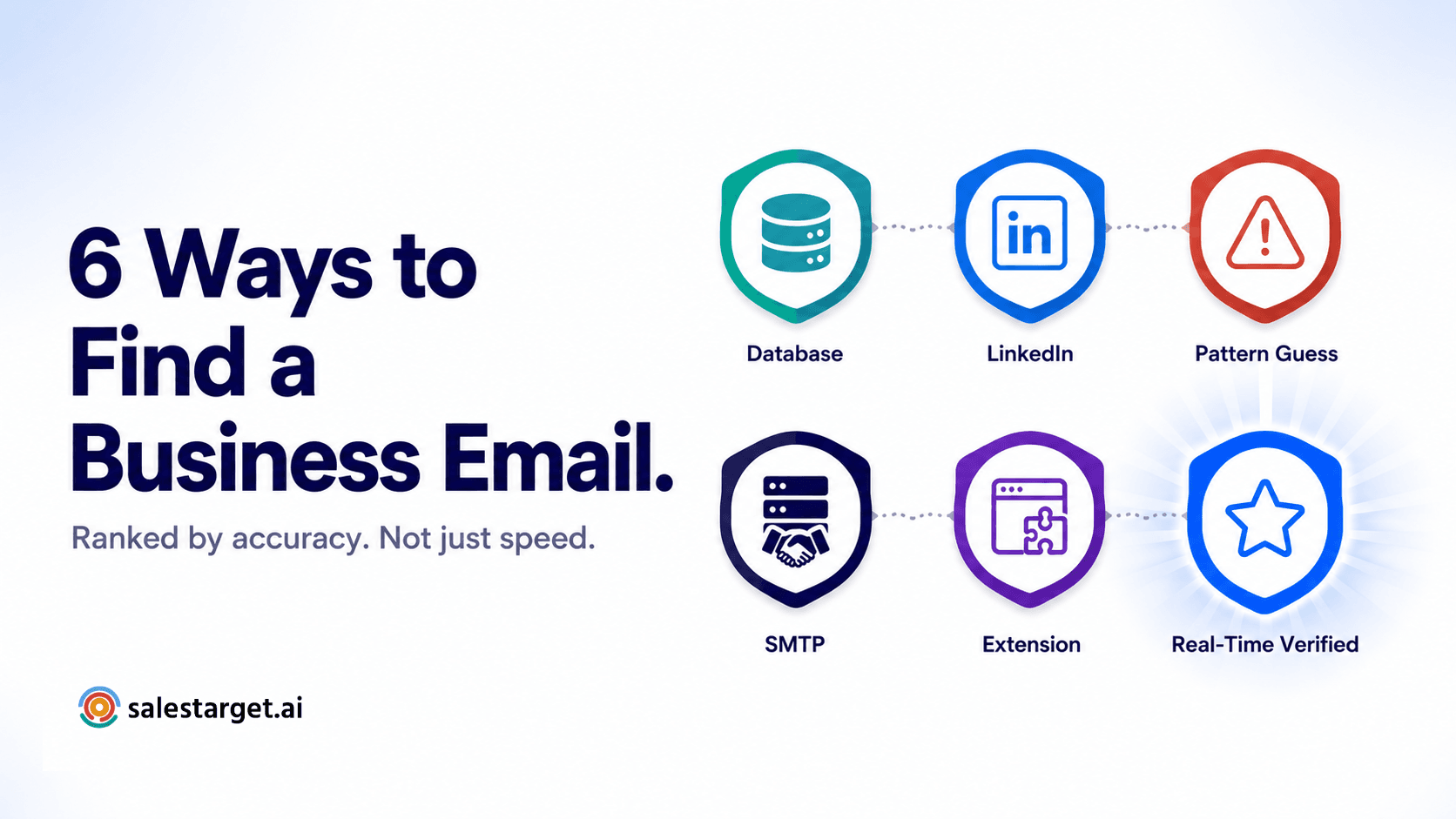
- Six methods exist for finding business email addresses in 2026 — they vary significantly in accuracy, speed, and bounce rate risk.
- Domain pattern guessing produces the highest bounce rates (15–25%) and should never be used at scale without verification.
- Real-time verified database lookup combined with SMTP verification is the most accurate method — the address is checked live at the point you use it.
- SalesTarget's Email Finder uses name + domain lookup with live verification, returning High Confidence or Unknown Confidence candidates — no guessing, no static database lag.
- For complete contact coverage, combine Email Finder with Verified Contact Data in Lead Explorer — email and direct dial in the same platform.
Finding a business email address is easy. Finding one that actually delivers — to the right person, at the right company, without bouncing — is where most outbound teams struggle. There are six distinct methods for locating professional email addresses in 2026, and they are not equally reliable. Some will produce clean verified contacts. Others will add bounce rate problems to every campaign you run them through.
Here's how each method works, what accuracy looks like in practice, and which combination gives your team the cleanest contact data with the least risk.
Why accuracy matters more than speed in 2026
Speed is not the bottleneck in B2B email finding. Most modern tools — database lookups, Chrome extensions, name-and-domain finders — return results in seconds. The bottleneck is accuracy: whether the address returned actually reaches the person you're trying to contact, and whether sending to it damages your domain or not.
The reason accuracy has become the primary evaluation metric is the 2024–2026 shift in inbox provider enforcement. Google, Yahoo, and Microsoft now enforce strict bounce rate thresholds — a sustained rate above 2% starts degrading your inbox placement, and above 5% triggers active domain filtering. When you find an email address using a low-accuracy method, the bounce from that address doesn't just affect the contact. It affects every email your team sends from that domain until reputation recovers.
The right framework for evaluating any email finding method is not "how fast does it return results" — it's "what bounce rate does using this method at scale produce on my domain."
6 methods for finding business email addresses — ranked by accuracy
Method 1 — B2B database lookup
How it works: A database of pre-collected contact records is searched by company, job title, name, or domain. The email address was verified at some point when it was added to the database and served back to you on lookup.
Accuracy: Highly variable — depends entirely on how recently the data was verified. B2B email addresses decay at roughly 22.5% annually. A database that verifies data at collection but doesn't refresh it will show increasing inaccuracy over time. The gap between when an address was verified and when you use it is the primary determinant of quality.
When it works well: Large enterprise databases with fast refresh cycles — the closer the verification date to your use date, the better the result.
Bounce rate risk: Medium to high for static databases. Low for databases with live or near-live verification at point of use.
Method 2 — LinkedIn profile extraction
How it works: A browser extension or scraping tool extracts publicly visible email addresses from LinkedIn profiles and company pages. Some tools attempt to infer the address from the person's name and employer rather than extracting a visible address.
Accuracy: Moderate. LinkedIn doesn't display most users' email addresses publicly — the majority of "found" addresses are inferred rather than confirmed. Extraction tools catch publicly listed emails reliably but miss the majority of contacts who don't publish their address.
When it works well: For contacts who actively share their business email on LinkedIn — typically founders, freelancers, and consultants. Less reliable for corporate employees with standard privacy settings.
Bounce rate risk: Medium — inferred addresses carry significant uncertainty.
Method 3 — Domain pattern guessing
How it works: Construct the most likely email address by combining the person's name with their company domain using common patterns — firstname@company.com, f.lastname@company.com, firstname.lastname@company.com, and so on. Try multiple variations until one delivers.
Accuracy: Low. The pattern may not match what the company uses. The person may have left the company. Even if the pattern is right and the person is still there, sending wrong guesses before finding the right one produces bounces on every incorrect attempt.
When it works well: Never at scale without verification. For one or two addresses where you have strong domain pattern confidence and run each through an SMTP verifier before sending, it can work. It is not a sustainable method for team outreach.
Why guessing at scale damages your domain
The compounding bounce problem
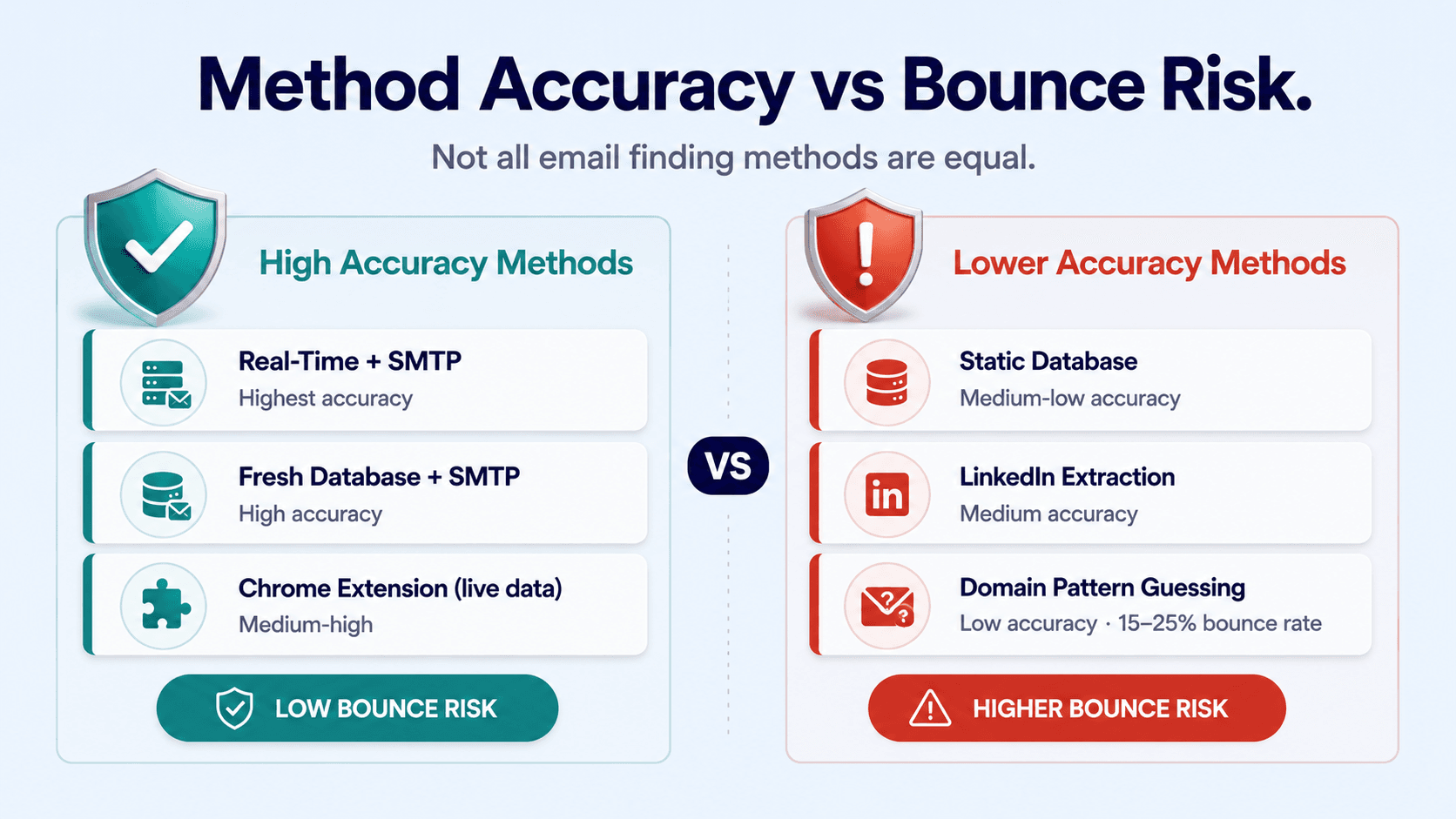
Domain pattern guessing typically produces bounce rates of 15–25% across a sequence. Each wrong guess is a hard bounce. Inbox providers track bounce patterns across your entire sending domain — not per campaign. Ten guessed addresses across five sequences is ten data points telling Gmail your domain sends to non-existent contacts. The pattern builds silently and then hits all at once when your inbox placement drops. Never use pattern guessing without running every address through SMTP verification first.
Method 4 — SMTP verification at point of use
How it works: Rather than finding an address through a database or extraction, an SMTP check connects directly to the recipient's mail server and confirms whether the specific mailbox exists — without sending an email. The check happens live, at the moment you request it.
Accuracy: High for addresses it can confirm. The limitation is catch-all domains — servers configured to accept all incoming mail, where an SMTP check can't confirm or deny the individual mailbox. These return an indeterminate result rather than a clean yes or no.
When it works well: As a second-step verification layer after finding an address through another method. Finding an address through a database or name-and-domain lookup and then running SMTP verification on the result before sending is the highest-accuracy combination available.
Bounce rate risk: Low for confirmed valid results. Catch-all results (50% confidence) carry inherent uncertainty.
Method 5 — Chrome extension combined with LinkedIn
How it works: A browser extension activates while you're viewing a LinkedIn profile or company page and attempts to surface the contact's professional email address — either by accessing a connected data source or by inferring from visible profile information and known domain patterns.
Accuracy: Moderate. Chrome extensions that connect to a regularly refreshed B2B database perform well for contacts in that database. Extensions that rely on pattern inference share the same weaknesses as domain pattern guessing. The quality depends entirely on the underlying data source, not the extension mechanism.
When it works well: Quick single-contact lookups while actively prospecting on LinkedIn. Not suitable for bulk prospecting or team-scale outreach where a scalable workflow matters more than per-contact convenience.
Bounce rate risk: Medium — depends entirely on the underlying data source quality and refresh rate.
Method 6 — Real-time name and domain lookup with live verification
How it works: Enter the prospect's first name, last name, and company domain. The tool cross-references verified data sources, identifies the email format the company uses, and returns candidates with confidence levels — then runs live SMTP verification on the result at the point you unlock it.
Accuracy: Highest available. The combination of name-and-domain pattern matching against verified sources — plus live SMTP confirmation at point of use — produces the lowest bounce rate of any finding method. The address is checked live against the mail server the moment you retrieve it, not at some earlier point when it was added to a database.
When it works well: Any scale of B2B cold outreach where deliverability matters. Particularly valuable for teams building high-quality targeted sequences to a defined ICP — the extra confidence per address is worth the extra step.
Bounce rate risk: Low — targeting under 5% across verified results, significantly lower than database-only or pattern-guessing methods.
All six methods compared
| Method | Accuracy | Bounce risk | Best for |
|---|---|---|---|
| Real-time lookup + SMTP | Highest | Low | Any scale B2B outreach where deliverability matters |
| Fresh B2B database + SMTP verification | High | Low–medium | High-volume prospecting with a regularly refreshed data source |
| Chrome extension (live data source) | Medium–high | Medium | Individual LinkedIn prospecting, one contact at a time |
| LinkedIn profile extraction | Medium | Medium | Contacts who publish their email publicly |
| Static database lookup (no refresh) | Medium–low | Medium–high | Starting point only — always follow with SMTP verification |
| Domain pattern guessing | Low | High (15–25%) | Last resort — never at scale without SMTP verification first |
How SalesTarget's Email Finder uses Method 6
SalesTarget's Email Finder is built on the real-time name-and-domain lookup model. Enter a first name, last name, and company domain — the tool cross-references verified professional email sources, identifies the pattern the company uses, and returns candidates ranked by confidence level.
Results come back as High Confidence (the strongest match, cross-referenced against verified data for that domain) or Unknown Confidence (a valid email pattern for the domain, not individually confirmed). Always use the High Confidence result first. For maximum certainty, run any result through the Email Verifier for a full four-layer SMTP check before adding it to a campaign sequence.
No browser extension required. No LinkedIn integration needed. The entire workflow — finding the address, verifying it, and copying it to your campaign — stays inside SalesTarget.
Add direct dial to the workflow
Complete contact coverage
For complete contact coverage on high-priority ICP prospects, combine Email Finder with Verified Contact Data in Lead Explorer — which surfaces direct dials alongside verified business emails from the same search. A multichannel sequence that opens with email and follows with a direct call to a confirmed mobile or direct line consistently outperforms email-only approaches on priority accounts.
Which method to use for your situation
| Your situation | Recommended method |
|---|---|
| I know who I want to reach — I just need their email | Method 6 — Real-time name + domain lookup in Email Finder |
| I have a large list from a database and want to confirm it before sending | Run through Bulk Email Verifier — SMTP verification on every address before campaign launch |
| I'm prospecting on LinkedIn and want email + direct dial | Method 6 + Verified Contact Data in Lead Explorer for combined contact coverage |
| I only have the domain and someone's name — no other data | Method 6 — Email Finder takes first name, last name, and domain only |
| I found an email through LinkedIn or a Chrome extension | Run it through Email Verifier before sending — adds the SMTP confirmation layer that extensions miss |
For a detailed walkthrough of the Email Finder workflow — including how to read confidence levels and what to do with Unknown Confidence results — see How to Find a Professional Email Address Without Guessing the Format. For the decision-maker specific angle and how verified email finding fits into a full prospecting workflow, see How to Find a Decision-Maker's Verified Email Address.
Find any business email. Verified before you send.
SalesTarget's Email Finder takes a name and domain — returns verified candidates with confidence levels — no browser extension, no guesswork, no bounces.
✓ 50 credits ✓ 7-day trial ✓ No credit card required




