Your pipeline report looks busy. Twenty open deals, several labeled warm, a handful sitting in proposal. But ask your team which will actually close this month and the answers are vague. Reps are working across three tools. Follow-up tasks sit unassigned. Contact data in the CRM differs from what lives in the prospecting sheet. This is where quota gets lost not in the demo, in the disconnected stack.
The best CRM for a small B2B sales pipeline is the one that fits your sales motion from first contact to closed deal. For outbound-focused teams, SalesTarget.ai connects lead discovery, contact verification, multichannel outreach, and deal management in one workflow. For visual pipeline tracking alone, Pipedrive leads. For marketing-aligned teams, HubSpot CRM. For SMBs on a tight budget, Zoho CRM. This guide reviews eight platforms across pipeline features, automation, usability, and real costs so you can choose based on what your team actually does, not what the demo shows.
Best CRM for Small B2B Sales Pipeline: Top Picks at a Glance
Best CRM Choices for Outbound Sales, Pipeline Tracking, and Lead Management
- SalesTarget.ai: Full outbound stack from lead discovery to deal close in one platform.
- Pipedrive: Visual pipeline, clean deal stage management, built for deal-focused AE teams.
- HubSpot CRM: Free starter tier, strong for sales and marketing alignment.
- Zoho CRM: Affordable per-seat pricing, flexible pipeline customization for budget-limited teams.
- Close CRM: Native power dialer, purpose-built for phone-heavy SDR teams.
- Freshsales: Workflow automation and AI lead scoring inside the Freshworks ecosystem.
- Salesflare: Automatically populates contact and activity data from email and calendar.
- Salesforce Starter Suite: Entry-level Salesforce for small teams planning to scale into the broader platform.
Quick Comparison of 8 B2B CRM Platforms by Use Case, Pricing, and Key Strength
| CRM | Best For | Entry Price (per user/mo) | Pipeline Features | Outbound | Main Limitation |
|---|---|---|---|---|---|
| SalesTarget.ai | Outbound + CRM combined | See pricing | Full pipeline, deal stages, activity log, dialer | Native email + LinkedIn | Newer vs. legacy CRMs |
| Pipedrive | Visual deal tracking | ~$14 | Drag-and-drop stages, deal alerts, forecasting | Email sync | No native prospecting |
| HubSpot CRM | Sales + marketing alignment | Free / ~$15+ | Standard pipeline, deal records, attribution | Email sequences (paid) | Cost scales fast per seat |
| Zoho CRM | Budget-conscious SMBs | ~$14 | Flexible stages, Kanban, blueprint workflows | Email + basic automation | Interface feels dated |
| Close CRM | Phone-first outbound | ~$49 | Pipeline + built-in dialer, smart views | Email + calls | Higher entry cost |
| Freshsales | Automation-heavy teams | ~$9 | AI deal scoring, Kanban pipeline | Email + phone | No LinkedIn outreach |
| Salesflare | Low-admin contact capture | ~$29 | Auto-populated pipeline, suggested actions | Email tracking | Limited reporting depth |
| Salesforce Starter | Teams planning to scale | ~$25 | Standard stages, activity tracking | Email integration | Setup complexity |
8 Best CRM Software Platforms for Small B2B Sales Teams
1. SalesTarget.ai: Best for Connected B2B Lead Generation, Outreach, and CRM Management
Overview. SalesTarget.ai is an all-in-one B2B sales intelligence and outbound platform. The Lead Explorer surfaces verified prospects, the outreach modules handle email and LinkedIn sequences, and the built-in CRM tracks every deal, task, and activity without a separate import step.
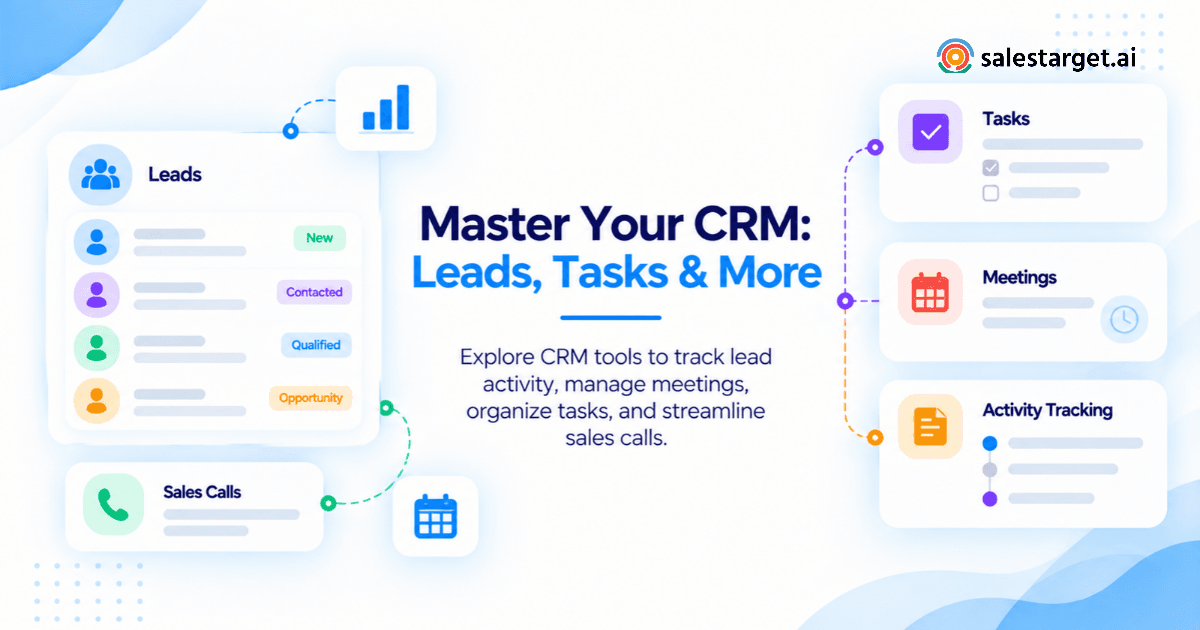
Standout pipeline features. Campaign leads land in the CRM automatically when a reply or meeting trigger fires. Every outreach action logs to the lead timeline. Follow-up tasks are created automatically. Five modules cover the full pipeline: Lead Management, Deal Pipeline, Tasks and Follow-Ups, Activity Tracking, and Reports and Analytics. The built-in dialer is click-to-call with auto-logged notes.
Ideal users. Outbound SDR teams, founders managing sales directly, RevOps leads who want one data source for both pipeline and outreach reporting.
Strengths. No CSV imports. Enrichment at the point of lead discovery. Unified reply inbox sorted by intent (Interested, Follow-Up, Not a Fit). AI Copilot for plain-English pipeline queries. Connects with Slack, Google Calendar, Calendly, Zapier, HubSpot, Salesforce, and Zoho.
Limitations. Newer platform compared to CRMs with a decade of enterprise integrations.
Verdict. For teams running outbound who need the full lead-to-close stack without stitching five tools together, SalesTarget.ai closes the gap.
2. Pipedrive: Best for Visual Sales Pipeline and Deal Tracking
Overview. Pipedrive is a deal-centric CRM with a drag-and-drop pipeline view built for teams that want stage-by-stage visibility on active opportunities.
Standout pipeline features. Custom deal stages, rotting-deals alerts, a revenue forecasting dashboard, and solid email activity sync.
Ideal users. AEs managing an active pipeline who already have a separate prospecting and outreach stack.
Strengths. Fast setup, clean UX, strong mobile app, reliable stage reminders and activity logging.
Limitations. No native B2B prospecting database. Email sequences require higher-tier plans. LinkedIn outreach needs third-party tools.
Verdict. Solid for visual deal tracking. Outbound teams will still need a separate prospecting and outreach layer on top.
3. HubSpot CRM: Best for Sales and Marketing Integration
Overview. HubSpot CRM offers a genuinely usable free tier for contact and deal management. Paid tiers add email sequences, automation, and marketing attribution reporting.
Standout pipeline features. Contact timelines, deal stage tracking, and marketing attribution reporting work well when both teams run inside HubSpot.
Ideal users. Teams where marketing and sales share the same funnel and contact database.
Strengths. Free entry point, large integration ecosystem, strong pipeline-to-marketing attribution on paid tiers.
Limitations. Outbound sequences require paid plans. Per-seat cost scales quickly at team size. No native B2B prospecting.
Verdict. Best when marketing drives inbound pipeline. Pure outbound teams hit the free plan ceiling fast.
4. Zoho CRM: Best for Budget-Friendly B2B Sales Management
Overview. Zoho CRM offers competitive per-seat pricing with flexible pipeline customization, blueprint-driven sales processes, and a Kanban board view.
Standout pipeline features. Custom stages, SalesSignals engagement triggers, workflow automation rules, and solid API access for integrations.
Ideal users. SMBs that need structured pipeline management on a limited software budget.
Strengths. Low entry cost, tight Zoho suite integration, good API access, workable automation at mid-tier plans.
Limitations. Interface requires more configuration to feel current. Outbound automation is limited compared to specialized tools.
Verdict. Best per-seat value when budget is the binding constraint.
5. Close CRM: Best for Outbound Calling and Sales Follow-Ups
Overview. Close CRM is built for phone-heavy sales teams, with a native power dialer, email sequences, and smart views for follow-up prioritization.
Standout pipeline features. Power dialer with auto-logged call notes, email open and click tracking, and priority-filtered smart views for daily rep workflows.
Ideal users. SDR teams that work primarily on the phone and lead-gen agencies running high-volume outbound calls.
Strengths. Best native calling experience on this list. Strong email sequence management and reply tracking.
Limitations. No native LinkedIn automation. No B2B prospecting database. Higher entry price than comparable options.
Verdict. Strong for phone-first outbound. Add a prospecting tool to complete the stack.
6. Freshsales: Best for CRM Automation and Customer Communication
Overview. Freshsales combines AI deal scoring, workflow automation, and built-in calling with a standard deal pipeline inside the Freshworks platform.
Standout pipeline features. AI-powered contact scoring, Kanban deal view, and workflow automations triggered on deal stage changes.
Ideal users. Teams already in the Freshworks ecosystem wanting sales and support on a shared platform.
Strengths. Good automation depth at mid-tier pricing. Built-in chat, phone, and email in one inbox.
Limitations. No native LinkedIn outreach. Entry-plan reporting is shallow.
Verdict. A solid fit inside the Freshworks ecosystem. As a standalone CRM, it competes with Zoho and Pipedrive without a distinct edge.
7. Salesflare: Best for Automated Contact and Activity Data Capture
Overview. Salesflare pulls contact records, email history, and meeting notes automatically from Gmail, Outlook, LinkedIn, and calendar, cutting manual CRM data entry near zero.
Standout pipeline features. Auto-populated deal records, email open and click tracking, and a suggested-actions feed surfacing what to do next.
Ideal users. Small teams and solo operators who want CRM data without time spent on manual logging.
Strengths. Near-zero data entry, clean pipeline view, solid email tracking.
Limitations. Reporting depth is limited. No native outreach sequences or prospecting database.
Verdict. Excellent at keeping CRM records current. Teams running active outbound sequences will need additional tools.
8. Salesforce Starter Suite: Best for Small Teams Planning More Complex Sales Operations
Overview. Salesforce Starter Suite is the entry point to the Salesforce platform, with contact management, deal stage tracking, and basic reporting.
Standout pipeline features. Standard opportunity stages, activity tracking, and access to Salesforce's broad integration catalog.
Ideal users. Small teams planning to grow into enterprise Salesforce in the next 12 to 24 months.
Strengths. Widest CRM integration ecosystem. Strong reporting and analytics at higher tiers.
Limitations. Entry-tier functionality is limited. Real pipeline capability requires higher-tier upgrades. Longest setup time on this list.
Verdict. A future-proofing choice, not the fastest path to productive outbound selling for a small team starting today.
B2B Sales CRM Software Comparison: Pipeline Features, Automation, and Usability
Lead and Contact Management Capabilities Across CRM Platforms
SalesTarget.ai auto-populates lead records directly from the prospecting workflow. Salesflare auto-captures contact data from email and calendar. Every other platform here requires a manual import, a form fill, or an API call to create contact records. For outbound teams, that gap creates data hygiene problems from day one: contacts enriched during prospecting often differ from what ends up in the CRM after import.
Sales Pipeline Tracking, Custom Deal Stages, and Opportunity Visibility
All eight platforms support custom deal stages. The real differentiator is what happens automatically at each stage change. SalesTarget.ai logs outreach activity and creates follow-up tasks. Pipedrive alerts on deals that have gone cold. Close CRM prompts the next call action. HubSpot ties stage movement to marketing attribution. Automation depth at entry pricing varies significantly across all eight.
Automated Follow-Ups, Email Sequences, and LinkedIn Outreach Support
| Platform | Email Sequences | LinkedIn Outreach | Auto Task Creation |
|---|---|---|---|
| SalesTarget.ai | Native | Native | Yes |
| Pipedrive | Higher tier / add-on | Third-party only | Manual |
| HubSpot CRM | Paid tier | Third-party only | Limited |
| Zoho CRM | Paid tier | Third-party only | Workflow rules |
| Close CRM | Native | None | Limited |
| Freshsales | Native | None | Workflow rules |
| Salesflare | Basic native | None | Suggested actions |
| Salesforce Starter | Add-on required | None | Limited |
Reporting, Sales Forecasting, and AI-Assisted Sales Features
SalesTarget.ai's AI Copilot responds to plain-English queries about open deals, meeting counts, and campaign revenue, then flags at-risk opportunities and recommends next actions. HubSpot delivers strong attribution reporting on paid plans. Pipedrive's stage-based forecasting is reliable and straightforward. Freshsales offers AI deal scoring. Salesforce Starter's full reporting capability sits behind higher-tier plans in all meaningful use cases.
CRM Integrations, Ease of Setup, and Team Collaboration
SalesTarget.ai integrates with Google Calendar, Google Meet, Calendly, Slack, Zapier, HubSpot, Salesforce, and Zoho, with setup completed in under a day. Pipedrive and HubSpot have broad app marketplaces. Salesforce Starter's integration power requires upgrades to access meaningfully. Close CRM's third-party library is narrower than most on this list.
Sales Pipeline Challenges That Cost Small B2B Teams Opportunities
Scattered Lead Data Across Prospecting Tools, Spreadsheets, and CRM Systems
The typical outbound team runs four to six point tools: a prospecting database, a cold email tool, a LinkedIn automation tool, a CRM, a dialer, and a calendar scheduler. Each creates its own contact record. When those records diverge, reps prospect accounts already in the pipeline, send duplicate outreach, and work from outdated contact information. According to Validity's State of CRM Data Health research, poor data quality is linked to significant revenue loss across B2B sales teams.
Missed Follow-Ups and Unassigned Opportunities
Most CRMs surface missed follow-ups only after the deal has already gone cold. Automatic task creation tied to reply behavior, and deadline alerts on aging deals, catch these before they become lost opportunities.
Stalled Deals With No Next Sales Activity
A deal without a scheduled next action is a loss in slow motion. CRMs that require a confirmed next-step before a deal can advance in stage enforce the discipline that keeps pipelines from filling with dead weight. Without this, the pipeline review becomes a clean-up exercise rather than a forecasting conversation.
Limited Visibility Into Sales Rep Activities and Deal Progress
Pipeline forecasts built on self-reported rep activity are unreliable. Activity logged automatically from email sends, calls, and LinkedIn interactions gives managers an accurate picture of what is actually happening in the pipeline, without the weekly check-in overhead.
Building a B2B Sales Pipeline From Lead Discovery to Closed Deal
Lead Capture, Contact Verification, and Prospect Enrichment
In SalesTarget.ai, a prospect is found in the Lead Explorer using plain-English AI search or stacked filters: role, seniority, company size, industry, revenue, tech stack, and location. Intent signals via Bombora and real-time business events (funding rounds, hiring spikes, leadership changes) are available at the search stage. One-click enrichment unlocks verified professional email, personal email, phone, and mobile. The contact enters the CRM at that moment — no manual data entry, no CSV, no separate import step.
Lead Qualification and Account-Based Opportunity Creation
Qualification criteria (ICP fit, intent topic match, business event trigger) are applied at the search stage before any contact is enriched. Leads that meet the criteria become CRM opportunities with deal value, stage, and owner assigned before the first outreach message goes out. This is a different starting point from the typical sequence: find leads, export, import into CRM, create a record, assign an owner.
Sales Pipeline Stages From First Contact to Closed-Won
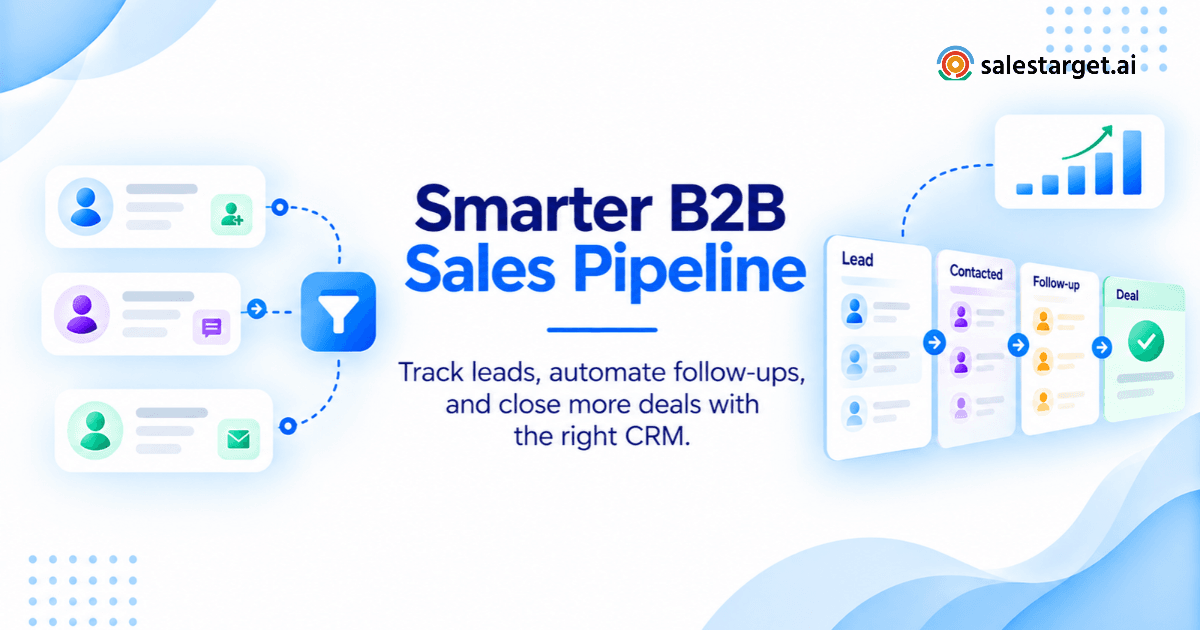
A practical B2B outbound pipeline runs: Lead → Contacted → Engaged → Qualified → Proposal → Negotiation → Closed-Won / Closed-Lost. Stage-entry criteria matter more than stage names. "Engaged" should require a confirmed reply, not an email open. "Qualified" should require a discovery call, not just a positive-sounding response. Without written stage criteria, deals stack in whichever stage makes the pipeline look healthiest.
Email and LinkedIn Engagement With CRM Activity Tracking
SalesTarget.ai's Unibox aggregates all email and LinkedIn replies into one view, sorted by intent: Interested, Follow-Up, and Not a Fit. Replies sync automatically to the deal record in the CRM. No manual logging, no missed context when a deal moves from SDR to AE.
SDR-to-AE Handoffs, Deal Ownership, and Follow-Up Scheduling
When a qualified lead moves from SDR outreach to AE ownership, the full activity history (every email, reply, and call note) carries with the deal record. The AE starts the conversation with complete context, not a brief summary forwarded in Slack.
Pipeline Health Monitoring Through Conversion Rates and Deal Aging
The CRM dashboard shows open deals by stage, deals past their expected close date, email engagement by campaign, and pending tasks by rep. Managers see deal velocity and activity gaps without requesting a status update before every forecast call.
Key Features That Make a Sales Pipeline Management CRM Worth the Investment
Custom Deal Pipelines, Lead Ownership, and Activity History
Custom pipeline stages, clear deal ownership, and a logged activity history are table stakes for any B2B sales CRM. The real question is whether the activity log fills automatically or depends on manual rep input. Manual logging means the CRM reflects only what reps choose to enter. Forecast accuracy follows that gap directly.
Automated Sales Workflows, Reminders, and Task Assignment
The right CRM automation removes the decision overhead of "what do I do next." Auto-tasks on deal stage change, deadline alerts on aging deals, and sequence enrollment triggers keep reps on conversations, not on administrative upkeep. Teams that eliminate manual task creation typically see follow-up completion rates well above what self-managed task lists produce.
Data Enrichment, Email Verification, and Duplicate Management
Bad contact data costs more than the CRM subscription. SalesTarget.ai's Email Validator runs MX and SMTP checks, detects disposable and role-based addresses, and assigns a risk score before any email is sent. Teams using it report 90 percent of contacts verified before outreach begins, protecting sender reputation and keeping domains off blacklists. Duplicate management matters equally: one contact appearing twice in the CRM means two reps can prospect the same account without knowing it.
Pipeline Analytics, Deal Aging, and Revenue Forecasting
Stage-based forecasting is reliable only when stage-entry is enforced by criteria, not by rep optimism. CRMs that flag deals past their expected close date and require a next-step before a stage advance produce forecasts that managers can use. Those that accept any stage entry regardless of criteria produce a number, not a forecast.
AI-Powered Sales CRM Functions That Reduce Manual Administration
SalesTarget.ai's AI Copilot handles lead searches, sequence generation, deal status queries, and task management through plain-language chat. It flags at-risk deals and recommends the next action. Teams report approximately 6 hours saved per rep per week on CRM maintenance alone (SalesTarget.ai). The productivity case for AI-assisted CRM is not theoretical; it shows up in close rates and pipeline velocity.
Security, Data Export, and CRM Integration Requirements
Before committing to any platform: confirm you own your data and can export a complete contact and deal record without a support request. Check whether integrations are included in the entry plan or locked behind an upgrade. Confirm GDPR and SOC 2 compliance if you sell into regulated markets or enterprise accounts. Several platforms charge per-integration or restrict API access to higher-tier plans, which affects the total cost calculation considerably.
CRM Pricing Comparison: Real Costs for Small B2B Sales Teams
Free vs. Paid CRM Plans and Per-User Pricing Models
HubSpot CRM offers a genuinely usable free tier for contact and deal management. Pipedrive, Zoho CRM, and Freshsales offer entry-level paid plans under $20 per user per month. Close CRM and Salesflare start higher. Salesforce Starter sits at mid-range on entry pricing but requires higher tiers for meaningful pipeline automation. The entry price is rarely the number that matters.
CRM Costs for 5-Person and 10-Person Sales Teams
| Platform | 5-User / Month (entry) | 10-User / Month (entry) | Sequences Included? |
|---|---|---|---|
| SalesTarget.ai | See pricing | See pricing | Yes |
| Pipedrive | ~$70 | ~$140 | Higher tier only |
| HubSpot CRM | Free or ~$75 | Free or ~$150 | Paid tier |
| Zoho CRM | ~$70 | ~$140 | Mid-tier |
| Close CRM | ~$245 | ~$490 | Yes |
| Freshsales | ~$45 | ~$90 | Mid-tier |
| Salesflare | ~$145 | ~$290 | Basic |
| Salesforce Starter | ~$125 | ~$250 | Add-on |
Additional Expenses for Lead Databases, Email Outreach, LinkedIn Tools, and Calling
A standalone CRM handles deal tracking. Everything else needed to run outbound (prospecting, email sequences, LinkedIn automation, email validation) is a separate bill. At minimum: a prospecting database ($99+ per month), a cold email tool ($59+ per month), a LinkedIn automation tool ($69+ per month), and an email validator ($30+ per month). That is roughly $257 per month added on top of the CRM subscription, before scaling for team size.
Standalone CRM vs. All-in-One Sales Platform: Total Software Costs
An all-in-one platform like SalesTarget.ai consolidates the full outbound stack into one subscription. For teams comparing total software cost rather than just the CRM line item, the difference is significant. The operational cost of managing four separate vendor relationships, four contact databases that need reconciliation, and four billing cycles is harder to quantify but equally real. Review the full pricing picture before building a side-by-side comparison.
CRM Selection Scorecard for Small B2B Sales Teams
Match the CRM With Your Sales Motion, Team Size, and Pipeline Requirements
Before shortlisting platforms, answer three questions: (1) Do you generate pipeline through outbound prospecting or inbound marketing? (2) Do you sell primarily over phone, email, LinkedIn, or a combination? (3) Will your team log activity manually, or does logging need to happen automatically for data to be trustworthy? The answers determine which category of CRM actually fits your workflow.
A Weighted Comparison of Pipeline Features, Automation, Pricing, and Adoption
Score each shortlisted CRM on five dimensions, weighted by what your team does daily:
| Dimension | Weight | SalesTarget.ai | Pipedrive | HubSpot | Zoho CRM | Close CRM |
|---|---|---|---|---|---|---|
| Pipeline customization | 20% | ⬛⬛⬛⬛⬛ | ⬛⬛⬛⬛⬜ | ⬛⬛⬛⬛⬜ | ⬛⬛⬛⬛⬜ | ⬛⬛⬛⬜⬜ |
| Outreach automation | 25% | ⬛⬛⬛⬛⬛ | ⬛⬛⬜⬜⬜ | ⬛⬛⬛⬜⬜ | ⬛⬛⬜⬜⬜ | ⬛⬛⬛⬜⬜ |
| Contact data quality | 20% | ⬛⬛⬛⬛⬛ | ⬛⬛⬜⬜⬜ | ⬛⬛⬜⬜⬜ | ⬛⬛⬜⬜⬜ | ⬛⬛⬜⬜⬜ |
| Ease of adoption | 20% | ⬛⬛⬛⬛⬜ | ⬛⬛⬛⬛⬛ | ⬛⬛⬛⬛⬜ | ⬛⬛⬛⬜⬜ | ⬛⬛⬛⬛⬜ |
| Total cost of ownership | 15% | ⬛⬛⬛⬛⬜ | ⬛⬛⬛⬜⬜ | ⬛⬛⬜⬜⬜ | ⬛⬛⬛⬛⬜ | ⬛⬛⬜⬜⬜ |
Test CRM Workflows With Realistic Sales Records and Follow-Up Tasks
During any trial, load 20 real prospect records, run a two-step email sequence, log a meeting, move a deal through three stages, and check what the pipeline report shows. If that workflow takes more than 30 minutes to set up, adoption will be low. According to Salesforce's State of Sales research, sales reps who find their CRM easy to use are 2x more likely to say it directly improves their performance.
Evaluate Migration, Reporting Accuracy, and Data Ownership Before Purchase
Three questions to ask any vendor before signing: Can you export all contacts and deal records in a standard format without a support ticket? Are pipeline reports based on automatically logged activity or rep self-entry? What happens to your data if you cancel? These questions surface problems that demo calls rarely address. Read the full guide on choosing CRM software before finalizing a shortlist.
Why Choose SalesTarget.ai
Lead Explorer for B2B Prospect Discovery and Contact Enrichment
The Lead Explorer searches across 840M+ professional profiles and 146M+ businesses. Run a plain-English AI search or stack filters: role, seniority, company size, industry, revenue, tech stack, location, and intent signals via Bombora. Real-time business events (funding rounds, hiring spikes, leadership changes) are included on a 30 to 90 day lookback. One-click enrichment unlocks verified professional email, personal email, phone, and mobile. SalesTarget.ai reports 99% contact data accuracy across enriched records, sourced from 50+ data providers.
Email Validator for Contact Accuracy and Outreach Deliverability
The Email Validator runs MX and SMTP checks, detects disposable and role-based addresses, and assigns a risk score before a single email leaves the platform. Teams report 90 percent of contacts verified before outreach begins, protecting sender reputation, maintaining inbox placement, and keeping sending domains off blacklists. The validator also connects via API to 60+ platforms for bulk list cleaning and pre-send verification.
Email and LinkedIn Outreach for Coordinated Prospect Engagement
Email Outreach and LinkedIn Outreach run in a single coordinated sequence. AI builds multi-step sequences (first touch, follow-ups, pacing) from a plain-English audience description, reducing campaign creation time by 35 percent (SalesTarget.ai). Unlimited inboxes with automatic warm-up, intelligent rotation, and SPF/DKIM/DMARC checks protect sender reputation at scale. The Unibox aggregates all replies sorted by intent: Interested, Follow-Up, and Not a Fit. LinkedIn outreach includes rate limiting, warm-up logic, and timezone-aware scheduling to protect account health.
Built-In CRM for Managing Leads, Opportunities, Tasks, and Sales Activities
The CRM receives campaign leads automatically — no import step. Every email, reply, and call logs to the lead timeline without manual input. Follow-up tasks are created when a lead replies or a meeting ends. A live shared pipeline and manager dashboard show open deals by stage, pending tasks by rep, and email engagement metrics by campaign, all in real time. Setup takes under a day. Teams using the connected workflow report 91 percent follow-up completion and 3.2x faster deal cycles (SalesTarget.ai).
AI Copilot for Lead Search, Campaign Creation, and CRM Insights
The AI Copilot is a conversational sales assistant built into the platform at no additional cost. Ask it to find leads matching a specific ICP, generate a personalized multi-step email sequence, check open deals by stage, or flag at-risk opportunities. It personalizes outreach by role, industry, and company size. A Memory feature can pull your website content for on-brand replies. Workspace data stays private. Teams using the Copilot report 2.4x more meetings booked from the same lead volume (SalesTarget.ai).
A Connected Workflow From B2B Prospecting to Sales Pipeline Management
The operational difference between SalesTarget.ai and a CRM-plus-tools stack is data continuity. The lead found in the Explorer is the same record that enters the sequence and lands in the CRM. No re-import, no deduplication pass, no contact data reconciliation across platforms. Reps spend time on conversations and closing, not on keeping four systems in sync.
See the full workflow from first prospecting search to closed deal. Start your trial at SalesTarget.ai.
Common CRM Buying Mistakes That Create More Pipeline Problems
Paying for Advanced Features Before Defining a Sales Process
Buying a CRM with AI forecasting, territory management, and partner portals before your team has consistent stage-entry criteria is backwards. Define the sales process first, then match the tool to it. A $150/seat CRM will not fix a pipeline where nobody agrees on what a qualified deal looks like.
Comparing Entry Prices Without Checking Automation and Integration Limits
Most CRM entry plans lock sequences, automation, and integrations behind higher tiers. The $14/seat plan that attracted attention in the comparison may require $49/seat to do what your team actually needs. Check what each feature tier includes and what it costs to add on — the entry price and the working price are rarely the same number.
Choosing CRM Software Without Input From Daily Sales Users
Managers select features. Reps decide whether to use the tool. If the people logging calls and updating deal stages did not evaluate the CRM, expect low adoption and unreliable pipeline data from day one. See also what small sales teams actually need from a CRM before finalizing a choice.
Migrating Unverified Contacts and Duplicate Opportunities
Moving bad data into a new CRM relocates the problem. Before any migration, run the existing contact list through an email validator and deduplicate by domain and full name. Starting clean costs a day. Cleaning a contaminated CRM after the fact costs months, plus the pipeline disruption that comes with it.
Treating Pipeline Value as Revenue Without Reviewing Deal Quality
A $500K pipeline with no stage-entry criteria and no required next steps is a wish list. Pipeline reviews should filter by last activity date, days in current stage, and next scheduled action before summing the total. The number that survives that filter is the forecast. The rest is a collection of deals waiting to be lost.
Final Verdict: The Right CRM for a Small B2B Sales Pipeline
The right B2B sales CRM software is not the cheapest on the list, the most feature-rich, or the one with the most polished demo. It is the one your team actually uses, that keeps contact data clean, and that keeps every deal moving with a visible next step.
For narrower needs, each platform earns its place: Pipedrive handles visual deal tracking clearly. HubSpot fits marketing-aligned teams managing inbound pipelines. Zoho CRM works when budget is the primary constraint. Close CRM wins when phone-based outbound is the core motion.
For outbound-focused small B2B sales teams, SalesTarget.ai removes the operational friction that costs quota: the gap between where leads are found and where deals are managed. Prospecting, verification, multichannel outreach, and CRM pipeline management run in one workflow on one dataset. No stitching five tools together. No contact data reconciliation. No blind spots in the pipeline before forecast calls.
If the goal is to find the right buyers, reach them across email and LinkedIn, and close them inside a pipeline you can forecast with confidence, SalesTarget.ai is the complete outbound platform for small B2B sales teams.