Your SDRs built a list, wrote a sequence, and hit send. Two hours later, half the campaign is sitting in a bounce report instead of a prospect's inbox. The domain gets flagged. Reply rates fall the next week too, even on contacts that were never touched.
That's what a dirty list does. It doesn't just waste one campaign. It drags down every send after it.
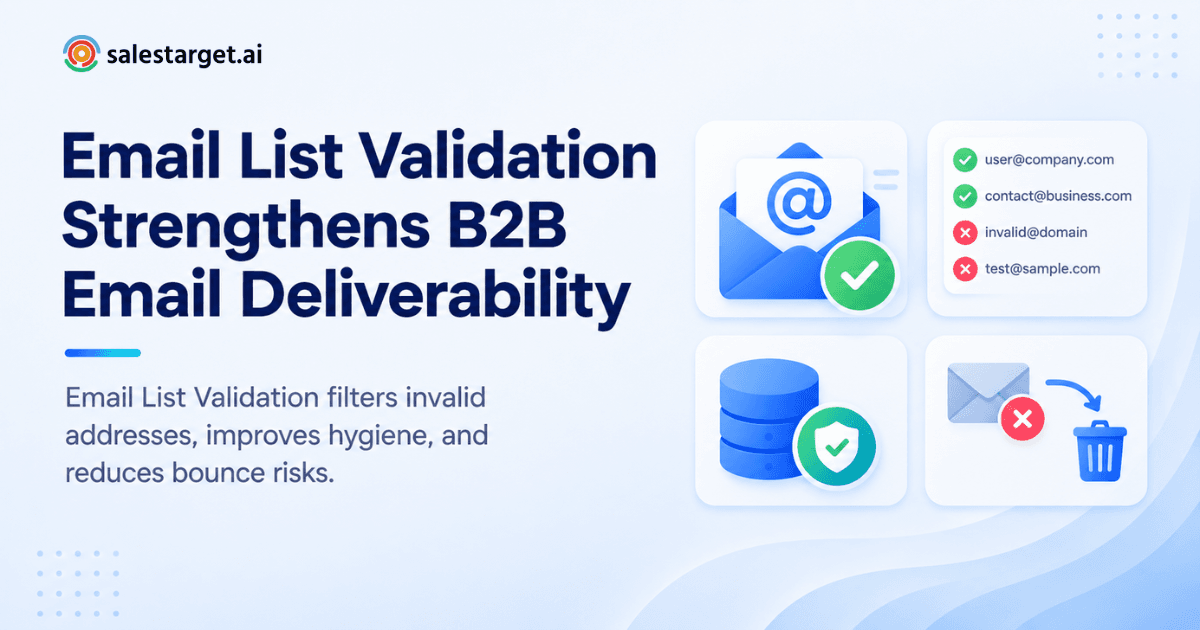
Email list validation checks each address in a list for real, deliverable mailboxes before a campaign goes out. It catches typos, dead domains, disposable inboxes, and role accounts that never reply. Clean the list first and bounce rates drop, sender reputation stays healthy, and B2B contact data stays usable for prospecting instead of quietly rotting in a CRM. Tools like SalesTarget.ai's Email Validator run this check automatically before a send, so reps work from lists that are already sound.
Why Email List Validation Matters for B2B Sales Teams
A B2B list isn't static. People change jobs, domains get retired, and role inboxes like info@ or sales@ pile up in databases nobody has cleaned in a year. Send to that list unchecked and the damage shows up fast: bounces, spam folder placement, and a domain reputation that takes weeks to rebuild.
Sales pros feel this in the numbers too. Only 35% of sales professionals say they completely trust the accuracy of their own data, according to Salesforce's State of Sales research. Validation is the fix that turns "we think this list is fine" into "we checked."
What Email List Validation Actually Checks
A real validation pass runs several checks in sequence, not just a spellcheck on the "@" sign.
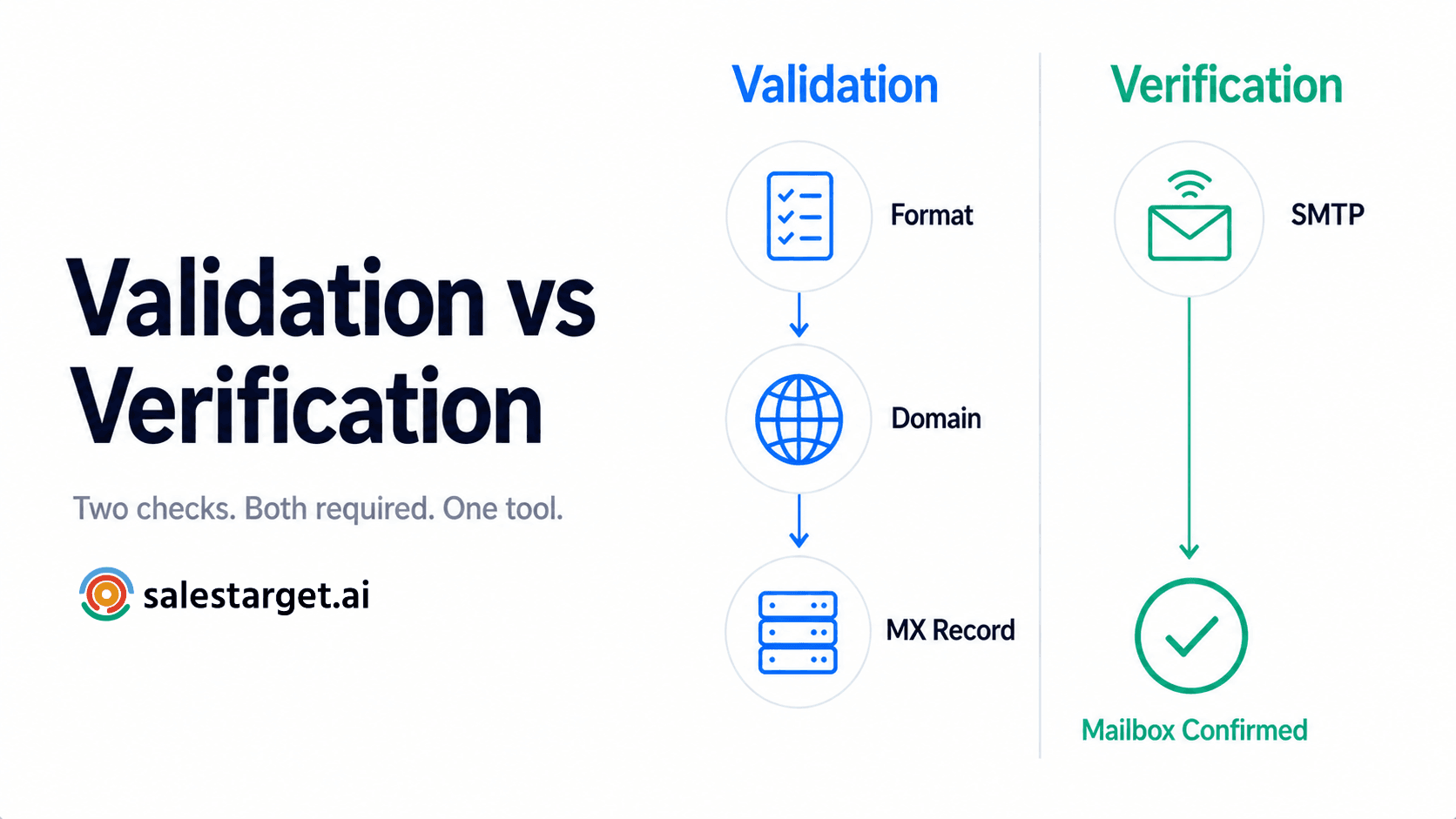
Email syntax and address format checks
The first pass catches malformed addresses: missing "@" symbols, stray spaces, invalid characters, or domains typed wrong (gmial.com instead of gmail.com). Simple, fast, and it clears out a chunk of junk before anything more costly runs.
Domain and MX record verification
Next, the tool checks whether the domain even exists and whether it has an MX (mail exchange) record set up to receive mail. No MX record means no inbox on the other end, no matter how correct the address looks.
SMTP and mailbox verification
This step pings the receiving mail server directly to confirm the specific mailbox is live, without sending an actual email. It's the closest a validator gets to knowing a message will land somewhere real.
Identifying disposable, role-based, and catch-all email addresses
Disposable addresses (think Mailinator or Guerrilla Mail) are built to self-destruct. Role addresses like support@ or hello@ rarely belong to one decision-maker. Catch-all domains accept every address thrown at them, valid or not, so they need extra scrutiny before a rep counts them as a good contact.
Detecting risky and potentially undeliverable contacts
Some addresses pass the syntax and domain checks but still carry warning signs: a history of bounces, a domain flagged for spam, or a mailbox close to full. Flagging these as "risky" instead of "valid" keeps them out of a first-touch send.
How Email List Validation Improves B2B Data Quality
Removing invalid email addresses from sales databases
Every validation run pulls dead and malformed addresses out of the database, not just out of a single campaign export. That keeps the underlying CRM record cleaner for every rep who touches it later.
Reducing outdated and stale B2B contact data
A contact that bounces is a signal, not just a nuisance. Most of the time it means the person changed roles or the company retired that domain. Treating a bounce as a data-quality flag, not a one-off failure, catches decay earlier.
Improving contact accuracy across prospecting lists
Verified contact data means less guessing for reps. When Lead Explorer enriches a lead, it verifies the email at the same moment, so the contact a rep pulls into a sequence has already passed the checks above.
Maintaining cleaner B2B contact data as lists change
Lists grow every week: new leads from Lead Explorer, imports from events, referrals from AEs. Each new batch needs the same checks as the original list, or the clean baseline erodes fast.
Why email list decay makes ongoing validation necessary
B2B contact data decays at roughly 2.1% a month, compounding to around 22.5% a year, based on research widely cited by HubSpot. A list validated in January can carry a meaningfully higher invalid rate by June. That's the case for treating validation as a habit, not a one-time cleanup.
How Email List Validation Improves Email Deliverability
Reducing hard bounces before emails are sent
Hard bounces (permanent failures) are the clearest signal to mailbox providers that a sender isn't managing their list well. Catching those addresses before send keeps the bounce rate low and the domain off provider watchlists.
Protecting sender reputation through cleaner email lists
Sender reputation is built from how recipients and mail servers respond to a domain over time. A steady pattern of low bounces and few spam complaints is what earns trust with Gmail, Outlook, and every provider in between. SalesTarget.ai's Email Outreach module validates roughly 90% of emails automatically before send, which is exactly the pattern providers reward.
Supporting better inbox placement
Deliverability isn't binary. A message can technically "send" and still land in spam or promotions instead of the primary inbox. Clean lists, warmed-up domains, and correct authentication all push toward the inbox rather than the folder nobody checks.
Reducing exposure to spam traps and risky addresses
Spam traps are addresses built to catch senders using stale or purchased lists. They don't bounce; they just quietly signal to providers that a sender's hygiene is poor. Validation is the layer that keeps a domain from ever emailing one.
Building better email list hygiene for outbound campaigns
Good hygiene isn't a single checklist item. It's syntax checks, domain checks, mailbox checks, and a recheck cadence all running together, campaign after campaign, instead of once a quarter.
How to Validate a B2B Email List Before Outreach
Start with a clean and accurate prospect list
Begin with a list built from verified sources rather than scraped or purchased data. Contacts sourced through Lead Explorer's 840M+ verified profiles start from a stronger baseline than a cold export.
Run email syntax, domain, and MX checks
Run the basic structural checks first. They're fast and they clear out the obvious junk before the more resource-heavy checks run.
Verify mailboxes with SMTP checks
SMTP verification confirms the mailbox itself is live. This is the step that separates "looks correct" from "actually deliverable."
Separate valid, risky, and invalid email addresses
Not every result is a clean pass or fail. Sort contacts into valid, risky, and invalid tiers, and treat each differently in a sequence rather than sending the same first-touch email to all three.
Remove undeliverable contacts before adding prospects to sequences
Invalid contacts don't belong in a sequence, full stop. Pull them before the campaign starts, not after the first bounce report comes back.
Recheck older lists to manage email list decay
Any list older than 60 to 90 days needs a fresh pass before its next campaign. Given the decay rates covered above, skipping this step means sending to contacts that were accurate months ago and may not be now.
What to Look for in Email Verification Software
Accuracy of email verification results
Look for a tool that publishes its accuracy rate and backs it with real SMTP-level checks, not just pattern matching. SalesTarget.ai verifies contacts at 99% accuracy at the point of enrichment.
Support for MX, SMTP, and mailbox verification
A tool limited to syntax checks alone misses most of the risk in a list. Confirm the software runs domain, MX, and SMTP checks together.
Detection of disposable and catch-all addresses
These two categories cause a disproportionate share of false positives. Software that flags them separately, rather than lumping them in with "valid," gives a rep a more honest picture of the list.
Integration with B2B lead data and sales workflows
A validator that lives apart from the CRM and sequencing tool means exporting and re-importing lists by hand, a step most teams skip under deadline pressure. A validator built into the same workspace as prospecting and outreach removes that gap entirely.
Real-time validation before email outreach
Real-time checks at the moment of send catch anything that changed since the list was last verified. That's a meaningfully different guarantee than a bulk clean done weeks earlier.
How to choose the best email list validation tool for B2B sales
Compare tools on accuracy, real-time capability, and whether validation happens at the point of enrichment or as a separate manual step. For a closer look at what to check for, see this breakdown of the best email verification tools for B2B teams.
Why Choose SalesTarget.ai for B2B Email Validation and Outreach
Most tools handle one piece of this problem. A prospecting tool finds leads. A validator checks emails. A separate platform handles outreach. Stitching them together means data quality gaps at every handoff. SalesTarget.ai keeps prospecting, validation, outreach, and CRM data in one workspace instead.
Find and enrich B2B prospects with Lead Explorer
Lead Explorer searches 840M+ verified professional profiles and 146M+ business entities, with plain-English or filtered search across role, seniority, company size, and buying signals. Enrichment happens the moment a lead is found, not on a separate schedule.
Verify contacts with Email Validator before outreach
The Email Validator runs MX, SMTP, and risk scoring on every contact, with both a real-time API and bulk list cleaning for existing databases.
Connect verified contacts with email and LinkedIn outreach
Once a contact clears validation, it moves straight into a multichannel sequence covering email and LinkedIn, with no CSV export in between. Context carries across both channels instead of resetting with each new tool.
Manage validated prospects in the built-in CRM
The CRM logs every touch automatically and builds follow-up tasks the moment a lead replies, so validated contacts stay organized past the first send instead of getting buried in a spreadsheet.
Use AI Copilot to support prospecting and sales workflows
AI Copilot can pull leads, draft sequences, and flag deals that need attention on request, all from plain-language chat inside the same workspace. Reps spend less time on setup and more time on the actual conversation.
Common Email List Validation Mistakes That Hurt Deliverability
Sending campaigns without validating new contacts
New leads feel low-risk: they're fresh. But "fresh" doesn't mean "verified." Skipping validation on new contacts is one of the fastest ways to introduce bounces into an otherwise clean sending history.
Relying on outdated B2B email lists
A list that was accurate six months ago has already lost a meaningful share of its valid contacts to job changes and domain retirements. Reusing it without a recheck reintroduces the exact risk validation is meant to remove.
Treating catch-all addresses as fully verified contacts
Catch-all domains accept mail regardless of whether the mailbox exists, which makes them look "valid" on a syntax check. Treat them as risky, not confirmed, and route them into a separate, lower-volume test send.
Focusing on list size instead of contact accuracy
A 50,000-contact list with a 20% invalid rate performs worse than a 30,000-contact list at 98% accuracy. Bigger lists with weak hygiene just mean bigger bounce reports.
Validating a list once and ignoring email list decay
A single cleanup gives a false sense of security. Given the decay rates covered earlier, a list untouched for a year can carry an invalid rate well above what most teams assume.
How to Maintain Better B2B Email List Hygiene
Validate contacts before adding them to outreach campaigns
Make this a required step in the workflow, not an optional one a rep can skip under deadline pressure.
Recheck older B2B contact databases
Set a recurring cadence, every 60 to 90 days, for revalidating contacts already sitting in the CRM. Decay doesn't pause between campaigns.
Remove invalid and stale contacts from sales lists
Purge dead contacts rather than letting them accumulate. A smaller, accurate list beats a larger one padded with dead weight.
Keep prospecting, validation, outreach, and CRM data connected
Hygiene breaks down fastest at the handoff between tools. Keeping all four functions in one workspace, the way SalesTarget.ai does, removes most of those handoff points entirely.
Turn Cleaner B2B Data Into Better Outreach
Start outreach with verified and deliverable email addresses
Every sequence performs better when it starts from a list that's already been checked. Reply rates, meeting rates, and sender reputation all trace back to this first step.
Combine accurate contact data with targeted messaging
Clean data and sharp targeting reinforce each other. A verified contact who fits the ICP is worth far more than a large batch of unverified names.
Connect email validation with the complete sales workflow
Validation works best as one connected step inside prospecting, outreach, and CRM, not as a separate tool a rep has to remember to run.
Conclusion: How Email List Validation Supports Better B2B Outreach and Deliverability
Bad data is quiet until it isn't. It sits in a CRM looking fine until a campaign goes out, bounces spike, and a domain's reputation takes a hit that follows every send after it. Email list validation is the step that catches this before it becomes a deliverability problem instead of after.
SalesTarget.ai builds that check into the workflow itself. Leads get verified the moment Lead Explorer finds them, the Email Validator confirms every address before a send, and outreach and CRM data stay connected from first touch to closed deal. No separate tool to remember, no CSV exports in between.
Clean data is the foundation every other part of outbound sits on. See how SalesTarget.ai keeps B2B data accurate from prospecting through close.