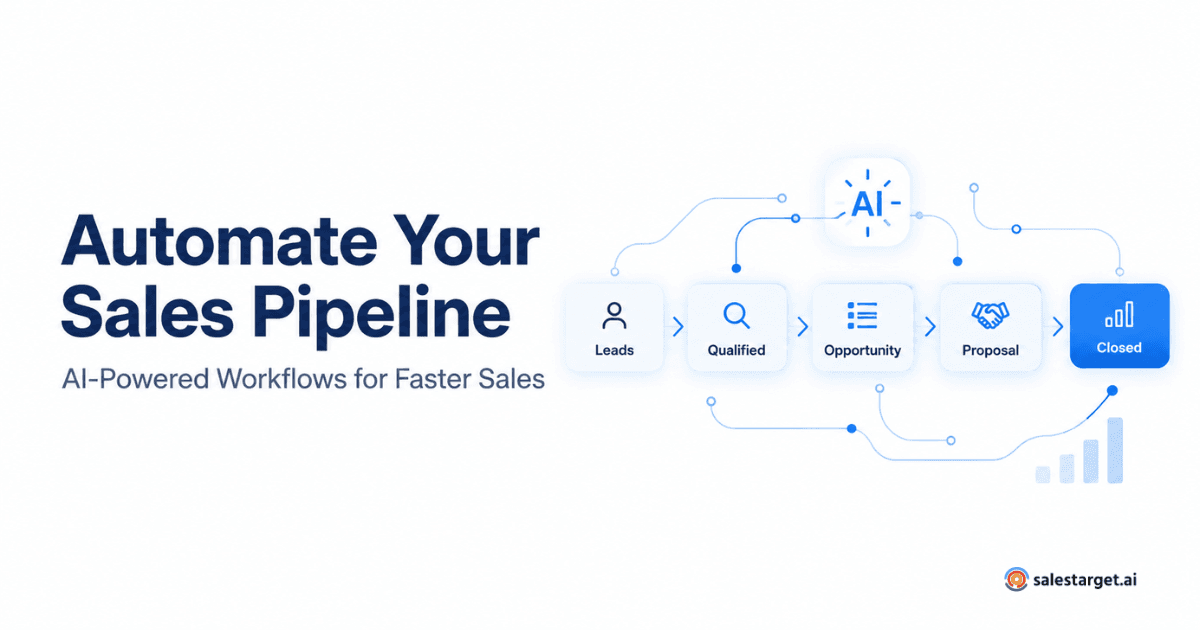
Sales pipeline automation is the use of software - often powered by AI - to handle the routine work that moves deals from first touch to closed-won. Instead of reps updating records by hand, chasing follow-ups from memory, and stitching together spreadsheets, an automated sales pipeline runs those activities in the background: lead capture, enrichment, task creation, follow-up sequences, pipeline updates, and reporting all happen with minimal manual effort.
For revenue teams under pressure to grow without adding headcount, the shift matters. Salesforce's State of Sales research has found that sellers spend less than a third of their week actually selling - the rest goes to admin work, meetings, and manual pipeline upkeep. Closing that gap is what sales pipeline automation is for.
What Is Sales Pipeline Automation?
Sales pipeline automation refers to systems that automatically manage the steps a lead moves through - from identification and qualification to follow-up, deal creation, and stage progression - without a rep clicking through each task manually.
A traditional CRM stores information. It is a system of record. Automation is a system of action: it triggers next steps, updates fields, sends messages, assigns tasks, and flags deals that need attention. The two work together, but they are not the same. A pipeline without automation still relies on human memory — which is not a scalable process.
Why Sales Teams Are Moving to Automated Sales Pipelines ?
Most sales organizations share the same frustrations. Reps forget follow-ups. Leads get qualified inconsistently. Data entry eats hours that could go into conversations. Managers cannot tell which deals are real. The pipeline looks healthy on Monday and thin by Friday.
Common problems that push teams toward sales automation software:
- Manual data entry across CRM, email, and calendar tools
- Missed or delayed follow-ups after demos and discovery calls
- Inconsistent lead qualification between reps
- Sales tasks scattered across inboxes, sticky notes, and spreadsheets
- Poor pipeline visibility for managers and RevOps
- SDRs and AEs spending more time on admin than selling
Automation takes those repeatable pieces off the rep's plate and runs them consistently.
How AI Automates the Sales Pipeline
Older automation depended on rigid rules: if a lead fills out a form, send email A. AI sales automation adds pattern recognition — the software reads signals in a prospect's behavior, prioritizes accounts, and recommends next actions based on what has worked before. Workflows become adaptive instead of static.
Automating Lead Qualification
AI models score leads against your ideal customer profile using firmographic data, intent signals, and engagement history. Instead of every SDR making judgment calls, the system flags high-fit leads and routes low-fit ones to nurture. For a closer look at the top of the funnel, this guide on using AI tools to improve sales prospecting walks through the mechanics.
Automating Lead Follow-Ups
Lead follow-up automation runs sequenced outreach - email touches, LinkedIn actions, reminders - based on triggers like demo requests, content downloads, or opened proposals. AI can personalize each touch using the prospect's role, industry, and prior interactions, so cadences do not read like mass mail. When a prospect goes quiet, the system pauses a sequence rather than pushing another generic nudge.
Automating Sales Tasks and Pipeline Updates
Sales task automation handles the connective tissue: logging calls, creating follow-up tasks after meetings, moving deals between stages, updating close dates, and flagging at-risk opportunities. Rules like "if a deal sits in Proposal for more than ten days, alert the AE" keep the pipeline honest without a weekly deal review being the only checkpoint.
Sales Pipeline Automation vs. Traditional Sales Processes
The differences are easier to see side by side.
| Area | Traditional Sales Process | Automated Sales Pipeline |
|---|---|---|
| Lead management | Manual routing and scoring | AI-driven scoring and routing |
| Follow-up | Depends on rep memory | Triggered automatically by activity |
| Data entry | Reps type into CRM | Activity captured in the background |
| Task management | Ad hoc | Auto-generated from stage or signal |
| Pipeline visibility | Weekly reports, often stale | Live view of stages and activity |
| Scalability | Adds cost per rep | Handles volume without adding headcount |
How CRM Automation Supports Sales Pipeline Management
CRM automation is the layer that ties activity to records. When a prospect opens an email, replies, books a meeting, or downloads a proposal, the CRM captures it and updates the associated deal. That log becomes the source of truth for pipeline stage, next step, and forecast.
Good CRM automation also feeds reporting. Managers see not just pipeline size but health: how quickly deals move between stages, which sources convert best, and where deals stall. Teams that want a structured way to measure this often start with the fundamentals in this overview of how to track sales cycle metrics.
What to Look for in Sales Pipeline Management Software ?
Buying criteria matter more than feature checklists. A few things are worth insisting on:
- Workflow automation with triggers, conditions, and branching
- AI capabilities for scoring, prioritization, and personalization
- CRM integration with your existing system (Salesforce, HubSpot, or others)
- Automated lead management end-to-end from capture to routing
- Pipeline visibility with real-time dashboards, not stale weekly reports
- Reporting on activity, conversion, and forecast accuracy
- Ease of use — if reps will not adopt it, none of the above matters
A practical comparison is available in this guide to sales process tracking tools that support revenue growth.
How SalesTarget.ai Helps Automate Sales Workflows ?
SalesTarget AI is an AI-powered sales platform built to automate prospecting, lead workflows, and outreach for B2B teams. It identifies and enriches target accounts, runs personalized outreach, and keeps pipeline activity flowing — so SDRs and account executives can focus on conversations instead of list-building and data hygiene. It is not a replacement for judgment on complex deals, but it keeps the pipeline running while your team spends time where a human is actually needed.
How to Get Started With Sales Pipeline Automation ?
A staged approach usually beats a big-bang rollout.
- Identify repetitive sales tasks. Ask reps where their time goes. Data entry, follow-up scheduling, and list-building are common starting points.
- Map the current pipeline. Define stages, exit criteria, and the activities expected at each step.
- Select automation opportunities. Pick two or three high-friction workflows first — usually lead routing and follow-up cadences.
- Connect your CRM and sales tools. Automation only works if data flows cleanly between the CRM, email, calendar, and outreach platforms.
- Monitor and refine. Track conversion by stage, cadence performance, and rep adoption. Adjust triggers as you learn what works.