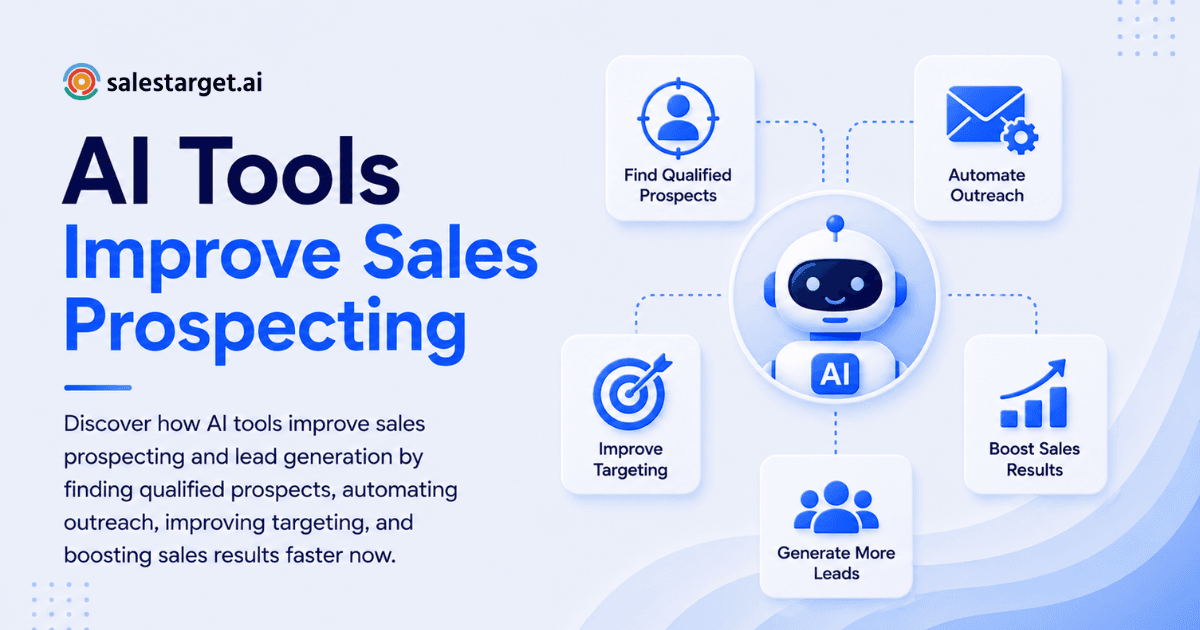
Sales teams are drowning in the same invisible cost: time. Hours spent building lists, researching accounts, cleaning data, and sending generic outreach that doesn't land. That's where AI sales prospecting comes in—not as a replacement for selling, but as a lever. Used well, AI sales prospecting tools remove the repetitive work and give your reps a repeatable system to find, qualify, and engage the right accounts faster.
What does AI prospecting actually do? It uses machine learning and automation to identify likely buyers, enrich contact data, detect buying signals, and personalize outreach at scale—so you can spend less time on manual work and more time selling. The result: shorter sales cycles, cleaner pipelines, and higher reply rates, all without sacrificing the human touch.
What AI Sales Prospecting Actually Does (And Where It Fits)
A modern B2B prospecting workflow has a clear arc:
- Define your ideal customer profile (ICP)
- Build prospect lists (accounts + contacts)
- Research and validate decision-makers
- Prioritize by likelihood to buy
- Personalize outreach across channels
- Track, learn, and iterate
AI prospecting tools add value at every stage, but excel in three areas:
- Prospect research — faster, deeper account and contact context powered by machine learning
- Predictive lead scoring — smarter prioritization based on historical wins and real-time behavior, not gut feel
- Personalized outreach — tailored messaging at scale without writing from scratch
The best results come when AI is paired with clear rules—tight ICPs, disqualification criteria, and messaging guardrails—and good data hygiene. Without those safeguards, even strong AI tools can amplify the wrong targets at speed.
Core Categories of AI Sales Prospecting Tools
Think of AI prospecting tools as a stack. You won't need every category on day one, but you should know what each is designed to do.
1. Sales Intelligence Tools for Finding and Validating Leads
Sales intelligence tools help you discover accounts, identify decision-makers, and validate contact details. AI multiplies their power by:
- Suggesting lookalike accounts based on your actual wins
- Detecting org changes — new hires, role changes, team expansions
- Surfacing "why now?" signals — funding rounds, hiring surges, tech stack changes, job postings in your ICP
These tools often overlap with lead prospecting capabilities and form the foundation for consistent outbound motion.
Actionable tip: Start by defining 10–15 firmographic and technographic filters (industry, headcount, region, tech stack) and 3–5 buying triggers. Use the tool to build two lists: one for "ICP-fit" and one for "ICP-fit + trigger." Always outreach the trigger list first—it converts 2–3X faster.
2. AI Lead Generation Software for Inbound + Outbound
AI lead generation software isn't just pop-ups and forms. Modern platforms use AI to:
- Route inbound leads to the right rep based on fit and intent signals
- Match repeat visitors to companies and decision-makers
- Recommend next actions based on past conversion patterns
- Flag warm leads from your existing database who've gone silent
If your team runs both inbound and outbound, your lead-gen AI needs to integrate tightly with your CRM and engagement tool so insights actually become actions.
Actionable tip: Audit where leads currently die—slow response times, missed routing, poor qualification. Then configure AI rules to fix that one bottleneck first. Don't automate everything at once; that's where implementation fails.
3. Sales Automation Software to Eliminate Manual Prospecting Tasks
A lot of prospecting pain is administrative: copying data, updating fields, logging activity, moving leads through stages. Sales automation software buys time by:
- Auto-logging emails, calls, and meetings without manual data entry
- Creating tasks automatically when signals appear (e.g., website revisit, email bounce, competitor mention)
- Automating follow-up sequences based on outcomes—no-reply → escalate, reply → log and assign
- Reducing CRM friction so your reps actually log activity
This is often where teams see the biggest immediate ROI because you literally get hours back per rep per week.
Actionable tip: Identify your top 5 repetitive tasks. If a task happens 30+ times per rep per week, it's a candidate for automation. Start with the one that takes the most total time across the team.
4. CRM Enrichment and Data Accuracy Tools (The Silent Revenue Lever)
Prospecting falls apart with bad data. Bounces, wrong titles, duplicates, and stale accounts waste days. AI helps by:
- Auto-filling missing data — firmographics, contact details, job titles
- De-duplicating records so you don't waste sequences on the same person twice
- Flagging risky or outdated fields — e.g., a contact who left the company months ago but your system still has them as "Director"
This category is unsexy, but it's often the difference between a scalable outbound motion and operational chaos.
Actionable tip: Enrich only the fields you use for segmentation and routing—industry, employee size, region, job level, department. Enriching everything is expensive and creates CRM noise. Stay surgical.
5. Predictive Lead Scoring for Smarter Prioritization
Predictive lead scoring uses historical outcomes (wins and losses) plus real-time behavior to rank leads and accounts. The goal isn't perfect accuracy; it's a better order of operations.
Effective predictive scoring blends four signals:
- Fit: ICP match (firmographics and technographics)
- Behavior: Engagement, site activity, email replies
- Triggers: Buying signals like hiring, funding, tech changes
- Intent: Category research signals across the web before they raise their hand
Actionable tip: Treat scoring as a tiering system, not a single number. Example:
- Tier 1: "Call today"
- Tier 2: "Sequence this week"
- Tier 3: "Nurture / re-check next month"
Keep Tier 1 small enough to execute—otherwise "priority" becomes meaningless. A Tier 1 of 500 leads defeats the purpose.
6. Intent Data for Sales: Catching Buyers Earlier
Intent data aims to reveal which accounts are researching topics related to your solution—before they ever fill out a form. AI helps by clustering signals and reducing noise:
- Topic surges — sudden spikes in "contract management software" research
- Competitor comparisons — accounts reading your competitor's content
- Category research patterns — related searches that signal active exploration
Intent is powerful, but misuse is common. High intent doesn't always mean "ready to buy now"—it might mean "educating the team." And low intent isn't an automatic disqualifier.
Actionable tip: Combine intent + ICP + trigger. If all three align, prioritize aggressively and use direct, benefit-focused messaging. If only intent aligns, use softer messaging—benchmark data, POVs, educational resources—rather than a hard pitch.
7. LinkedIn Prospecting Automation (Use With Care)
LinkedIn automation can help with:
- Managing connection requests at scale — add 50–100 profiles per day with personalized notes
- Tracking profile changes — know when your prospect gets promoted or changes companies
- Suggesting follow-up sequences based on persona and engagement patterns
However, automation on LinkedIn carries compliance and brand-risk considerations. Poor execution makes your outreach look like spam and can flag your account.
Actionable tip: Even if you automate steps, keep personalization human. Use AI to draft, but always edit the first 1–2 lines yourself. Reference a real trigger—a role change, hiring announcement, or product launch. Keep connection notes short and natural; longer, generic notes feel robotic and hurt acceptance rates.
8. Sales Engagement Platforms and Prospecting Automation
Sales engagement platforms bundle sequencing, dialers, unified inbox, analytics, and coaching—often with built-in AI writing and A/B testing. AI improves them by:
- Recommending send times per persona and timezone
- Auto-detecting objection categories from replies so you can coach reps on handling patterns
- Suggesting next-best actions based on what messaging and sequences perform best
Actionable tip: Run A/B tests that change one variable at a time—subject line OR CTA OR first-line personalization, not all three. AI can generate variations fast, but clean experiments are how you learn. Track outcome-level metrics: meetings booked, SQLs created, deals closed—not just opens and clicks.
How to Choose the Right AI Sales Prospecting Tools for Your Motion
People search for "best AI sales tools 2026" as if one tool wins across all use cases. In practice, "best" depends on your specific motion:
- SMB high-volume outbound → prioritize speed, coverage, automation
- Mid-market account-based → prioritize account insights, multi-threading, personalization
- Enterprise → prioritize intent data, multi-threading, data governance, compliance
When evaluating AI sales prospecting tools, audit these criteria:
- Data quality: Accuracy, freshness, and coverage in your regions
- Integrations: Native connectors to your CRM, email, calendar, engagement tool, and data warehouse
- Workflow fit: Does it match how your team actually sells, or will it create friction?
- Explainability: Why did the AI score this lead high? Can you audit the logic?
- Customization: Can you set ICP rules, triggers, territories, and messaging guardrails?
- Security & compliance: Audit logs, role-based permissions, data retention, GDPR/CCPA readiness
- Total cost of ownership: Licenses + enrichment overage + intent data + implementation + training
Actionable tip: Ask vendors for a 2-week pilot using your real ICP and one segment. Measure:
- Meetings booked per 100 leads
- Bounce rate and delivery quality
- Reply rate by sequence and persona
- Rep time saved per week
- Revenue influenced
Those four numbers tell you everything. If any one is weak, dig into why before expanding.
How to Build a Prospect List With AI (Without Drowning Your CRM)
If you want a repeatable system for list-building, use a two-list approach: one for exploration and one for execution.
Step 1: Lock Your ICP and Negative ICP
First, define what you actually win:
- Industries where you have proof of fit
- Employee ranges where your pricing and motion work
- Regions you support and can serve
- Deal sizes you can profitably sell
Then define your negative ICP—where you lose deals or churn quickly. AI will generate more leads than you can handle; negative rules protect focus and prevent wasted sequences on accounts you'll never close.
Step 2: Build Account List First, Contacts Second
Account-first targeting improves quality and stops random lead chasing. Use AI to:
- Find lookalike accounts based on your best customers
- Filter by triggers—hiring announcements, funding, expansion, new tech adoption
- Cluster by segments—industry + use case + buying signal
Step 3: Multi-Thread With Persona Bundles
Instead of hunting one "decision-maker," define persona bundles:
- Economic buyer — has budget authority
- Champion / user — the person who'll use your product and advocate internally
- Technical evaluator — if relevant to your solution
- Procurement / finance influencer — the person who says "yes" or "no"
AI can help identify titles that match these personas even when companies use unusual naming conventions. Don't assume the title is always the same across companies.
Step 4: Enrich, Verify, Then Sync
Before pushing into your CRM:
- Verify emails using MX/SMTP checks to reduce bounces
- Deduplicate contacts so you don't add the same person twice
- Enrich only necessary fields—avoid bloating your CRM
This is where data accuracy prevents long-term operational mess and reduces enrichment costs.
Step 5: Tier and Route Using Predictive Scoring
Apply predictive lead scoring to create calling and sequencing priorities. Make sure your scoring tier system is executable—if you assign everyone to Tier 1, you've created no real priority.
Sample routing rule:
- Tier 1 (30–40 accounts): Daily call list; personalized email first day; LinkedIn message day two
- Tier 2 (150–200 accounts): Automated sequence; once per week check-in
- Tier 3 (remaining): Nurture and re-check quarterly
AI-Powered Prospect Research: Turning Information Into a Reason to Reach Out
The difference between average and top-performing outbound isn't volume—it's relevance. AI-powered prospect research helps you quickly answer:
- Why this account?
- Why this persona?
- Why now?
- What's the most likely objection?
Use AI to summarize and surface:
- Recent company news — product launches, market expansion, leadership changes
- Hiring trends — new team build-outs, expansion into new markets
- Tech stack signals — tools they use that create problems you solve
- Role-specific priorities — what VP Sales vs. RevOps vs. CFO typically cares about
Actionable tip: Use a "3-signal rule" for personalization. Don't send a custom opener unless you have at least one of:
- A trigger (role change, funding round, hiring announcement)
- A relevant initiative (public roadmap announcement, new market entry)
- A pain proxy (job postings for roles you solve for, tech stack conflicts, review site complaints)
Three signals = credible. One signal = it might work. No signals = generic and low-probability.
For a deeper dive on how to structure your outbound strategy, see our guide on GTM strategy using AI outreach tools.
Email Personalization at Scale (Without Sounding Robotic)
AI can draft good cold emails, but it can also produce vague fluff: "I noticed your company is innovative." The fix is to give AI constraints and a structure.
A Simple Prompt Framework That Works
Provide the AI with:
- Persona: (e.g., VP Revenue)
- Trigger: (e.g., hired new Sales Manager; raised Series B)
- Value hypothesis: (e.g., "Selling to enterprises is slower without a formal qualification process")
- Proof point: (e.g., "customer closed 18% larger deals after implementation")
- Clear CTA: (e.g., "10-min call to see if this applies to you")
Email structure that converts:
- Line 1: Trigger + relevance (why you're reaching out now)
- Line 2: Specific problem you solve for that persona
- Line 3: Proof (metric, customer type, credible case)
- Line 4: CTA (low-friction—call, quick chat, resource)
Example:
Hey [Name],
I saw [Company] brought on [New Sales Leader] last month—typically they're tasked with reducing sales cycles without cutting deal size.
Our customers in similar roles cut sales cycles by 32% using [key differentiator]. [Customer type] saw 18% larger deals as a side effect.
Worth 15 min to explore if this fits? I'm typically free [day/time].
[Name]
Actionable tip: Use AI for versions, not the final email. Generate 3 variants, then:
- Replace one vague sentence with a concrete detail
- Shorten by 20–30%
- Remove hype adjectives ("innovative," "best-in-class," "game-changing")
- A/B test the strongest variant
Why Choose SalesTarget.ai for AI Sales Prospecting
SalesTarget.ai combines all these categories into a single workspace—so you stop stitching point tools together.
Lead Explorer is the prospecting foundation. Search 840M+ verified profiles and 146M+ business entities using plain English or stacked filters. One-click enrichment unlocks verified professional email, personal email, phone, and mobile. Access 4,000+ buying signals and real-time intent topics from Bombora—so you know not just who to prospect, but why now.
Email Outreach auto-builds multi-step sequences from a plain-English audience description. Generate subject lines and sequences with AI Content Generator, then validate 90% of emails before sending with built-in verification. Unlimited inboxes with automatic warm-up and intelligent rotation mean you're never fighting deliverability. According to SalesTarget.ai data, teams create campaigns 35% faster and validate emails before sending, reducing bounces and improving reputation.
LinkedIn Outreach runs alongside email in one coordinated flow. Automate connection requests, DMs, and follow-ups with AI-personalized messaging that adapts to each profile and role. Conditional sequences branch on replies or no response. Built-in LinkedIn safety—rate limits, warm-up logic, auto-pause safeguards—means you scale without burning your account.
Lead / Email Validator verifies emails using MX/SMTP checks and disposable-email detection, with real-time API and bulk cleaning options. Spend less on enrichment overage and more on outreach that actually lands.
CRM is built for outbound teams, not Fortune 500 ops. Campaign leads land automatically. Every email and LinkedIn message is logged to the lead timeline. Follow-up tasks are created automatically. Built-in AI dialer auto-logs call notes. SalesTarget.ai customers see 3.2X faster deal cycles, 91% follow-up completion, and ~6 hours saved per rep per week—which unlocks 2.4X more meetings from the same leads.
AI Copilot is a conversational AI teammate, free inside the platform. Chat to find leads, generate full email sequences, track campaign revenue, query CRM data in plain language, and create or assign tasks. It's like having a junior researcher who never sleeps.
The core difference: SalesTarget.ai keeps all of this—lead data, enrichment, email, LinkedIn, phone, verification, CRM—on one platform on one bill. No data syncing headaches. No 15 integrations. No separate tool switching tax. Your team focuses on selling, not tool administration.
For a comparative look at how SalesTarget.ai stacks up against other solutions, explore our guide on the best B2B AI sales outreach platforms.
What to Automate vs. What to Keep Human
A good rule: Automate mechanics; humanize judgment.
Automate:
- List pulls and routing
- Data enrichment and validation
- Sequence enrollment
- Follow-up scheduling and task creation
- Response categorization and intent detection
Keep human:
- Account strategy (who to multi-thread, when to escalate, territory assignments)
- Discovery quality (asking the right discovery questions)
- Negotiation and mutual action plans
- High-stakes messaging (enterprise, sensitive accounts, escalations)
This balance is why "AI everywhere" isn't the goal. The goal is rep leverage—more time selling, less time administering. To learn more about how modern sales software supports this workflow, check out our deep dive on what sales lead software is and how it helps teams.
Common Mistakes Teams Make With AI Sales Prospecting Tools
Mistake 1: Automating Bad Targeting
If your ICP is vague, AI will scale the wrong list at speed.
Fix:
- Tighten your ICP definition
- Add a negative ICP (where you lose deals)
- Require triggers for Tier 1 accounts
Mistake 2: Trusting Scores Without Feedback Loops
Predictive scores drift as markets change and your business evolves.
Fix:
- Recalibrate or retrain scoring quarterly
- Feed back real outcomes: meetings held, SQLs, closed-won deals
- Compare predicted scores to actual results
Mistake 3: Over-Enriching and Over-Syncing
Too many fields create CRM noise and unnecessary enrichment costs.
Fix:
- Enrich only fields that drive segmentation, routing, and reporting
- Leave cosmetic fields alone
- Sync only data you'll actually use
Mistake 4: "Technically Personalized" But Emotionally Generic
AI references a fact but doesn't connect it to a real benefit. Example: "I saw you raised $5M" with no follow-up about what you actually do for Series B companies.
Fix:
- Tie every personalization point to a hypothesis: "This likely means you care about X, so here's why Y matters"
- Test subject lines and openers, not just body copy
Mistake 5: Ignoring Deliverability and Reputation
Scaling outbound without controls burns domains fast.
Fix:
- Use throttling and domain segmentation
- Keep bounce rates low with email verification upfront
- Monitor sender reputation on MXToolbox and similar
- Warm up inboxes before scaling volume
A 30-Day Rollout Plan (That Doesn't Overwhelm Your Team)
If you're adopting AI sales prospecting quickly, focus on one motion first—usually outbound.
Week 1: Data + ICP
- Finalize ICP and negative ICP with your team
- Pick 1–2 target segments
- Set required CRM fields and enrichment rules
- Assign clear owner for data quality
Week 2: Build Lists + Scoring
- Use sales intelligence tools to build account-first lists (not random contact lists)
- Apply predictive lead scoring and create tiers
- Define Tier 1 daily call list size per rep (make it achievable)
- Map personas to job titles and search filters
Week 3: Messaging + Sequencing
- Implement email personalization with guardrails (3-signal rule)
- Launch 1–2 sequences per segment
- Add LinkedIn touches carefully if you're using LinkedIn prospecting automation
- Train reps on when to deviate from sequences
Week 4: Optimize
- Review meeting rates by segment and persona
- Improve prompts, list definitions, and routing rules
- Expand to a second segment only after baseline success on segment one
- Measure: meetings booked per 100 leads, reply rate, bounce rate, rep time saved
The Takeaway: AI Prospecting Is a System, Not a Shortcut
The real value of AI sales prospecting tools is consistency: faster research, cleaner data, smarter prioritization, scalable personalization, and repeatable execution. Combined with the right sales automation and a solid CRM, AI accelerates your entire prospecting motion without sacrificing the relevance that closes deals.
When you're evaluating AI sales prospecting tools, treat them like workflow infrastructure. Choose tools that improve data quality, speed up execution, and make prioritization clearer. Then build feedback loops so the system gets smarter over time—calibrating scores, refining messaging, learning from win/loss patterns.
The teams winning at outbound aren't using more AI; they're using it more strategically—with clear ICPs, tight targeting, and a bias toward testing and learning. That's the edge.