TL;DR
- Voice notes and video messages can lift LinkedIn reply rates well above plain text — but the edge comes from rarity and proof of effort, not the format itself.
- Voice wins on speed — best for warm follow-ups, post-connection touches, and reviving stalled threads.
- Video wins on impact but costs time — reserve it for high-value accounts where a few minutes is justified.
- The fastest way to kill both: generic, templated recordings that feel mass-produced.
- Layer voice and video into a multichannel sequence as accelerators — not as your entire strategy.
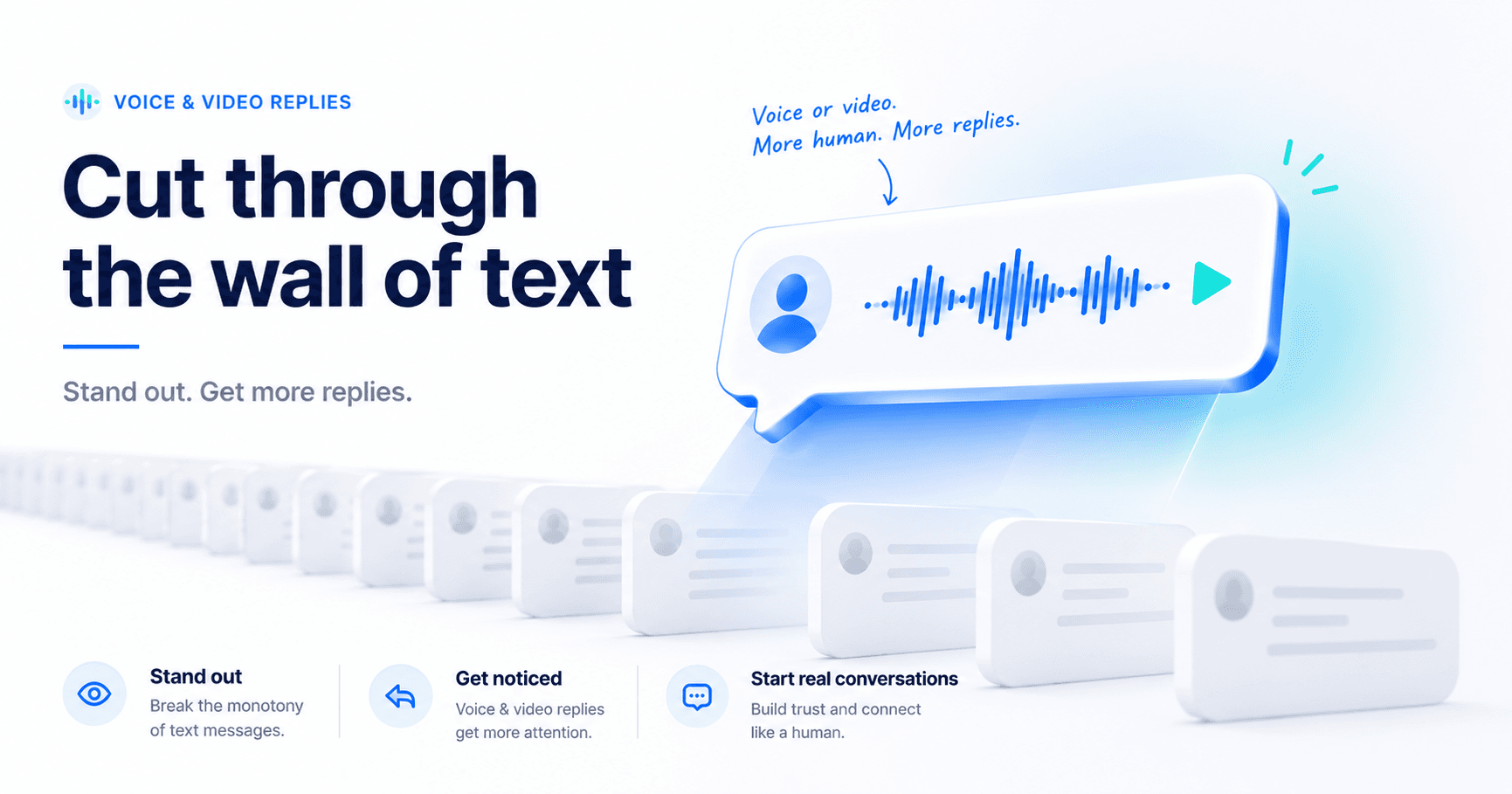
Open your LinkedIn inbox and it all blurs together — a stack of near-identical text requests, skimmed and dismissed in the same half-second. Voice notes and video messages break that pattern. But they only beat text when you use the right format for the right moment. Send them lazily, and they land worse than the message you replaced.
Do LinkedIn Voice Notes and Video Messages Actually Improve Reply Rates?
The short answer is yes, with conditions. As inboxes filled with automated, templated requests, plain-text reply rates slid. Voice and video stand out for two reasons: almost no one sends them, and they prove you put in effort a copy-paste never could. Research from outbound sales platforms points to video messages driving meaningfully higher reply rates than text in the right context — and voice sits comfortably above plain text too.
But the lift comes entirely from those two ingredients: pattern interrupt and proof of effort. Strip either one away — blast the same recording to a cold list — and the advantage disappears fast. So the real question isn't "voice or video instead of text." It's knowing when the extra minutes are worth it, and when a sharp text line does the job better.
This isn't a forever edge — it's a timing edge. The formats work now precisely because they're rare. As more teams adopt them, the bar will rise, and the winners will be the ones who pair the format with genuine relevance rather than treating voice and video as a novelty to spam. Treat them as a sharper way to say something worth hearing, not a louder way to say nothing.
📊 What the data signals
- Video — research from outbound sales platforms points to several-fold higher reply rates than plain text (directional)
- Voice notes — sales teams running voice outreach commonly report reply rates near 40%, versus the usual 10–15% for text (directional)
- Text — still the highest-volume, lowest-effort channel, and the easiest to ignore
How LinkedIn Voice Notes and Video Messages Actually Work
Before tactics, get the mechanics straight — because voice and video behave very differently on LinkedIn, and most people get this wrong. Voice notes are a native feature with real limits:
- Mobile app only. You can record a voice note only in the LinkedIn iOS or Android app — there's no desktop recording, though the recipient can listen on any device.
- Roughly 60 seconds, max. LinkedIn caps voice notes at about a minute, so brevity isn't optional.
- First-degree connections only. You can't voice-note someone you're not connected to, so the connection request is step one.
- No editing or preview. It sends the moment you lift your finger — swipe away to cancel, but there are no retakes once it's gone.
- No read receipts. LinkedIn won't tell you whether your note was played, so silence isn't always rejection.
Video is the part people assume wrong: LinkedIn has no native one-to-one video message in the DM composer the way it does for voice. To "send a video," you attach a recorded clip to a message or share one made in a screen-recording tool. That's exactly why video costs more time and setup — and why you reserve it for accounts worth the effort.
When to Use Voice Notes on LinkedIn
Voice notes are the fast, low-friction option. You can record one in 30 to 40 seconds, the tone carries warmth that text flattens, and you can knock out a batch in a single sitting. That speed is the point — voice scales in a way video can't.
The strongest moments for a voice note:
- Right after a connection is accepted — a quick "thanks for connecting, here's the one reason I reached out."
- Warm follow-ups, where another text would read as flat or pushy.
- Reviving a stalled thread with a tone a typed message simply can't carry.
Keep it under 40 seconds. Lead with their name and a specific, relevant reason. End on a low-pressure question. Don't read a script word for word — a little imperfection is exactly what makes it feel human instead of recorded.
What a good voice note sounds like
Picture 25 seconds: "Hey Priya — saw your team just opened a second office in Austin, congrats. That kind of expansion is usually when pipeline reporting starts to crack, so I wanted to reach out directly. Worth a quick chat?" Specific, warm, and obviously not copy-pasted. That's the whole formula — context, a reason, a soft ask.
For a stalled thread, a short follow-up note revives it without sounding desperate: "Hey Marcus, no worries if now's not the time — I just had one more thought on the reporting issue we touched on and figured it was easier to say than type. If it's useful, happy to share; if not, all good." Helpful, low-pressure, human.
When to Use Video Messages on LinkedIn
Video is the highest-impact, highest-cost format. It shows your face, your screen, and unmistakable effort — the clearest possible proof you didn't mass-send. The trade-off is time: each one takes real minutes, and a sloppy video helps no one.
Reserve video for the situations that justify it:
- High-value or named target accounts where deal size easily covers three to five minutes of effort.
- Decision-makers you've actually researched and can reference specifically.
- Moments that benefit from a screen share — a 20-second teardown of their site or a relevant insight.
Keep it between 30 and 90 seconds. Put their name on screen or say it first. Reference something true only for them, and use a thumbnail that signals this was made for them. Personalize at the profile level — that's what separates a video that converts from one that feels like a stunt. The research and angle behind that personalization is where AI personalization built for LinkedIn does the heavy lifting, even when you're the one hitting record. Just don't point video at a cold list — the math never works.
What a strong personalized video looks like
The best videos are short and unmistakably one-to-one. Open on their name — spoken or on a sticky note in frame. Pull up their website or a recent post and react to one specific thing for 15 seconds. Tie it to a problem you solve, then ask for a short call. No intro music, no "hope you're well," no two-minute company pitch. The effort should be visible in the relevance, not the production value.
A 30-second script in practice: "Hey Dana — recording this quick because it's easier than a wall of text. I saw [Company] just rolled out the new self-serve plan, congrats. Usually when teams ship self-serve, support volume spikes before the playbooks catch up — that's the exact gap we help close. I'll keep it short: worth a 15-minute look at how we'd handle it for you?" Pair it with a thumbnail showing their name and a one-line text summary under the video, so they know what they're clicking before they hit play.
The OPEN Framework: A 30-Second Message That Doesn't Ramble
Whether you're recording voice or video, the same four-beat structure keeps it tight and human. Run every message through OPEN:
- O — Open with their name and how you're connected. "Hey Sarah, thanks for connecting last week."
- P — Point to something specific. A post, a promotion, a result — proof this isn't a blast.
- E — Explain the value in one line. A single sentence on why it matters to them. No pitch.
- N — Nudge with one easy question. A low-friction ask: "Worth a quick chat?"
Four beats, under 40 seconds, every time. The structure is what stops a voice note from sprawling into a rambling two-minute monologue — the single fastest way to lose a listener.
Voice vs Video vs Text: The Honest Comparison
Here's the honest trade-off across all three formats, so you can match effort to payoff instead of guessing:
| Format | Reply impact | Time to produce | Scales? | Best for |
|---|---|---|---|---|
| Text | Baseline | Seconds | Yes — high volume | Cold opens, simple asks, volume steps |
| Voice note | High | ~1 min each | Moderate | Warm follow-ups, post-connection, re-engaging |
| Video | Highest | 3–5 min each | Low | High-value accounts, decision-makers |
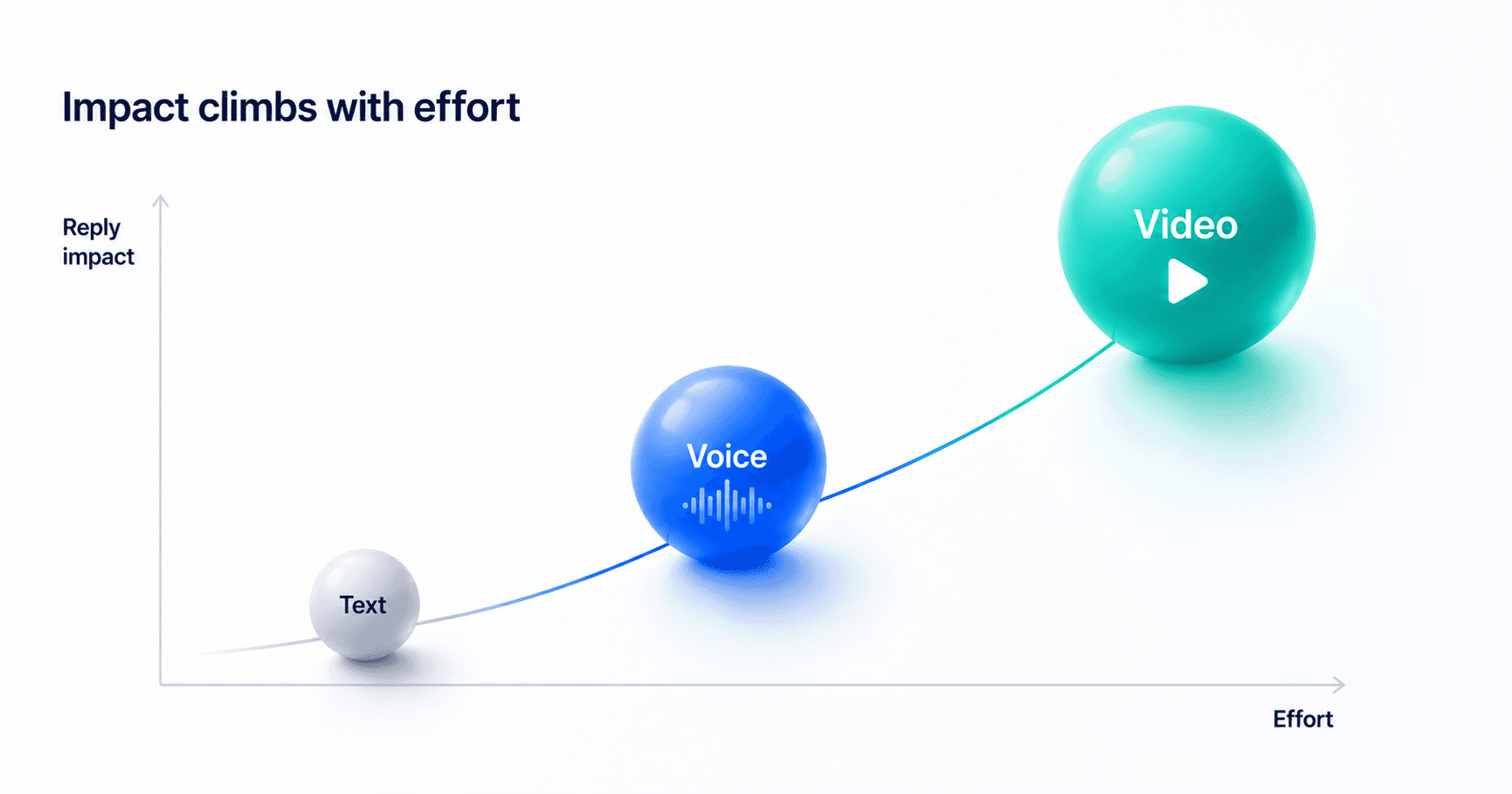
The pattern is simple: text is your volume engine, voice is your warm-touch accelerator, and video is your high-stakes play. The mistake most teams make is picking one and forcing it everywhere — all-video burns out your week, all-text blends into the noise. The best return comes from using all three by tier, not by mood.
How to Add Voice and Video to Your LinkedIn Sequence
You'll record the voice notes and videos themselves inside LinkedIn or a simple video tool — your sequencing platform handles the prospecting, text personalization, timing, and follow-up around them. Here's how to layer it all together without blowing up your week:
- Tier your list first. Split it into target accounts (video), good-fit prospects (voice), and everyone else (text). Decide format by tier, never message by message.
- Keep text as the backbone. Your connection request and first touch stay text. Voice and video are accelerators at touches two through four — not a replacement for the whole cadence.
- Trigger voice on acceptance. When a good-fit connection accepts, queue a short voice note within 24 hours, while you're still top of mind.
- Save video for moments that move deals. Use it on target accounts after you've earned a sliver of attention — a reply, a profile view, an engagement on your post.
- Run it as a multichannel sequence. Pair LinkedIn with email so an ignored voice note gets a follow-up on another channel instead of dying. A multichannel sequence keeps every touch coordinated.
- Measure reply rate by format and tier. Track which format earns replies for which segment, then move your effort toward whatever's working.
One more lever most teams ignore: timing. Voice and video land best when the recipient is actually on LinkedIn — generally Tuesday through Thursday, mid-morning in their time zone. Weekends, late nights, and early mornings are where good messages go to get buried. Send when they're active, and far more of your recordings actually get played.
Mistakes That Make Voice and Video Backfire
The templated video
Effort that isn't
A video that's obviously the same script sent to 500 people is worse than text. The entire advantage is proof of effort — a generic recording proves the opposite.
The four-minute monologue
Respect their time
Long voice notes and videos get abandoned. Stay under 40 seconds for voice and 90 for video. If you can't say it fast, you haven't earned the time to say it slow.
Format before relevance
Gimmick risk
Voice and video can't rescue a weak reason to reach out. Lead with something specific to them — the format amplifies a good message, it can't invent one. Get the relevance right and let your LinkedIn outreach handle the timing and follow-up.
Recording with no follow-up
Half a system
A voice note or video is one touch, not a strategy. If a great message gets no reply, that's normal — most do. Without a planned follow-up across channels, your best recordings just vanish into the void.
Build the LinkedIn sequence your voice and video deserve.
SalesTarget finds your prospects, personalizes your text touches, and sequences the follow-up across LinkedIn and email — so every voice note and video lands at the right moment.
✓ 50 credits ✓ 7-day trial ✓ No credit card required