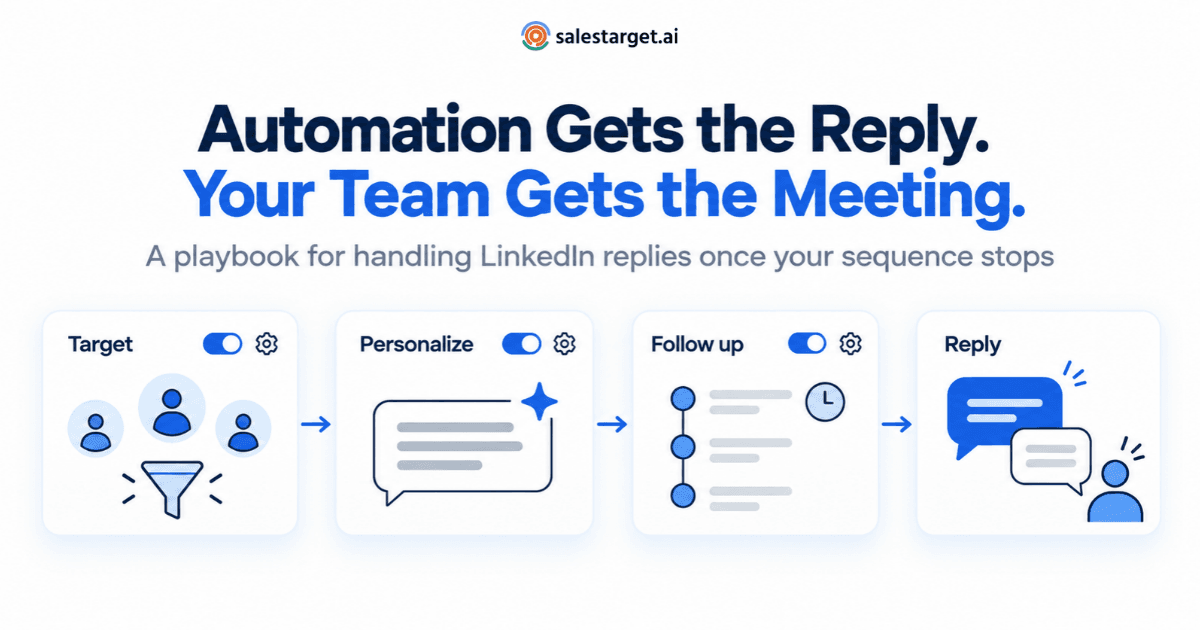
Your sequences are running. Connection requests go out on schedule, follow-ups land inside each prospect's working hours, and replies start to arrive. Then the system does exactly what it was built to do: it stops.
That stop is the right call. A scripted follow-up that arrives after someone has already answered is one of the quickest ways to lose a prospect's trust. But it also means every reply, from “Happy to chat” to “Thanks for connecting”, now depends on a person reading it and answering it well. In many teams nobody owns that step: replies sit in individual inboxes and show up in reports as a single reply rate that hides what actually happened.
This guide covers the part of LinkedIn outreach automation that software can't do for you: sorting replies by what they really mean, answering each type with a clear play, handing interested prospects over without losing context, and deciding what happens to everyone else.
Key takeaway
When LinkedIn outreach automation gets a reply, the sequence for that prospect should stop and a named person should take over. That person sorts the reply into one of seven types, answers it with the matching play (the same business day for interested prospects, within one business day for everyone else), and sets a next status: book, keep talking, snooze or suppress. Automation starts conversations. Your reply process decides how many of them become meetings.
Why the reply is the hand-off point
Well-built sequences stop on any reply. In SalesTarget.ai's sequence builder, for example, a reply stops further follow-ups, while an accepted connection or no response triggers the next timed step. The rule is deliberately blunt. Software can't reliably tell “Try me in March” from “Not interested”, so it stops for both.
The consequence is easy to miss. Every reply, whatever it says, leaves the automated flow and lands on someone's desk. If that desk has no owner, no response standard and no rules for what happens next, the warmest leads your campaign produces leak away quietly.
The seven types of LinkedIn replies, and the play for each
LinkedIn replies are short, casual and often typed on a phone, which makes them easy to misread. A three-way split such as interested, not now and not a fit works for reporting, but it's too coarse to tell a rep what to write back. Seven types give each reply a specific play and a next status.
| Reply type | What it sounds like | The play | Next status |
|---|---|---|---|
| 1. Courtesy | “Thanks for connecting!” or a wave emoji | Reply briefly as a person, then give the reason you reached out in one or two lines, ending with a question. | Rep owns it. One manual nudge, then switch channel or close. |
| 2. Clarifying | “What's this about?” “Have we met?” | Say who you are, why you chose them specifically, and ask one question. No links or attachments yet. | Rep owns it. Book if the next reply is positive. |
| 3. Interested | “Sure, tell me more.” “Happy to chat.” | Restate the one problem they care about, propose two specific times, and offer a booking link as a backup. | Book the meeting and hand off. |
| 4. Not now | “Try me next quarter.” “We're mid-migration.” | Thank them and agree a recontact date in their words. Log it. | Snooze until that date. |
| 5. Referral | “Not me. Talk to Priya in RevOps.” | Thank them, ask whether you can mention their name, then write to the new contact personally. | Referrer exits. New contact gets a personal first message. |
| 6. Objection | “We already use a tool for this.” “No budget this year.” | Acknowledge it, ask one diagnostic question, and don't argue features in chat. | Rep owns it. No movement after two exchanges: treat as Not now. |
| 7. Opt-out | “Not interested.” “Please stop.” | Send a short, gracious close with no final pitch. | Suppress on LinkedIn and email. |
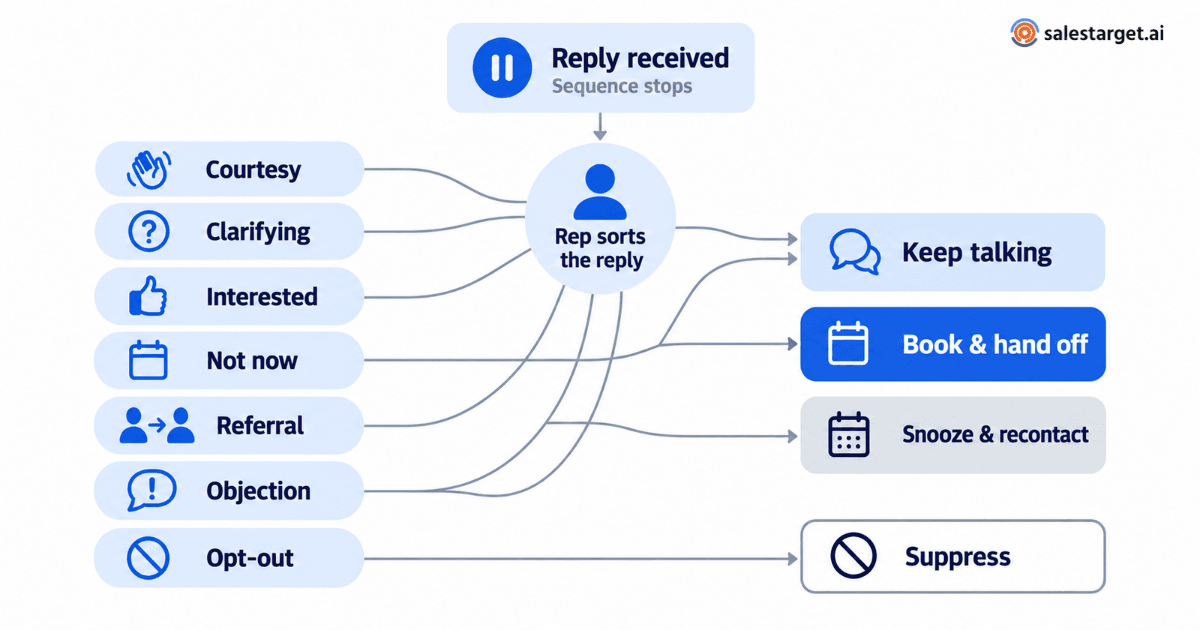
Courtesy replies quietly end sequences
Because the stop rule fires on any reply, a polite “Thanks for connecting” can end a sequence before your first real message goes out. The prospect accepted, spoke first and never heard why you reached out. Unless someone picks up the thread, the conversation ends there.
The fix is a short, human reply that delivers the reason for connecting:
“Thanks, Daniel, glad to connect. I reached out because a few RevOps leads at mid-market logistics companies have told me that routing inbound demo requests across regions is eating into their week. Is that something your team deals with, or is it already handled?”
Track courtesy replies as their own category. If they make up a large share of your replies, your connection request is working; the gap is in what happens after it.
Referrals are the warmest leads your automation produces
“Talk to my colleague” can read like a brush-off, but someone inside the account has just told you who owns the problem. Don't drop the new contact into your cold sequence. Ask the referrer first (“Would you mind if I mention you when I reach out to Priya?”), then write a first message that names them and why they pointed you over. Log the referrer on the new contact's record so the eventual meeting owner knows how the conversation began.
The kind of reply you get also depends on the workflow that produced it: an event follow-up gives the prospect shared context to respond to, while a breakup message openly invites a yes, a no or a “not now”. Our guide to automated LinkedIn outreach workflows breaks down six of them, from website-intent triggers to breakup sequences, with the trigger, timing and an example message for each.
Set a response-time standard, not a hope
Interest fades quickly. A Harvard Business Review study of about 1.25 million inbound web leads found that firms contacting a lead within an hour were nearly seven times more likely to qualify it than firms that waited an hour longer, and more than 60 times more likely than those that waited a day or more. That research covered inbound inquiries, not LinkedIn replies, so treat it as directional, not as a benchmark. The principle holds: a reply is the moment the prospect's attention is on you.
Write the standard down, then staff it:
- Interested and clarifying replies: answered the same business day, ideally within a few hours.
- Courtesy, not-now, referral and objection replies: answered within one business day.
- Opt-outs: acknowledged and suppressed the same day.
- Two fixed reply reviews a day, for example mid-morning and mid-afternoon, instead of constant inbox checking.
- A named owner for every LinkedIn account in use, plus a named backup for leave and holidays.
Hand off interested replies with the context attached
When the person who booked the meeting isn't the person who runs it, context goes missing first and the prospect ends up explaining themselves twice. A five-line handoff note prevents that:
- Source: the campaign, workflow and step that produced the reply.
- Their words: the reply, pasted exactly.
- Why them: the trigger or personalization your outreach used.
- What was promised: meeting time, agenda and any resource you offered.
- Open questions: what you still don't know, such as the decision process, current tools or timeline.
Two more rules: stay on the channel the prospect chose, moving to email only for the calendar invite or when they suggest it, and make sure the first message from whoever takes over refers back to the LinkedIn conversation. For the full set of fields a handoff should carry, see our SDR-to-AE handoff checklist .
Give every outcome a next step
Every reply resolves eventually. Give each outcome a rule so prospects aren't forgotten, re-added by mistake or messaged after asking you to stop.
| Outcome | What happens next |
|---|---|
| Meeting booked | Keep the prospect out of automation. The meeting owner handles reminders and no-shows personally. |
| Not now, with a date | On that date, start a short two-touch re-engagement sequence with a new reason to talk. Never restart the original sequence. |
| Courtesy reply, no answer to your message | One more manual message after four or five business days, then continue on email if you have a verified address, or close. |
| Unresolved objection | Snooze for longer; re-engage only when something relevant changes, such as a new hire or a funding round. |
| Referral | Thank and close the referrer. The referred contact gets their own record and a personal first message. |
| Opt-out | Suppress on every channel, permanently, including in future list imports. |
Measure the reply process, not just the campaign
Reply rate shows that a campaign started conversations, not whether your team handled them well. Add three reply-stage measures: time to first human response by reply type, reply-to-meeting rate within 14 days for interested and clarifying replies, and the share of snoozed prospects recontacted on their agreed date.
Then track the reply mix (the share of each type per campaign). It is the most useful of these measures because it points upstream:
| A high share of… | Usually means… |
|---|---|
| Clarifying replies (“What's this about?”) | Your connection note or first message doesn't make the reason for reaching out clear. |
| Referrals | Your title targeting is one level away from the person who owns the problem. |
| Courtesy replies with nothing after them | Manual pickup of courtesy replies isn't happening. |
| Objections naming the same incumbent tool | That situation needs its own sequence and message. |
| Opt-outs | The list, the message or the volume needs attention. Slow down before you scale. |
To connect these stage-level numbers to pipeline and revenue, use the measurement chain in our guide to measuring LinkedIn outreach performance against revenue.
Account safety at the reply stage
Be clear-eyed about the rules. LinkedIn's Help Center states that it doesn't permit third-party software or browser extensions that automate activity on its website, and that such tools violate its User Agreement. Activity limits, warm-up periods and working-hour scheduling can reduce risk, but nothing removes it, and no tool can guarantee an account won't be restricted.
Responsible practice matters most at the reply stage, because you're now talking to someone who chose to engage:
- Write replies yourself. AI can help classify or draft, but a person should read, edit and send every reply.
- Vary your responses. Don't paste one canned reply into dozens of conversations in a short window.
- Hold back links from someone who has just asked who you are.
- Act on opt-outs immediately. An ignored “please stop” is how a polite prospect becomes a spam report.
- Keep safeguards on. Leave limits and warm-up settings switched on, and pause campaigns when a LinkedIn warning appears.
Common mistakes, and one limitation
- Replies waiting in the inbox of a rep who is on leave, with no backup owner.
- Answering “Tell me more” with a calendar link and nothing else.
- Treating “not now” as “no” and never coming back.
- Re-adding someone who replied to the same campaign.
- Counting courtesy replies as positive replies, which inflates the pipeline forecast.
The limitation: no taxonomy fits every message. Some replies mix two types (“Interesting, but not until Q2”), and tone varies across cultures and roles. When a reply is ambiguous, classify it by the next action it needs, not by how positive it sounds.
How SalesTarget.ai supports the reply stage
SalesTarget.ai doesn't decide what a reply means; your team does. The platform provides the structure around that judgment. According to its LinkedIn outreach product pages, that includes:
- Behavior-based sequences. A conditional sequence builder changes the next step when a lead replies, accepts a connection or takes no action. Replies stop further follow-ups, and each lead moves through the campaign independently.
- Execution controls. Timezone-aware scheduling, working-hour limits and human-like delays between actions.
- Safety controls. Built-in rate limits, a warm-up mode for new or inactive accounts, and auto-pause when limits or warnings are detected.
- Multichannel follow-up. Email follow-ups can be triggered when LinkedIn responses stall, with both channels running as one connected flow.
- Visibility. Tracking of requests sent, accepted and replied to; lead status from contacted to replied to qualified; and LinkedIn activity in each lead's CRM history.
- AI personalization. First messages that adapt to each lead's profile data, role and industry.
Make the reply the start of your process
LinkedIn outreach automation is good at one job: starting conversations at a pace no rep can match by hand. The meetings come from what happens after it stops. Give every reply an owner, sort it by what it means, answer within a written standard, give every outcome a next step, and let the reply mix tell you what to fix upstream.
If you want sequences that pause cleanly and hand replies to your team with the context intact, see how SalesTarget.ai runs LinkedIn outreach.