Your rep sends 80 connection requests before lunch. Thirty go to people who changed jobs last spring. Ten go to titles that look right at companies that could never buy. The account gets restricted, the reply rate stays flat, and Friday's pipeline review turns into a debate about whether LinkedIn still works.
LinkedIn was not the problem. The list was.
LinkedIn outreach automation uses verified B2B data to decide who gets contacted, in what order, and with what message. The data confirms which companies fit your ideal customer profile, who owns the buying decision, whether contact details are current, and whether the account shows buying signals. The automation then runs connection requests, messages, and follow-ups for those people only. Cleaner data in means fewer wasted touches and more conversations that become meetings.
Selling time is already thin. Salesforce's State of Sales research found that reps spend just 28% of their week selling, and 66% say they are overwhelmed by the number of tools they use (Salesforce State of Sales). Every hour spent cleaning a list or hopping between a database, a LinkedIn tool, and a CRM comes straight out of that 28%.
The Role of Verified B2B Data in LinkedIn Outreach Automation
Verified B2B data is the targeting layer of LinkedIn outreach automation. Automation handles volume and timing, but only data can judge fit.
Treat automation as a delivery truck. With a wrong address list, it just reaches the wrong doors faster.
Three kinds of data do the work. Firmographic data (industry, company size, revenue, location) says whether the account fits. Role data (title, seniority, department) says who inside it owns the problem. Technographic and intent data say whether now is a sensible time to reach out. Verification sits under all three, because a perfect profile attached to an outdated job is still a miss.
The window to land a message is small. Gartner surveyed 750 B2B buyers and found they spend only about 17% of their purchase time meeting with potential suppliers. When three vendors compete, each gets roughly 5% (Gartner). Your first LinkedIn message has to be relevant to that person, at that company, at that moment.
One edge case most guides skip: job titles mean different things at different company sizes. A Head of Growth at a 15-person startup is the buyer. At a 5,000-person enterprise, the same title is a mid-level manager with no budget. Combine title with company size and department filters before any sequence launches.
How LinkedIn Outreach Automation Connects Prospect Data With Sales Outreach
It connects data to outreach through four handoffs: identify the account, verify the contact, prioritize by signal, then personalize the message. Each step passes cleaner information to the next.
B2B prospect identification using company and professional data
Prospects are identified by filtering company and professional data against your ideal customer profile. In SalesTarget.ai, Lead Explorer searches 840M+ professional profiles and 146M+ business entities across 50+ data sources (SalesTarget.ai figures). You describe the audience in plain English, or stack Business and People filters: industry, role, seniority, department, company size, revenue, location, tech stack, and Intent Topics.
The ICP Builder turns those criteria into a repeatable search, so every rep pulls from the same definition of a good account.
Contact enrichment and verification before outreach
Enrichment adds contact details to a prospect record, and verification confirms those details work before anyone sends a message. One-click enrichment in Lead Explorer adds a verified professional email, personal email, phone, and mobile at the moment you find the lead. SalesTarget.ai reports 99% verified contact data.
Timing matters here. Contacts are verified at the point of enrichment, not whenever a record was first scraped.
LinkedIn automation needs this even though it runs on profiles. Most sequences add an email follow-up after a quiet connection request, and a bounced email wastes that second chance.
Buyer intent signals for account prioritization
Buyer intent signals rank accounts by how likely they are to be in a buying cycle. Lead Explorer carries 4,000+ intent signals, including Bombora Intent Topics and business events such as funding rounds, hiring spikes, leadership changes, and awards, on a 30 to 90 day lookback.
A VP of Sales hired three weeks ago is a better first message than a VP who has held the seat for six years. New leaders review tools, vendors, and process.
Personalized messaging based on prospect roles and business needs
Personalized messaging means the opening line reflects the prospect’s role, industry, and a real business trigger. LinkedIn Outreach in SalesTarget.ai uses AI personalization that adapts to each profile, role, and industry. Conditional sequences branch on replies, actions, or silence, so a prospect who accepts and stays quiet gets a different next step than one who replies.
Want to see how many verified decision-makers match your ICP? Start free with Lead Explorer and run your first search in plain English.
The Business Benefits of Accurate LinkedIn Prospect Targeting
Accurate targeting cuts wasted effort, raises relevance, focuses leaders, and standardizes how a team prospects.
Reducing time spent on unqualified leads
Verified filters remove poor-fit accounts before a rep spends time on them. Manual research eats hours: checking company size, confirming the role, hunting for an email. When enrichment runs in the same click as discovery, that research step leaves the rep's day.
Improving outreach relevance for SDRs and BDRs
Relevance improves when reps start from a verified role and a live signal, not a guess. An SDR who knows a target company just raised funding and is hiring in sales can open with that. The message reads like a peer who did the homework, which is what earns a reply.
Helping sales leaders focus on high-fit accounts
Leaders focus better when every account in the queue has already passed ICP and intent filters. Pipeline reviews shift from why these people were contacted to which accounts move next.
Agencies running LinkedIn for several clients get the same benefit, since each client's ICP becomes its own filter set. For that setup, see this guide to LinkedIn outreach for lead generation agencies.
Creating a consistent prospecting process across sales teams
Shared filters, shared data, and shared sequences make results comparable across reps. When one rep targets by title and another by industry, nobody can tell what is working. One ICP definition fixes that.
Building a LinkedIn Outreach Workflow With Verified B2B Data
A working workflow has seven steps: define the ICP, find accounts and decision-makers, enrich, prioritize, sequence, follow up across channels, and measure in the CRM.
Define the ideal customer profile and target account criteria
Write down the firmographic, role, and tech-stack traits of your best-fit customers first. Add exclusions too: company sizes, industries, and regions that never close. Exclusions save more time than inclusions.
Identify relevant companies and decision-makers
Search for accounts first, then find the people inside them. Start with Business filters, then add People filters for role, seniority, and department. Aim for two or three contacts per account so the buying group is covered.
Enrich prospect records with verified contact information
Enrich only the leads that passed your filters. One click adds verified email, phone, and mobile. Before any list goes live, run it through the Email Validator, which uses MX and SMTP checks, disposable-email detection, and risk scoring to catch bad addresses.
Prioritize accounts using firmographic data and buyer intent signals
Rank accounts by fit first, then by signal strength. Fit without a signal is a slow-burn account. A signal without fit is a distraction. Contact the accounts that score on both, inside the 30 to 90 day signal window.
Create personalized LinkedIn outreach sequences
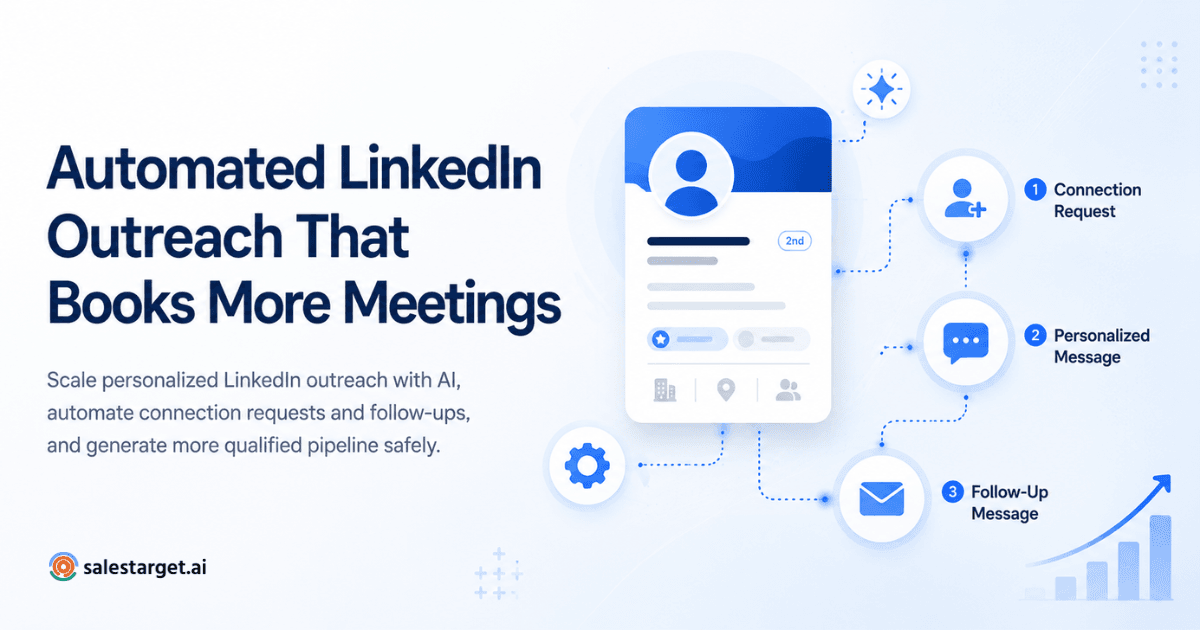
Build a short sequence: a connection request, one message that reflects the prospect's role, and one follow-up. Add conditional branches for accepted, replied, and silent. Keep the first message to a few sentences with no pitch in it.
Coordinate LinkedIn and email follow-ups
Run both channels from one sequence so context carries across. SalesTarget.ai runs email and LinkedIn in one coordinated flow, so a prospect who ignores a connection request can get an email that references the same reason for reaching out. Two disconnected tools tend to send two unrelated messages in the same week.
Track engagement and refine prospect selection using CRM data
Feed results back into your filters. Check which industries, roles, and signals produced replies, then tighten the next search. Acceptance rate hides this. Meetings and pipeline show it.
Key Features of LinkedIn Outreach Automation Software for B2B Sales
Look for six capabilities: verified data, enrichment, AI personalization, multichannel flow, CRM visibility, and measurement. A tool that only automates clicks gives you speed without targeting.
Verified B2B data and accurate prospect list building
The tool should build lists from a large, current database with filters that match how you segment. Ask where the data comes from and when each contact was last verified.
Lead enrichment and decision-maker identification
Enrichment should run at the moment of discovery and surface the person who owns the problem. Look for seniority and department filters, not title keywords alone.
AI-powered LinkedIn personalization and automated follow-ups
Personalization should adapt to the profile, and follow-ups should branch on what the prospect did. A fixed three-message drip treats an engaged prospect and a silent one the same.
Email and LinkedIn outreach in a coordinated workflow
Both channels should share one sequence, one prospect record, and one reply view. Context that stays in one channel is context the next message cannot use.
CRM visibility for prospect engagement and sales follow-ups
Every LinkedIn and email touch should land on the lead's timeline. Without that, reps rebuild the history by hand before each call.
Campaign performance tracking and lead quality measurement
Reports should show replies, meetings, and deals by segment, not only sends and acceptances. Lead quality is visible only when outreach and pipeline sit in the same place.
Why Choose SalesTarget.ai
SalesTarget.ai is an all-in-one AI sales intelligence and outbound platform that keeps B2B data, LinkedIn and email outreach, email validation, a CRM, and an AI Copilot in one workspace.
Apollo gives you data and engagement, but you still bolt on deliverability and a CRM. Instantly, Smartlead, and lemlist focus on cold email and deliverability, with no native B2B database, no LinkedIn automation, and no real CRM. SalesTarget.ai covers the full path: find a lead, enrich and verify it in the same click, push it into an email and LinkedIn sequence, and close it in the built-in CRM. It is positioned publicly as an alternative to Apollo, Instantly, and Woodpecker.
Find and enrich prospects with Lead Explorer's 840M+ professional profiles and 4,000+ intent signals
Lead Explorer is the AI prospecting engine behind the targeting. It combines Smart Prospect Search, the ICP Builder, built-in enrichment, real-time signal discovery, and Intent-Based Lead Scoring. Enriched leads go straight to sequences or the CRM with no CSV export in between.
Create email sequences and manage replies with Email Outreach and Unibox
Email Outreach builds multi-step sequences from a plain-English audience description. It supports unlimited inboxes with automatic AI warm-up, inbox rotation, and SPF, DKIM, and DMARC checks. Unibox pulls every reply into one view, sorts by intent (Interested, Follow-Up, Not a Fit), assigns owners, and syncs deals to the CRM. SalesTarget.ai reports 35% faster campaign creation.
Coordinate AI-personalized LinkedIn and email outreach in one flow
LinkedIn Outreach automates connection requests, direct messages, follow-ups, and engagement actions in the same flow as email. Smart scheduling is timezone-aware, with working-hour limits and human-like delays. Built-in safety covers rate limits, warm-up logic, auto-pause safeguards, and account protection.
Check email validity with Email Validator's MX and SMTP checks
Email Validator verifies addresses before sending using MX and SMTP checks, disposable-email detection, and risk scoring. It offers a real-time API and bulk list cleaning, and connects across 60+ platforms. SalesTarget.ai reports that 90% of emails are validated before sending.
Manage prospect records, calls, and follow-ups in the built-in CRM
The CRM is built for outbound teams, not enterprise bloat. Campaign leads land automatically, every email and call is logged to the lead timeline, and follow-up tasks are created when a lead replies or a meeting ends. The built-in AI dialer supports click-to-call and takes call notes for the rep, saving them to the timeline. SalesTarget.ai reports 91% follow-up completion and about 6 hours saved per rep per week, which matters against Salesforce's 28% selling-time finding.
Use the free AI Copilot for lead research and outreach tasks
AI Copilot is a conversational sales teammate, free inside the platform. Ask it to find leads across 840M+ profiles, draft personalized email sequences, query CRM deals, meetings, and tasks in plain language, or flag at-risk deals. Its Memory feature can pull your website content for on-brand replies, and workspace data stays private.
Common LinkedIn Prospecting Mistakes That Reduce Outreach Results
Most weak results trace back to data and measurement, not to the message. Here are the six mistakes that cost teams the most.
Relying on outdated contact records and incomplete company data
Stale records waste touches and hurt account standing. People change roles, and a list pulled six months ago already carries dead contacts. Enrich and verify at the moment you build the list, not at export time.
Targeting job titles without checking ideal customer fit
A matching title at the wrong company is still a wrong prospect. Pair every title filter with company size, industry, and tech stack criteria.
Treating buyer intent signals as confirmed purchase intent
An intent signal means research activity, not a budget. Use signals to decide who to contact first and what to mention, then let the conversation confirm need. Never write a message that announces you saw them researching a topic.
Sending identical outreach messages to different prospect segments
One message for every segment reads as automation. A CFO, a RevOps manager, and an SDR leader care about different outcomes. Write one angle per segment and let AI personalization handle the profile-level detail.
Scaling automation without monitoring account safety and engagement quality
More volume only helps if engagement holds. Watch acceptance and reply trends as you raise limits. Warm-up logic, rate limits, and auto-pause safeguards exist to catch a decline before it turns into a restriction.
Measuring connection acceptance instead of qualified conversations and pipeline results
Acceptance rate tells you the profile looked credible. It does not tell you the prospect fits. Track replies from ICP accounts, meetings booked, and deals created. A campaign with a lower acceptance rate and more meetings is the better campaign.
Building a Scalable LinkedIn Prospecting Process With SalesTarget.ai
A scalable process keeps discovery, enrichment, outreach, and tracking in one place, so growth in volume does not add tools.
Bringing prospect discovery, data enrichment, and outreach into one workflow
One workspace removes the CSV handoffs where data goes stale. Find the lead, enrich it, and push it into a combined email and LinkedIn sequence without leaving the platform. Teams that want to see how this fits a wider plan can read about LinkedIn outreach automation as a sales strategy.
Maintaining contact data quality as prospect lists grow
Quality holds at scale when verification is part of the workflow, not a cleanup project. Validating before sending and enriching at the point of discovery keep bounce risk and dead contacts from piling up as lists grow.
Connecting outreach activity with CRM tracking and pipeline outcomes
Pipeline outcomes show which segments deserve more volume. Because campaign leads land in the CRM automatically, a leader can see which ICP slice produced meetings and move effort there next week.
Make LinkedIn Outreach More Relevant With Verified B2B Data
The opening problem was a rep sending 80 requests to the wrong people. The fix is not more volume or a cleverer opener. It is a verified list, a clear ICP, live signals, and one workflow that carries a lead from first search to closed deal.
SalesTarget.ai puts that workflow in one workspace. Lead Explorer finds and enriches the right decision-makers, LinkedIn and email sequences run together, Email Validator protects deliverability, and the built-in CRM and free AI Copilot track what turns into pipeline.
If your outbound runs on stitched-together tools and stale lists, this is the practical fix. Start free with SalesTarget.ai and send your next LinkedIn message to someone who can actually buy.