Lead generation agencies scale LinkedIn campaigns and book more meetings by running automated sequences from a unified workspace. Stitching point tools together wastes time and risks profile safety.
Manual prospecting fails to scale when managing multiple client accounts. To increase campaign volume and secure profiles, agencies must unify their outreach. Here is how to automate the workflow safely.
Why Lead Generation Agencies Struggle to Scale LinkedIn Outreach?
Scaling LinkedIn outreach is difficult on account of platform activity limits, manual data moving, and the friction of managing separate client logins.
Daily connection limits restrict volume on single profiles. In addition, logging in from different IPs triggers security flags, and manual data entry between scrapers and CRMs slows down reps.
How Do Lead Generation Agencies Automate LinkedIn Outreach at Scale?
Agencies automate LinkedIn outreach by using database filters, custom drip sequences, and unified deal tracking in one workspace.
This protects client accounts and keeps messaging relevant to book more meetings.
Building prospect lists for each client account
Building prospect lists requires using a B2B database that targets decision-makers by industry, seniority, and company size.
Instead of scrapers, use Lead Explorer to search 840M+ verified profiles and push them directly to campaigns.
Segmenting audiences by industry, role, and buying signals
Audience segmentation groups prospects by industry and real-time buying signals to keep outreach relevant.
A Gartner study reports that 73% of B2B buyers avoid irrelevant outreach, making intent-based lists critical.
For agencies who need intent-based lists for every client account, the hard part is spotting which prospects are showing intent right now, not last quarter. Valley is an AI signal-based outbound platform that finds people most likely to buy from you by picking up who viewed your profile and who engaged with your posts, qualifying each person against the client's ICP, and writing every email and LinkedIn message in the sender's voice. Warm lists built this way reply 3x more, which matters when a client judges you on meetings booked rather than vanity connection counts.
Creating automated connection and messaging sequences
Automated sequences send connection requests and follow-ups on human-like schedules with built-in delays.
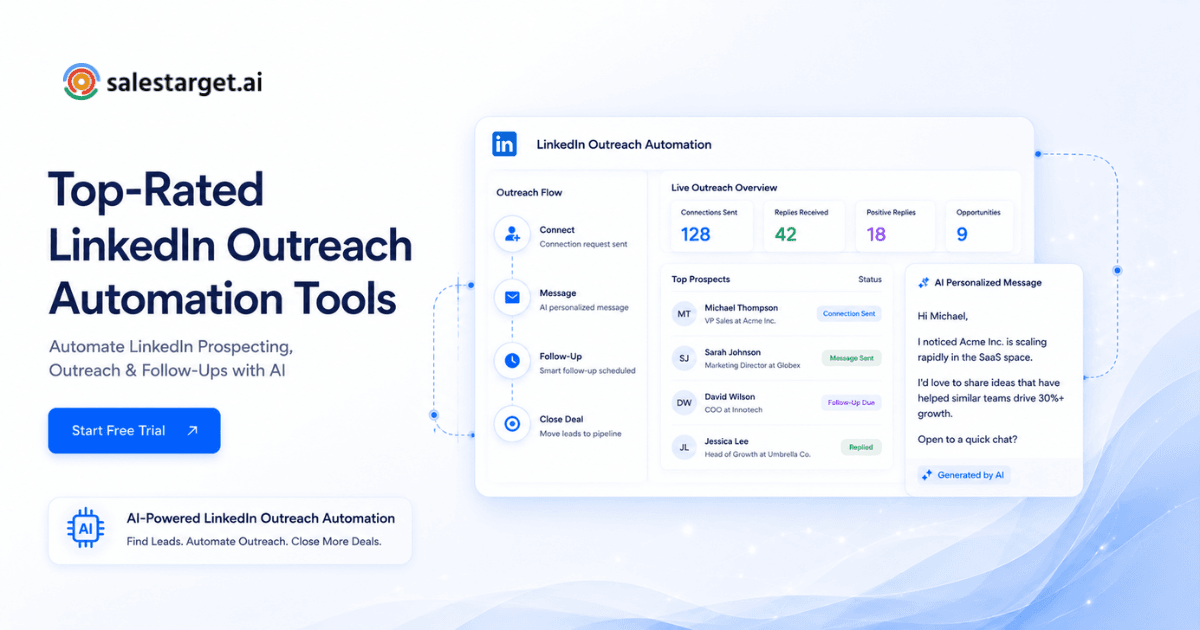
Modern tools let you automate LinkedIn outreach for better sales and pause sequences automatically when a prospect replies.
Tracking replies, meetings, and pipeline outcomes
Tracking pipeline outcomes requires logging all replies and deals to a centralized CRM to measure client ROI.
A unified deal pipeline lets team leaders monitor meetings booked instead of vanity connection counts.
Core Features to Look for in a LinkedIn Automation Tool for Agencies
A professional LinkedIn automation tool for agencies must include multi-account management, safety protections, team collaboration, and client reporting dashboards. These features keep campaigns safe and make team collaboration simple.
Multi-account LinkedIn automation and account management
Multi-account automation runs campaigns across multiple client profiles using separate proxy IPs and sandboxed environments.
Look for LinkedIn automation for agencies that secures client accounts by simulating natural human behavior.
Team collaboration and permission controls
Team collaboration features let admins assign client profiles to specific reps and set workspace permissions.
This keeps client data segmented and prevents reps from altering active sequence templates.
LinkedIn campaign management for agencies
Campaign management tools run, pause, and update multiple client sequences from a single dashboard.
Instead of checking profiles manually, reps manage all active campaigns in one workspace.
AI-powered message personalization
AI personalization scans prospect profiles to draft custom intro lines that increase response rates.
Using an AI teammate to write custom messages saves reps hours of manual profile research.
Client reporting and performance dashboards
Client dashboards track key outreach metrics like reply rates and meetings to prove agency value.
White-labeled dashboards make sharing performance reports with clients quick and transparent.
LinkedIn Lead Generation Automation Workflow for Agency Teams
An automated workflow covers finding leads, validating data, running LinkedIn sequences, scaling with email, and tracking deals in the CRM. This structured flow keeps outbound active and clean.
Finding target accounts and decision-makers
Finding target accounts uses filters like company size, location, and funding events to build prospect lists.
Reps filter lists in Lead Explorer using search queries to find decision-makers matching the client ICP.
Enriching and verifying contact data
Enriching contact data unlocks verified emails and phone numbers to support outbound campaigns.
The built-in Email Validator verifies addresses at the point of discovery to prevent bounces.
Launching automated LinkedIn outreach sequences
Launching sequences sends connection requests and custom direct messages using safe rate limits.
This process simulates manual steps to protect client profiles from security flags.
Expanding campaigns with email outreach
Email outreach coordinates LinkedIn touches with cold email to build multichannel campaigns.
If a prospect ignores LinkedIn, the platform sends a cold email to secure a reply.
Moving qualified leads into the sales pipeline
Moving qualified leads to the pipeline syncs interested replies to your CRM as open deals.
Reps reply from a unified inbox, and all interactions log to the lead history.
Common LinkedIn Outreach Mistakes Agencies Make
Common mistakes include sending generic templates, spamming profiles, neglecting segmentation, tracking vanity metrics, and using separate CRM databases. Avoiding these practices keeps accounts active and reply rates high.
Sending the same message across every client campaign
Sending identical templates reduces response rates since different audiences have different challenges.
Reps must use variables to adjust the copy for each job role.
Running too many actions from one account
Running excessive daily actions triggers security checkpoints and restricts client profiles.
Agencies must set safe limits and use warm-up schedules for each account.
Ignoring audience segmentation
Ignoring segmentation leads to irrelevant messaging that damages client reply rates.
Group lists by company size and intent to make sure outreach is relevant.
Tracking vanity metrics instead of meetings booked
Tracking connection rates instead of meetings booked hides the true success of campaigns.
Focus on conversation rates and deals won in the CRM to prove ROI.
Managing outreach and CRM data in separate systems
Managing data in separate systems creates silos, causing manual entry errors and lost opportunities.
A unified platform logs all replies and calls to one timeline.
What Are the Risks of LinkedIn Prospecting Automation for Agencies?
The primary risks include profile restrictions, low-quality contact data, weak personalization, and unmonitored campaign pauses. Managing these challenges requires cloud-based safety systems and real-time enrichment.
Activity patterns that trigger account restrictions
Spikes in activity and code-injecting tools trigger security filters on LinkedIn.
Use cloud automation that randomizes delays and respects platform limits.
Low-quality data that hurts response rates
Outdated contact data leads to messaging dead profiles and wasting outreach credits.
Verify target lists before launching to ensure high response rates.
Poor personalization that reduces trust
Template placeholders and generic copy destroy trust with high-value prospects.
Avoid lazy outreach by referencing actual business events and role challenges.
Lack of campaign monitoring across client accounts
Failing to monitor active profiles leads to unnoticed restrictions and campaign delays.
A central dashboard alerts managers if a client account requires attention.
How Can Agencies Personalize LinkedIn Outreach Without Manual Work?
Agencies personalize LinkedIn outreach by using AI writers that scan prospect profiles to draft custom messages. This speeds up writing and keeps each touchpoint relevant.
Using prospect data to create relevant messaging
Using prospect data includes merge tags for names, industries, and locations in campaign templates.
This keeps bulk messaging aligned with target profiles.
Personalizing by industry, role, and buying intent
Personalizing by role and intent addresses the specific difficulties of each decision-maker.
Segment lists to send different copies to sales leaders and operations managers.
AI LinkedIn outreach for first-touch messages
AI LinkedIn outreach writes custom first-touch messages based on profile details and posts.
The AI Copilot generates custom openers in seconds, saving reps hours of manual work.
Scaling personalized LinkedIn outreach across multiple campaigns
Scaling personalized outreach combines AI customization with multi-account campaign scheduling.
This keeps messages targeted even when sending to hundreds of accounts.
Why Choose SalesTarget.ai?
SalesTarget.ai is an outbound platform combining B2B data, multi-account LinkedIn automation, cold email, and a built-in CRM. This unified workspace removes the need to stitch point tools together.
Find and enrich prospects with 840M+ verified profiles and intent signals
Lead Explorer searches 840M+ verified profiles and intent signals to find buying prospects.
Unlock email and phone details in a single click without CSV exports.
Run email and LinkedIn outreach from one platform
Running email and LinkedIn outreach from one workspace lets you build coordinated multichannel sequences.
If prospects ignore LinkedIn, the platform sends emails, boosting reply rates.
Verify emails before campaigns with built-in email validation
Built-in email validation checks addresses before sending to protect sender domain health.
Verifying contacts at enrichment makes sure 90% of emails are validated before campaigns.
Manage conversations and opportunities inside the built-in CRM
The lightweight CRM tracks deals, logs calls, and records emails automatically.
The built-in AI dialer takes notes during calls, helping reps close deals 3.2X faster.
Use AI Copilot to speed up prospecting, messaging, and follow-up
The AI Copilot drafts sequences and manages outreach tasks using conversational commands.
The Copilot generates personalized variations quickly, saving reps 6 hours every week.
Replace multiple outreach and data tools with one workspace
SalesTarget.ai replaces separate scraper, email, and CRM tools to lower software spend.
It serves as an alternative to Apollo and Instantly, helping teams book 2.4X more meetings.
How Agencies Can Measure LinkedIn Outreach Performance Across Clients?
Agencies measure performance by tracking conversation rates, meetings booked, acquisition costs, and pipeline value. These metrics prove value and guide campaign optimizations.
Response rates and conversation rates
Response rates show how well campaign messaging connects with target prospects.
According to the HubSpot State of Sales Report, social selling strategies help reps generate more sales opportunities.
Meetings booked by campaign and client
Meetings booked shows which client sequences produce the most pipeline interest.
Track meetings to focus your budget on campaigns that generate client business.
Cost per meeting and account profitability
Cost per meeting divides outreach costs by booked meetings to measure spend efficiency.
Replacing multiple tools with one platform lowers software costs and boosts margins.
Pipeline contribution from LinkedIn outreach
Pipeline contribution tracks the dollar value of sales opportunities created from outreach.
Syncing campaigns to the CRM shows the direct impact on client revenue.
The Next Step for Agencies Using LinkedIn Outreach Automation
The next step is to unify your outbound tools to scale campaigns safely and book more meetings.
Running manual outreach or managing mismatched point tools limits agency growth. Salestarget.ai replaces separate database, outreach, and CRM systems, letting you manage client campaigns in one workspace.
Ready to scale? Start your free trial with SalesTarget.ai today.