Bad lead data looks small at first. A few bounced emails. A few wrong job titles. A few prospects who left the company months ago. Then your SDRs waste hours researching contacts, your campaigns underperform, and your pipeline starts depending on guesswork.
A B2B database provider checklist helps sales teams review data accuracy, contact verification, company coverage, enrichment, integrations, pricing limits, compliance, and workflow fit before buying leads. The right provider should help your team find real decision-makers, verify contact details, build clean prospect lists, and move leads into outreach without extra manual work.
This checklist gives you the practical checks to run before selecting a provider. For a deeper buying framework, read this guide on how to choose the right B2B database provider.
What Is a B2B Database Provider and What Should It Include?
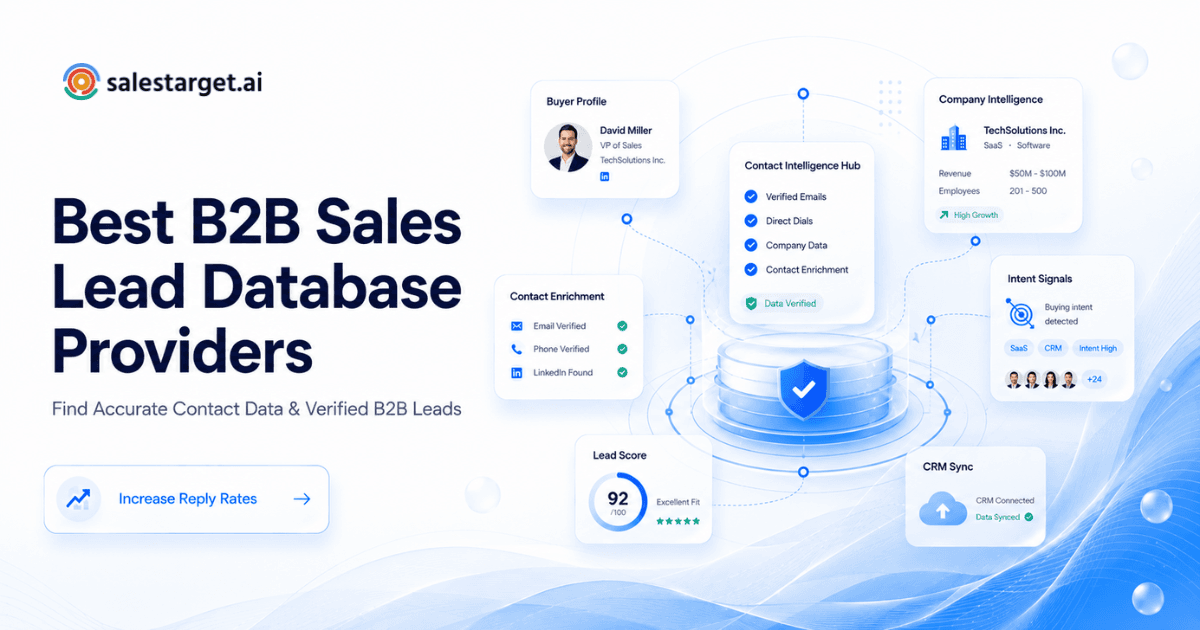
A B2B database provider gives sales and marketing teams access to company and contact data for prospecting. A useful provider should include names, job titles, professional emails, phone numbers, company details, industries, locations, employee size, revenue range, seniority, departments, and signals that show buying intent.
The database should not be just a large spreadsheet. Size matters, but quality matters more. A strong provider helps you filter the right accounts, identify decision-makers, verify emails, enrich records, and send clean data into your sales workflow.
At minimum, a B2B database provider should include three layers of value.
First, it should help you find the right companies. This means firmographic filters like industry, location, company size, revenue, technology used, hiring activity, and growth signals.
Second, it should help you find the right people. This means role, seniority, department, verified email, phone, LinkedIn profile, and other contact points.
Third, it should help you act on the data. This means enrichment, validation, CRM sync, exports, outreach workflows, and activity tracking.
If any of these layers are weak, your team pays for a list but still does manual research.
How a B2B database provider helps Sales teams find decision-makers and build prospect lists
A B2B database provider helps sales teams reduce the time between “we need pipeline” and “we have a targeted prospect list ready for outreach.”
Without a reliable database, reps search LinkedIn, company websites, job boards, directories, and old CRM records. That work is slow and inconsistent. One rep may build a good list. Another may pull contacts with outdated roles or generic inboxes. The result is uneven pipeline quality.
A good provider gives teams a repeatable process. Sales leaders can define the target account profile. SDRs can apply filters. RevOps can control list rules. Founders can find early customers without hiring a full research team.
For outbound teams, the biggest benefit is speed with control. You are not just buying a list. You are building a list that matches your sales motion.
A SaaS company selling to HR leaders can search for companies with hiring growth and filter for Heads of People or Talent Acquisition leaders. A lead-gen agency can build separate lists for each client by industry, location, employee size, and buyer role. A founder selling to agencies can find owners, partners, and growth leaders instead of sending emails to general company addresses.
That is where database quality affects real revenue. Better inputs create better outreach, cleaner segmentation, and more useful sales conversations.
Difference between a B2B data provider, lead list provider, and sales database provider
These terms sound similar, but they do not always mean the same thing. The difference matters when you compare vendors.
| Term | What it usually means | Best use case | Risk to check |
|---|---|---|---|
| B2B data provider | A company that supplies business and contact data through a platform, API, or enrichment service | Building targeted account and contact lists | Data may need extra validation before outreach |
| Lead list provider | A service that sells prebuilt or custom lists of prospects | One-time campaigns or narrow targeting needs | Lists may become outdated fast |
| Sales database provider | A searchable database built for prospecting, filtering, and sales workflows | Ongoing outbound prospecting | Large databases can still have poor match quality |
| B2B contact database provider | A provider focused on professional contact details like email, phone, title, and company | SDR prospecting and email campaigns | Contact accuracy must be tested before scaling |
| Business database provider | A database focused on company records and firmographic details | Account research and market mapping | Company data alone may not identify buyers |
The best choice depends on your workflow. If your team runs outbound every week, a searchable sales database with enrichment and validation will be more useful than a static lead list.
Why B2B Data Quality Matters Before Selecting a Database Provider
Data quality decides whether your sales process starts with confidence or cleanup. A database can look valuable in a demo, but the real test is what happens after reps start using the records.
Good B2B data helps teams reach the right person with the right message. Poor data creates bounces, irrelevant targeting, low reply rates, and wasted rep time.
HubSpot’s 2025 State of Sales Report found that lead quality remains a major growth focus for sales teams, with many teams reporting better lead quality year over year. You can reference the report here from HubSpot.
How inaccurate data affects outbound emails, LinkedIn outreach, and pipeline results
Inaccurate data breaks outbound before the message is even judged. If the email is invalid, the prospect never sees it. If the job title is wrong, the personalization feels careless. If the company data is outdated, the offer may not match the buyer’s current situation.
For email outreach, bad data increases bounce risk and can damage sender reputation. For LinkedIn outreach, wrong titles and poor segmentation lead to weak connection rates. For pipeline reporting, bad source data makes it hard to know which segments actually work.
The hidden cost is not only failed messages. It is lost learning. If a campaign performs poorly, your team may blame the copy, timing, or offer. In reality, the list may have been the problem.
Why verified B2B leads matter for SDRs, sales leaders, and founders
Verified B2B leads help each role in a different way.
SDRs get cleaner lists and spend less time checking if a contact is real. Sales leaders get more consistent activity quality across the team. Founders get a faster path to early conversations without wasting money on broad lists.
Verification matters most before outreach starts. Waiting until after a campaign launches is too late. By then, bounced emails, wrong contacts, and poor targeting have already affected your numbers.
A good provider should verify contact details close to the point of use. Data that was correct six months ago may be wrong today.
How B2B data accuracy impacts conversion rates and sales team productivity
Accurate B2B data improves conversion by improving every step before the meeting. Your targeting gets tighter. Your message becomes more relevant. Your reps spend more time selling and less time fixing records.
Salesforce’s State of Sales content continues to point toward trusted data and AI-supported selling as core parts of modern sales productivity. You can reference the current Salesforce report page here from Salesforce.
The practical point is simple. Data accuracy is not a data-team problem. It is a sales productivity problem.
10 Checks Before Choosing the Right B2B Database Provider
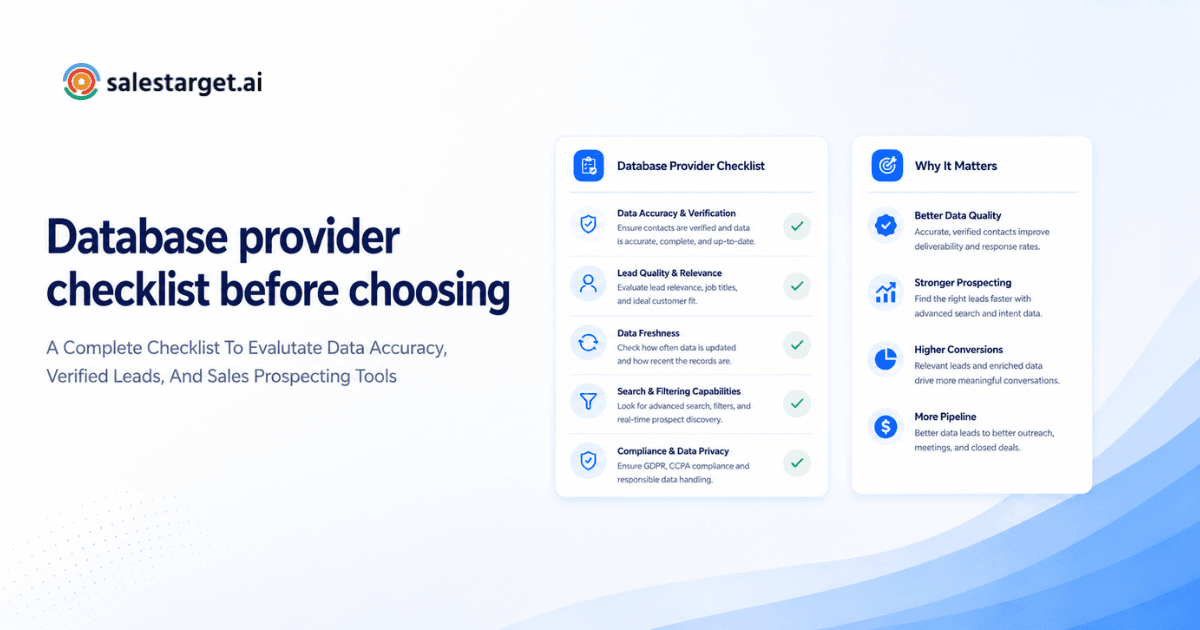
Use this B2B database provider checklist before you buy, renew, or switch platforms.
1. Check if the database provides accurate and verified contact information
Start with contact accuracy. Ask how the provider verifies emails, phone numbers, job titles, and company details. Ask whether verification happens in real time, through periodic updates, or through third-party checks.
Do not accept “millions of contacts” as proof of quality. Test a sample list. Check bounce risk. Review LinkedIn profiles. Confirm whether the person still works at the company. Look for role changes, duplicate contacts, and generic emails.
A small accurate list can beat a large messy list in every outbound metric.
2. Review company coverage, industries, roles, and buyer filters
Your provider should cover the markets you actually sell into. A large global database is useful only if it has depth in your target regions, industries, and buyer roles.
Check whether you can filter by department, seniority, job function, location, employee size, revenue, funding stage, and technology stack. For account-based selling, company-level filters matter as much as contact-level filters.
The best filters help reps build lists that match real buying committees, not just broad personas.
3. Evaluate the size and quality of the B2B lead database
Database size matters, but only after quality is proven. A provider with 500 million records may still perform poorly if your target segment is thin or outdated.
Ask for coverage in your niche. If you sell to cybersecurity teams in mid-market SaaS companies, total database size is less useful than coverage for that exact segment.
Compare total records, verified records, active business entities, and update frequency. Ask how duplicates are handled. Ask whether personal emails, professional emails, phones, and LinkedIn profiles are available.
You can compare different B2B sales lead database providers to see how coverage, targeting, and workflow features differ.
4. Check how frequently prospect data gets updated
B2B data decays fast. People change roles, companies hire new leaders, domains change, and teams restructure.
Ask how often records are refreshed. Look for update signals like recent role changes, company events, hiring spikes, funding rounds, and leadership changes. A provider that updates data in long batches may be fine for market research, but outbound teams need fresher contact data.
The test is simple. Pull 50 records and check how many are still accurate. If many are outdated, the update process is not good enough for sales execution.
5. Review enrichment features for complete buyer profiles
Enrichment fills gaps in your records. If you only have a name and company, enrichment can add title, email, phone, LinkedIn profile, company size, industry, location, revenue range, and intent signals.
Good enrichment saves research time and improves personalization. Weak enrichment gives reps partial profiles that still need manual cleanup.
Check whether enrichment works one contact at a time, in bulk, through API, or inside your prospecting workflow. The best setup enriches records when reps find them, not days later in a separate tool.
6. Check email verification and data validation capabilities
Email verification should be part of the buying decision, not an afterthought. A provider should help you check mailbox validity, domain status, disposable email risk, and bounce risk before sending.
This is where email validation and data verification becomes a direct revenue protection step. Clean email data supports deliverability, protects sender reputation, and keeps campaigns from wasting volume on dead addresses.
Ask whether the provider validates emails before export, during enrichment, or only through a separate feature. The closer validation happens to outreach, the safer your campaigns become.
7. Compare integrations with CRM and sales tools
A database provider should fit your sales stack. If reps have to export CSV files, clean them manually, upload them somewhere else, and then log outcomes in another system, the workflow will slow down.
Check integrations with CRM, email outreach tools, LinkedIn workflows, calendar tools, and reporting systems. Pay attention to field mapping. Bad field mapping creates duplicate leads, missing owners, broken sequences, and messy reporting.
A database should not be a disconnected library. It should feed the sales process.
8. Review pricing, limits, and access options
Pricing is more than the monthly subscription. Check credit limits, export limits, enrichment limits, verification limits, seat limits, API limits, and reset rules.
Some tools look affordable until your team starts using enrichment, phone unlocks, or bulk exports. Others charge separately for features that your team needs every day.
Review usage based on your actual outbound volume. A founder sending 300 targeted emails per month needs a different plan than an agency building lists for multiple clients.
The right provider should make usage predictable.
9. Check compliance and responsible data collection practices
Responsible data practices protect your brand. Ask how the provider collects data, handles opt-outs, processes deletion requests, and supports compliance needs.
You do not need to become a legal expert to ask better questions. You do need to avoid vendors that cannot explain their data sources or contact handling practices.
Compliance is not only about avoiding penalties. It affects trust, deliverability, and long-term brand risk.
10. Test whether the platform fits your outbound workflow
The best database is the one your team can actually use. Test the full workflow before committing.
Can reps search for accounts quickly? Can they find the right buyer? Can they enrich and verify contacts? Can they send prospects into outreach? Can managers track results? Can RevOps report on list quality?
Run a real campaign test with a small segment. Measure list accuracy, bounce rate, reply quality, meeting quality, and rep time saved. That test will reveal more than a feature checklist.
How to Evaluate a B2B Lead Database Provider for Your Sales Process
A provider should match your sales motion. Before buying, define how your team prospects, who owns list building, how outreach is triggered, and where lead activity is tracked.
A founder-led sales team may need speed and simplicity. A larger SDR team may need territory filters, role-based permissions, CRM sync, and reporting. An agency may need multiple client workspaces and list separation.
Compare B2B prospecting databases based on accuracy and targeting options
Compare providers through live searches, not sales pages. Pick three target customer profiles and build lists in each tool.
Review how many relevant accounts appear. Check whether the contacts are senior enough. Test email accuracy. Look for missing fields. Review how many records need manual cleanup before outreach.
Your best provider is not always the one with the biggest database. It is the one that gives your team the cleanest usable list for your target market.
Questions to ask before buying B2B leads from a database provider
Ask these questions before you buy.
How often is contact data updated?
How are emails verified?
Can I filter by role, seniority, department, industry, location, revenue, and company size?
Can I enrich missing fields?
Can I validate emails before outreach?
Can I sync leads into my CRM?
Can I track which leads were exported, contacted, replied, and converted?
Can I test a sample segment before purchase?
These questions expose the difference between a data vendor and a sales workflow partner.
How to identify the best B2B database provider for your sales team size
Small teams need speed, clean data, and simple workflows. Mid-sized teams need collaboration, CRM sync, and consistent list rules. Larger teams need governance, reporting, integrations, and scalable access controls.
Do not buy based on what a different company uses. Buy based on your team’s prospecting process.
If your reps build lists every day, workflow speed matters. If your RevOps team owns list strategy, filtering and CRM sync matter. If your campaigns depend on deliverability, validation matters.
Features That Make a B2B Database Provider Worth Choosing
The best providers do more than store contacts. They help teams find, verify, enrich, prioritize, contact, and manage leads.
AI prospecting and enrichment for faster lead discovery
AI prospecting helps reps search in natural language and find contacts faster. Instead of stacking filters manually, a rep can describe the target audience and get a useful list faster.
SalesTarget.ai’s AI-powered Lead Explorer helps teams search across 840M+ verified professional profiles, 146M+ business entities, 4,000+ intent and buyer signals, and 50+ data sources. Teams can search with AI or use business and people filters for role, seniority, department, company size, revenue, location, technology, and intent topics.
Intent signals and buying insights for better targeting
Intent signals help teams prioritize accounts that may be closer to buying. These signals can include topic research, funding rounds, hiring spikes, leadership changes, awards, and other business events.
The mistake many teams make is treating every lead equally. A VP at a growing company with recent hiring activity may deserve a different message than a similar VP at a company with no visible change.
Intent data helps reps decide who to contact first and what angle to use.
Email validation and deliverability checks for cleaner outreach
A provider worth choosing should help protect your outbound system. Email validation, risk scoring, and domain checks reduce wasted sends and protect inbox health.
For cold email teams, this matters before scale. Sending to risky addresses teaches mailbox providers that your emails may not deserve the inbox. Clean data gives your outreach a better starting point.
Outreach automation that connects prospecting with follow-ups
Finding leads is only step one. The next step is turning those leads into conversations.
A useful workflow connects prospecting with email, LinkedIn, phone, follow-ups, and reply management. If your reps have to move leads across five tools before sending the first message, the system creates friction.
A connected platform helps teams move from list building to outreach faster.
CRM workflows that keep sales activity organized
Prospecting without CRM discipline creates lost opportunities. Reps forget follow-ups. Managers lose visibility. Leads get contacted twice. Good prospects sit untouched after one reply.
A built-in CRM for outbound sales teams helps campaign leads land in one place, keeps activity tied to the lead timeline, and gives teams a clearer view of follow-ups, deals, tasks, and reporting.
Why Choose SalesTarget.ai?
SalesTarget.ai is built for outbound teams that want lead data, enrichment, validation, email outreach, LinkedIn outreach, CRM, and AI support in one workspace.
SalesTarget.ai combines B2B prospecting with multichannel outreach and a built-in CRM, so teams do not have to stitch separate tools together just to run a campaign.
Find verified B2B leads with AI-powered Lead Explorer and enrichment
Lead Explorer helps teams find prospects using AI search or detailed filters. Reps can search by industry, role, seniority, department, company size, revenue, location, technology stack, and intent topics.
One-click enrichment can unlock verified professional email, personal email, phone, and mobile details. That helps reps move from research to outreach without jumping between tools.
Run email and LinkedIn outreach from one connected workflow
SalesTarget.ai connects lead discovery with outreach. Teams can find leads, enrich them, verify them, and move them into email and LinkedIn sequences from one workflow.
That matters for modern outbound, where buyers may respond on different channels. A single-channel motion can miss prospects who are active elsewhere.
Improve campaign quality with email validation and inbox protection
SalesTarget.ai supports email validation, deliverability checks, inbox warm-up, inbox rotation, and SPF, DKIM, and DMARC checks for email outreach.
This helps teams protect sender reputation and avoid wasting campaign volume on risky contacts.
Manage sales conversations inside a built-in CRM with AI call notes
The CRM keeps lead activity, email conversations, calls, follow-ups, and deal movement organized. Campaign leads can move into the CRM, and sales activity stays attached to the lead timeline.
AI call notes help reps capture conversation details without relying on manual note-taking after every call.
Use AI Copilot for prospect research and sales support
AI Copilot acts like a sales assistant inside the platform. Teams can ask it to find leads, generate email sequences, query CRM data, track campaign revenue, create tasks, and recommend next steps for deals.
This is useful for lean teams that need research, writing, and CRM support without adding more tools.
Common Mistakes When Choosing a B2B Database Provider
Most bad buying decisions happen when teams focus on the wrong signal. The provider looks good in a demo, but the workflow breaks during daily use.
Choosing database size over B2B data accuracy
A huge database can still produce poor campaigns. If records are outdated, duplicated, or badly matched, reps will waste time cleaning data.
Start with accuracy tests. Then review size. The order matters.
Buying B2B leads without checking verification quality
Many teams assume “verified” means safe to send. Ask what verified means. Was the email checked recently? Was the mailbox tested? Is the domain active? Is there a risk score?
Verification quality affects bounce rates and deliverability. Do not treat it as a small detail.
Using separate tools for lead data, outreach, and CRM
Point tools can work, but they create handoff problems. Data gets exported, fields break, ownership gets lost, and reporting becomes messy.
If your team uses separate tools, map the full path from search to meeting booked. Any manual step is a place where leads can leak.
Ignoring how poor data affects sender reputation and sales time
Poor data burns two assets at once. It hurts sender reputation and wastes rep time.
A bad list can reduce deliverability. It can also make reps lose trust in the system. Once reps believe the data is weak, they start building side processes and spreadsheets. That creates more inconsistency.
B2B Database Provider Checklist: Final Points Before Making a Decision
Before you choose a provider, run this final checklist.
Can the provider prove contact accuracy?
Does it cover your target industries, regions, company sizes, and buyer roles?
Can your team filter by the signals that matter for your sales motion?
Are emails verified before outreach?
Can records be enriched with useful buyer and company details?
How often is the database updated?
Does the platform connect with your outreach and CRM workflow?
Are usage limits clear?
Can the provider explain responsible data practices?
Can your team test the full workflow before committing?
The right B2B database provider should help your team find better prospects, trust the data, run cleaner campaigns, and track every sales activity without wasting time across disconnected tools.
SalesTarget.ai brings that workflow together. You can find verified B2B leads, enrich and validate contacts, run email and LinkedIn outreach, and manage conversations inside one CRM.
Ready to build cleaner prospect lists and run better outbound campaigns?