TL;DR
- Running cold email for multiple clients is fundamentally different from in-house outreach — domain isolation, inbox rotation, and per-client ICP configuration are non-negotiable at agency scale.
- Agencies that mix client campaigns under shared infrastructure damage deliverability for every client simultaneously — one bad list poisons the whole pool.
- The agency outreach system has five stages: client onboarding → ICP setup → domain warm-up → campaign execution → client reporting.
- Unlimited inboxes, AI-personalized sequences, and multichannel outreach are the three infrastructure requirements every agency needs before taking on a new client.
- SalesTarget is built for this: separate campaign workspaces, unlimited inbox warm-up, AI sequence generation, and analytics your clients can actually read.
Most outreach agencies fail their clients before the first email lands. Not because the copy is bad. Not because the list is weak. Because the infrastructure is wrong — shared domains, mixed campaigns, a single warm inbox serving four different client ICPs. One bounce spike and three clients pay for it.
In 2026, cold email still works. But the bar for agency-grade outreach infrastructure has never been higher. Google and Microsoft have tightened their filters. Prospects have shorter attention spans. And clients expect pipeline, not activity reports.
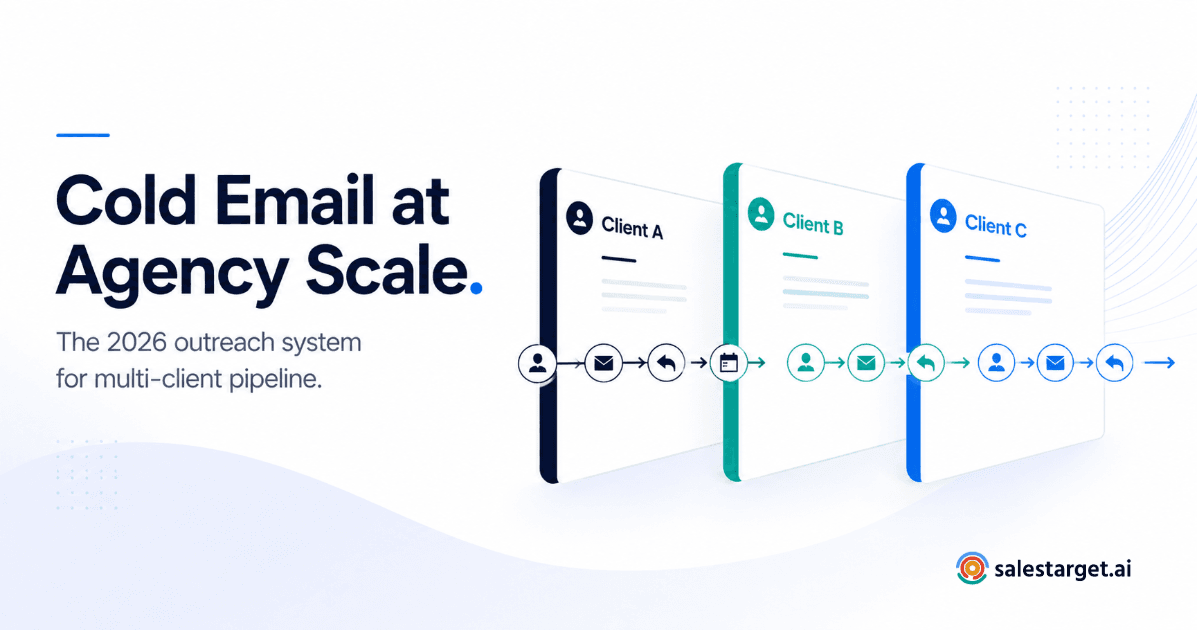
This is the outreach system that fills pipelines — built specifically for agencies managing cold email across multiple clients, multiple ICPs, and multiple campaigns simultaneously.
Why Agency Outreach Is Fundamentally Different from In-House SDR Work
An in-house SDR team has one brand, one domain, one ICP, and one deliverability reputation to manage. When something breaks, it affects one revenue line. The fix is contained.
An agency has none of that simplicity. You are simultaneously managing:
- Multiple client domains, each with its own sender reputation
- Multiple client ICPs, each requiring different messaging, sequence logic, and lead criteria
- Multiple campaigns running in parallel, often targeting overlapping prospect databases
- Client reporting obligations that require clean per-campaign attribution
- Deliverability isolation — one client's bad list cannot be allowed to contaminate another client's sender score
This is not a matter of degree. It is a different operational model. The infrastructure, the workflow, and the tooling decisions that work for a single in-house SDR team will actively cause problems when applied at agency scale.
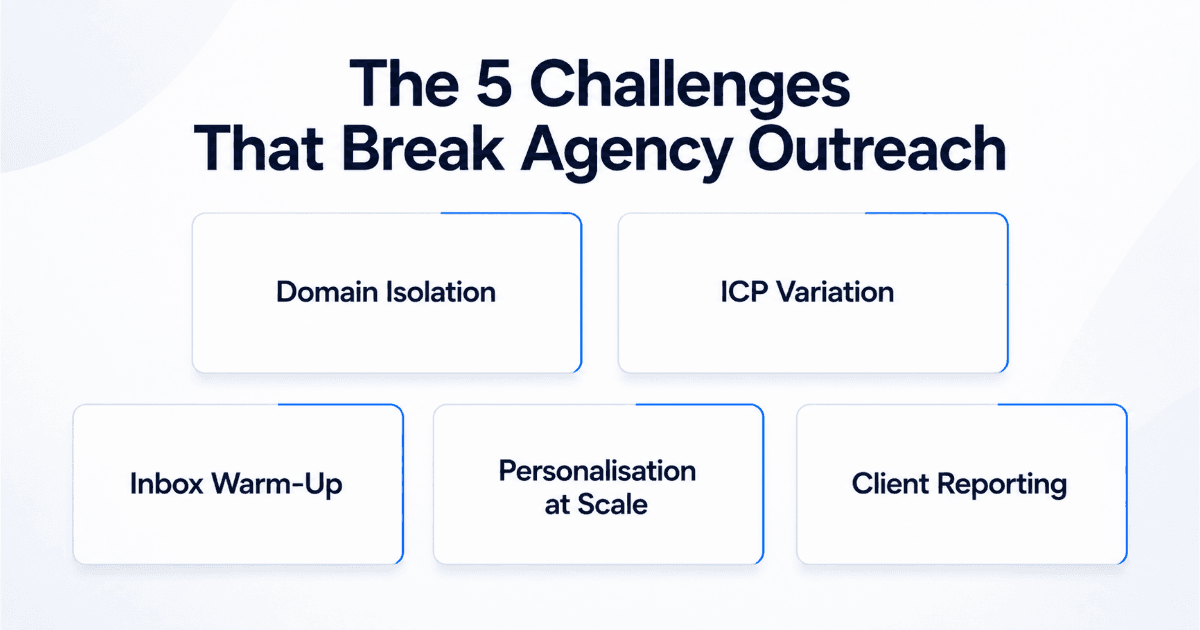
The 5 Outreach Challenges Every Agency Hits (and Most Never Fully Solve)
1. Domain and inbox contamination across clients
When agency teams use shared sending infrastructure — a single platform account, pooled inboxes, or shared domains — a deliverability problem for one client immediately affects every client. A spam complaint on Client A's campaign can flag the IP range used by Client B's active campaign. This is the single most common reason agencies lose clients: not poor copy, not bad leads — infrastructure bleed.
2. ICP variation at scale
Each client has a different ideal customer profile. A fintech SaaS client targets CFOs at mid-market companies. A logistics software client targets ops directors at 3PLs. An HR platform client targets CHROs at fast-growing startups. Managing these simultaneously means your team needs to context-switch constantly — and if the tooling doesn't support clean workspace separation, sequences, copy, and lead criteria bleed across campaigns.
3. Volume and inbox warm-up management
Agencies onboard new clients regularly. Every new client means new sending domains and new inboxes that need to be warmed before high-volume outreach begins. Manual warm-up is slow, inconsistent, and breaks whenever the team is stretched. Without automated inbox warm-up at scale, agencies either delay campaigns or launch cold on unwarmed domains — both outcomes hurt client results.
4. Sequence personalisation across multiple client voices
Every client has a distinct brand voice. The casual, direct tone that works for a PLG SaaS will feel completely wrong for an enterprise compliance platform. Agencies writing sequences manually for each client are either burning their best copywriters on repetitive work or producing generic sequences that don't convert. Neither is sustainable past five clients.
5. Reporting that clients actually understand
Agency clients don't want to interpret open rate dashboards. They want to know: how many qualified conversations did we start this month, what is the trend, and are we on track for pipeline targets? Agencies that can't produce clean, per-campaign attribution reports lose the narrative control that makes client relationships last.
The Agency Outreach System: 5 Stages from Client Onboarding to Reported Pipeline
The agencies that consistently fill client pipelines don't wing it. They run a repeatable system. Here is that system, stage by stage.
Stage 1: Client Onboarding — Infrastructure First
Before a single email is written, every new client gets their own isolated infrastructure:
- Dedicated sending domains — never the client's primary domain. Register two to four variations (e.g. getbrandname.com, trybrandname.com) specifically for outreach.
- Dedicated inboxes per domain — set up Gmail or Outlook inboxes on those domains, configured with SPF, DKIM, and DMARC records before warm-up begins.
- Separate campaign workspace — every client's campaigns, sequences, contacts, and analytics live in an isolated workspace. No shared infrastructure with other clients.
Stage 2: ICP Setup — Define Before You Build
The ICP definition session is the most important call in the client onboarding process. Rushing this produces sequences that get replies from the wrong people — or no replies at all. Define:
- Target company profile: industry, headcount range, tech stack signals, growth indicators
- Target persona: job title, seniority, department, buying authority
- Trigger events: hiring for specific roles, recent funding, new product launches, leadership changes
- Exclusions: competitor clients, existing customers, industries the client doesn't serve
This ICP definition feeds directly into your lead sourcing, sequence personalisation, and reply qualification criteria.
Stage 3: Domain Warm-Up — The Step Agencies Always Rush
A new sending domain that starts blasting 200 emails per day on day one will land in spam by day three. Warm-up is not optional — it is the foundation that every campaign result depends on.
With automated inbox warm-up, the process is straightforward: connect the inbox, activate warm-up, and let the system gradually build sending volume and positive engagement signals over two to four weeks. The rule of thumb for agency operations: never launch an active client campaign on a domain that has been warming for fewer than 21 days.
Stage 4: Campaign Execution — Sequences, Personalisation, and Sending Logic
With infrastructure ready and ICP defined, campaign execution covers three elements:
| Element | What It Covers | Agency Consideration |
|---|---|---|
| Sequence structure | Step count, timing, follow-up logic | Build per-client, not templated across clients |
| AI personalisation | First-line, subject line, and body variation at scale | Train on client voice — different tone per client |
| Inbox rotation | Distributes sends across multiple inboxes | Keeps per-inbox daily volume under provider thresholds |
| Send timing | Time zone and day-of-week scheduling | Match prospect time zone, not agency time zone |
| Multichannel layer | LinkedIn touchpoints alongside email | Add LinkedIn steps for enterprise ICP clients where email-only reply rates are lower |
For agencies managing enterprise-focused clients, adding LinkedIn touchpoints to the sequence via multichannel outreach consistently lifts reply rates — especially for senior buyer personas who receive high volumes of cold email and respond better to a second touchpoint on a different channel.
Stage 5: Client Reporting — The Metrics That Matter
Clients don't care about open rates. They care about outcomes. Your reporting cadence should lead with:
- Qualified conversations started — replies that match ICP and expressed interest
- Meetings booked — the metric clients use to evaluate ROI
- Reply rate trend — week-over-week, as a signal of sequence health
- Deliverability health — bounce rate below 2%, spam complaint rate below 0.1%
- Pipeline forecast — based on current reply-to-meeting conversion rate
How to Manage Multiple Client Campaigns Without Mixing Domains or Destroying Deliverability
The operational discipline that separates agencies that scale from agencies that stall comes down to one principle: every client is an isolated sending environment. Full stop.
Here is how that principle translates into daily operations:
The Agency Domain Isolation Rule
Infrastructure non-negotiable
Every client gets their own sending domains, their own inboxes, and their own campaign workspace. No shared infrastructure. No exceptions. A deliverability problem for one client must never be able to affect another client's active campaign. This is the single rule that determines whether your agency can scale past five clients without a deliverability crisis.
Beyond isolation, the agencies that manage 10+ clients without their team breaking do three things consistently:
They systematize onboarding. Every new client goes through the same infrastructure setup checklist in the same order. No improvising. The checklist covers domain registration, DNS record setup, inbox creation, warm-up activation, workspace creation, and ICP definition — before any campaign work begins.
They set campaign-level sending limits. Even with warm inboxes, agencies that send too aggressively spike bounce rates. Set per-client daily sending caps, distribute volume across multiple inboxes per domain, and never exceed 40–50 emails per inbox per day on campaigns less than 60 days old.
They monitor deliverability weekly, not monthly. Deliverability problems compound fast. A 3% bounce rate this week becomes a blacklisted domain next week. Weekly health checks — bounce rate, spam complaint rate, inbox placement rate — catch problems before they become crises.
How SalesTarget's Platform Supports Agency-Scale Outreach
Most outbound platforms are built for single-company SDR teams. The infrastructure assumptions — one account, one ICP, one sending domain, one campaign calendar — are baked into the product. Agencies trying to run five or ten clients on those platforms end up building manual workarounds for every limitation.
SalesTarget's email outreach platform removes the three infrastructure constraints that break agency operations:
Unlimited Inboxes — No Per-Inbox Pricing
Most platforms charge per connected inbox. At agency scale — where a 10-client operation might need 40–80 active inboxes across client domains — this pricing model makes the economics unworkable. SalesTarget's unlimited inboxes and warm-up removes this constraint entirely. Connect as many client inboxes as the operation requires. Warm-up runs automatically in the background. No per-inbox fees.
AI Sequences That Match Each Client's Voice
Writing new sequences for every client from scratch is the bottleneck that limits how many clients an agency can onboard per month. SalesTarget's AI sequences and content generation lets teams build personalised, multi-step sequences in minutes — with AI personalisation that adapts first lines, subject lines, and CTAs at the contact level. The result: sequences that feel handwritten at a volume that would take a human copywriter a week to produce manually.
Multichannel Outreach for Enterprise-Focused Clients
For agency clients targeting senior buyers — VP and C-suite personas where email-only sequences consistently underperform — adding LinkedIn touchpoints to the sequence is no longer optional. Multichannel outreach through SalesTarget lets agencies run coordinated email and LinkedIn sequences from the same campaign interface, with unified reply management and attribution across both channels.
📊 Agency Outreach Benchmarks to Know
- 2% bounce rate — the threshold above which inbox placement begins to degrade. Keep every client campaign below this. (Instantly Cold Email Benchmark Report 2026)
- 0.1% spam complaint rate — Google and Microsoft's documented threshold for reputation damage. (Google Postmaster Tools guidelines)
- 21+ days — minimum warm-up period for a new sending domain before high-volume outreach. Industry standard across major deliverability resources.
- 40–50 emails per inbox per day — safe daily sending volume for inboxes under 60 days old. Platforms including Smartlead and Instantly publish this as a standard guideline.
The Agency Reporting Stack: Metrics by Audience
The mistake most agencies make is sending clients the same metrics dashboard their operations team uses. Your ops team needs deliverability data. Your clients need pipeline data. These are different reports for different audiences.
| Metric | Who It's For | Target Benchmark | Why It Matters |
|---|---|---|---|
| Meetings booked | Client | KPI-dependent per client | The metric clients use to judge ROI |
| Qualified reply rate | Client + Ops | 3–8% (ICP-dependent) | Measures sequence and ICP fit quality |
| Total reply rate | Ops | 8–15% | Leading indicator of sequence health |
| Bounce rate | Ops | <2% | Deliverability health signal — act immediately above 2% |
| Spam complaint rate | Ops | <0.1% | Google/Microsoft blacklist risk threshold |
| Open rate | Ops only | 30–50% (unreliable post-2023) | Subject line signal only — never lead with this for clients |
| Pipeline forecast | Client | Based on current conversion rate | Shows trajectory and retainer justification |
7 Agency Outreach Mistakes That Destroy Client Results
Mistake 1: Launching on unwarmed domains
Infrastructure failure
A client onboarded in a hurry pushes to launch in week one. The domains are unwarmed. The first 500 emails go mostly to spam. The domain reputation is damaged before the campaign has had a single real shot. The fix: never negotiate on the 21-day minimum warm-up window. Build it into your client contract timeline. Automated inbox warm-up makes this period hands-off — there's no operational excuse to skip it.
Mistake 2: Using the client's primary domain for outreach
Deliverability risk
Some clients push to use their main domain because it "looks more professional." This is a deliverability disaster waiting to happen. If the outreach domain gets blacklisted, it takes the client's transactional email, product notifications, and customer support email down with it. Always use dedicated outreach-only domains. This is a non-negotiable agency standard.
Mistake 3: Copying the same sequence across multiple clients
Conversion failure
The temptation to reuse a sequence that worked for one client is real. The problem is that identical sequences across clients with different ICPs, different value propositions, and different buyer personas produce dramatically worse results than sequences built for each specific situation. Use AI sequence generation to build per-client sequences quickly — without sacrificing quality for speed.
Mistake 4: Reporting open rates as the primary success metric
Relationship risk
Open rate data has been unreliable since Apple's Mail Privacy Protection and similar inbox provider changes. Reporting open rates as the headline metric trains clients to measure the wrong thing and creates expectation mismatches when pipeline doesn't follow high open rates. Lead your reports with replies, qualified conversations, and meetings booked. Open rate belongs in the technical appendix.
Mistake 5: Letting clients define the ICP too broadly
Lead quality failure
Every client thinks their product works for everyone. It doesn't. An ICP that covers all companies with 10 to 10,000 employees across five industries is not an ICP — it's a wish list. Push back on over-broad ICP definitions during onboarding. A tight ICP produces better reply rates, better qualified conversations, and better client retention for your agency.
Mistake 6: Skipping multichannel for senior buyer ICPs
Sequence coverage gap
VP and C-suite buyers receive high volumes of cold email and have sophisticated spam filters — both technical and mental. Email-only sequences targeting these personas consistently underperform compared to coordinated multichannel outreach that adds a LinkedIn touchpoint into the sequence. For enterprise-focused clients, this is the difference between a 2% reply rate and a 6% reply rate.
Mistake 7: Monitoring deliverability monthly instead of weekly
Operational risk
Deliverability problems compound faster than most agency operators expect. A bounce rate that crosses 2% on Monday can turn into a blacklisted domain by the following week if the source of the problem isn't identified and corrected. Weekly deliverability health checks — across every active client campaign — are the early warning system that protects your agency's reputation and your clients' pipelines.
Built for agencies. Ready to fill your clients' pipelines.
Unlimited inboxes, AI sequences, multichannel outreach — and the isolated campaign infrastructure your agency actually needs to scale.
✓ 50 credits ✓ 7-day trial ✓ No credit card required