You bought a list, loaded it into a sequence, and watched the bounces pile up before lunch. The reps who survived the send then spent the afternoon checking LinkedIn to see who still works where. One generic email went to a CFO, a RevOps manager, and a junior analyst, and none of them replied. That is a database problem, not a copy problem.
A B2B marketing database is a verified collection of company and contact records, grouped by firmographics, role, and buying signals, that you use to build targeted campaign lists. It lifts lead quality since each message reaches a real person at a company that fits your ideal customer. Think of it as a clean address book where every entry says who the person is, what their company does, and whether they are looking to buy right now.
B2B Marketing Database Fundamentals
Core Components of a B2B Marketing Database
A working database has four layers: company records, contact records, signals, and activity history. Company records hold account facts. Contact records hold named people with verified channels. Signals show timing. Activity history shows who already heard from you, so nobody gets the same pitch twice.
Most teams build the first two layers and skip the last two. That is why their lists look complete and still perform badly.
Firmographic Data, Contact Details, and Buyer Intent Signals
Firmographic data describes the company: industry, headcount, revenue, location, and tech stack. Contact details cover the person: title, seniority, verified work email, phone, and LinkedIn profile. Buyer intent signals show who is researching a problem now.
SalesTarget.ai states its own figures plainly: Lead Explorer holds 840M+ professional profiles and 146M+ business entities, with 4,000+ intent and buyer signals. Those include Bombora Intent Topics and business events such as funding rounds, hiring spikes, and leadership changes, on a 30 to 90 day lookback.
B2B Marketing Database vs. CRM Database
A CRM stores people you already talk to. A B2B marketing database holds the market you want to reach. Merging them into one pile is a common mistake, since cold records bury live deals and live deals distort campaign reports.
Keep them separate but connected. Prospects should flow from the database into the CRM the moment they reply, with no CSV in between.
Business Benefits of a B2B Marketing Database
Improved Prospect Targeting and Lead Quality
Quality starts at the filter, not at the email. When you select by industry, role, company size, and intent, the list shrinks and the reply rate climbs. A 400-contact list of true fits beats a 4,000-contact list of guesses.
Reps also stop burning hours on manual research, since the fit check happens before a name enters a sequence.
Higher Campaign Relevance and Conversion Rates
Relevance is the lever that moves conversion. McKinsey's personalization research found that 71% of consumers expect personalized interactions and 76% get frustrated when they do not receive them. B2B buyers bring the same expectation to their work inbox.
A database makes personalization repeatable. When every record carries industry, role, and trigger event, the first line writes itself.
Better Sales and Marketing Alignment
Sales and marketing fight when each team works from a different list. A shared database gives both sides one definition of a qualified account, one set of segments, and one source for results.
Agree on the ideal customer profile first. Every later argument about lead quality then has a reference point.
Building a B2B Marketing Database for Targeted Campaigns
Ideal Customer Profile and Target Account Selection
Start from closed-won deals, not from a wish list. Pull your best 20 customers and note the shared industry, size band, tech stack, and the role that signed. That pattern becomes your filter set.
Then add one disqualifier. Knowing who you refuse to target keeps the database small and sharp.
Contact Data Collection and Company Research
Collect contacts per account, not per title. For each target company, map the economic buyer, the day-to-day user, and one likely blocker. Three named people at one account beat one named person at three accounts.
Company research adds the hook: a recent hire, a product launch, a funding round. Capture it as a field on the record so it is usable at send time.
B2B Data Enrichment and Email Verification
Enrichment fills missing fields. Verification confirms the email still delivers. Do both at the moment you pull the lead, since data ages the second after it is collected.
HubSpot's database decay simulation, built on MarketingSherpa research, models B2B data decaying at roughly 22.5% a year. A list that was clean in January carries a visible share of dead records by autumn. In SalesTarget.ai, one-click enrichment unlocks verified professional email, personal email, phone, and mobile in the same step as the search.
Audience Segmentation and Contact List Organization
Name lists by segment and purpose, not by date. "Series A SaaS, VP Sales, hiring spike" tells a rep what to write. "October export 3" tells them nothing.
Give every contact one primary segment owner. Overlap between segments is how a buyer ends up with three emails from you in one week.
Database Integration With Sales and Marketing Tools
A database that cannot push records into sequences and a CRM becomes a spreadsheet with extra steps. Check three connections before you commit: database to email sequences, database to LinkedIn sequences, and database to CRM with activity written back.
If your team exports a CSV at any point in that chain, expect duplicates and stale records within a month.
Ready to see the filters in action? Build your first ICP-based list in a free SalesTarget.ai account.
B2B Audience Segmentation Strategies for Lead Generation
Industry, Company Size, and Revenue Segmentation
Industry and size set the language. A 40-person SaaS firm and a 4,000-person manufacturer have different problems, buying cycles, and approvers. Revenue bands add a second check on budget.
Start here, since these fields are the most complete and the easiest to filter on.
Job Title, Seniority, and Decision-Maker Segmentation
Titles lie. A "Head of Growth" at a startup may own the budget, and a "Director" at an enterprise may own nothing. Segment by seniority and department first, then by title keyword.
Write separate messages for each level. Executives want outcome and risk. Managers want workflow and effort saved.
Buyer Intent and Purchase Readiness Segmentation
Split every firmographic segment in two: accounts showing intent and accounts without it. The first group gets a direct, timely message. The second gets a lighter, educational touch.
Intent decays fast, so refresh the segment weekly. A signal from three months ago is a rumor.
Account-Based Segmentation for High-Value Prospects
For your top accounts, segment down to the account itself. Map multiple contacts, assign one owner, and sequence them in a planned order instead of blasting the whole buying group on day one.
This tier stays small by design, often a few dozen accounts. Spend the research time here.
Customer, Prospect, and Expansion Segmentation
Your database should also hold current customers. Expansion and referral lists convert well, since trust already exists. Suppress customers from cold campaigns so nobody pitches a buyer who signed last month.
Tag lost deals too. A closed-lost account with a new funding round is a warm restart.
Key Features of B2B Marketing Database Software
Verified Business Contacts and Company Profiles
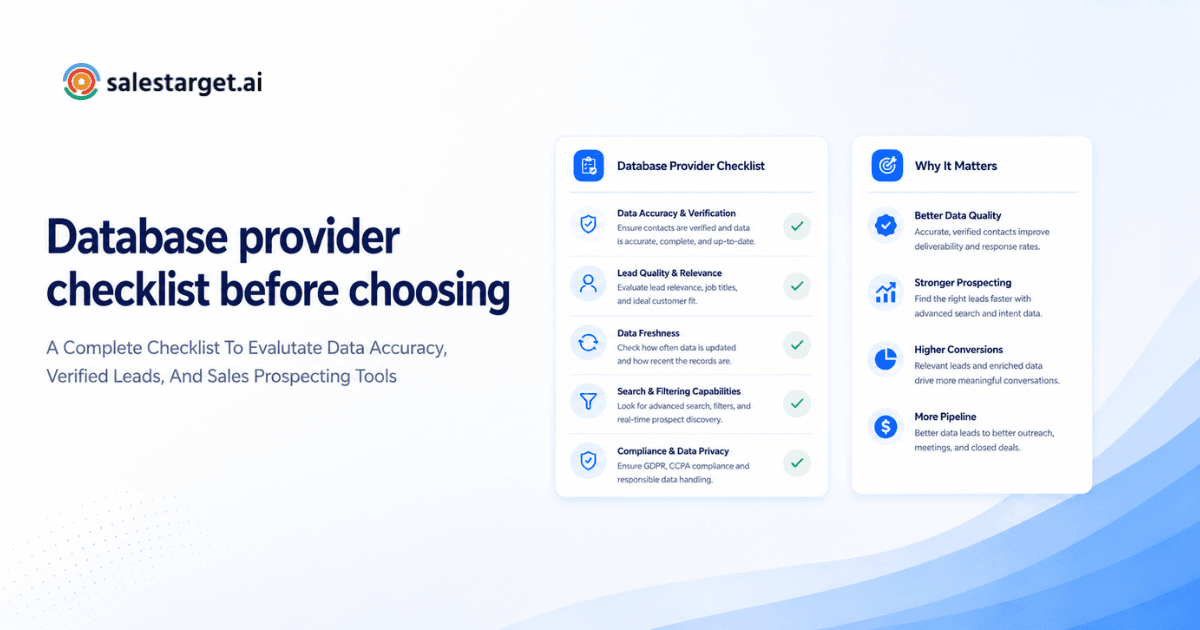
Ask how and when contacts were verified. "Verified at collection" is not the same as "verified when you pulled it." The second answer is the one that protects your domain.
Look for company profiles that show size, industry, tech stack, and recent events in one view.
Advanced Search Filters and Targeted List Building
Filters should stack: business filters plus people filters in one query. Plain-English search is a useful shortcut for fast list builds, provided you can still tighten the result with manual filters.
Test it with your real ICP before signing anything. If the tool cannot reproduce your best customer segment in five minutes, it will not scale.
Real-Time Data Enrichment and Validation
Batch enrichment fixes a list once. Real-time enrichment fixes each lead at the point of use. For outbound teams the second approach wins, since the cost of a bad send lands on sender reputation, not on the data vendor.
CRM Integration and Automated Workflow Support
Look for native connections to the CRM you run, with activity written back automatically. Reply-triggered tasks, meeting-triggered follow-ups, and automatic lead creation remove the admin work that reps skip.
Data Privacy, Compliance, and Database Maintenance
Pick software that supports opt-out handling, suppression lists, and clear data sourcing. Privacy law differs by region, so confirm the rules that apply to the countries you target before you send.
Maintenance is a feature too. Scheduled re-verification and duplicate detection keep the database usable after month three.
B2B Marketing Database Providers and Selection Criteria
Contact Coverage and Data Accuracy
Coverage means nothing without accuracy. Ask each provider for a sample of 100 contacts in your ICP, then verify them yourself. Count bounces, wrong titles, and people who left the company.
Our guide to the best B2B database companies for verified contacts walks through how to run that test across vendors.
Industry Coverage and Geographic Reach
A provider can be strong in North American SaaS and thin in European manufacturing. Check coverage in your three biggest target segments and your top two regions, not the headline record count.
Buyer Intent Data and Enrichment Capabilities
Find out where intent signals come from and how fresh they are. Topic-level intent from a recognized source plus event signals such as funding and hiring gives you both interest and timing.
Check that enrichment covers phone and mobile if your team calls. Many databases stop at email.
Pricing, Integrations, and Scalability
Compare how many tools you must buy to run a campaign end to end. A database plus a sequencer plus a verifier plus a CRM means four logins and four contracts. Consider platforms that bundle the chain.
For a wider shortlist, see our breakdown of the best B2B databases for business prospects.
Turning B2B Marketing Database Segments Into Campaign Results
Personalized Email Outreach for Each Audience Segment
Write one message per segment, not per contact and not one for everyone. Each segment gets its own pain point, proof, and ask. Keep the first email under 100 words.
Segments below roughly 50 contacts are too small to A/B test. Merge them or test across several sends.
Coordinated Email and LinkedIn Prospecting
Run both channels against the same segment so the buyer sees one story. A profile view or connection request on day one, an email on day two, and a LinkedIn follow-up after silence works better than two disconnected campaigns.
Context must carry across channels. If the prospect replied on LinkedIn, the email sequence should stop.
Follow-Up Sequences Based on Buyer Intent
Branch follow-ups by behavior. A reply asking for details gets a call offer. A click without a reply gets a short case-style note. Silence from an intent-signaling account gets a second angle after a few days.
Hot accounts deserve faster, shorter steps. Cold accounts deserve patience.
Lead Qualification and CRM Pipeline Tracking
Define qualified before the campaign starts: right segment, right role, stated need, and a booked meeting. Reps then log outcomes against that definition instead of gut feel.
Move each lead through pipeline stages automatically, so reporting reflects reality instead of whatever got updated on Friday.
Campaign Performance Measurement and Optimization
Read results by segment, not by campaign. A campaign average hides the segment that works and the segment that drags it down. Cut the weak segment, double the strong one, and re-test the message.
Want one place to see segment results from first email to closed deal? The SalesTarget.ai CRM tracks it end to end.
Why Choose SalesTarget.ai
SalesTarget.ai is an all-in-one AI sales intelligence and outbound platform. Lead data, email and LinkedIn outreach, email validation, a built-in CRM, and an AI Copilot sit in one workspace on one bill. Apollo gives you data and engagement, but you still bolt on deliverability and a CRM. Instantly, Smartlead, and Lemlist focus on cold email and have no native B2B database, no LinkedIn automation, and no real CRM.
Lead Explorer for Prospecting and B2B Data Enrichment
Lead Explorer is the AI prospecting engine. Search in plain English or stack business and people filters across industry, role, seniority, department, company size, revenue, location, tech stack, and Intent Topics. Enrichment happens when you find the lead, and results push straight into sequences or the CRM with no CSV.
Email Outreach and LinkedIn Outreach for Multichannel Campaigns
Email Outreach builds multi-step sequences from a plain-English audience description, with unlimited inboxes, automatic AI warm-up, inbox rotation, and SPF, DKIM, and DMARC checks. Its Unibox sorts replies by intent. LinkedIn Outreach automates connection requests, DMs, and follow-ups with human-like delays and rate limits, and runs in one flow with email.
Email Validator for Contact Verification and Bounce Reduction
The Email Validator checks MX and SMTP records, flags disposable addresses, and scores risk before you send. It offers a real-time API and bulk list cleaning. SalesTarget.ai reports that 90% of emails in Email Outreach are validated before sending.
Built-In CRM for Lead Tracking and Follow-Up Management
Campaign leads land in the CRM automatically. Emails and calls log to the lead timeline, and follow-up tasks appear when a lead replies or a meeting ends. The built-in AI dialer takes call notes for the rep. SalesTarget.ai reports 3.2X faster deal cycles, 91% follow-up completion, and 2.4X more meetings from the same leads.
AI Copilot for Everyday Sales Tasks
AI Copilot is a conversational teammate inside the platform. Ask it to find leads, draft a personalized sequence, check which campaigns drive revenue, or list pending deals and tasks. It handles grunt work. Strategy stays with your team.
Common B2B Marketing Database Mistakes
Relying on Outdated or Unverified Contact Lists
The most common mistake is trusting a list because it is large. Large and stale is worse than small and fresh, since bounces hurt the domain for every campaign that follows.
Verify at send time, not at purchase time.
Using Generic Messaging Across All Audience Segments
If one email works for every segment, the segments are not real. Each one needs its own pain point and proof. Rewrite the opening line first; it does most of the work.
Ignoring Data Refresh Cycles and Contact Changes
Decay is uneven. Senior roles and fast-turnover industries change faster than the average. Refresh those segments on a shorter cycle and let slower segments wait.
Set the cycle in the calendar, not in someone's memory.
Measuring Activity Instead of Qualified Pipeline Growth
Emails sent and sequences launched feel productive and prove nothing. Track meetings booked from qualified segments and opportunities created. Activity is a cost. Pipeline is the result.
Overlooking Data Privacy and Outreach Compliance
Honor opt-outs everywhere, including across channels. A person who unsubscribes from email should leave the LinkedIn sequence too. Keep one suppression list and check it before every send.
Measuring B2B Marketing Database Performance
Contact Accuracy and Email Bounce Rates
Track the share of verified contacts and the bounce rate per segment. Rising bounces on one segment point to a stale source or an old pull. Fix the source before the next send.
Qualified Lead and Meeting Conversion Rates
Measure the path from contacted to replied to qualified to meeting booked. The drop-off point shows whether the problem is data, message, or offer.
Campaign Engagement and Opportunity Creation
Opens and replies show interest. Opportunities show fit. Compare both by segment and keep the segments where reply quality, not only reply volume, holds up.
Cost per Qualified Lead and Pipeline Contribution
Divide total campaign spend by qualified leads, then compare segments. Pair it with pipeline value created per segment. A segment with a higher lead cost and larger deals can still be your best one.
Conclusion: Building a High-Quality B2B Marketing Database for Sustainable Campaign Growth
The problem started with a list that looked full and performed badly: dead contacts, generic copy, and tools that never talked to each other. The fix has four parts. Define your ideal customer, build segments from verified firmographic and intent data, send message variants that fit each segment, and measure pipeline instead of activity.
SalesTarget.ai keeps that whole chain in one workspace: find the lead, enrich and verify it in the same click, run email and LinkedIn sequences, and close in the built-in CRM. Built for outbound teams, not enterprise bloat.
Build your first segment today. Start free with SalesTarget.ai and turn your next list into qualified pipeline.