Your rep exports 500 contacts on Monday. By Wednesday, 40 emails have bounced, a dozen people have left their jobs, and the sending domain is already on thin ice. The list looked fine. The data behind it was old.
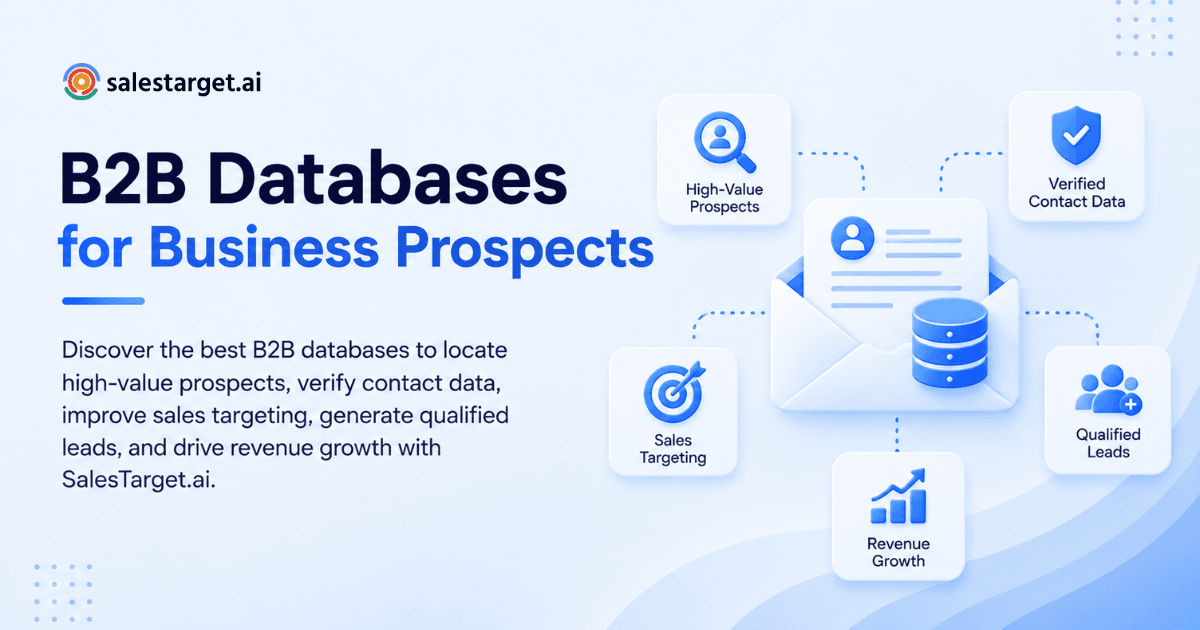
The best B2B databases give you verified contacts, company details, and buying signals in one searchable place, so reps spend their time on accounts that can buy. Look for fresh verification, filters that match your ideal customer profile, and enrichment that runs the moment you find a lead. SalesTarget.ai does this with 840M+ professional profiles, 146M+ business entities, and 4,000+ intent signals in one workspace.
The Challenge of Finding High-Value B2B Prospects
A high-value prospect is a company that fits your ICP, has a verified decision-maker you can reach, and shows a reason to buy now. Finding all three at once is the hard part.
Most teams split the work across tools. Firmographics come from one source, emails from another, and buying signals from a third. Every handoff adds a CSV, and every CSV adds age.
Age matters because B2B data rots. MarketingSherpa research, as modeled in HubSpot’s decay simulator, puts B2B contact decay at about 2.1% per month, or roughly 22.5% a year. Landbase’s roundup of decay research reports that 65.8% of business contacts change job title or function within 12 months. Gartner pegs the average cost of poor data quality at $12.9 million per year for large organizations.
The sharper problem is invisible. A list can look 95% complete and still be 25% wrong. Reps only find out when replies stall and bounce rates climb past 3%.
Understanding B2B Databases and Their Role in Sales
A B2B database is a searchable store of company and contact records that sales teams use to build prospect lists. Its job is to answer three questions fast: who should we target, who do we contact, and why now.
Types of B2B Databases for Sales and Lead Generation
Four types cover most needs. Company databases hold firmographics such as industry, size, and revenue. Contact databases hold people, titles, emails, and phone numbers. Sales intelligence platforms add signals like hiring and funding. Niche lists focus on one vertical or technology.
The best setups combine all four in a single search, which is how Lead Explorer is built.
Company Data, Contact Data, and Buyer Intent Signals
Company data tells you who fits. Contact data tells you who to message. Intent data tells you who is looking. Each layer filters the one before it.
SalesTarget.ai pulls real-time buying signals from Bombora Intent Topics plus business events such as funding rounds, hiring spikes, leadership changes, and awards, on a 30 to 90 day lookback.
B2B Databases vs. Traditional Lead Lists
A traditional lead list is a file. It is frozen the day it was compiled. A B2B database is a live system you query, filter, and re-enrich.
The practical difference is verification date. A purchased list carries the age of its last scrape. A database that enriches at search time carries the age of today.
Business Benefits of High-Quality B2B Databases
Good data changes three numbers: how accurately you aim, how many leads convert, and how fast deals move. Each one compounds into pipeline.
More Accurate Prospect Targeting
Accurate targeting means every account on your list matches a written ICP. Stack industry, role, seniority, department, company size, revenue, location, and tech stack, and the list shrinks to the accounts worth a rep’s hour.
Smaller, sharper lists also protect your domain. Fewer wrong-fit sends means fewer spam complaints.
Higher-Quality Leads and Better Conversion Rates
Quality shows up at the reply stage. A verified decision-maker at a fitting company replies more than a guessed address at a loose match.
Think of conversion as a chain. Bad data breaks the first link, so even great copy never gets read. Fix the first link and every later metric improves.
Shorter Sales Cycles and Improved Pipeline Growth
Deals move faster when reps start with the right person. They skip the “wrong contact, please forward” detour that adds weeks.
Inside SalesTarget.ai’s CRM, teams report 3.2X faster deal cycles and 2.4X more meetings from the same leads. Clean data at the top of the funnel is what makes those numbers possible.
Key Features of the Best B2B Database Providers
Judge providers on how fresh, searchable, and connected their data is. Record count is the weakest signal on the list.
Verified Contact Information and Data Accuracy
Ask one question: when was this email verified? Many providers answer with when the record was first scraped. That is a different date.
SalesTarget.ai verifies contacts at the point of enrichment and reports 99% verified contact data. Its Email Validator runs MX and SMTP checks, flags disposable addresses, and scores risk before anything sends.
Advanced Company and Contact Search Filters
Strong filters let you describe your buyer in the database’s own terms. Look for company size bands, revenue, location, department, seniority, and technology installed.
Test it with your best three customers. If you cannot rebuild their profile with filters alone, the database cannot find you more of them.
Firmographic Data and Buyer Intent Signals
Firmographic data sets the target. Intent data sets the timing. You need both, since a perfect-fit company that is not in market wastes a sequence.
Check how long signals stay live. A 30 to 90 day lookback keeps outreach tied to recent activity instead of stale interest.
Data Enrichment and CRM Integration
Enrichment should happen in the same click as discovery. If you export a CSV, wait, and re-import, the data starts aging before outreach begins.
Lead Explorer unlocks verified professional email, personal email, phone, and mobile with one click, then pushes leads straight to sequences or the CRM. The CRM also connects to HubSpot, Salesforce, and Zoho.
Pricing, Data Access, and Usage Limits
Providers sell access in a few models: per-seat licenses, credit bundles, and flat platform plans. Each one limits something different.
Ask what caps exports, what happens when credits run out, and which other tools you still have to buy. Many databases need a separate sender, validator, and CRM. SalesTarget.ai keeps them on one bill.
Want to see how filters and enrichment work on your own ICP? Start free and run a search before you commit to anything.
Building a Targeted B2B Prospect Database
You build a targeted database by defining who you sell to, segmenting the market, finding the right people, verifying them, and refreshing on a schedule. Skip a step and the rest degrades.
Defining the Ideal Customer Profile
Write your ICP from closed-won deals, not from guesses. Pull your best 20 customers and list industry, size, tech stack, and the trigger that started the deal.
Patterns appear fast. You may find your best accounts all hired a sales leader in the prior quarter. That trigger becomes a filter.
Segmenting Companies by Industry, Size, and Revenue
Segment so each list gets its own message. A 50-person SaaS company and a 5,000-person manufacturer do not share a pain point.
Keep segments tight enough that one email angle fits every row. If you need two angles, you need two segments.
Identifying Decision-Makers and Key Contacts
B2B deals involve buying groups, so one contact per account is a thin bet. Aim for three to five: a budget owner, a day-to-day user, and an influencer.
Map them by department and seniority filters. Then sequence them in a staggered order, so the account hears from you without any one person getting flooded.
Verifying Contact Data Before Outreach
Verify twice: at enrichment and again before send. The second check catches anything that changed in between, which matters for lists built over several weeks.
Run bulk lists through the Email Validator and hold risky addresses back. Cleaning after a bounce is too late, since the reputation damage already happened.
Updating Records and Maintaining Database Quality
Decay is not even across fields. Compiled Dun & Bradstreet and Validity figures put work email decay at 20 to 30% a year, job title at 15 to 25%, and mobile numbers at 5 to 10%.
So refresh emails and titles first. Mobile numbers hold longer, which makes verified mobile data a stable asset for outbound calling.
Best Practices for Using B2B Databases to Generate Revenue
Revenue comes from how you use the data, not how much you hold. These four habits turn records into meetings.
Creating Focused Prospect Lists for Outbound Sales
Build lists of 150 to 300 accounts per rep per cycle. That is small enough for real research and large enough to hit quota math.
Large dumps invite generic copy. For deeper list-building steps, see this guide on what to look for in a B2B database provider.
Prioritizing Accounts with Buyer Intent Data
Sort your list by signal strength, then work the top third first. An account researching your category this month beats a perfect-fit account that has shown no activity.
With Intent-Based Lead Scoring in Lead Explorer, reps open the day with a ranked list instead of an alphabetical one.
Personalizing Email and LinkedIn Outreach
Use the data you already hold. A funding round, a new hire, or a fresh leadership change gives you a true first line with no research time.
Run email and LinkedIn as one sequence. A connection request on day one and an email on day two reads as coordinated, not spammy.
Tracking Lead Quality and Pipeline Performance
Track every list back to meetings and closed deals. Tag the source, the segment, and the signal, then compare which combinations produce pipeline.
You will find that two or three segments carry most of your results. Cut the rest and reinvest the hours.
Why Choose SalesTarget.ai
SalesTarget.ai combines B2B lead data, multichannel outreach, email validation, a built-in CRM, and an AI Copilot in one workspace. You stop stitching tools together and start working one flow from search to close.
Find and Enrich Prospects with Lead Explorer
Lead Explorer is the prospecting engine. It searches 840M+ verified professional profiles and 146M+ business entities across 50+ data sources.
Describe your buyer in plain English, or stack Business and People filters. The ICP Builder saves your profile, and one-click enrichment unlocks verified contact details with no CSV step.
Combine Email and LinkedIn Outreach in One Workflow
Email Outreach builds multi-step sequences from a plain-English audience description, with unlimited inboxes, automatic AI warm-up, inbox rotation, and SPF, DKIM, and DMARC checks.
LinkedIn Outreach automates connection requests, DMs, and follow-ups with conditional branching and built-in safety limits. Both run in one coordinated flow, so context carries across channels.
Verify Email Addresses with Email Validator
The Email Validator checks addresses before you send, using MX and SMTP checks, disposable-email detection, and risk scoring. It supports real-time API checks and bulk list cleaning.
Inside Email Outreach, 90% of emails are validated before sending, which keeps bounces low and sender reputation intact.
Manage Leads with the Built-In CRM
The CRM is built for outbound teams, not enterprise bloat. Campaign leads land automatically, every email and call logs to the lead timeline, and follow-up tasks create themselves when a lead replies.
Teams report 91% follow-up completion and about 6 hours saved per rep per week. A built-in dialer handles click-to-call with auto-logged activity.
Simplify Prospecting with AI Copilot
AI Copilot is a conversational teammate inside the platform. Ask it to find leads across 840M+ profiles, draft a personalized sequence, or pull open deals from the CRM.
It flags at-risk deals and suggests the next move. Strategy stays with your team. Copilot handles the grunt work.
Common B2B Database Mistakes to Avoid
Most database failures come from habits, not tools. These five show up again and again on outbound teams.
Prioritizing Database Size Over Data Quality
A vendor boasting hundreds of millions of records says nothing about how many are current. Ask for match rate on your ICP and a verification date, not a total.
Run a blind test: pull 100 contacts from your target segment and check each one by hand. That tells you more than any sales deck.
Targeting Prospects Without Clear ICP Criteria
Without written criteria, every rep builds a different list. Results scatter and nobody can tell what works.
Lock your ICP in one place and make every search start from it. The ICP Builder in Lead Explorer exists for exactly this.
Ignoring Outdated Contacts and Data Decay
Teams buy a list, use it for a year, and wonder why reply rates sink. With 22.5% average annual decay, a list a year old has lost nearly a quarter of its value.
Set a refresh rhythm by field. Re-verify emails before every major campaign, and re-check titles each quarter. For a longer checklist, read this database provider checklist.
Overlooking Data Privacy and Compliance
B2B outreach still falls under privacy law in many regions. Know your legal basis for contacting people, honor opt-outs fast, and keep records of how you sourced data.
Pick a provider that documents its sources. If a vendor cannot tell you where its data comes from, that is your answer.
Measuring Success by Lead Volume Alone
Volume is easy to hit and easy to fake. A team can add 5,000 leads and book zero meetings.
Judge the database by meetings and pipeline per 100 contacts worked. That figure punishes bad data immediately.
Measuring B2B Database Performance and ROI
Measure the database by what it produces downstream. Four metrics tell you whether it earns its place.
Contact Accuracy and Email Bounce Rates
Bounce rate is your fastest accuracy test. Keep hard bounces under 2 to 3%. Anything higher puts sender reputation at risk and signals stale data.
Track bounces by list source, not just by campaign. That shows which source is rotting.
Qualified Leads and Meeting Conversion Rates
Count qualified leads per 100 contacts, then meetings booked per 100 qualified leads. Two numbers, two diagnoses.
Low qualification means a targeting problem. Low meeting conversion means a messaging or timing problem. Data fixes the first, copy fixes the second.
Cost per Lead and Cost per Acquisition
Divide total spend on data and tools by qualified leads, then by closed customers. Include rep hours, since manual research is a real cost.
A tool stack spread across five vendors hides this math. One platform makes it visible.
Pipeline Contribution and Revenue Growth
The final test is revenue sourced. Tag each deal with its list origin and signal, then report pipeline created per list.
When the same segment keeps producing closed deals, double its list size and keep the filters unchanged. That is how a database drives growth instead of just storing contacts.
Conclusion: Choosing the Right B2B Database for Sustainable Growth
The pain that opened this article, a list that looks right and performs wrong, comes from stale data and scattered tools. The fix is a database that verifies at the moment of search, filters by your real ICP, and hands leads straight into outreach and a CRM.
SalesTarget.ai covers that whole path: 840M+ profiles, 4,000+ intent signals, verified contacts, email and LinkedIn sequences, and a built-in CRM in one workspace. See it on your own ICP and judge the data yourself. Start free with SalesTarget.ai and build your first verified prospect list today.