Most B2B sales teams that try to automate LinkedIn prospecting start at the wrong step. They connect an automation tool, load a list of names, and start sending connection requests — without defining who they should actually be reaching or why. The result is high-volume outreach that produces low-value conversations.
Automated LinkedIn prospecting, done properly, is not just about sending messages faster. It is a structured process that starts with defining exactly which companies and decision-makers fit your business, continues through qualification and prioritization, and only then moves into outreach, follow-up, and performance review.
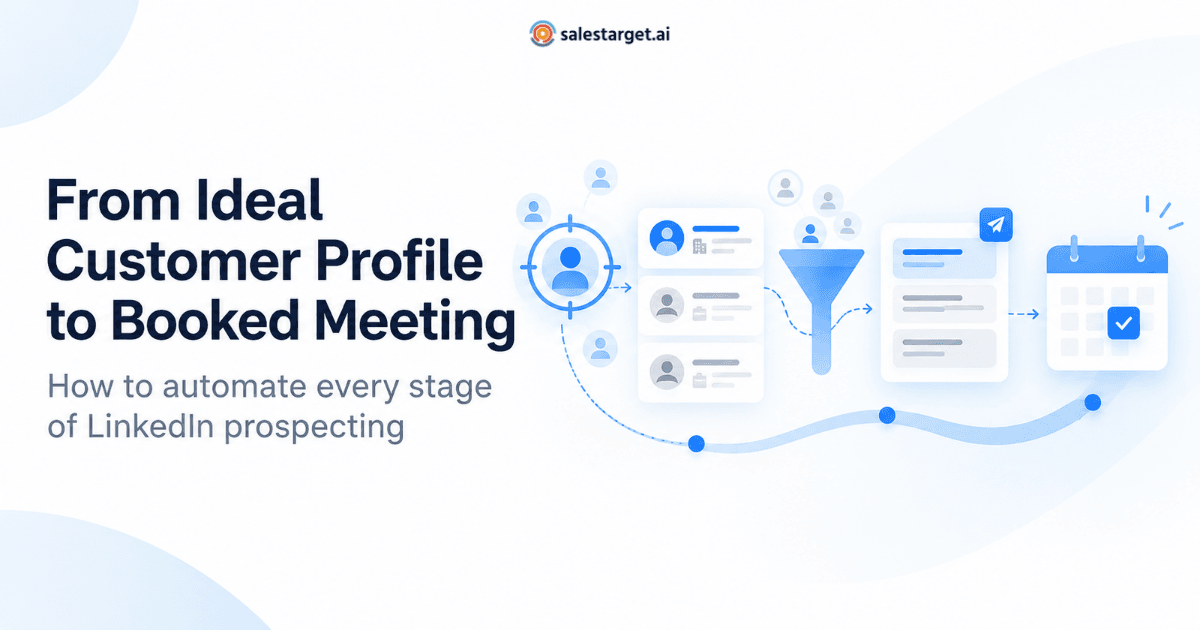
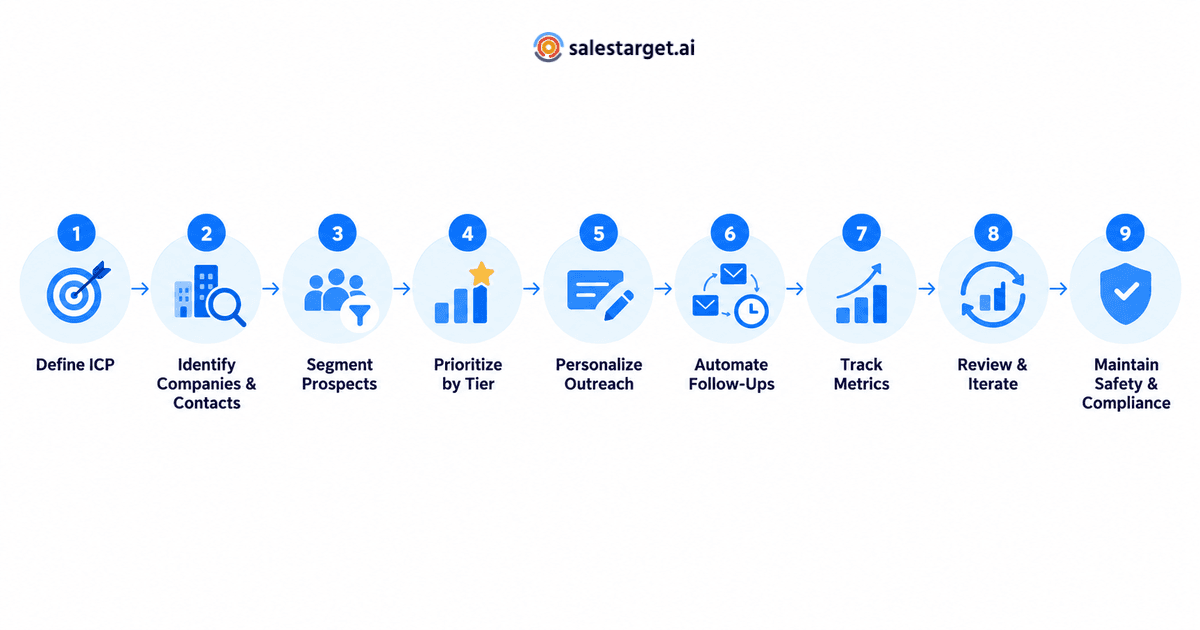
This guide walks through the entire prospecting automation workflow — nine stages that connect targeting decisions to outreach execution. Whether you are an SDR managing your own pipeline, a sales manager building repeatable systems, or a founder scaling outreach without a full team, this framework gives you a practical path from ICP definition to booked meetings.
If you are looking for a platform that connects prospect discovery, personalized LinkedIn outreach, and follow-up management in one place, salestarget.ai is built for exactly that workflow.
👉 Automate Your LinkedIn Outreach
What Does It Mean to Automate LinkedIn Prospecting?
Automated LinkedIn prospecting is the practice of using software and structured workflows to handle the repeatable stages of finding, qualifying, and engaging potential buyers on LinkedIn — without requiring a sales rep to perform each step manually.
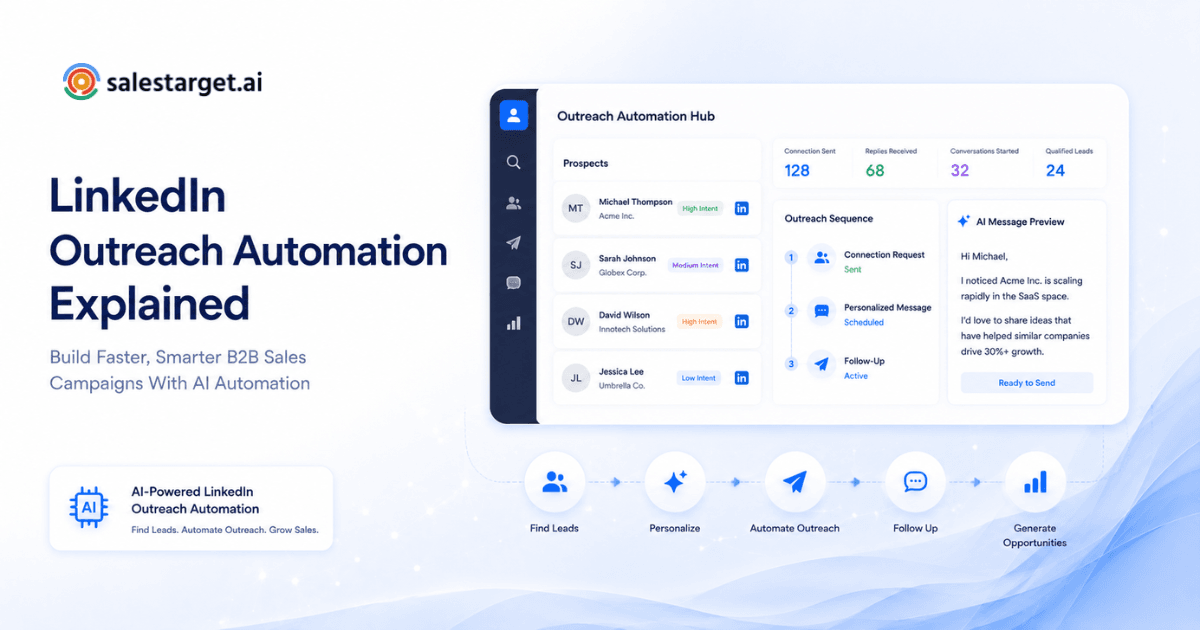
This goes beyond scheduling connection requests. A complete prospecting automation system handles several stages:
- Identifying companies and contacts that match defined targeting criteria
- Filtering out poor-fit prospects before they enter outreach sequences
- Ranking the remaining prospects by likelihood to convert or engage
- Generating personalized connection messages based on prospect-specific data
- Sequencing follow-ups according to prospect behavior, not arbitrary timers
- Tracking results at every stage so each cycle performs better than the last
The key distinction is between automating outreach (sending messages) and automating prospecting (deciding who should receive messages and why). Most teams only automate the first. This guide covers both.
Stage 1: Define Your Ideal Customer Profile and Qualification Criteria
Every automated prospecting workflow starts with a clear ICP. Without it, automation just accelerates bad targeting. Your ICP should answer three questions: which companies can you serve effectively, which roles within those companies make or influence buying decisions, and what business conditions make them likely to need your solution now?
Document your ICP with specific, filterable attributes:
- Industry vertical and sub-vertical (e.g., B2B SaaS, fintech infrastructure, not just “technology”)
- Company size by employee count and revenue band
- Geographic region or market
- Target job titles and seniority levels (VP of Sales, Head of Revenue Operations, SDR Manager)
- Technology stack signals that indicate relevance (e.g., companies using Salesforce, HubSpot, or Outreach)
- Business triggers such as recent funding rounds, leadership changes, or expansion announcements
The more precisely you define these criteria, the more effectively automation can filter and prioritize your prospect universe. A vague ICP produces a bloated list; a precise ICP produces a pipeline worth working.
For a deeper look at how to filter decision-makers using ICP criteria, see how to find B2B leads by filtering decision-makers with ideal customer profile criteria.
Stage 2: Identify Target Companies and Decision-Makers
With ICP criteria documented, the next stage is discovery — finding companies and contacts that match those criteria. On LinkedIn, this means using advanced search filters, Sales Navigator segments, Boolean search strings, and third-party lead discovery tools to build an initial prospect universe.
Effective identification goes beyond keyword searches. Look for:
- Companies that match your size, industry, and geography filters
- Decision-makers whose titles align with your buyer personas
- Contacts who are active on LinkedIn — publishing posts, commenting, or sharing industry content
- Organizations showing growth signals: job postings for roles your product supports, funding announcements, or geographic expansion
The goal at this stage is a broad but relevant universe of potential prospects. You will narrow it significantly in the next two stages. Avoid the temptation to load every matching profile directly into an outreach sequence — that skips the qualification and prioritization steps that separate effective prospecting from spam.
Stage 3: Segment Prospects by Role, Industry, and Business Signals
A flat prospect list treats every contact the same way. Segmentation divides your list into meaningful groups so that messaging, timing, and priority can be tailored to each group's context.
Practical segmentation dimensions include:
- Role category: economic buyers (VP, C-suite), technical evaluators (directors, senior managers), internal champions (end users who advocate internally)
- Industry segment: even within your ICP, a fintech CFO and a healthcare CTO respond to different value propositions
- Company stage: early-stage startups have different urgency and budget dynamics than established enterprises
- Engagement level: prospects who have viewed your company page, liked a post, or visited your website are warmer than cold contacts
- Timing signals: companies in an active buying cycle (reviewing competitors, hiring for relevant roles) deserve faster outreach than those without visible intent
Segmentation is what makes personalization possible at scale. You cannot write a genuinely relevant message to a generic list, but you can write a relevant template for each well-defined segment and let automation fill in the individual details.
Stage 4: Prioritize Prospects Instead of Treating Every Profile Equally
Not every matching prospect deserves the same level of effort. Prioritization assigns each prospect a rough value ranking based on how closely they match your best-customer profile and how strong their buying signals are.
A simple prioritization framework might work like this:
- Tier 1 (highest priority): Matches ICP on all criteria, shows active buying signals (recent funding, competitor evaluation, relevant job posting), and the contact is a confirmed decision-maker. These prospects get personalized, multi-touch sequences with quick follow-up.
- Tier 2 (medium priority): Matches ICP on most criteria, moderate signals, or the contact is an influencer rather than a final decision-maker. These get well-crafted sequences with standard follow-up timing.
- Tier 3 (lower priority): Matches basic ICP criteria but lacks strong signals. These enter lighter-touch sequences and move up if engagement signals appear.
Prioritization prevents your best opportunities from being buried under a pile of marginal contacts. It also protects your LinkedIn account by keeping daily activity focused on high-value interactions rather than mass-volume sends.
For more on why signal-based prioritization outperforms volume-based outreach, read LinkedIn prospecting tools: why signal beats volume.
Stage 5: Create Contextual, Individualized Outreach Messages
With segmented and prioritized prospects, outreach becomes a targeted conversation rather than a broadcast. Every connection request and opening message should reflect something specific about the prospect: their role, company situation, industry challenge, or a piece of content they recently engaged with.
Effective automated personalization works at two levels:
- Segment-level personalization: Each segment gets a message template tailored to its common characteristics — industry-specific pain points, role-specific priorities, company-stage-specific language.
- Individual-level personalization: Within each template, dynamic fields pull in the prospect's name, company, recent activity, mutual connections, or other profile-specific details. AI-powered tools can generate these variations at scale without sounding robotic.
The connection request itself deserves particular attention. It is typically limited to 300 characters and determines whether the prospect ever sees your follow-up message. Lead with relevance, not your product pitch. Reference a shared context — a mutual connection, an industry trend, a piece of their content — rather than immediately stating what you sell.
SalesTarget.ai includes AI-powered LinkedIn personalization that adapts messages to each prospect's profile data, role, and industry, helping teams personalize outreach at scale without manually rewriting every message.
Stage 6: Organize Follow-Ups Around Prospect Actions
Follow-up is where most manual prospecting breaks down. Reps forget to follow up, send generic reminders, or follow up at arbitrary intervals regardless of what the prospect has done. Automated follow-up sequences solve the timing problem, but the best systems also adjust content based on prospect behavior.
Design your follow-up logic around these principles:
- If a prospect accepts the connection but does not reply to the opening message, the first follow-up should add value — share a relevant resource, ask a question, or reference something timely about their company.
- If a prospect views your profile but does not accept the connection, that is a signal of interest. A second touchpoint through a different channel (email, for example) can reinforce the initial message.
- If there is no response after two or three follow-ups, the prospect moves to a nurture track rather than receiving more direct messages. Respecting their silence protects your reputation and your account.
- If a prospect replies positively, the sequence should stop immediately so a human can take over the conversation. No automation should respond to a genuine buying signal.
Platforms like salestarget.ai let you build conditional outreach sequences that adapt follow-up steps based on whether a prospect replied, connected, or remained unresponsive — keeping each interaction relevant and timely.
Stage 7: Track Responses, Acceptance Rates, and Qualified Conversations
You cannot improve a process you are not measuring. Automated LinkedIn prospecting generates data at every stage, and tracking the right metrics tells you where the workflow is strong and where it leaks.
Key metrics to monitor include:
- Connection acceptance rate: The percentage of connection requests that are accepted. A low rate (below 25–30%) usually indicates targeting or messaging problems.
- Reply rate: The percentage of connected prospects who respond to your opening or follow-up messages. This reflects message relevance and timing.
- Qualified conversation rate: Not every reply is a qualified lead. Track how many replies lead to genuine sales conversations versus polite declines, referrals, or irrelevant responses.
- Meeting booking rate: The ultimate downstream metric — how many qualified conversations convert to scheduled calls or demos.
- Segment-level performance: Break every metric down by segment. One industry, role, or company tier may significantly outperform others, revealing where to focus resources.
Salestarget.ai provides analytics and CRM visibility that tracks connections, replies, and lead status in real time, syncing LinkedIn outreach activity directly into your pipeline view.
Stage 8: Improve the Workflow Using Performance Data
The most valuable part of an automated prospecting system is the feedback loop. Every campaign cycle produces data that should inform the next one. This is what turns prospecting from a repetitive task into a compounding advantage.
After each campaign cycle, review:
- Which ICP segments produced the highest acceptance and reply rates? Shift resources toward them.
- Which message variations performed best? Retire underperforming templates and test new angles based on what worked.
- Where did prospects drop out of the funnel? If acceptance is high but reply rate is low, the problem is likely message content, not targeting. If acceptance is low, revisit your prospect selection criteria.
- Are certain follow-up intervals or touchpoints more effective than others? Adjust your sequence timing based on actual response patterns, not assumptions.
- Did any segments surprise you — either outperforming or underperforming expectations? Investigate what made them different and adjust your ICP accordingly.
This review should happen at least monthly for active campaigns. Treat your ICP, segments, and sequences as living documents that evolve with every data point, not as static templates set once and forgotten.
Stage 9: Maintain Human Oversight and Respect Platform Guidelines
Automation is a leverage tool, not a replacement for judgment. Every automated prospecting system needs guardrails to protect both your results and your LinkedIn account.
Essential safeguards include:
- Daily activity limits: Stay well within LinkedIn's acceptable ranges for connection requests, messages, and profile views. A good rule of thumb is to keep total daily actions under the limits that a human could reasonably perform in a working day.
- Warm-up periods: New LinkedIn accounts or accounts that have not been active should start with low daily volumes and increase gradually over several weeks.
- Human-like behavior patterns: Schedule outreach during normal business hours, include natural delays between actions, and avoid patterns that look mechanical (such as sending exactly 50 requests at 9:00 AM every day).
- Reply monitoring: Always have a human review incoming replies promptly. Automated follow-ups should pause as soon as a prospect responds, and a real person should continue the conversation.
- Regular list hygiene: Remove prospects who have changed roles, left their company, or explicitly declined engagement. Continuing to contact them wastes capacity and risks negative signals to LinkedIn.
For a detailed look at LinkedIn safety best practices, see the guide on LinkedIn outreach automation safe limits, risks, and scaling without getting banned.
Putting It Together: A Practical Example
Consider a mid-market SaaS company selling a project management tool to operations teams at logistics companies with 200–1,000 employees in North America.
ICP definition: Logistics and supply chain companies, 200–1,000 employees, headquartered in the US or Canada. Target roles: VP of Operations, Director of Supply Chain, Head of Logistics. Business trigger: companies that recently posted job listings for operations coordinators or process improvement roles, suggesting growing complexity.
Discovery: Using LinkedIn Sales Navigator and a B2B lead database, the team identifies 400 companies that match the criteria and exports 600 contacts across the three target roles.
Segmentation: Contacts are grouped into three segments: VP-level buyers (economic decision-makers), Director-level evaluators (technical influencers), and companies showing active hiring triggers versus those without visible signals.
Prioritization: The 120 contacts at companies with active hiring triggers and VP-level titles are tagged Tier 1. The 200 Director-level contacts at trigger companies are Tier 2. The remaining 280 contacts without triggers are Tier 3.
Outreach: Tier 1 gets a personalized connection request referencing their specific hiring activity and how growing teams often struggle with operational visibility. Tier 2 gets a role-specific message about the challenges of managing cross-team workflows. Tier 3 gets a lighter-touch industry-relevant message.
Follow-up: Connected Tier 1 prospects who do not reply within three days receive a follow-up sharing a relevant logistics operations resource. After a second no-reply, they receive a brief final message and then move to a monthly nurture cadence.
Results tracking: After four weeks, the team reviews: Tier 1 had a 42% connection acceptance rate and 18% reply rate. Tier 2 had 35% acceptance and 12% reply rate. Tier 3 had 22% acceptance and 6% reply rate. The team reallocates more daily capacity toward Tier 1 profiles and refines the Tier 3 criteria.
Build the Prospecting System Before You Scale It
The teams that get the best results from LinkedIn prospecting automation are not the ones that send the most messages. They are the ones that build a complete process — from a documented ICP through segmented prospect lists, tiered prioritization, behavior-driven follow-ups, and data-informed iteration — and then use automation to run that process efficiently and consistently.
Start with your targeting criteria. Segment and prioritize before you write a single message. Track performance at every stage. And treat every campaign cycle as an opportunity to make the next one better.
Ready to put this workflow into practice? SalesTarget.ai's LinkedIn outreach automation helps B2B sales teams connect prospect discovery, personalized messaging, conditional follow-ups, and real-time analytics in a single platform — so your prospecting runs as a system, not a scramble.