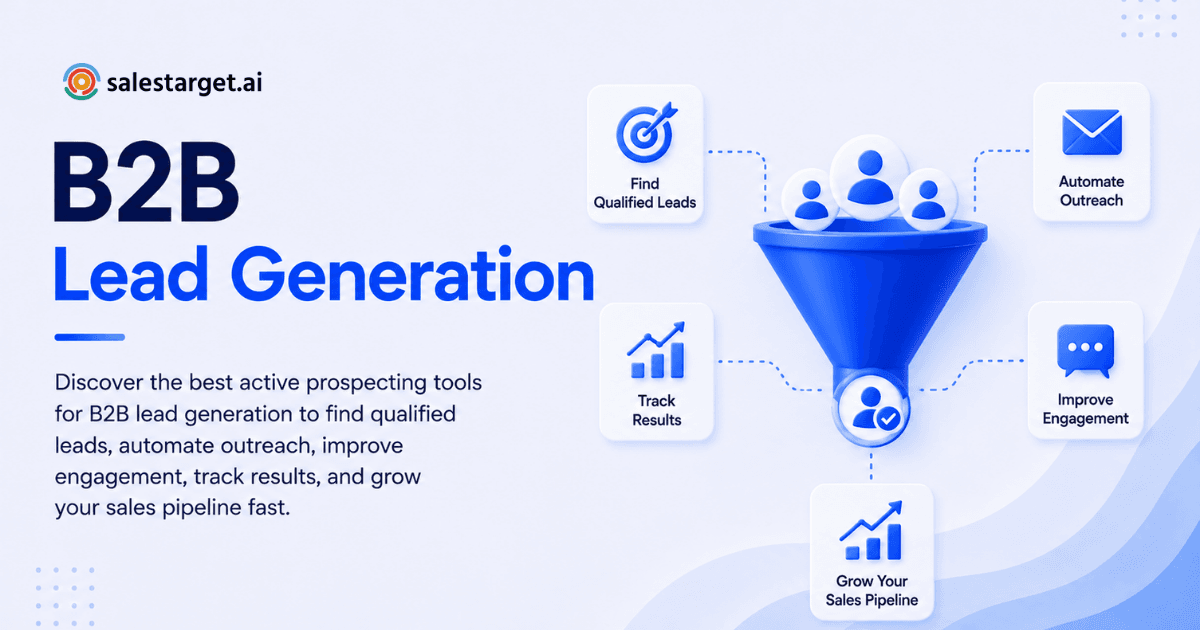
Waiting for inbound is no longer a strategy. Pipelines built on passive lead flow crack under the first sign of market shift, budget cuts, or sales cycle lengthening. The teams hitting the target in 2026 are the ones running deliberate, measurable active prospecting and they're doing it with a connected stack of tools, not scattered point solutions.
This guide breaks down how to build an active prospecting workflow, which tools solve which problems, and how to avoid the common mistakes that make even the best tools underperform.
What Active Prospecting Actually Means (and Why It's Not Dead)
Active prospecting is the deliberate, outbound process of generating pipeline by:
- Identifying target accounts based on firmographics, technographics, and buying signals
- Finding and validating contact data
- Reaching out across email, phone, and social channels
- Following up with structured sequences
- Measuring what drives meetings and deals
The key difference from "spray and pray" cold outreach: you're working from a defined ideal customer profile (ICP), you're verifying data before touching it, and you're tracking outcomes to iterate.
Active prospecting fails at predictable failure points:
- Bad sourcing (wrong accounts, wrong people)
- Deliverability problems (emails hit spam)
- No follow-up rhythm (one email, hope dies)
- No measurement (you can't tell what worked)
- Broken CRM handoff (outreach data disappears)
Modern active prospecting tools reduce these failure points, especially as inbox filters tighten and buyer attention shrinks.
The Active Prospecting Workflow: Where Tools Fit
Most high-performing outbound motions follow this sequence. Each step has specific tool needs:
- ICP & targeting: Define your best-fit buyer
- B2B lead sourcing: Find companies and contacts that match
- Lead enrichment & verification: Add context and validate email
- List management & routing: Organize and assign to reps
- Outreach sequences: Email, LinkedIn, phone on a cadence
- Lead tracking & analytics: Measure what works
- CRM integration: Pipeline stays clean and actionable
A tool that only does step 5 (outreach) leaves you blind to sourcing quality and tracking accuracy. Your stack should connect all seven.
Step 1: Define Your ICP: Start With Clarity, Not Volume
The best prospecting teams narrow first, then scale. Spend 30 minutes defining what "good-fit" actually means:
Must-haves (non-negotiables):
- Company size range (e.g., 50–500 employees)
- Geography (e.g., US/Canada)
- Tech stack or use case (e.g., uses Salesforce, growing sales org)
Nice-to-haves (accelerators):
- Hiring signals (SDR/BDR posts, revenue team growth)
- Recent funding or Series announcement
- Specific regulatory or compliance changes
This discipline makes every downstream tool, from sourcing to enrichment to outreach to tracking, perform better. You're not guessing; you're filtering.
Step 2: B2B Lead Sourcing: Accuracy Over Volume
B2B lead sourcing tools provide company discovery, org charts, and contact enrichment. They're the foundation of outbound.
What strong sourcing looks like in 2026:
- Accurate contact role mapping (title, seniority, department)
- Fresh job-change data (title changes happen fast)
- Account-level insights (subsidiaries, office locations, HQ vs. regional)
- Clean export controls (you're not accidentally pulling 50,000 low-intent emails)
How to build a multi-persona account list:
Account-first approach: Pick target accounts based on ICP + signals. Then, within each account, add 2–5 contacts across roles:
- Economic buyer: VP/C-level who approves budget
- Day-to-day owner: Manager who uses the product daily
- Technical validator: IT/Engineering/RevOps who gates implementation
- Champion user: Power user or team lead who drives adoption
This spread improves meeting rates because you're not betting everything on one decision-maker. It also creates multiple conversation threads if one contact leaves.
Step 3: Lead Enrichment & Verification: Protect Deliverability
Email verification is the single biggest lever for inbox placement. Enrichment adds context for personalization.
Enrichment vs. Verification:
- Enrichment adds context: company size, LinkedIn URL, tech stack, location, recent news
- Verification checks if an email is deliverable using MX/SMTP checks, bounce detection, and risk scoring
Both matter, but verification is non-negotiable if you care about landing in inboxes instead of spam.
Minimum viable verification process:
Before importing contacts into a sequence:
- Verify all new emails (yes, every single one)
- Suppress role accounts (info@, sales@, support@)
- Flag and suppress high-risk statuses
- Re-verify lists older than 30–60 days (job changes happen constantly)
Many teams skip this step and wonder why deliverability tanks after week two. Don't be that team.
Step 4: List Management & Routing: Make It Repeatable
Even great reps fall apart when list management is manual. This is where spreadsheets go to die.
Must-have features:
- Deduplication (leads from multiple sources shouldn't be duplicated)
- Ownership rules (round-robin assignment, territory coverage, named accounts)
- Suppression lists (do-not-contact, existing customers, open opportunities)
- Change tracking (job changes, email updates flagged automatically)
- Notes and tags that travel with the lead across tools
The moment a lead enters your system, someone should be able to trace its journey: sourced > contacted > replied > qualified > moved to pipeline.
Step 5: Outreach Sequences: Multi-Channel, Not Just Email
Cold email is powerful, but it's one channel. The best prospecting stacks combine email, LinkedIn, and sometimes phone on a coordinated cadence.
Sales engagement platform basics:
A sales engagement platform sits between your sourcing stack and your CRM. It handles multi-step sequences, task automation, and reply tracking. Think of it as the operational system: if your CRM is the system of record (accounts, deals, lifecycle), your engagement platform is the system of action (sequences, touches, performance).
Cold email automation, without burning sender reputation:
Automation scales consistency, not spam. Use these safeguards:
- Personalization tokens (industry, role, trigger) so every email has context
- Conditional steps (if opened, if replied, if booked, then branch to next action)
- Intelligent throttling (send limits per mailbox, per domain to avoid rate limits)
- Automatic mailbox rotation (spread sends across inboxes to keep volume realistic)
- Native bounce and unsubscribe management (honor opt-outs immediately)
LinkedIn automation: use it carefully:
LinkedIn is effective for awareness and follow-up, but it's the easiest place to over-automate and damage trust. Smart usage:
Keep automated:
- Lightweight connection requests with a personalized note
- Reminder tasks for manual follow-ups
- Logging touches back to CRM
Keep human:
- Voice notes (takes 20 seconds, sounds genuine)
- Custom comments on posts (shows you actually follow their work)
- DMs after a real trigger (job change, post engagement, specific mention)
A strong pattern integrates email and LinkedIn:
- Day 1: Email 1 (trigger-based reason you reached out)
- Day 2: LinkedIn view + connect (manual note)
- Day 4: Email 2 (proof point or case study)
- Day 6: LinkedIn DM (short, context-specific)
- Day 9: Call task + voicemail
- Day 12: Breakup email
This is "automation-assisted personalization," not robotic blasting.
Step 6: Lead Tracking & Analytics: Measure What Moves Deals
Opens are dead. Privacy changes (Apple Mail Privacy Protection) made open rates unreliable. Modern lead tracking focuses on outcomes:
- Replies (positive, neutral, negative sentiment)
- Meetings booked (the ultimate signal)
- Conversion rates by segment (ICP slice, industry, buyer role)
- Time-to-first-reply (fast replies = strong fit)
- Deliverability health (bounces, complaints trending up or down)
- Sequence-level and rep-level performance
Track by segment and message, not just by rep:
If you only compare reps, you miss the real driver: message-market fit. Instead, track:
- Segment (e.g., mid-market fintech CTOs)
- Trigger (funding, hiring, compliance change)
- Value prop angle (cost, speed, compliance, integration)
- CTA style (low-friction vs. high-commitment)
This tells you which segments respond best, which value props stick, and which reps need coaching.
Step 7: CRM Integration: Where Most Stacks Fail
A common failure mode: outreach runs in one system, sourcing in another, and your CRM becomes a graveyard of stale data. Then leadership distrusts pipeline numbers, and reps waste hours on admin work.
Minimum viable CRM integration:
- Contacts and accounts created or matched automatically
- Sequence enrollment visible in CRM
- Replies and dispositions sync back (Interested, Not now, Not a fit, at minimum)
- Meeting booked creates activity and updates lifecycle stage
- Do-not-contact and unsubscribe lists push to all outreach systems
Without this, you're flying blind on pipeline accuracy.
What Are the Best Active Prospecting Tools for B2B Lead Generation?
Choosing the right active prospecting tool depends on your sales motion, target market, data requirements, and outreach channels. The following tools cover key areas of B2B prospecting, from lead discovery and contact data to LinkedIn prospecting, enrichment, and outbound workflows.
1. SalesTarget.ai
SalesTarget.ai is an all-in-one B2B prospecting and lead generation platform designed to help sales teams identify prospects, build targeted lists, manage outreach, and track sales activities. It can be a strong option for teams that want to reduce the number of separate tools used across their prospecting workflow.
Best for: B2B lead generation, prospecting, outreach, and sales workflow management.
2. Apollo.io
Apollo.io combines B2B contact data with sales engagement capabilities. Sales teams can use it to discover prospects, build targeted lists, enrich contact information, and organize outbound campaigns from a single platform.
Best for: B2B contact discovery, lead sourcing, and outbound sales engagement.
3. LinkedIn Sales Navigator
LinkedIn Sales Navigator is designed for finding and researching B2B prospects on LinkedIn. Its search and filtering capabilities help sales teams identify relevant companies and decision-makers based on factors such as industry, role, company size, and other professional attributes.
Best for: LinkedIn-based prospect discovery, account targeting, and identifying decision-makers.
4. ZoomInfo
ZoomInfo provides B2B company and contact intelligence that sales teams can use for account research, prospect discovery, and lead generation. It is particularly suited to organizations that need extensive business data and more advanced prospecting capabilities.
Best for: Enterprise B2B data, account intelligence, and sales prospecting.
5. Clay
Clay focuses on data enrichment and automated prospecting workflows. Teams can combine data sources, enrich prospect records, and create customized workflows to support more targeted and personalized outbound campaigns.
Best for: Lead enrichment, data workflows, personalization, and advanced prospecting automation.
Why Choose SalesTarget.ai for Active Prospecting
Building an active prospecting stack from scratch means piecing together 5–7 different tools, managing integrations, and training reps on multiple interfaces. SalesTarget.ai consolidates this into one platform.
The SalesTarget.ai stack includes:
Lead Explorer gives you 840M+ verified professional profiles, 146M+ business entities, 4,000+ intent signals, and 50+ data sources in one search interface. No need for a separate sourcing tool, search in plain English or stack filters, then enrich and verify contacts in one click. According to SalesTarget.ai, 99% of contact data is verified, cutting the manual validation work downstream.
Email Outreach automates multi-step sequences with deliverability built in: unlimited inboxes, automatic AI warm-up, intelligent inbox rotation, and SPF/DKIM/DMARC checks before sends. The platform achieves 35% faster campaign creation and validates 90% of emails before they leave your outbox. AI-generated sequences and spintax mean you're personalizing at scale, not templating at volume.
LinkedIn Outreach handles connection requests, DMs, follow-ups, and engagement actions with built-in safety: rate limits, warm-up logic, auto-pause safeguards. Conditional sequences branch on replies or no-response, and timezone-aware scheduling keeps interactions human-paced. It runs in the same workflow as email, so your full cadence (email + LinkedIn) is coordinated in one place.
Lead and Email Validator checks deliverability using MX/SMTP checks, disposable-email detection, and risk scoring. Real-time API plus bulk cleaning means you catch bad emails before they damage sender reputation.
The CRM is built for outbound teams: campaign leads land automatically, every email and call logs to the timeline, and follow-up tasks are created automatically. Customers report 3.2X faster deal cycles, 91% follow-up completion, and approximately 6 hours saved per rep per week. It connects with Google Calendar, Calendly, Slack, Zapier, and systems like HubSpot, Salesforce, and Zoho.
The AI Copilot lets you skip UI clicks altogether. Chat to find leads, generate full email sequences, track campaign revenue, or query CRM data in plain language. It's one reason teams report 2.4X more meetings from the same leads, automation that doesn't feel like automation.
The unified platform means:
- No integration debt or sync delays
- One data model (no contact exists in five different systems)
- One bill, not seven
- Faster onboarding (reps learn one tool, not five)
Common Mistakes That Underperform Active Prospecting Tools
Even excellent tools fail with these habits:
- Sequencing unverified contacts. You'll burn the sender's reputation and wonder why meetings dried up by week three. Verify first, always.
- One-message-fits-all templates. You can't automate your way out of weak relevance. Use triggers, segment by persona, and vary your angle.
- No segmentation. If you don't slice your list by ICP, industry, company size, or job title, you can't learn what works. Every non-personalized sequence teaches you nothing.
- Overreliance on opens and clicks. Opens became unreliable post-Apple Mail Privacy Protection. Track replies, meetings, and deal creation instead.
- CRM as an afterthought. If outcomes don't sync back to your system of record, your reporting becomes fiction and reps stop trusting the data.
Prospecting Automation: Where It Helps vs. Where It Hurts
Automation helps with repeatable work:
- Building and refreshing contact lists
- Enriching and verifying data
- Routing and deduplicating leads
- Scheduling follow-ups
- Logging activities back to CRM
Automation hurts when it replaces thinking:
- Mass, generic messaging (no trigger, no reason for the reach)
- Over-sequencing the same persona with the same pitch
- Ignoring negative replies or hard opt-outs
- Blindly escalating volume when reply rates drop
Rule of thumb: Automate operations; personalize reason and relevance.
How to Evaluate Active Prospecting Tools
Most demos showcase edge cases and perfect data. Use a scorecard grounded in your actual workflow.
Rate each category 1–5:
Data Quality
- Contact accuracy and freshness
- Job-change detection latency
- Coverage in your target markets
- Enrichment depth
Deliverability & Compliance
- Email validity scoring (not just "valid/invalid")
- Catch-all and risk-flag detection
- Domain health checks
- Bounce handling and suppression
Workflow Fit
- List-building speed and filters
- Multi-persona account workflows
- Task management and sequencing logic
- Inbox and reply management
Integrations
- CRM sync quality and latency
- Calendar and meeting-tool connections
- BI and export flexibility
Analytics
- Segment-level reporting (not just rep leaderboards)
- Sequence testing and A/B comparison
- Rep performance coaching signals
- Pipeline attribution
Cost & Scalability
- Pricing per seat, per contact, or per email
- API limits and automation constraints
- Admin overhead
Then run a real pilot: 200–500 prospects in your ICP, one month, clear success metrics (meetings booked, positive reply rate, deliverability health).
Building Your Active Prospecting Stack
Rather than naming a single "best tool," the answer is: the right stack for your motion.
For a solo founder or 1-person sales:
- Lightweight B2B lead sourcing
- Email verification
- Basic sequencing for outreach
- Simple CRM for pipeline tracking
Goal: speed and focus
For a 2–10 person outbound team:
- Strong B2B sourcing and enrichment
- Centralized verification and list cleaning
- Sales engagement platform with shared sequences
- Shared reporting and lead-routing rules
Goal: consistency and coaching
For a 10+ person SDR org:
- Multiple data sources with governance
- Strict suppression and compliance controls
- Omnichannel outbound platform
- Advanced analytics and BI integration
- RevOps-managed routing and lifecycle rules
Goal: scale without tanking deliverability or data quality
Learn more about safe LinkedIn automation and best practices and discover tools and strategies for finding and qualifying B2B leads.
Conclusion: Build a System, Not a Toolkit
Active prospecting tools work best when they're connected into a system. A tool that only sends emails, or only finds leads, or only logs outcomes leaves the workflow broken.
The best active prospecting stacks:
- Source better-fit accounts with modern lead data and intent signals
- Protect deliverability with verification before sequences start
- Execute consistently across email, LinkedIn, and phone
- Scale responsibly with automation that personalizes, not genericizes
- Measure outcomes that matter (meetings, deals, revenue)
- Keep your CRM clean and trustworthy
If you're evaluating tools today: map your current workflow, identify your single biggest bottleneck (sourcing accuracy, deliverability, execution, tracking, or CRM sync), and upgrade that step first. Everything else improves downstream.
For a complete look at how to evaluate and choose the right active prospecting platform for your team size and goals, start with your ICP definition and your biggest pain point, not feature lists.