If you've ever watched a deal vanish because it fell through the cracks or realized three months in that your forecast has zero connection to reality you already know the cost of poor pipeline visibility. Spreadsheets, sticky notes, and hope are not a sales strategy.
The right sales pipeline management software acts as the central nervous system of your sales organization. It surfaces which deals are moving, which are stalled, and where to spend your energy today to hit next quarter's number. More importantly, it eliminates the admin work that keeps your reps from actually selling.
This guide walks you through everything you need to know: how to build a pipeline from scratch, the metrics that matter, automation strategies that stick, and the software platforms that get out of your way instead of slowing you down. Whether you're a founder running your own sales cycle or a sales leader managing a distributed team, you'll find actionable strategies plus a clear-eyed look at which tools solve which problems.
Understanding Your Sales Pipeline
Sales Funnel vs. Pipeline: What's the Actual Difference?
These terms get thrown around interchangeably, but they measure fundamentally different things.
The Sales Funnel represents the buyer's journey. It tracks how many prospects enter at the top and how many convert at each stage. It's wide at the top (many leads) and narrow at the bottom (few customers). Marketing teams obsess over funnels because they show conversion rates and volume loss at each step.
The Sales Pipeline represents the seller's journey. It's a specific sequence of stages your sales team moves a prospect through to close the deal. It focuses on actions, deal values, and revenue probability not marketing metrics.
The key difference: The funnel measures how buyers buy; the pipeline outlines what your sellers must do to close the deal.
Both exist in the same customer journey, but funnel metrics (awareness, interest, consideration) tell you about marketing performance. Pipeline metrics (deal stage, deal value, close date) tell you about sales execution. A high-performing organization optimizes both.
Why Pipeline Visibility Matters for Sales Leaders
Without a real-time view of your pipeline, you're flying blind. Managers who lack visibility operate reactively checking results only when it's too late to course-correct.
Clear pipeline visibility lets you:
- Identify coaching opportunities: Spot reps who stall at specific stages and need skill development.
- Catch deals going cold: See which opportunities haven't moved in 30+ days and intervene before they die.
- Reallocate resources: Shift focus to high-value deals instead of spreading effort thinly.
- Hit forecasts: Know if you have enough pipeline coverage to make next quarter's number, weeks in advance.
Sales leaders who implement true pipeline tracking cut surprise misses in half and often beat their numbers by widening their pipeline earlier.
Building Your Sales Process
How to Build a Sales Process from Scratch
No software, no matter how advanced, can fix a broken sales process. Before implementing a tool, define the actual steps your team takes to turn a prospect into a customer.
Step 1: Analyze Your Best Wins Pull your last 10–15 closed-won deals. For each one, document:
- What stages did it move through?
- Who were the key decision-makers?
- How long did the entire cycle take?
- What actions triggered movement to the next stage?
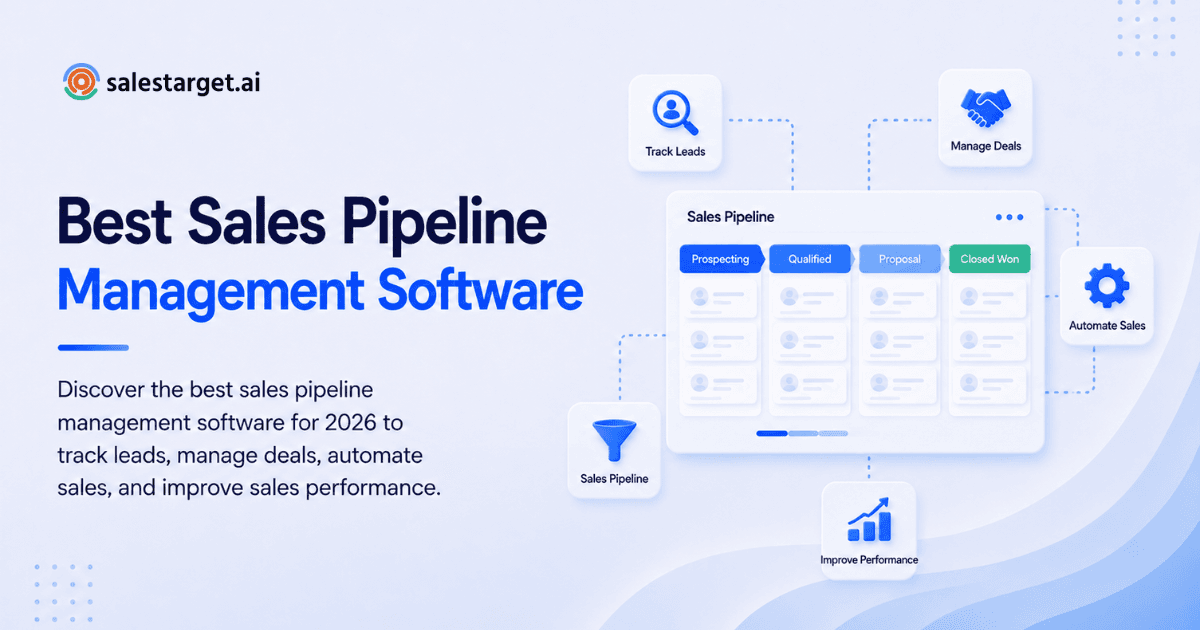
Step 2: Define Clear Pipeline Stages Break the journey into distinct, logical stages. Most B2B teams need 5–7 stages (more than that creates confusion and data rot).
Step 3: Establish Exit Criteria For a deal to move from one stage to the next, what must actually happen? For example, a deal can't move to "Proposal" until the prospect confirms budget authority. Write this down. When you load it into your sales pipeline management tool, your reps will follow it.
Step 4: Align Selling Actions to Buying Timelines Your pipeline stages should mirror how your ideal customer actually makes decisions. If your buyers need executive approval before moving forward, "Executive Review" should be an explicit stage not a hidden step buried in "Negotiation."
Step 5: Iterate Every Quarter Your first process won't be perfect. Review it quarterly. Where are deals piling up? Where are they moving too fast (a red flag that stage criteria aren't being enforced)? Tighten and adjust.
Sales Pipeline Stages: Best Practices
Every business is unique, but adhering to proven stage structures keeps your data clean and actionable.
Standard pipeline stages:
- Lead Generation / Prospecting: Identifying and reaching potential buyers.
- Qualification: Confirming the prospect has budget, authority, need, and timeline (BANT).
- Discovery / Needs Analysis: Understanding the prospect's pain points and goals.
- Proposal / Quote: Presenting your formal offer, pricing, and scope.
- Negotiation: Addressing objections and finalizing terms.
- Closed-Won / Closed-Lost: Final resolution.
Best Practice Tip: Keep stages action-oriented and limited to seven or fewer. Too many stages introduce confusion, encourage lazy data entry, and make it impossible to see patterns.
For outbound teams specifically, you might collapse early stages differently: Prospect → Engaged → Qualified → Proposal → Negotiation → Closed. The structure should reflect your actual sales motion, not a template.
Optimizing Your Sales Pipeline
Eliminating Sales Pipeline Bottlenecks
Even well-designed processes hit traffic jams. A bottleneck occurs when deals pile up in one stage beyond your normal cycle length.
Common bottlenecks:
- Proposal stage: Complex pricing approvals or legal reviews slow sign-off.
- Negotiation stage: Contract negotiations drag on for weeks.
- Discovery stage: Reps book calls but don't qualify properly, so deals stall.
How to clear them:
Use your sales pipeline management software to flag deals that sit in any stage for longer than expected (typically 30+ days). Set up automated alerts. When a deal is flagged, a manager can step in immediately, loop in an executive sponsor, expedite a legal review, or reassign the rep.
The bottleneck itself is less important than catching it early. Real-time visibility is everything.
Reducing Friction in the Sales Cycle
Friction is anything that makes it harder for the buyer to say yes or harder for the seller to do their job.
Buyer friction examples:
- Forcing physical signatures instead of e-signatures.
- Requiring multiple rep touch-bases before sharing pricing.
- Slow response times to requests.
Seller friction examples:
- Manually entering data into three different systems.
- No automated follow-up reminders (so deals go cold).
- Clunky email or call logging.
The best sales pipeline software removes both. Your reps spend time on discovery and closing, not data entry. Your buyers get fast, consistent communication across email, LinkedIn, and phone.
Sales Velocity: The Metric That Matters Most
Sales velocity measures how fast you're making money. The formula is simple:
Sales Velocity = (Number of Opportunities × Average Deal Value × Win Rate) ÷ Sales Cycle Length
To close faster, pull one of four levers:
- Increase opportunities: Generate more qualified leads.
- Increase deal value: Upsell, cross-sell, or target larger accounts.
- Increase win rate: Improve rep coaching and disqualify bad-fit prospects earlier.
- Decrease sales cycle length: Automate repetitive tasks so reps spend more time selling.
Most teams ignore the fourth lever because it requires the right tech stack. When you automate follow-ups, eliminate manual data entry, and surface buying signals in real-time, your cycle shrinks 20–30% - without burning out your team.
Automation and Data: Unlocking Real ROI
Automated Follow-Up Workflows That Actually Work
Most deals die because of poor follow-up, not poor positioning. Studies show it takes an average of 5–7 touches to get a response in B2B outbound yet many reps stop after one or two attempts.
Automated workflows solve this without wasting rep time on unresponsive prospects.
Example workflow:
- Day 1: Send an intro email.
- Day 3: If no reply, auto-send a value-add case study or article.
- Day 5: If a prospect clicked a link in the second email, create a task for the rep to call.
- Day 7: If still no contact, send a breakup email and move prospects to a nurture list.
This keeps your pipeline active and ensures rep effort is spent on prospects showing real buying signals.
With tools like SalesTarget.ai's Email Outreach, you can build these sequences in plain English. The AI constructs multi-step flows automatically and monitors replies in a unified inbox sorted by intent.
Managing Multi-Channel Lead Tracking
Today's buyers don't follow a linear path. A prospect might discover you via a LinkedIn ad, visit your website a week later, attend a webinar the next month, and finally reply to a cold email three months in.
Without proper tracking, you lose critical context. You walk into a call thinking it's a first touch when they've actually been watching your content for weeks.
Multi-channel tracking means your sales pipeline management system captures:
- Email opens and clicks.
- Website visits and content consumed.
- LinkedIn engagement (profile views, message responses).
- Demo attendance.
- Webinar participation.
- Buying signals from third-party platforms (intent data).
All of this feeds into a single prospect timeline in your CRM, so every rep sees the full context before the first call.
This visibility also helps your marketing and sales teams align on which channels actually drive the pipeline. If 60% of closed deals came from LinkedIn but your marketing is pouring budget into cold email, you've found a resource allocation problem.
Tracking the Right KPIs
You can't manage what you don't measure. A modern sales CRM software should surface these KPIs in real-time:
- Win Rate: Percentage of qualified opportunities that close.
- Average Deal Size: Revenue per closed deal.
- Sales Cycle Length: Days from first touch to close.
- Pipeline Value: Total potential revenue in open deals.
- Activity Metrics: Calls made, emails sent, meetings booked (per rep and overall).
- Deal Age: How long each opportunity has been in the current stage.
How to use this data:
- High activity + low win rate = rep needs objection-handling coaching.
- High win rate + low pipeline value = rep should spend more time prospecting.
- Long sales cycle length + many stalled deals = bottleneck exists; investigate.
When you track these metrics, you diagnose problems before they become misses.
Forecasting Revenue with Confidence
The hardest part of a sales leader's job is committing to a number then hoping it happens. Accurate forecasting depends entirely on a clean pipeline and disciplined data practices.
Revenue Forecasting Best Practices
1. Enforce Strict Stage Criteria If reps move deals to "Proposal" just to inflate their pipeline, your forecast becomes fiction. Hold reps accountable. When you define exit criteria (as described earlier), follow through.
2. Use Probability-Weighted Forecasting Assign a close probability to each stage:
- Discovery: 10% probability
- Proposal: 40% probability
- Negotiation: 75% probability
- Final Review: 95% probability
Multiply each deal's value by its stage probability. Sum those weighted values, and you get a realistic forecast not an optimistic guess.
3. Mandate Regular Pipeline Reviews Schedule weekly or bi-weekly 1-on-1 reviews. In these sessions, reps must:
- Close out dead deals (don't just let them rot).
- Update close dates based on reality, not wishful thinking.
- Adjust deal values if scope has changed.
This discipline is the difference between a forecast you can trust and one that surprises you.
4. Ground Forecasts in Historical Data Use your CRM's historical data. If your team has closed 25% of qualified opportunities for the last three years, don't forecast a 50% win rate without a major strategic shift to justify it.
5. Account for Seasonality If Q3 is historically slow for your industry, adjust your forecast algorithm. If January always sees deal delays because of budget cycles, plan accordingly.
When these practices are embedded in your sales pipeline tracking software, forecasting becomes an ongoing discipline, not an end-of-quarter panic.
Why Choose SalesTarget.ai for Sales Pipeline Management
If you've built a solid process, the last piece is finding a tool that doesn't get in the way and actually accelerates your execution.
Most teams piece together 4–5 tools: a database for lead discovery, an email platform for outreach, a LinkedIn tool for engagement, a CRM to track deals, and a calendar app to coordinate meetings. Each platform has a different interface, different data formats, and different cost. Data constantly falls out of sync. Deals slip through the cracks between systems.
SalesTarget.ai's integrated platform consolidates the entire outbound workflow into one CRM. Here's how it works:
Lead Discovery and Enrichment: Lead Explorer gives you access to 840M+ verified professional profiles and 4,000+ buying intent signals. Search in plain English ("VP of Sales at Series B SaaS companies in North America") and instantly enrich results with verified emails, phone numbers, and real-time buying signals via Bombora Intent Topics. No context switching to a separate database.
Multi-Channel Outreach: Run email, LinkedIn, and call sequences from a single workflow. Email Outreach auto-builds multi-step sequences based on your audience description, with AI-generated personalization and unlimited inboxes. LinkedIn Outreach automates connection requests, DMs, and follow-ups with conditional logic if they reply, do X; if they don't, do Y. Both sync to your CRM in real-time, so no manual logging.
Built-In CRM: Every email open, click, reply, and call is automatically logged to the lead timeline. Follow-up tasks are auto-created based on prospect behavior. When you move a deal to "Proposal," the system reminds you of the next action. Integrations with Google Calendar, Slack, HubSpot, Salesforce, and Calendly mean data flows both ways no re-entry.
Email Validation: Lead and Email Validator verifies emails with SMTP checks and disposable-email detection before sending. 90% of emails are validated before they leave the outbox, eliminating bounces and protecting your sender reputation.
AI Copilot: Ask your AI Copilot to "Find 200 IT directors at healthcare companies who viewed our website" or "Show me deals closing this month." No more hunting through dashboards. The AI writes sequences, queries your CRM in plain language, and creates tasks on the fly.
The result: reps spend 6+ hours per week less on admin and more on actual selling. Deal cycles drop 3.2X faster. Follow-up completion hits 91% because the system nags you, not just your reps.
You're not buying a feature checklist. You're eliminating the chaos of point-tool sprawl and building a single source of truth for your entire outbound operation.
For a deeper look at how to select the right sales engagement platform, read our guide to the best B2B sales engagement tools.
Putting It All Together
A strong sales pipeline management system isn't about the software alone. It's about discipline: defining your process, enforcing your standards, and tracking the metrics that matter.
Here's a 30-day rollout plan:
Week 1: Build Your Process
- Map your last 10 closed deals.
- Define your 5–7 pipeline stages and exit criteria.
- Write it down. Share it with the team.
Week 2: Load the Software
- Choose your platform (or migrate to a better one).
- Configure your stages and automation rules.
- Import existing leads and deals.
Week 3: Train and Audit
- Run a team training on data entry standards.
- Conduct a pipeline audit: remove dead deals, update close dates, adjust deal values.
- Set up weekly pipeline review meetings.
Week 4: Monitor and Optimize
- Review your KPIs daily for the first week.
- Adjust automation workflows based on what you see.
- Schedule your first full pipeline review with the team.
Conclusion
The difference between teams that hit their number and teams that miss it often isn't talent, it's visibility and discipline. A great sales pipeline management software gives you both.
Whether you choose Pipedrive for its intuitive Kanban interface, HubSpot for its inbound-to-sales alignment, Salesforce for unlimited enterprise customization, or a unified platform like SalesTarget.ai that combines lead discovery, multi-channel outreach, and CRM in one workspace, the fundamentals remain the same: build a clear process, enforce it consistently, track your metrics relentlessly, and act on what you see.
Start by auditing your current pipeline. Are deals stalling? Is your forecast accurate? Are your reps spending time on real selling, or buried in data entry?
If the answer is "we're not sure," you have your first project: implement a system that gives you visibility. The payoff faster closes, better forecasts, less chaos, and reps who actually enjoy their job is worth every penny.
Ready to see how a unified outbound platform works? Start free with SalesTarget.ai and run a small pilot with your top performers. In 30 days, you'll know if it's the right fit.