Your best SDR spent Monday morning copying LinkedIn profiles into a spreadsheet, guessing email formats, and pasting everything into the CRM. By lunch, three addresses had bounced and no buyer had heard a word from you.
Sales automation reduces manual work in B2B prospecting by handling the repeatable steps: finding leads, adding verified contact details, sending email and LinkedIn follow-ups, and logging every activity in the CRM. Reps stop researching and typing by hand and spend that time talking to buyers. The need is real. Salesforce's State of Sales research found that sellers spend about 70% of their time on non-selling tasks.
This guide shows where that time goes, how to automate it step by step, and how Salestarget.ai does it in one workspace.
The Hidden Cost of Manual Work in B2B Prospecting
Manual prospecting costs you selling hours, clean data, and speed to lead. The visible cost is research time. The hidden cost is the handoffs between tools.
Every time a rep exports a CSV, imports it into a sequencer, then re-keys replies into a CRM, the lead gets older. Contacts change jobs, addresses go stale, and the "hot" account from Tuesday is cold by Friday.
Here is the pattern most teams miss: manual work does not just eat hours, it breaks follow-up. A rep who spends the morning on research skips the third touch on yesterday's leads. Nobody notices, since no report shows the follow-up that never happened.
Understanding Sales Automation in Modern B2B Prospecting
Sales automation is software that runs the repeatable parts of prospecting so reps handle the judgment calls. That covers research, enrichment, outreach, follow-ups, and activity logging.
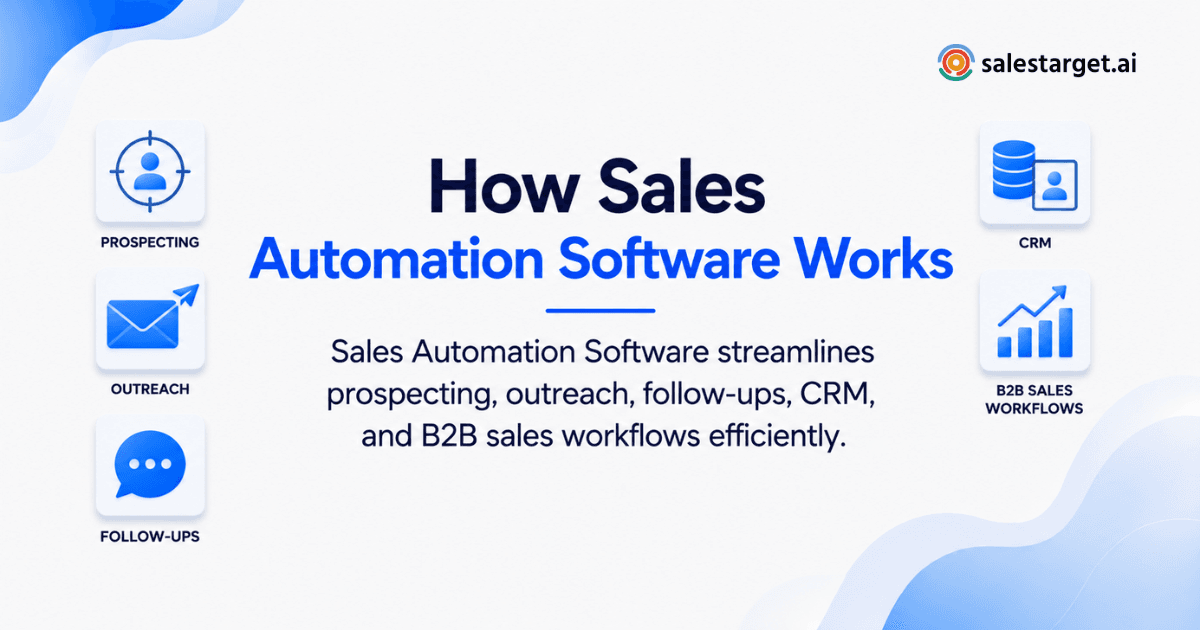
How Sales Automation Connects Lead Generation, Outreach, and CRM Management
It links three jobs that usually live in three separate tools. Lead generation finds the buyer, outreach reaches them, and the CRM tracks what happens next.
When these sit in one workflow, a lead moves from search to sequence to deal record with no export in between. That is the core idea behind multichannel AI sales automation replacing manual prospecting: one connected flow instead of stitched point tools.
The Role of AI in Prospect Research and Lead Qualification
AI reads the filters, signals, and profiles that a rep would otherwise check one by one. You describe your buyer in plain English, and the system returns matching people and companies.
Gartner's 2024 survey of 1,026 B2B sellers found that sellers who partner effectively with AI tools are 3.7 times more likely to meet quota. It also found that overwhelmed sellers are 45% less likely to hit quota. The lesson: AI helps when it replaces steps, and hurts when it adds another tool to manage.
Manual Prospecting vs. Automated Sales Workflows
Manual prospecting depends on rep memory and discipline. Automated workflows run on rules.
A manual rep researches ten accounts, writes ten emails, and tracks replies in a spreadsheet. An automated workflow pulls a matching list, enriches and verifies contacts, enrolls them in a sequence, pauses on reply, and creates a CRM task. The rep steps in only where a human adds value: a reply, a call, a custom note to a key account.
Key Benefits of Sales Automation for B2B Revenue Teams
The main benefits are more selling time, cleaner data, steadier follow-up, and a pipeline you can actually see.
More Selling Time Through Automated Prospect Research
Automated research returns the right people in minutes instead of hours. Salestarget.ai reports that CRM-side automation saves about 6 hours per rep per week. Set against Salesforce's 70% non-selling figure, that is a meaningful share of the admin load handed back to the rep.
Better Lead Quality Through Contact Enrichment and Verification
Enrichment fills in missing details, and verification confirms they are safe to use. A record with a name but no working email is not a lead, it is a to-do item.
Salestarget.ai enriches at the moment you find the lead and verifies contacts at that same point, not whenever the data was first scraped. That timing matters, since old verification stamps say little about today.
Consistent Follow-Ups Across Email and LinkedIn
Automation sends every follow-up on schedule, on the channel you chose. Most deals need several touches, and humans skip them when the day gets busy.
Conditional steps keep it relevant: if a prospect replies, the sequence stops. For LinkedIn, safe workflow limits such as human-like delays and working-hour scheduling protect your account while the sequence runs.
Improved Sales Workflow Efficiency and Pipeline Visibility
When every email, call, and reply lands in one record, managers see the real pipeline. No more asking reps for updates. Salestarget.ai's CRM reports 91% follow-up completion and 3.2X faster deal cycles (Salestarget.ai figures), which comes from tasks being created automatically instead of remembered.
How to Build an Automated B2B Prospecting Workflow
Build it in six steps, in this order: define the buyer, find leads, enrich, write sequences, automate follow-ups, sync to CRM. Skipping the order is how teams automate bad data.
Define Your Ideal Customer Profile and Target Accounts
Write down who you sell to before you open any tool. Pick industry, company size, role, seniority, and the problem you solve. Add a trigger or two, like a funding round or a hiring spike. A tight ICP makes every later step cheaper to run.
Automate Lead Discovery and Decision-Maker Identification
Let search filters and AI find accounts and the people who buy. Filter by role, department, tech stack, and intent topics, then shortlist decision-makers inside each account. Check a sample of 20 results by hand first. If 15 fit, the filters work.
Enrich Contact Records and Verify Email Addresses
Add emails, phones, and company details, then verify before anything sends. Run enrichment and validation as one step, not two. A list that skips verification will hurt your sender reputation within a few sends.
Create Personalized Email and LinkedIn Outreach Sequences
Write one angle per segment, not one message for everyone. Use role and industry details, a clear reason you are reaching out, and a single ask. Pair a short email sequence with LinkedIn touches so the prospect meets you in more than one place.
Automate Follow-Ups and Track Prospect Engagement
Set follow-up rules based on what the prospect does. Replies stop the sequence, opens without replies trigger a different step, and silence moves to the next channel. Reply-based conditions are the difference between persistent and annoying.
Sync Outreach Activities With Your CRM
Every send, reply, and call should land on the lead timeline without anyone typing it. Sync interested replies into the pipeline and create a task for the owner. A lead that replies at 4 p.m. should have a next step by 4:01.
If you want to see this flow end to end, start free with Salestarget.ai and build your first sequence from a plain-English audience description.
Essential Sales Automation Features for Efficient Prospecting
Look for six features: AI research, intent signals, multichannel outreach, email validation, CRM tracking, and an AI assistant.
AI-Powered Lead Research and Contact Enrichment
This feature finds people and fills in their contact details in one step. Check data coverage and how fresh the records are. Ask whether enrichment happens when you search or only when the list was built.
Buyer Intent Signals and Automated Lead Prioritization
Intent signals show which accounts are researching topics tied to your product. Prioritization then ranks leads so reps call the warmest first. Business events like funding, leadership changes, and hiring spikes add context for the opening line.
Email and LinkedIn Outreach Automation
Good outreach automation runs both channels from one sequence. Look for inbox rotation, warm-up, pacing controls, and a unified inbox so replies from every channel sit in one view.
Email Validation and Deliverability Monitoring
Validation checks that an address exists before you send. Look for MX and SMTP checks, disposable-address detection, and risk scoring. Add SPF, DKIM, and DMARC checks on your sending domains, since bad authentication sends good emails to spam.
CRM Activity Tracking and Follow-Up Management
The CRM should log activity on its own and create follow-up tasks from replies and meetings. If reps must remember to log a call, the data will have gaps.
AI Assistance for Prospect Research and Sales Tasks
An AI assistant takes plain-language requests and does the grunt work. Ask it to find leads, draft a sequence, or list deals at risk. Strategy stays with the human.
Sales Automation Strategies for Different B2B Teams
The right setup depends on who runs outbound. A founder and a 40-person SDR floor need different things.
Reducing Prospecting Workloads for SDRs and BDRs
SDRs and BDRs gain the most from automated research and sequencing. Let the system build lists and run the first three touches. Reps spend their day on replies, calls, and the accounts worth a custom message.
Helping Sales Leaders Improve Team Productivity and Pipeline Visibility
Leaders need one shared pipeline and a dashboard they can trust. Track email stats, open deals, meetings, and pending tasks in one place. Coaching gets easier when you can see which reps skip follow-ups.
Simplifying Lead Generation for Founders and Small Sales Teams
Founders need speed and fewer tools. One platform that finds, contacts, and tracks leads beats five subscriptions you have to wire together. Setup should take a day, not a quarter.
Standardizing Outbound Campaigns for Agencies and RevOps Teams
Agencies and RevOps teams need repeatable campaigns across many clients or segments. Build a sequence template once, reuse it, and keep reporting consistent. Standard workflows also make onboarding new reps and clients faster.
Choosing Sales Automation Software for B2B Prospecting
Pick software by how well it removes handoffs, not by how many features it lists.
Contact Data Quality, Coverage, and Enrichment Capabilities
Ask how large the database is, how often records refresh, and whether enrichment is built in. Test with 50 of your own target accounts and measure how many contacts come back verified.
Multichannel Outreach and Sequence Management
Check that email and LinkedIn run in one sequence with reply-based branching. Two separate tools mean two separate timelines and a missed handoff.
Deliverability Controls and Email Verification
Look for built-in verification, warm-up, and inbox rotation. If deliverability needs a separate tool, it is one more step someone will skip.
Built-In CRM Features and Sales Activity Automation
A native CRM removes the import and export loop. Confirm that leads land automatically, activity logs itself, and tasks create from replies.
AI Capabilities, Workflow Flexibility, and Total Cost
Judge AI by tasks it completes, not by labels. Then count tools: a stack of four or five subscriptions carries admin overhead that a single platform removes. Salesforce's research shows nine in ten sales organizations planned to consolidate their tech stacks for this reason.
Measuring Productivity Gains and Prospecting Results
Set a baseline before you switch. Record hours spent on research per rep, bounce rate, reply rate, and meetings booked. Compare after 30 days.
Why Choose SalesTarget.ai for B2B Sales Automation?
SalesTarget.ai is an all-in-one AI sales intelligence and outbound platform. It combines B2B lead data, email and LinkedIn outreach, email validation, a built-in CRM, and an AI Copilot in one workspace. You find a lead, enrich and verify it in the same click, push it into a sequence, and close it in the CRM. Teams that run outbound on Apollo, Instantly, or Woodpecker usually add separate deliverability and CRM tools. Salestarget.ai keeps them together.
Find and Enrich Prospects With Lead Explorer
Lead Explorer is the AI prospecting engine with enrichment built in. It covers 840M+ professional profiles and 146M+ businesses, with 4,000+ intent signals from 50+ data sources (Salestarget.ai figures). Search in plain English or stack filters like role, seniority, company size, and tech stack. One click unlocks verified emails and phone numbers, and leads go straight to sequences or the CRM with no CSV.
Coordinate Email and LinkedIn Outreach in One Workflow
Email Outreach and LinkedIn Outreach run as one coordinated flow, so context carries across channels. Email sequences build from a plain-English audience description, with unlimited inboxes, automatic AI warm-up, and rotation. LinkedIn automation handles connection requests, DMs, and follow-ups with rate limits and auto-pause safeguards. Salestarget.ai reports 35% faster campaign creation for email.
Reduce Email Bounces With Email Validator
Email Validator checks addresses before you send. It runs MX and SMTP checks, flags disposable emails, and scores risk, with real-time API and bulk list cleaning. Salestarget.ai reports 90% of emails validated before sending and 99% verified contact data, which protects your domain from blacklists.
Manage Sales Activities and Follow-Ups in the Built-In CRM
The built-in CRM is made for outbound teams, not enterprise bloat. Campaign leads land automatically, emails and calls log to the timeline, and replies create follow-up tasks. The AI dialer takes call notes for you and saves them to the lead record. Salestarget.ai reports 2.4X more meetings from the same leads.
Use the Free AI Copilot for Prospect Research and Sequence Drafting
The AI Copilot is a conversational sales teammate, free inside the platform. Ask it to find leads across 840M+ profiles, draft a full personalized sequence, query deals and tasks, or flag at-risk deals. Workspace data stays private.
Common Sales Automation Mistakes That Waste Time and Resources
Most automation failures come from bad inputs, not bad software.
Automating Prospecting Before Cleaning Contact Data
Automation scales whatever you feed it, including errors. Verify and enrich first. A thousand bad contacts sent fast is a deliverability problem delivered faster.
Using Generic Outreach Instead of Relevant Personalization
Prospects spot a template in one line. Reference role, industry, or a recent company event. One real detail beats three paragraphs of pitch.
Creating Follow-Up Sequences Without Reply-Based Conditions
A sequence that keeps emailing after a reply burns the lead. Always build stop and branch rules for replies, bounces, and "not a fit" answers.
Relying on Automation Without Reviewing Lead Quality
Review a sample of every list weekly. Ten minutes of checking titles and companies catches a filter that drifted before it wastes a week of sends.
Tracking Outreach Volume Instead of Qualified Opportunities
Emails sent is a vanity number. Track qualified opportunities per hundred contacts instead. A smaller campaign that books meetings beats a bigger one that fills inboxes.
Measuring the Impact of Sales Automation on Prospecting Performance
Measure four things: time saved, data quality, meetings, and follow-up completion.
Prospect Research Time and Hours Saved Per Representative
Compare weekly research hours before and after automation. Ask reps to log it for two weeks as a baseline. Even a few hours back per rep per week adds up across a team.
Contact Verification Rates, Email Bounces, and Reply Rates
Track the share of verified contacts, bounce rate, and reply rate together. Falling bounces with rising replies means your data and messaging both improved.
Meetings Booked and Qualified Opportunities Generated
Count meetings that turned into real opportunities, not just meetings held. This is the number leadership cares about and the one automation should lift.
Follow-Up Completion and Sales Pipeline Progress
Follow-up completion shows whether the process actually runs. Watch how many tasks close on time and how many deals move stage each week. Stalled deals with no logged activity are the first thing to fix.
Build a More Efficient B2B Prospecting Process With Sales Automation
Manual prospecting fails for one reason: too many steps depend on a person remembering to do them. Research stalls, data goes stale, follow-ups slip, and the CRM never matches reality.
Sales automation fixes this by running those steps for you, in the right order, on clean data. Salestarget.ai puts the whole chain in one workspace: Lead Explorer for verified prospects, coordinated email and LinkedIn outreach, validation before every send, a built-in CRM that logs itself, and a free AI Copilot to handle the grunt work. Your reps get their week back, and your pipeline shows what is real.
Ready to cut the manual work? Get started with SalesTarget.ai and run your next outbound campaign from one platform.