You bought a list of 5,000 contacts on Monday. By Friday, a chunk of your emails had bounced, two reps had researched the same accounts, and the best lead sat in a spreadsheet nobody opened. The software was meant to fix this. Now you run four tabs and three logins.
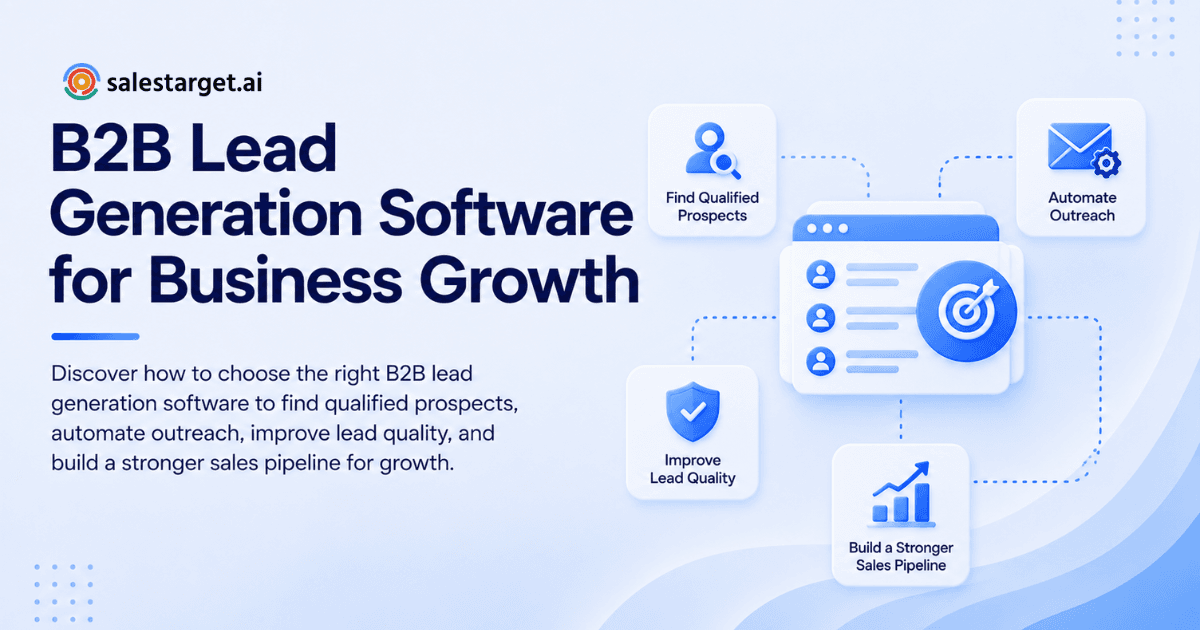
the right b2b lead generation software finds contacts that match your ICP, verifies them before you send, runs email and LinkedIn outreach from the same list, and logs every reply in a CRM. Choose the tool that covers the most of those four jobs with data you can test on your own audience. Fewer tools, cleaner data, faster follow-up.
That matters because Salesforce's State of Sales research reports that reps spend 70% of their time on non-selling tasks. Every extra tool adds to that number. This guide shows how to pick software that gives time back to your reps, and how SalesTarget.ai fits that standard.
Common Lead Generation Challenges in B2B Sales
The most common problems are decayed data, scattered tools, and slow follow-up. HubSpot's database decay model, based on MarketingSherpa research, puts B2B contact decay at 2.1% per month, or about 22.5% a year. Gartner estimates poor data quality costs organizations an average of $12.9 million a year. For an outbound team, that shows up as bounces, wrong-person emails, and reps rebuilding lists by hand.
Types of B2B Lead Generation Software
Four tool types cover the workflow. Most teams buy them one at a time, which is how the stack sprawls.
B2B Prospecting and Contact Database Tools
These tools let you search for companies and people by industry, role, size, and location, then return contact details. Their value depends on freshness, not size. A database of 500 million records that was last verified last year loses to a smaller one checked at the moment you search.
Lead Enrichment and Email Verification Software
Enrichment fills gaps in a record: emails, phones, titles, tech stack. Verification checks that an email can receive mail before you send. Teams that buy these as separate tools pay for the same lead twice and add a CSV step between them.
Sales Outreach and Automation Platforms
These run sequences across email and LinkedIn: first touch, follow-ups, pacing, and reply handling. Cold email tools like Instantly and Smartlead are strong on deliverability but have no native database or LinkedIn automation, so reps still bring leads in from somewhere else.
Lead Management and CRM Software
This is where leads, deals, tasks, and call notes live. A heavy enterprise CRM slows small outbound teams down. Look for one that receives campaign leads automatically and creates follow-up tasks when someone replies.
Benefits of B2B Lead Generation Software for Business Growth
Good software shortens the path from "who should we contact" to "meeting booked." The gains show up in three places.
Faster Prospect Identification and Qualification
Reps stop researching one account at a time. Filters and intent signals narrow a market to the accounts that fit and are showing activity. A rep who starts the day with a ranked list of 50 qualified prospects sends more first touches than one who starts with a blank search box.
Better Lead Quality and Outreach Efficiency
Verified contacts and relevant targeting mean fewer bounces and fewer ignored emails. Clean sends protect your domain reputation, which protects every campaign after it. Quality compounds: a healthy sender score lifts inbox placement for the next list too.
Consistent Pipeline Development and Sales Productivity
When prospecting, outreach, and follow-up live in one workflow, the pipeline stops depending on one rep's memory. Work happens on a schedule, replies get routed, and managers can see where deals stall. That consistency is what makes growth sustainable instead of seasonal.
Steps to Choose the Right B2B Lead Generation Software
Work through these six steps in order. Each one narrows the field before you spend time on demos.
Define Your Ideal Customer Profile and Sales Goals
Write down the industry, company size, buyer role, and trigger events that mark a good account, plus a target for meetings per month. Without this, every tool looks good in a demo. Software with a built-in ICP builder lets you save these filters and reuse them across campaigns.
Evaluate Contact Data Quality and Database Coverage
Ask where the data comes from, how often it is re-verified, and whether verification happens when you search or when the record was first collected. Coverage matters only inside your ICP. A database with deep coverage of your niche beats a larger one that is thin where you sell.
Compare Prospecting, Enrichment, and Qualification Features
Check whether you can search in plain language, stack company and people filters, and filter by tech stack and intent topics. Confirm that enrichment (email, phone, title) runs in the same click as the search. Every export-and-import step between tools is a place for data to go wrong.
Assess Email and LinkedIn Outreach Capabilities
Look for automatic warm-up, inbox rotation, and SPF, DKIM, and DMARC checks on the email side. On LinkedIn, look for rate limits, human-like delays, and auto-pause safeguards. The best setups run both channels in one sequence so a reply on one channel stops messages on the other.
Review CRM Integration and Workflow Automation
Test the direction of the sync. Does a reply change the lead status automatically, or does a rep have to do it? Two-way sync with HubSpot, Salesforce, or Zoho matters if you keep a CRM already. If you do not, a built-in CRM removes the sync problem completely.
Compare Pricing, Scalability, and Team Requirements
Check how the tool scales: more inboxes, more seats, more contacts, and what each step does to your workflow. A tool that works for two reps but needs a new admin role at ten is a hidden constraint. Ask for the limits in writing before you sign anything.
Key Features of the Best B2B Lead Generation Software
Use this list as a scorecard. A tool that misses two or more of these will push you back into a multi-tool stack.
Verified Contact Data and Buyer Intent Signals
Verified emails and phones cut wasted sends. Intent signals tell you who is researching your category now. Funding rounds, hiring spikes, and leadership changes add context a rep can use in the first line of an email.
AI-Powered Prospecting and Lead Enrichment
Useful AI here means plain-English search ("VPs of Sales at SaaS companies with 50 to 200 employees") and automatic enrichment. It saves research time. It does not replace judgment about who deserves a custom message.
Automated Multichannel Outreach
Automation should handle timing, follow-ups, and branching, such as "if no reply in four days, send a LinkedIn message." Multichannel works best when context carries across channels, so the rep sees one conversation instead of two.
Email Deliverability and Bounce Prevention
Look for built-in verification before send, warm-up, and domain health checks. Bounces damage sender reputation fast, and reputation damage is slow to repair. Prevention at the point of send is cheaper than recovery.
Lead Scoring, Segmentation, and Pipeline Tracking
Scoring should combine fit (does the account match your ICP) and activity (are they engaging, are intent signals rising). Segments let you change the message by role or industry. Good sales pipeline tracking shows which segment actually produces meetings.
Analytics, Reporting, and Performance Monitoring
You need reply rate, meetings booked, and pipeline created by campaign, not just open counts. Open rates are unreliable now that mail apps preload tracking pixels. Judge campaigns on replies and meetings.
How to Evaluate B2B Lead Generation Software Before Buying
A demo shows what the tool can do. A trial shows what it does with your market. Run these four checks.
Run a Trial with Your Actual Target Audience
Search for your real ICP, not the vendor's sample query. Pull 200 accounts you already know well and check the results against what you know. If you spot wrong titles or people who left a year ago, you have learned something no sales deck would show.
Measure Lead Accuracy and Qualification Rates
Run a dead-account test. Mix 100 contacts you know are good with 100 you know are stale (people who changed jobs, bounced addresses), and see how the tool treats each group. Record the share of valid emails, correct titles, and accounts that truly fit your ICP.
Test Outreach Workflows and CRM Synchronization
Send a small live campaign. Track what happens after a reply: does the lead move stages, does a task appear, does the sequence stop on the other channel? A sync that needs manual cleanup at 20 leads will break at 2,000.
Calculate Total Cost per Qualified Lead
Add the tool fees for the full stack, the rep hours spent on research and list cleanup, and the cost of failed sends. Divide by qualified leads, not contacts. A cheaper tool that costs each rep five hours a week in manual work often loses to a fuller one that does not.
Why Choose SalesTarget.ai
SalesTarget.ai is an all-in-one AI sales intelligence and outbound platform. It puts lead data, email and LinkedIn outreach, email validation, a CRM, and an AI Copilot in one workspace. You find a lead, enrich and verify it in the same click, push it into a sequence, and close it in the CRM. Teams get one login and one workflow instead of five tools. It is positioned as an alternative to Apollo, Instantly, and Woodpecker.
Find and Enrich B2B Prospects with Lead Explorer
Lead Explorer is the AI prospecting engine. SalesTarget.ai states it covers 840M+ verified professional profiles, 146M+ business entities, and 4,000+ intent signals from 50+ sources. Search in plain English or stack filters for role, industry, size, tech stack, and intent topics. One-click enrichment returns verified email and phone, and leads go straight to a sequence or the CRM with no CSV.
Coordinate Email and LinkedIn Outreach in One Workflow
Email Outreach builds multi-step sequences from a plain-English audience description and includes unlimited inboxes with AI warm-up and rotation. LinkedIn Outreach automates connection requests and messages with safety limits and human-like delays. Both run in one flow, and the Unibox sorts replies by intent in one view.
Reduce Email Bounces with Email Validator
Email Validator checks addresses with MX and SMTP tests, detects disposable domains, and scores risk before you send. SalesTarget.ai reports that 90% of emails sent through Email Outreach are validated first. It also offers a real-time API and bulk list cleaning, so lists from outside sources get checked too.
Manage Leads and Sales Activities in the Built-In CRM
The SalesTarget.ai CRM is built for outbound teams, not enterprise bloat. Campaign leads land automatically, and every email and call is logged to the lead timeline. Replies trigger follow-up tasks, and the AI dialer takes call notes for the rep. SalesTarget.ai reports 3.2X faster deal cycles and about six hours saved per rep per week. It connects with HubSpot, Salesforce, and Zoho.
Support Daily Sales Tasks with AI Copilot
AI Copilot is a conversational teammate inside the platform. Ask it to find leads, draft a sequence, check which campaigns drive revenue, or list overdue tasks in plain language. It also flags at-risk deals and suggests the next move. Strategy and relationships stay with your reps. Want to see it on your own ICP? Start free and run the trial test from the section above.
Common Mistakes to Avoid When Selecting Lead Generation Software
These four mistakes show up again and again in failed rollouts.
Prioritizing Database Size Over Data Accuracy
Big numbers sell software, but a large database full of stale records only helps you bounce faster. Ask for accuracy results on your ICP and how recently each record was verified. One verified contact beats ten guesses.
Overlooking Integration and Workflow Compatibility
A tool can look great alone and still break your process. Map how a lead moves from search to sequence to CRM to closed deal. Any step that needs a CSV or a rep's manual copy is a place where leads get lost.
Relying on Automation Without Personalization
Automation handles timing and volume. It does not know why this account matters this quarter. Use signals such as a funding round or a new hire in the first line, and keep sequences short. Teams that send generic blasts see replies fall as sender reputation drops.
Ignoring Compliance, Pricing Limits, and Hidden Costs
Check how the vendor sources data and handles opt-outs, since GDPR and similar rules apply to cold outreach in many markets. Read the limits on inboxes, seats, enrichment credits, and exports. A plan that looks complete until you hit a cap mid-campaign is not complete. Compare tools side by side on SalesTarget.ai's Apollo alternative page if you are replacing one today.
Building a Sustainable B2B Lead Generation Strategy
Software sets the floor. Your process decides how high results go. For a deeper look at tool categories, see our guide to B2B lead generation software.
Combine Accurate Data with Relevant Outreach
Good data tells you who to contact. Relevant outreach gives them a reason to reply. Pair a verified contact with one specific, true observation about their company, and keep the ask small. That combination beats volume every time.
Track Lead Quality and Pipeline Performance
Measure replies, meetings, and pipeline by source and segment, not only total sends. Watch bounce rate weekly, and pause any campaign that climbs. Our roundup of the best B2B lead generation software tools shows which reports matter most.
Refine Prospecting Based on Conversion Data
Once a quarter, look at which filters produced closed deals and which only produced replies. Tighten your ICP around the first group. Re-verify old lists on a schedule, since decay at 2.1% per month leaves a list about 6% wrong after one quarter.
Conclusion: Select B2B Lead Generation Software for Long-Term Growth
The problem you started with was dead data, scattered tools, and slow follow-up. The fix is not another point tool. It is one workflow where you find a verified lead, reach them on email and LinkedIn, and track every reply to a closed deal. Test any vendor on your own ICP, measure cost per qualified lead, and favor the setup your reps will actually use.
SalesTarget.ai gives outbound teams that workflow in one workspace: Lead Explorer for data, Email and LinkedIn Outreach for reach, Email Validator for clean sends, a built-in CRM, and an AI Copilot for the daily grind. Start free at SalesTarget.ai and see how much of your stack it replaces.