Your reps send 200 emails a week, and half the replies are bounces from people who left the company last spring. The list looked fine when you bought it. Research eats the morning, outreach goes out at random, and the pipeline looks busy while nothing closes.
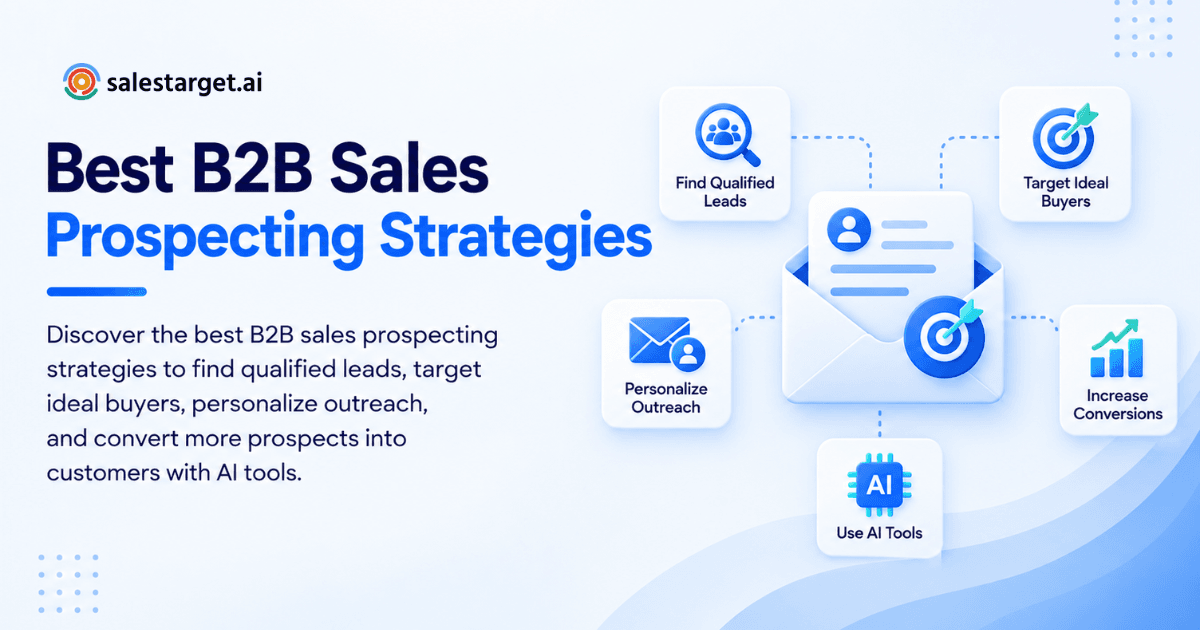
Sales prospecting is the work of finding, researching, and contacting people who could buy from you. The best B2B sales prospecting strategies start with a tight ideal customer profile, verified contact data, buyer intent signals, personal outreach on more than one channel, and steady follow-up. Run those five in a repeatable workflow and your team talks to fewer wrong people and books more meetings.
This guide walks through each piece, with the workflow, tools, mistakes, and metrics that matter. It also shows how SalesTarget.ai puts the whole process in one workspace.
Common Challenges in B2B Sales Prospecting
The biggest prospecting problems are bad data, wasted rep time, and generic messages. They feed each other. Stale data produces bounces, bounces damage your sender reputation, and a damaged reputation sends even good emails to spam.
Time is the second drain. Salesforce's State of Sales research reports that reps spend 70% of their time on non-selling tasks like admin work and meeting prep. Prospecting research is a big slice of that.
Data decay is the third. HubSpot's database decay simulation, based on MarketingSherpa research, puts B2B contact decay at 2.1% a month, or about 22.5% a year. A list that was clean in January is missing nearly a quarter of its contacts by December.
Understanding the B2B Sales Prospecting Process
The B2B sales prospecting process moves from finding a possible buyer, to verifying and qualifying them, to starting a conversation that becomes a sales opportunity. Each step filters the one before it, so skipping a step puts weak leads into your pipeline.
Inbound and Outbound Prospecting Methods
Inbound prospecting responds to people who raise a hand. Outbound prospecting reaches people who have not. Inbound covers demo requests, content downloads, and referrals. Outbound covers cold email, LinkedIn outreach, and calls. Most B2B teams need both, but outbound is the one you control, which is why list quality matters so much there.
Prospect Identification and Lead Qualification
Identification answers "who could buy?" and qualification answers "who should we call first?" Identification uses firmographics (industry, size, revenue) and roles. Qualification adds fit and timing: budget signals, a real problem, and an owner who can say yes. A prospect who fits but shows no timing signal belongs in nurture, not in your top 20.
Prospecting's Role in the Sales Pipeline
Prospecting fills the top of the pipeline, and its quality sets the ceiling for everything below it. Closers cannot fix a pipeline full of poor-fit accounts. When prospecting feeds clean, qualified leads into a sales pipeline tracking view, forecasts get steadier because early-stage deals are real.
Key Benefits of Effective Sales Prospecting
Effective sales prospecting gives you better leads, shorter cycles, and a pipeline you can predict. The gains show up in the numbers your leadership already tracks.
Higher Lead Quality and Conversion Rates
Better-targeted lists convert at higher rates because every contact matches a buyer you already win. When reps stop emailing everyone with a pulse, reply and meeting rates rise and unsubscribes fall. Quality beats volume every time on a fixed send budget.
Shorter Sales Cycles and Better Productivity
Reps who start with qualified, researched leads skip the slow discovery calls. Buyers who match your ICP and show intent already feel the problem. Less time goes into explaining why they should care, and more goes into scoping a fix.
More Predictable Pipeline Growth
Consistent prospecting activity produces a steady stream of meetings, which makes revenue easier to forecast. Weekly targets for new qualified leads, replies, and meetings show a shortfall in week two, not in the quarter-end review.
8 Best B2B Sales Prospecting Strategies for Qualified Leads
The eight strategies below cover targeting, data, timing, research, messaging, channels, qualification, and follow-up. They work as a chain. A weak link early on shows up as low reply rates later.
Define the Ideal Customer Profile and Target Accounts
An ideal customer profile (ICP) is a written description of the accounts that buy, stay, and grow. Build it from your best customers: industry, headcount, revenue band, tech stack, and the roles that sign. Then list 100 to 300 target accounts that match.
Here is a tip most guides skip. Write a "not a fit" list next to the ICP, such as companies under a certain size or industries with long procurement. Reps save hours when exclusions are written down. SalesTarget.ai's ICP Builder turns your criteria into saved filters you can reuse.
Build Targeted Prospect Lists With Verified Contact Data
A targeted prospect list contains only people who match your ICP, with contact details that were checked recently. The word that matters is recently. Data verified at the moment you pull it beats data verified when a vendor first scraped it.
That is how Lead Explorer works. Enrichment and verification happen in the same click you find the lead, so the email you export is the email checked today. For sourcing options, see where to find a reliable B2B lead database.
Use Buyer Intent Signals to Prioritize Prospects
Buyer intent signals show which accounts are researching your category right now, so you can contact them first. These include topic research activity, funding rounds, hiring spikes, and leadership changes.
Signals expire. A funding announcement is a strong reason to write this month and a weak one in six months. Lead Explorer surfaces Bombora Intent Topics and business events on a 30 to 90 day lookback, so reps can sort by freshness. Sort by signal age, then by fit.
Research Accounts and Identify Decision-Makers
Good account research finds the problem, the person who owns it, and a reason to talk today. Aim for two or three contacts per account. B2B purchases involve buying groups, and a single-threaded conversation stalls when your one contact goes quiet.
Keep research to five minutes per account: what they sell, what changed recently, who owns the area you help. AI Copilot can pull that from a plain-English question inside SalesTarget.ai, which saves the tab-switching.
Personalize Email and LinkedIn Outreach
Personalization means the first line proves you looked at their situation, not just their name. A role-specific pain point or a recent company event does more than a merge tag. Keep emails short and ask one clear question.
Email Outreach builds multi-step sequences from a plain-English audience description, with an AI Content Generator and AI Spintax Generator for varied copy. LinkedIn Outreach adapts connection notes and messages to each profile.
Combine Multiple Channels in Prospecting Campaigns
Multichannel prospecting reaches the same buyer by email, LinkedIn, and phone so one missed message does not end the contact. The order matters less than the coordination. A LinkedIn view followed by a relevant email feels like one conversation. Three tools sending unconnected messages feels like spam.
SalesTarget.ai runs email and LinkedIn in one flow, so context carries across both channels and a reply on one pauses the other.
Qualify Leads With Clear Sales Criteria
Lead qualification applies a short checklist so reps spend time on prospects who can and will buy. Use three or four criteria: fit with your ICP, a named problem, an authority level, and a timeline. Write the definition of a qualified lead down, and make it the same for SDRs and AEs.
Unibox sorts replies by intent (Interested, Follow-Up, Not a Fit), which gives qualification a head start before a rep reads a word.
Build Consistent Follow-Up Sequences
Most replies come after the first message, so a follow-up sequence is where meetings get booked. Plan four to six touches over two to three weeks, each with a new angle: a short bump, a relevant insight, a specific question, and a clean break-up note.
Follow-up is also the first thing reps drop when they are busy. The built-in CRM creates follow-up tasks automatically when a lead replies or a meeting ends, so nothing depends on memory. Start free with SalesTarget.ai and build your first sequence from your ICP.
Building a Repeatable Sales Prospecting Workflow
A repeatable workflow is a fixed weekly loop: set targets, segment, enrich, send, measure, refine. Reps and managers should be able to run it without improvising.
Set Prospecting Goals and Daily Activity Targets
Set goals on outcomes (qualified leads, meetings) and back them with activity targets (new contacts added, touches sent). A rep who needs 8 meetings a month can work backward through reply and booking rates to a daily number. Without that math, "do more outreach" is just pressure.
Segment Prospects by Industry, Role, and Buying Intent
Segmentation groups prospects so each group gets a message that fits. A CFO and a head of sales in the same company care about different things. Split lists by industry, role, and intent level, and write one sequence per segment. Small segments with sharp messages beat one big list with one pitch.
Enrich and Verify Contact Information
Enrichment adds missing details such as email, phone, title, and company data, and verification confirms they work. Do both before a contact enters a sequence. SalesTarget.ai's Email Validator uses MX and SMTP checks, disposable-email detection, and risk scoring, so risky addresses never reach a campaign.
Launch and Manage Outreach Campaigns
Launch small, watch early results, then scale. Send the first batch to a fraction of a segment and read the replies before the rest. Check bounce rate and reply sentiment in the first two days. Pause what is not working while the cost is still low.
Track Engagement and Refine Target Lists
Review engagement weekly and prune the list based on what it shows. Remove contacts who bounced or opted out, and promote accounts that opened and clicked. Then compare reply rates by list age. This is the metric most teams never run, and it shows how fast your data is going stale.
Essential Features of Sales Prospecting Tools
Good sales prospecting tools cover data, search, verification, outreach, tracking, and research in a way that connects. Gaps between tools are where leads get lost.
Accurate B2B Contact Data and Lead Enrichment
Look for fresh data with enrichment built in, not an export you clean by hand. Ask how often records are re-verified and whether enrichment runs on demand. Lead Explorer draws on 840M+ professional profiles and 146M+ business entities across 50+ data sources.
Advanced Search Filters and Buyer Intent Data
Strong filters let you describe your ICP precisely, and intent data tells you when to act. Look for industry, role, seniority, company size, revenue, location, and tech stack filters. SalesTarget.ai adds 4,000+ intent signals and plain-English AI search.
Email Verification and Deliverability Monitoring
Verification protects your domain, and deliverability monitoring tells you when something slips. Look for bulk cleaning, a real-time API, SPF, DKIM, and DMARC checks, and inbox warm-up. Email Outreach includes automatic AI warm-up and inbox rotation.
Email and LinkedIn Outreach Automation
Automation should handle pacing and sequencing and leave the writing and judgment to people. The tool needs safety limits, human-like delays, and conditional steps that branch on replies. Both channels should live in one workflow.
CRM Integration and Activity Tracking
Prospecting data is only useful if it lands in a CRM without a CSV step. Look for automatic lead capture, activity logging, and shared pipeline views. If a tool needs imports, someone will forget them.
AI-Powered Prospect Research and Personalization
AI should save research time and produce usable first drafts, not generic filler. Test it on a real account and judge the output. Copilot is free inside SalesTarget.ai, finds leads across 840M+ profiles, and drafts sequences by role, industry, and company size.
Common Sales Prospecting Mistakes to Avoid
Most prospecting failures trace back to five habits. Each is cheap to fix once you spot it.
Targeting Broad Audiences Without Clear Buyer Criteria
A broad list means a vague message, and vague messages get ignored. If you cannot describe the buyer in one sentence, the list is too wide. Narrow by role and trigger event first.
Relying on Outdated Contact Data
Old data wastes sends and damages your domain. Gartner's estimate, as summarized by ThisAndThat, puts the average annual cost of poor data quality at $12.9 million per organization. Verify at the point of enrichment and again before big sends.
Sending Generic Outreach Messages
Generic messages tell the buyer you did not look. If a message works for any company, rewrite it. One specific observation beats three paragraphs of product features.
Prioritizing Outreach Volume Over Lead Quality
More sends on a poor list produce more bounces, not more meetings. Cut the list before you raise the send rate. A smaller verified list protects the sender reputation your whole team shares.
Neglecting Follow-Ups and Performance Analysis
Teams that skip follow-ups and reviews repeat the same mistakes. Set a weekly review slot and a follow-up rule. Anything the team agrees to review gets fixed faster.
Sales Prospecting Metrics and KPIs
Track a small set of metrics that connect activity to revenue. Review them weekly, by segment and by list age.
Lead Qualification and Conversion Rates
Qualification rate is the share of new leads that meet your written criteria. A low rate means your targeting or data source needs work. A high rate with few meetings points to messaging.
Email Reply and Meeting Booking Rates
Reply rate shows whether your message lands, and booking rate shows whether the reply turns into action. Measure positive replies separately, since a reply of "remove me" is not progress. Watch bounce rate too. Keep it low, because it protects deliverability.
Prospect-to-Opportunity Conversion
This is the share of contacted prospects who become real sales opportunities. It is the cleanest test of prospecting quality, since it ignores vanity numbers like emails sent. Compare it across segments to find your best audience.
Pipeline Value and Cost per Qualified Lead
Pipeline value shows what prospecting is worth, and cost per qualified lead shows what it takes to get there. Divide total prospecting spend (tools plus rep time) by qualified leads created. The built-in CRM's reports and dashboard keep these numbers next to your campaign stats.
Why Choose SalesTarget.ai
SalesTarget.ai is an all-in-one AI sales intelligence and outbound platform that combines lead data, email and LinkedIn outreach, email validation, a built-in CRM, and an AI Copilot in one workspace. You find a lead, enrich and verify it, send it through a sequence, and close it in the same system. It is built for outbound teams, not enterprise bloat.
Lead Explorer for Prospecting and Data Enrichment
Lead Explorer is the AI prospecting engine. Search in plain English or stack business and people filters, then unlock verified work email, personal email, phone, and mobile in one click. Salestarget.ai reports 99% verified contact data across 840M+ profiles, and leads go straight to sequences or the CRM with no CSV.
Email and LinkedIn Outreach in One Workflow
Email Outreach builds multi-step sequences, warms inboxes automatically, and rotates them to protect reputation. LinkedIn Outreach handles connection requests, DMs, and follow-ups with rate limits and auto-pause safeguards. Run together, they keep context across channels. SalesTarget.ai reports 35% faster campaign creation.
Email Validator for Better Deliverability
The Email Validator checks addresses with MX and SMTP tests, flags disposable domains, and scores risk before you send. It works through a real-time API or bulk list cleaning and connects with 60+ platforms. SalesTarget.ai reports 90% of emails validated before sending.
Built-In CRM for Lead and Sales Activity Management
The CRM is lightweight and made for outbound. Campaign leads land automatically, emails and calls log to the lead timeline, and follow-up tasks appear when a lead replies. The built-in AI dialer takes call notes for the rep and saves them to the timeline. SalesTarget.ai reports about 6 hours saved per rep per week and 2.4X more meetings from the same leads.
AI Copilot for Sales Research and Daily Tasks
AI Copilot is a conversational sales teammate, free inside the platform. Ask it to find leads, draft a sequence, check which campaigns drive revenue, or list this week's deals and tasks. It flags at-risk deals and suggests a next move. Strategy stays with your team.
Conclusion: Build a Consistent B2B Sales Prospecting Strategy
The opening problem was a busy team sending to a stale list. The fix is a loop: define who buys, source verified contacts, rank by intent, personalize across channels, qualify honestly, and follow up until you get an answer. Then measure it weekly and prune what drifts.
SalesTarget.ai keeps that loop in one place, from Lead Explorer to the CRM, so enrichment, verification, outreach, and tracking never depend on a CSV handoff. For internal reading, see how AI tools improve sales prospecting.
Ready to replace the patchwork? Start free with SalesTarget.ai and run your first verified, multichannel prospecting campaign this week.