Most sales teams don’t go looking for an AI tool for outreach because things are going well. They go looking because reply rates have flattened, reps are spending afternoons on research, or a new segment isn’t responding the way the last one did.
The trouble is that “outreach isn’t working” can mean five very different things. Your list could be off. Your emails could be landing in spam. Your message could be arriving and simply not mattering to the reader. Your follow-ups could be stopping too early. Or replies could be coming in and quietly going nowhere.
An AI tool that writes faster emails won’t fix a bounce problem. Better targeting won’t rescue a weak handoff. This guide shows you how to find where your outreach actually breaks, match the right AI capability to that stage, and keep your reps in charge of the decisions that still need a person.
What is an AI tool for outreach?
An AI tool for outreach is software that uses artificial intelligence to help sales teams find and prioritize prospects, research them, draft personalized messages and follow-up sequences, and analyze which campaigns produce replies and pipeline. It speeds up the preparation and analysis work around outreach. Reps still own the strategy, the offer and the live conversations.
Want to diagnose and fix outreach from one place? Salestarget.ai’s AI Sales Copilot lets you describe your buyer in plain English, build a campaign, and see which campaigns drive pipeline, all from a single chat.
What Does an AI Tool for Outreach Actually Do?
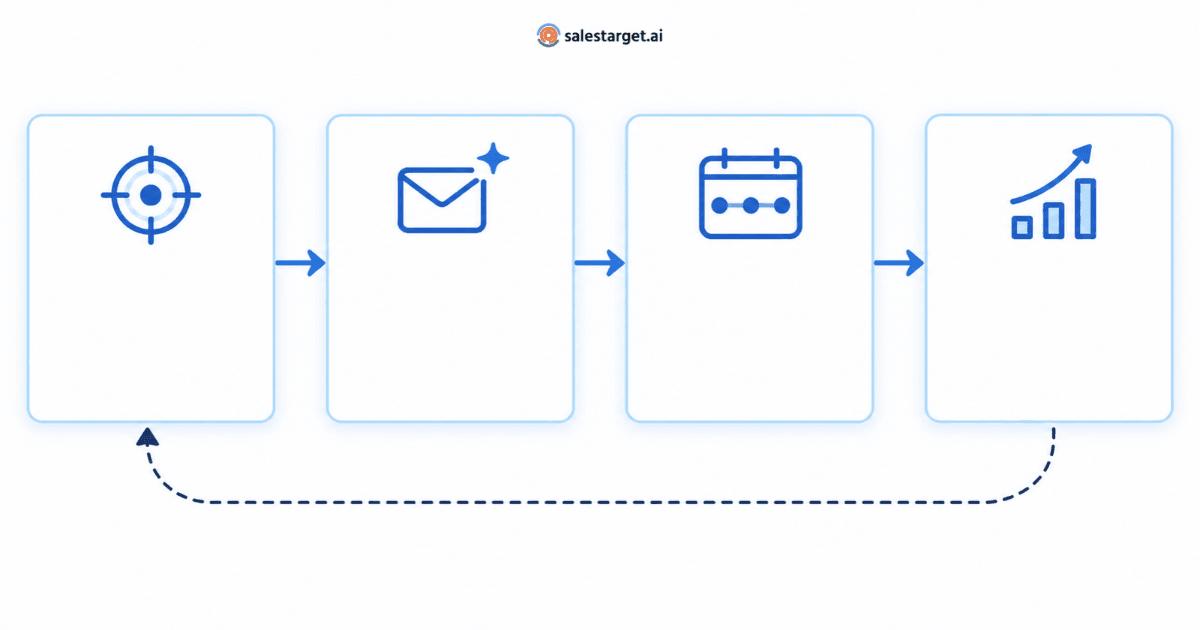
Under the label, most AI outreach tools handle some combination of four jobs:
- Identify the right prospects. Turn a description of your ideal buyer into search filters, build lists, and help prioritize accounts.
- Personalize outreach. Draft messages that reflect a prospect’s role, industry and company, rather than a template with a name swapped in.
- Plan follow-ups. Build multi-step sequences, space the touches sensibly, and stop when someone replies.
- Analyze and optimize. Show which campaigns, segments and steps produce replies and pipeline, and suggest what to change next.
What an AI tool doesn’t do is just as important. It can’t tell you whether your offer is compelling, can’t confirm that a “signal” it found is true, and can’t read the room on a discovery call. If you want a wider primer on the category, this guide explains how an AI copilot for sales works day to day.
Why Adding AI Doesn’t Automatically Lift Replies
Outreach is a chain. A prospect has to be the right person, the email has to arrive, the message has to matter, the follow-up has to show up at a sensible moment, and a reply has to turn into a next step. The weakest link sets the result, and adding AI to a link that isn’t broken doesn’t move it.
That’s why two teams can adopt the same tool and get opposite outcomes. One team’s real problem was slow research, so faster list-building paid off immediately. The other team’s real problem was a damaged sending domain, so AI-written emails simply reached the spam folder faster.
The table below maps the five most common breakpoints to what you’ll notice, where AI helps, and what still needs a person.
| Breakpoint | What you’ll notice | Where AI helps | What stays human |
|---|---|---|---|
| 1. Wrong audience | Replies like “not my area” or “we’re too small”; meetings with poor-fit accounts | Turning your ideal customer profile into filters; building and prioritizing segments | Defining the profile from real wins; deciding exclusions |
| 2. Messages not arriving | Bounces climb; replies drop across every campaign at once | Limited. Some platforms validate contacts and pace volume | Domain setup, authentication, list hygiene, sending volume |
| 3. Message not landing | Emails arrive, but almost nobody responds, or replies are opt-outs | Role- and industry-specific drafts; variants for testing | Confirming facts, owning claims, choosing the offer |
| 4. Follow-up gaps | Nearly all replies come from the first email; follow-ups stop or repeat | Multi-step sequences with a new angle per step; tasks and reminders | Deciding when a lead leaves automation for a personal touch |
| 5. Replies don’t become pipeline | Positive replies but few meetings; meetings but few opportunities | Ranking campaigns by pipeline; flagging at-risk deals; creating tasks | Fast responses, qualification, the conversation itself |
Step 1: Find Your Outreach Bottleneck in 15 Minutes
Before you change tools, prompts or copy, pull the results of your last two or three campaigns and work through these questions in order. The order matters, because a problem early in the chain distorts every number after it.
- Are messages reaching inboxes? Check bounces, and check whether results dropped across all campaigns at the same time. A sudden, across-the-board drop usually points to delivery, not copy.
- Are the right people replying? Read the replies, not just the count. If many come from people outside your ideal customer profile, the problem sits upstream of the message.
- Which step gets the replies? If almost every reply comes from the first email, your follow-ups aren’t adding anything new. If replies only arrive late in the sequence, your opener may be the weak point.
- What happens after a positive reply? Track how many positive replies become booked meetings, and how many meetings become real opportunities.
- Where is the biggest drop? Mark the first stage where performance falls off sharply. That’s the bottleneck to fix first.
Treat open rates as a weak signal throughout. Some email clients load tracking pixels automatically, so opens can look healthy even when nobody read the message. Replies, meetings and pipeline are far more reliable.
How AI Helps at Each Outreach Breakpoint
Once you know where outreach breaks, you know which AI capability matters most. Here’s how each one maps to the five breakpoints.
Breakpoint 1: You’re Reaching the Wrong People
Symptoms: Replies say the prospect isn’t responsible for the problem, the company is the wrong size, or the timing makes no sense. Meetings get booked but rarely progress.
How AI helps: AI-powered prospecting is strongest here. A good tool can take a plain-language description of your buyer, such as “heads of RevOps at B2B software companies with 50 to 500 employees that are expanding their sales team,” and turn it into precise filters. It can also split a broad list into segments that deserve different messages and help you prioritize accounts by signals such as hiring or leadership changes.
What stays human: The AI can only search for the buyer you describe. Your team still needs to define that buyer from closed-won deals, decide who to exclude, and revisit the definition as you learn. If your profile is still loose, read this guide on how to define an ideal customer profile that actually converts before you scale any list.
Example: A founder selling scheduling software reviews her last fifteen wins and notices most came from multi-location clinics, not single practices. She rebuilds her search around that pattern and excludes single-site practices entirely. The message barely changes. The audience does.
Breakpoint 2: Your Messages Aren’t Reaching the Inbox
Symptoms: Bounces rise, replies drop across every campaign at once, or a sequence that worked last month suddenly goes quiet.
How AI helps: This is the breakpoint where AI writing matters least. Delivery depends on contact quality, domain authentication (SPF, DKIM and DMARC), inbox warm-up, steady sending volume and how recipients react to your emails. Some outreach platforms help by validating contacts before sending and pacing volume automatically, but better copy can’t fix a domain that mailbox providers have stopped trusting.
What stays human: Someone has to own the sending setup and the decision to slow down. Google’s Email sender guidelines FAQ advises keeping the user-reported spam rate in Postmaster Tools below 0.1% and never letting it reach 0.3%; those rules apply to mail sent to personal Gmail accounts. If results collapsed suddenly, rule out delivery before you rewrite a single line. This plain-English guide to email deliverability walks through the factors that decide inbox placement.
Breakpoint 3: Your Message Arrives but Doesn’t Land
Symptoms: Delivery looks healthy and the audience is right, but almost nobody responds, or the replies you get are polite brush-offs and opt-out requests.
How AI helps: This is where AI email outreach earns its place. Instead of starting from a blank page, reps can generate drafts tailored to a persona’s role, industry and company size, then produce variants to test different openers or calls to action. That makes it practical to write separately for a CFO and a sales manager instead of sending both the same email.
What stays human: AI drafts are only as accurate as their inputs. A rep needs to confirm that any personal detail is real, that every claim is something the company can stand behind, and that the ask suits a cold relationship. For more on using prospect details well, see how to turn prospect data into outreach emails that get replies.
Example of the difference:
Generic AI draft: “I hope this finds you well. I wanted to reach out because we help companies like yours improve efficiency.”
Edited version: “Saw that you launched an enterprise edition in September. Teams moving upmarket often find their prospect lists were built for smaller buyers, so the first enterprise campaigns reach the wrong titles.”
The second version names a real, checkable signal and a specific problem. It’s also the kind of line a rep must verify before sending, because if the launch didn’t happen, the email loses credibility instantly.
Breakpoint 4: Conversations Die After the First Email
Symptoms: Most replies come from the first message. Follow-ups never get sent, go out at awkward times, or repeat the first email with “just bumping this.”
How AI helps: AI can draft a whole sequence at once and give each step a distinct purpose: a different angle, a relevant resource, a short question, a respectful close. Outreach automation software then handles the timing, sends only when no reply has arrived, and can create tasks so reps know who to contact personally.
What stays human: Decide in advance which leads leave automation. A senior buyer at a target account who opens every email but never replies may deserve a personal note or a call instead of a fifth automated touch. For the mechanics, read how follow-up timing, steps and stop rules work.
Breakpoint 5: Replies Don’t Turn Into Pipeline
Symptoms: Your reply rate looks fine, yet meetings are scarce, or meetings happen and rarely become opportunities.
How AI helps: AI analysis can rank campaigns by the pipeline they create rather than by activity, surface deals that have gone quiet, and turn a positive reply into a task with an owner and a deadline. Being able to ask about deals, meetings or tasks in plain language also helps managers spot where things stall without digging through reports.
What stays human: Speed and judgment. A positive reply needs a fast, thoughtful response from a person, and qualification is still a conversation. If meetings aren’t becoming opportunities, the cause may be targeting (back to Breakpoint 1) rather than anything in the outreach itself.
Three Ways B2B Sales Teams Use AI to Fix Outreach
These scenarios are illustrative, not customer case studies, but they reflect common patterns in B2B outbound.
A Founder Doing Outbound Alone
Bottleneck: research time and a loose audience.
A founder selling to mid-market finance teams spends most evenings building lists by hand. With AI-powered prospecting, she describes her buyer once, saves the resulting list, and reuses it for each new campaign. AI drafts the first sequence. She edits the opener and the call to action herself, because her own voice and credibility are what sell at this stage.
An SDR Team Entering a New Vertical
Bottleneck: message relevance.
Delivery is healthy and the list is solid, but the team’s sequences were written for a different industry. They use AI to draft separate versions for two personas, test two openers per persona, and review every draft against a short checklist before launch. After a full sequence cycle, they keep the stronger opener and retire the weaker one.
A Sales Leader With Replies but Thin Pipeline
Bottleneck: the handoff.
Replies are steady, but the leader can’t tell which campaigns produce real opportunities. She starts ranking campaigns by pipeline instead of reply volume, sets a rule that every positive reply becomes a task the same working day, and reviews at-risk deals weekly. The outreach didn’t change. The follow-through did.
Best Practices for Writing Human-Sounding Outreach With AI
Readers can usually tell when nobody reviewed an AI draft. These habits keep AI-assisted outreach sounding like a person who did their homework.
- Give the AI a brief, not a one-line prompt. Thin inputs produce generic drafts. Use the brief template below.
- Personalize on one real signal. One accurate, relevant detail beats three shallow ones. If you can’t verify it, leave it out.
- Edit three things every time: the opener, the claim and the ask. They carry most of the persuasion and most of the risk.
- Keep it short and plain. Cold readers skim, often on a phone. Cut adjectives, feature lists and anything that sounds like a brochure.
- Run the “forward test.” If the email could be forwarded to someone at another company without changing a word, it isn’t personalized yet.
- Give every follow-up a new reason to exist. A different angle, a useful resource or a simple question. Never just “bumping this up.”
A simple outreach brief to give your AI tool:
| Brief element | What to give the AI | Example |
|---|---|---|
| Audience | Role, company type and size | Heads of RevOps at B2B software companies, 50–500 employees |
| Trigger | Why you’re reaching out now | Expanding the sales team into a new region |
| Problem | The specific pain you solve | Territory lists and messaging have to be rebuilt for the new market |
| Proof | One claim you can back up | A capability or customer outcome you can verify |
| Ask | A low-friction next step | A short question or a 15-minute call |
| Guardrails | What the AI must avoid | No invented statistics, no competitor names, no unverifiable claims |
Common Mistakes and Limitations of AI-Powered Outreach
- Automating before diagnosing. Adding AI to a stage that isn’t broken creates activity without results.
- Treating volume as the fix. Sending more of a message that doesn’t land, to a list that isn’t right, mainly speeds up damage to your sender reputation.
- Letting AI invent details. Models can produce confident specifics that aren’t true. Every fact about a prospect needs a source.
- Judging success by opens. Optimize for replies from the right people, meetings and pipeline.
- Taking people out of the reply loop. A positive reply answered by a template is a lost opportunity.
- Skipping the basics of respectful outreach. Clear sender identity, an easy way to opt out, and honoring opt-outs quickly are non-negotiable.
Even a well-configured tool has limits. AI doesn’t know what makes your offer valuable unless you tell it, can’t judge the politics inside a target account, and can only work with the data it’s given. For a clear split of which tasks suit automation, see what to automate with AI and what to keep in human hands.
How to Measure Whether AI Is Improving Your Outreach
Measure the chain in order, and compare each number against the baseline from your 15-minute audit.
| Metric | What it tells you | Act when |
|---|---|---|
| Bounces and contact validity | Whether your list and setup let messages arrive | Bounces rise, or results drop across all campaigns at once |
| Reply rate by sequence step | Which messages earn responses | One step carries all the replies, or none do |
| Positive replies from your ideal customers | Whether the right people care | Many replies come from poor-fit accounts |
| Meetings booked from positive replies | How well replies are handled | Positive replies regularly go unbooked |
| Pipeline created per campaign | Whether outreach produces real opportunities | Campaigns with strong replies create little pipeline |
- Change one variable at a time (audience, opener, follow-up angle or timing) so you know what caused the result.
- Review weekly, not monthly. Short cycles compound. This walkthrough on using AI to read what your campaign data is telling you shows a simple weekly routine.
- Wait for a full sequence cycle before judging a change. Early results overweight the first step.
How to Choose an AI Tool for Outreach Based on Your Bottleneck
The right tool is the one that’s strong where your outreach is weak. Use your diagnosis to decide what to test first.
| If your main bottleneck is… | Prioritize | Ask during a trial or demo |
|---|---|---|
| Wrong audience | Plain-language prospect search, detailed filters, saved and reusable lists, prioritization signals | Can I describe my buyer in my own words and get an accurate list? How much coverage is there in my market? |
| Messages not arriving | Contact validation, sending controls, warm-up, authentication checks | What happens to risky contacts before sending? How is volume paced? |
| Message not landing | Persona-level personalization, A/B variants, control over tone and claims, approval before sending | Can I review and edit every draft? Can it use my company’s own context? |
| Follow-up gaps | Multi-step sequences, stop on reply, scheduling, task creation | What stops a sequence? Can reps pull a lead out for personal follow-up? |
| Replies not becoming pipeline | Analytics tied to pipeline, CRM visibility, at-risk deal flags, task management | Can I see which campaigns created pipeline, not just replies? |
Team size and role change the emphasis too:
- Founders: favor tools that combine prospecting, writing and tracking in one place, so outreach doesn’t depend on stitching tools together.
- SDR teams: prioritize speed on research and drafting with strong review controls, so volume never outruns quality.
- Sales leaders: look for analysis that ranks campaigns by pipeline and shows where deals stall across the team.
For a full evaluation scorecard and pilot plan, use this guide on how to compare and pilot AI sales copilots.
How SalesTarget.ai Copilot Supports Each Stage
SalesTarget.ai’s AI Sales Copilot is a chat-based assistant inside the SalesTarget.ai platform. Here’s how its published capabilities line up with the breakpoints above.
- Targeting: describe your buyer in plain English and Copilot turns it into filters across what the product page describes as 840M+ verified contacts. You can create, save and reuse targeted lead lists and add them to campaigns.
- Message creation: Copilot writes multi-step sequences personalized for role, industry and company size, with A/B variations built in. You approve and send, or let the campaign run.
- Your company’s context: with Memory, you can add your website so Copilot draws on your own content for on-brand responses. The product page states this data stays private to your workspace.
- Follow-ups and tasks: create, assign and track follow-up tasks without leaving the chat.
- Analysis and handoff: Copilot ranks campaigns by revenue impact rather than open rates, flags at-risk deals with a suggested next move, and answers questions about deals, meetings and tasks in plain language.
Copilot is built to handle the research, writing and analysis so reps can focus on relationships and closing. Strategy, final approval and live conversations stay with your team. See how AI Sales Copilot works.