TL;DR
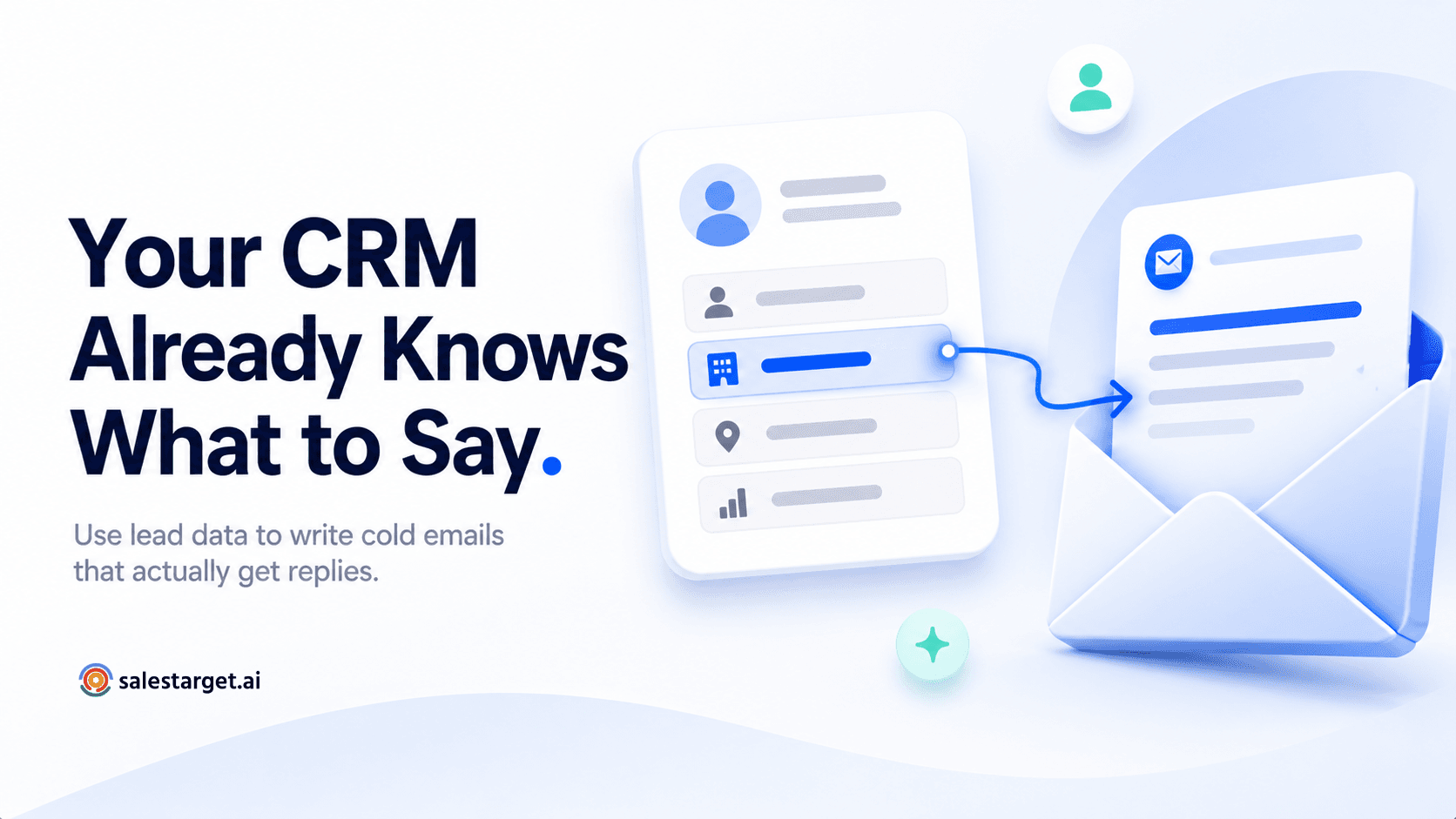
- Your CRM already holds everything you need to write a cold email that feels personal — most SDRs just never look at it before writing.
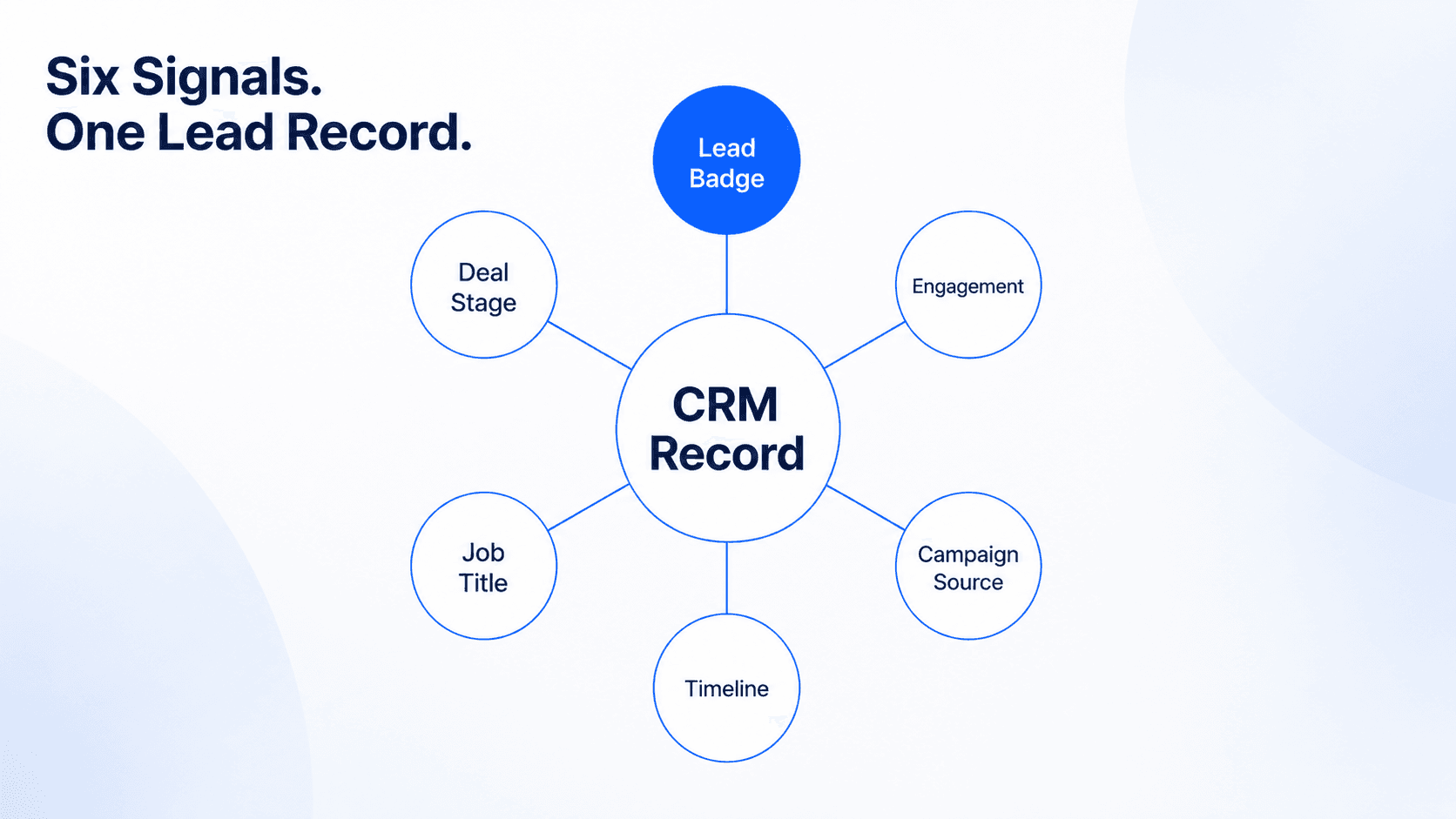
- Six data points inside every lead record tell you exactly what to say, when to say it, and how to open without sounding like a template.
- Lead badge status is the most underused signal in any CRM — it tells you the exact conversation stage so you write to the moment, not to a generic prospect.
- Personalisation at scale doesn't require field mapping or AI magic. It requires a 90-second read of the lead record before you write a single word.
- This guide covers exactly how to do it — data point by data point, email type by email type.
Research from McKinsey found that personalisation drives a 10–15% revenue lift on average — and in B2B sales, that number is felt most sharply at the outreach stage, where a generic email gets deleted and a relevant one starts a conversation. The gap between those two outcomes isn't usually talent. It's data. Specifically: whether the rep looked at what the CRM already knew about the prospect before writing the first word.
The Personalisation Data Is Already There. Most Reps Don't Use It.
Here's a pattern that plays out on outbound sales teams every day. An SDR sits down to write follow-up emails. They open their sequence tool, load a template, swap in the first name and company, and hit send. The email looks personalised — it has the prospect's name in it. But the prospect can tell it's a template. Everyone can. Because the name swap isn't personalisation. It's mail merge.
What makes an email feel genuinely personal isn't the prospect's name in the opening line. It's the sense that the person who wrote it actually knows something specific about them — their role, their context, where they are in the buying journey, what they've already responded to. That information isn't hard to find. It's sitting in the CRM lead record, updated automatically every time there's an interaction.
The problem isn't missing data. It's that most SDRs never look at the lead record before writing. They open the sequence tool, not the CRM. So the data sits unused, and the emails feel generic — because they were written without it.
💡 The 90-second rule
Before writing any outreach to a lead already in your CRM, open their record and spend 90 seconds reading it. What you find in that 90 seconds should change at least one thing about the email you were about to send. If it doesn't, you weren't really reading it.
The Six CRM Data Points That Actually Matter for Cold Email Personalisation
Not all CRM data is equally useful for outreach personalisation. Some fields tell you almost nothing about how to write a better email. Others tell you exactly what to say. Here are the six that matter most — and precisely how to use each one.
1. Campaign Source — What Message Got Their Attention
Every lead in SalesTarget's CRM arrives tagged with the campaign they came from. That tag tells you something critically useful: which message, offer, or angle was interesting enough for this prospect to have engaged at all. If they came in via a campaign about cutting email bounce rates, they care about deliverability. If they came in via a pipeline management campaign, they're dealing with a visibility problem.
Use it: Reference the campaign's core theme in your follow-up. Not "I noticed you engaged with our email" — that's vague and slightly creepy. Instead: "Since you've been looking into [campaign topic], I thought this might be relevant…" You're not acknowledging their behaviour. You're demonstrating you know what they're interested in.
2. Lead Badge Status — Write to the Conversation Stage, Not the Contact
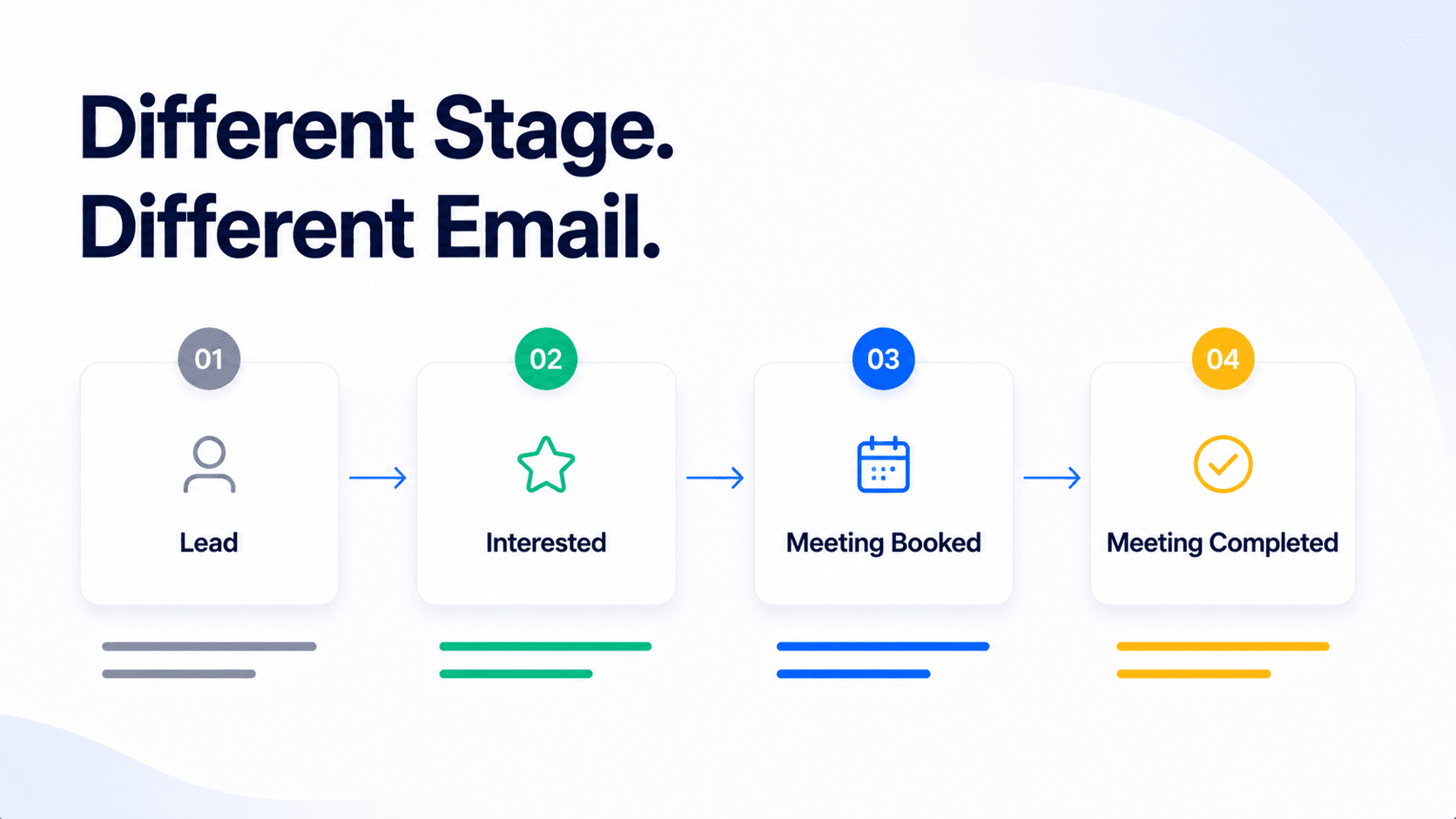
The lead badge in SalesTarget's lead management system shows exactly where a prospect is in the relationship right now: Lead, Interested, Meeting Booked, Meeting Completed, or Won. This is the most underused personalisation signal in any CRM — and arguably the most important one.
A prospect badged "Interested" has replied and shown intent. Writing to them the same way you'd write to a cold "Lead" is a waste of the signal they already gave you. An "Interested" email should acknowledge the previous exchange, move the conversation forward, and propose a clear next step. A cold "Lead" email should focus on opening the conversation from scratch.
| Lead Badge | What It Means | How to Write to This Stage |
|---|---|---|
| Lead | In your CRM, no meaningful engagement yet | Open the conversation — relevance-first, short, one clear question |
| Interested | Replied — shown intent or asked a question | Reference their reply directly, move toward a meeting, don't re-pitch |
| Meeting Booked | Call scheduled — high intent | Confirmation + pre-call value drop — one insight relevant to their role |
| Meeting Completed | Call happened — next step needed | Reference what was discussed, confirm next step, keep it tight |
3. Email Engagement Signals — Opens, Clicks, and What They Tell You
SalesTarget's activity tracking logs every open, click, and reply at the lead level — including which specific link was clicked and how many times. Most SDRs look at this data in aggregate (campaign open rates) but never at the individual level before writing a follow-up. That's a missed signal.
A prospect who opened your email three times but didn't click anything is curious but unconvinced — they need a stronger value statement or a different angle. A prospect who clicked the pricing page link twice is actively evaluating — your follow-up should acknowledge they're in research mode and make it easy to take the next step. Same data source, completely different emails.
Reading Engagement Signals Before You Write
What to look for
Multiple opens, no click: Subject line worked, body didn't. Try a different angle or a more direct offer in your next email.
Clicked a specific link: That page topic is what they care about. Lead with it in your follow-up.
Opened once, never again: Either wrong timing or wrong message. Change the subject line entirely — don't resend the same one.
No open at all: Subject line or sender reputation problem. Not a personalisation problem — fix the deliverability first.
4. Job Title and Company — Role-Based Relevance, Not Just Name Drops
Job title and company are the most obvious personalisation fields — and the most consistently misused. Dropping a prospect's company name into the second line of an email isn't personalisation. It's a tell. Genuine role-based personalisation means writing to the specific problems a person in that role has at a company of that size in that industry.
A VP of Sales at a 50-person SaaS company has a fundamentally different set of problems than a Sales Director at a 500-person enterprise. The same email copy sent to both will resonate with neither. Job title tells you the decision-making level and the specific pain points that come with it. Use that to frame the problem you're solving — not just to personalise the salutation.
5. Activity Timeline — Never Start a Conversation From Scratch
The activity timeline in SalesTarget shows every email sent, every meeting held, every note added, and every deal stage change — in chronological order. For a lead who has been in your CRM for more than a few weeks, that timeline tells a story. What was said. What the prospect responded to. What was promised. What the next step was supposed to be.
Before writing any outreach to an existing lead, read the last three entries on their timeline. If a colleague had a meeting with this person two weeks ago and noted that they're evaluating tools for Q3, your email should reflect that context. "I know [colleague] spoke with you about your Q3 evaluation" is infinitely more relevant than re-introducing SalesTarget as if it's the first contact. The timeline prevents you from treating a warm lead like a cold one.
6. Deal Stage — Pitch vs. Progress vs. Push
Where a lead sits in the deal pipeline tells you what kind of email to write. A lead in the early pipeline stage needs a different email than a lead stuck in proposal review for three weeks. Deal stage changes the entire objective of the outreach — opening a conversation, moving it forward, or re-engaging something that's gone quiet.
Writing a pitch email to a prospect who's already in late-stage evaluation wastes both their time and yours. Writing a gentle nudge to a prospect who just entered the pipeline is equally wrong — they need to be warmed up, not pushed. Deal stage is the compass that tells you which type of email belongs here.
Step-by-Step: Writing a Personalised Cold Email From a CRM Record
Here's the exact process. Works for new outreach, follow-ups, and re-engagement. The whole workflow takes under five minutes once you know what you're looking for.
| Step | What to Do | What You're Looking For |
|---|---|---|
| 1 | Open the lead record — not the sequence tool | Start in the CRM, not your outreach inbox. The data lives here. |
| 2 | Check the lead badge | This sets the email type — cold open, follow-up, or re-engagement. |
| 3 | Read the last 3 activity timeline entries | What was said last? What was promised? What did they respond to? |
| 4 | Check the engagement signals | Opens, clicks, which links — what have they shown interest in? |
| 5 | Note the campaign source | Which message got their attention — what topic brought them in? |
| 6 | Write ONE specific opener based on what you found | One sentence that could only apply to this person. Not a template line. |
| 7 | Write the rest of the email to match the stage | Cold open = problem + curiosity. Follow-up = progress + next step. Re-engagement = value drop + low-friction ask. |
The opener is the leverage point. If the first sentence of your email could have been sent to any of the 200 other leads in your CRM without changing a word, it's not personalised. It's a template with a name swap. The goal is one sentence that makes the prospect think: "this person actually knows something about my situation."
📊 Why This Matters at Scale
- Emails with personalised subject lines see 26% higher open rates on average — Campaign Monitor
- Relevant, personalised outreach drives significantly higher reply rates than high-volume generic sequences — consistent finding across HubSpot and Salesforce State of Sales data
- B2B buyers say relevance is the primary reason they respond to cold outreach — not offer, not timing, not channel
How to Match Email Type to Lead Badge — Practical Examples
The lead badge is the fastest shortcut to knowing which email to write. Here's how to match your approach to each stage using the CRM data available.
Badge: Lead — Opening the Conversation
This prospect is in your CRM but hasn't engaged meaningfully yet. Check the campaign source and job title. Your email has one job: make them curious enough to reply. Lead with the problem you solve for their specific role, not the product. Keep it under 100 words. One question at the end — not a link, not a calendar, not a demo request. A question.
What to use from the CRM: Campaign source (topic relevance) + job title (role-specific pain point).
Badge: Interested — Moving the Conversation Forward
This prospect replied. They're interested. The biggest mistake SDRs make here is re-pitching. They don't need to be sold again — they've already raised their hand. Read their reply in the activity timeline. Reference what they said directly. Your email has one job: get the meeting. Propose a specific time, give them a one-line reason why it's worth 20 minutes of their time, and stop there.
What to use from the CRM: Their reply text (in the activity timeline) + deal stage + any link they clicked.
Badge: Meeting Completed — The Post-Call Follow-Up
The meeting happened. Now you need to send a follow-up that keeps momentum without being pushy. Check the activity timeline for meeting notes — what was discussed, what was agreed, what the prospect's specific concern was. Your email should do three things: summarise what was agreed, provide the one thing you said you'd send them, and confirm the exact next step with a specific date or deadline.
What to use from the CRM: Meeting notes from the timeline + deal stage + follow-up task that was auto-created after the meeting.
Five Personalisation Mistakes That Make CRM Data Useless
Mistake 1 — Opening with flattery instead of relevance
"I came across your profile and was really impressed by your work at [Company]" is not personalisation — it's a pattern every prospect has seen 200 times. It signals template immediately. Use the CRM data to open with something relevant to their situation, not something complimentary about them personally.
Mistake 2 — Ignoring the lead badge and writing the same email to everyone
Sending a cold open email to a prospect who already replied and booked a meeting treats a warm lead as cold. It signals that your CRM data isn't connected to your outreach — which is exactly the fragmentation problem that loses deals. Badge status is the first thing to check before writing anything.
Mistake 3 — Personalising the wrong element
Company name in the subject line, industry in the opener — these surface-level personalisation tokens don't move the needle. What moves the needle is personalising the problem you reference and the outcome you offer. "Most [job title]s at [company size] companies deal with X" is more personal than "[Company] caught my eye" — because it speaks to their actual situation, not just their employer.
Mistake 4 — Using stale activity data
Referencing a conversation from four months ago as if it's current context signals that you're not paying attention — and that the CRM data you're working from hasn't been updated. Always check the timestamp on the last activity. If the last interaction was more than 60 days ago, treat this as a re-engagement, not a follow-up. The approach is different.
Mistake 5 — Personalising the opener, then reverting to template for the rest
A personalised first sentence followed by three paragraphs of generic product pitch is still a template email. The prospect gets drawn in by the opener and then loses interest the moment the copy stops being specific to them. The CRM data should inform the problem you describe and the outcome you offer — not just the first line.
How to Personalise at Scale Without Spending an Hour Per Email
The objection most SDRs raise is fair: "I have 80 leads to follow up with today. I can't spend five minutes on each CRM record." That's a real constraint. But scale and personalisation aren't actually in conflict — the issue is that most teams try to personalise at the sentence level, which is time-intensive, when they should be personalising at the segment level, which isn't.
Segment-level personalisation works like this: instead of writing 80 individual emails, you use CRM data to group your leads into four or five meaningful buckets, then write one strong email for each bucket. The personalisation comes from the bucket logic — the criteria you use to group — not from changing every email manually.
| Segment (Based on CRM Data) | Email Angle | Why It Works |
|---|---|---|
| Badge: Interested — replied 7+ days ago, no meeting booked | Re-open with a different value angle, low-friction ask | They showed intent — timing may have been off |
| Clicked pricing link, no reply | Acknowledge the evaluation stage, offer to answer specific questions | They're actively comparing — meet them there |
| Same campaign source, same job title (e.g. VP Sales, deliverability campaign) | Role-specific pain point, same offer, same one question | Shared context means shared problem — write once, send to the segment |
| Meeting completed, deal gone quiet 14+ days | Low-pressure check-in, reference the meeting, one specific question | Warm lead gone cold — context-based re-engagement beats a cold email |
The filtering tools in SalesTarget's lead management dashboard let you sort by badge status, engagement level, campaign source, and last activity date. Building these segments takes five minutes. Writing one strong email per segment takes fifteen. That's 80 personalised outreach emails done in under an hour — because the personalisation came from smart grouping, not individual copywriting.
Pair this with SalesTarget's email outreach AI personalisation layer — which adapts copy based on lead context — and the speed compounds. The CRM data feeds the context. The AI uses it. The emails go out at scale without losing the specificity that gets replies.
The Simplest Way to Improve Your Reply Rate Starting Today
You don't need a new tool, a new process, or a new sequence template. You need to open the CRM record before you open the sequence editor. Everything covered in this guide — the lead badge, the engagement signals, the campaign source, the activity timeline — is already there, already updated, already telling you exactly what the next email should say.
The SDRs who consistently outperform on reply rates aren't necessarily better writers. They're better readers. They read the CRM record before they write the email. That 90-second habit is the difference between an email that feels relevant and one that gets filed under "another cold email."
The CRM data checklist before every outreach email
✓ Lead badge checked — which email type does this stage need?
✓ Last 3 activity timeline entries read — what was said, what was promised?
✓ Engagement signals checked — what have they opened, clicked, or ignored?
✓ Campaign source noted — what topic brought them into the CRM?
✓ Job title + deal stage confirmed — what level of buyer, what stage of decision?
✓ First sentence written specifically for this lead — could it apply to anyone else? If yes, rewrite it.
Your CRM already knows what to say. Let's make sure it gets written.
See how SalesTarget connects CRM data and email outreach in one platform — so every rep writes with full context, every time.
✓ 50 credits ✓ 7-day trial ✓ No credit card required
Frequently Asked Questions

See It In Action: Book Your Free Demo
Get a personalized walkthrough and see how it works for your team.
Book My Demo →