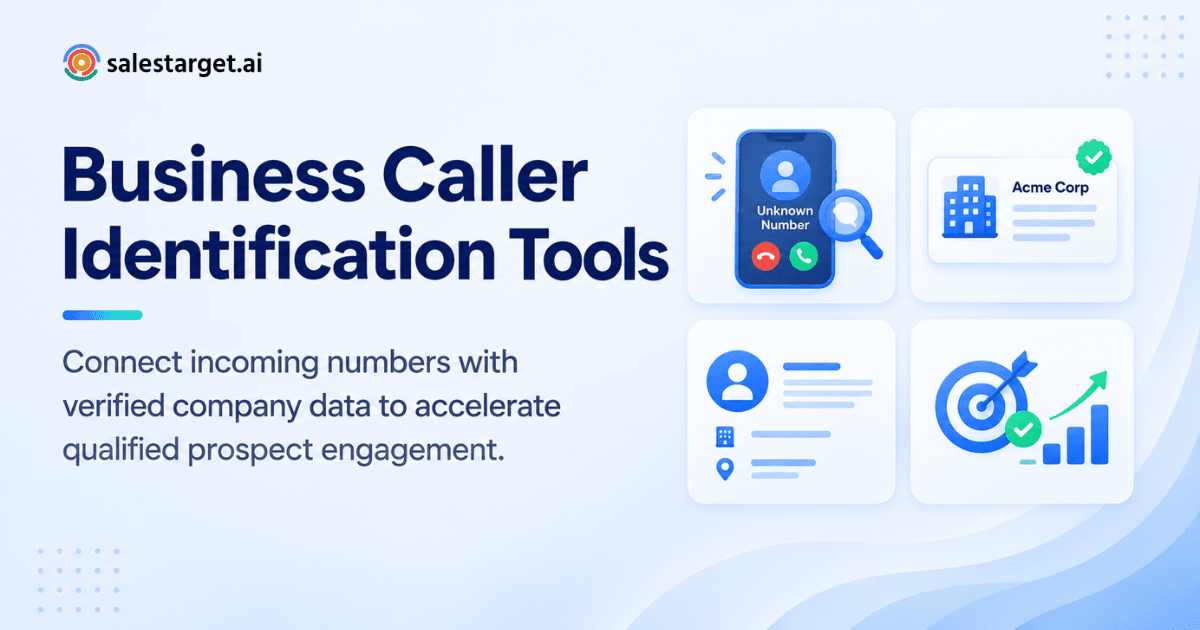
A number lights up your phone. No name, no company, just ten unfamiliar digits. You let it ring, and later find out it was a warm inbound lead who gave up after two tries. That gap costs pipeline every week for teams that field calls without knowing who is on the other end.
a business caller identification tool. Type in the number, and the tool matches it against phone, company, and professional contact records to return a name, job title, company, and a verified line for callback. The best tools go a step further: they confirm the number is active, pull a work email, and drop the contact straight into a CRM record, so a stranger on caller ID becomes a named prospect with a next step attached, not a mystery you have to Google between calls.
How Business Caller Identification Tools Work
A caller ID match for a business number runs through a few layers before it hands you a usable record.
Matching phone numbers with business and professional records
The tool cross-references the incoming number against millions of professional and business phone records to surface a likely name and role. A match on a direct line typically points to one person; a match on a switchboard number points to a company.
Connecting phone numbers with company information
Once a number ties to a business, the tool pulls firmographic details: company name, industry, size, and domain. That context tells a rep whether the caller fits their ideal customer profile before the callback happens.
Using contact databases for business phone number lookup
Behind the match sits a contact database indexed by phone number, not just name or email. Depth and freshness of that database decide whether the lookup returns a current decision-maker or a name that left the company two years back.
Verifying phone and mobile number status
A returned match means little if the number itself is dead. Verification checks whether a line is active, mobile or landline, and reachable, so reps stop chasing ghost numbers.
Why Unknown Business Caller Identification Matters for B2B Sales
Skip caller identification and a chunk of inbound interest just evaporates.
Turning unknown callers into identifiable sales prospects
Per Hiya's State of the Call 2026 report, 86 percent of calls from unknown numbers go unanswered. Put a name and company on that same number, and the odds of a pickup climb, since the person sees a recognizable business rather than a random string of digits.
Reducing manual research for SDRs, BDRs, and account executives
Without a lookup tool, a rep opens LinkedIn, a company site, and a search engine just to figure out who called. That is ten or fifteen minutes lost per unknown number, multiplied across a full day of calls.
Improving lead qualification with verified contact information
A verified name, title, and company let a rep score the caller against their ideal customer profile in seconds, rather than guessing from a voicemail with no context.
Supporting faster sales follow-up and CRM updates
A matched, verified contact can move straight into the CRM as a new lead or an update to an existing record, so the callback happens with full context instead of a blank note field.
A Practical Process for Identifying and Verifying Business Callers
A repeatable process beats a one-off search engine query every time.
Start with the unknown business phone number
Drop the raw number into a caller identification or reverse lookup tool the moment it comes in, before the trail goes cold.
Find matching company and professional contact records
Review the returned match: name, title, company, and any linked professional profile. Flag anything that looks like a stale or partial record.
Validate the contact's company, role, and phone details
Cross-check the company against its current site and the contact's role against a professional network. A title from three roles ago is worse than no title at all.
Enrich missing business contact information
Fill in the gaps: a work email, a professional profile link, a direct mobile number. A one-click enrichment step at the moment of lookup saves a separate manual search later.
Add verified contacts to the sales workflow
Push the finished record into a sequence or the CRM pipeline instead of leaving it in a notes app where it will get lost by Friday.
Key Features of Business Caller Identification Tools
Not every lookup tool covers the same ground. Here is what separates a usable one from a novelty.
Reverse business phone lookup
Type in a number, get back a name, title, and company match pulled from business and professional records.
Business phone number and mobile number verification
Confirmation that a number is active and correctly typed as mobile or landline, cutting down on dead-end callbacks.
Business contact lookup and professional contact data
Access to job title, seniority, department, and other professional details tied to the matched contact.
Company and decision-maker identification
Firmographic data plus a read on where the contact sits in the org chart, so a rep knows if they are talking to a buyer or a gatekeeper.
Contact enrichment and verified business data
Automatic fill-in of missing fields (email, mobile, professional profile) the moment a match is confirmed, rather than a separate manual step.
CRM and sales workflow integration
A direct path from matched contact to CRM record and outreach sequence, with no CSV export and re-import in between.
Data coverage, freshness, and verification signals
Database size matters less than refresh cadence. A contact list from two years back that is complete on paper can still be badly wrong in practice: HubSpot's decay research, based on MarketingSherpa data, puts B2B contact decay at 22.5 percent a year.
Comparing Business Caller Identification Tools for B2B Use
Most tools in this category cover one or two of the pieces above. Few cover the full chain from unknown number to a working CRM record.
Caller identification and unknown number lookup
SalesTarget.ai matches a number against 840 million-plus professional profiles and 146 million-plus business entities in one search. Apollo and ZoomInfo run comparable phone-to-contact matching, built primarily around their own contact databases.
Business contact verification and phone validation
SalesTarget.ai verifies phone, mobile, and email at the point a lead is found, rather than at the point the record was first added to the database. Point tools built for cold email validation, like the ones Instantly and Smartlead ship, cover email and skip phone verification altogether.
Contact enrichment and prospect discovery
SalesTarget.ai enriches a matched contact with verified email, mobile, and buying signals in one click. Apollo offers comparable enrichment depth but leaves deliverability and CRM work to separate tools bolted onto the workflow.
Company and decision-maker data
SalesTarget.ai layers 4,000-plus intent and buyer signals on top of firmographic data, flagging funding rounds, hiring spikes, and leadership changes on a 30 to 90 day window. ZoomInfo carries deep company data too, built mostly for larger enterprise teams.
CRM and outbound sales capabilities
SalesTarget.ai carries a built-in CRM and multichannel outreach (email, LinkedIn, phone) in the same platform as the lookup and enrichment. Instantly, Smartlead, and lemlist focus on cold email deliverability and skip a native CRM and B2B database.
Pricing, data coverage, and usage considerations
Coverage and cost both matter. A tool with a large database but no verification layer will return names that no longer match reality; check refresh cadence and verification method before signing anything long-term. Weigh a per-tool subscription (data, deliverability, CRM as three separate bills) against a single platform covering all three.
Why Choose SalesTarget.ai
Most caller identification tools stop at a name and a title. SalesTarget.ai carries that match all the way to a booked follow-up.
Find and enrich verified business contacts with Lead Explorer
Lead Explorer matches a number or a name against 840 million-plus verified professional profiles and enriches it with a work email, personal email, phone, and mobile in the same click, backed by 4,000-plus intent signals from 50-plus data sources.
Combine verified prospect data with email and LinkedIn outreach
Once a contact is verified, Email Outreach and LinkedIn Outreach run coordinated, multichannel sequences built from a plain-English audience description, so the callback that started as an unknown number turns into a full follow-up sequence rather than one message sent and forgotten.
Validate contact details before outbound campaigns
The built-in Email Validator checks MX and SMTP records and flags disposable addresses before a single message sends, protecting sender reputation on the same contact just pulled from the caller lookup.
Manage verified prospects in a built-in CRM
Every matched, enriched contact lands in the CRM automatically, with call notes captured by the built-in AI dialer and logged straight to the lead timeline, cutting the manual write-up most reps skip anyway.
Use AI Copilot for lead searches and sales workflows
Ask AI Copilot to pull every lead matching a caller's company and role, draft the follow-up sequence, and flag the deal if it goes quiet, inside the same chat window a rep already has open. Curious what it finds on your own list of unknown numbers? Start a free trial.
Common Gaps in Business Caller Identification and Contact Verification
A lookup result is a starting point, not proof.
Treating caller ID results as fully verified contact data
A name and company match is not the same as a verified email or a confirmed active number. Treat every match as a lead to verify, not a closed record.
Relying on outdated business phone numbers
Phone numbers change roles, get reassigned, or get dropped when a company switches providers. A record pulled from a stale database sends a rep straight to a wrong number.
Confusing company numbers with direct decision-maker numbers
A switchboard match is not a direct line. Calling a main company number and asking for someone by name wastes a callback a verified direct number would have avoided.
Skipping phone and contact verification before outreach
A number that looked correct at lookup time can go dead within weeks. Gartner puts the average cost of poor data quality at $12.9 million a year per organization, and stale phone and email records make up a large share of that bill.
Adding incomplete caller records to the CRM
A half-filled record (name only, no title, no verified email) clutters a pipeline and skews reporting. Enrich before you add, not after.
Missing privacy and calling compliance requirements
Business caller identification touches personal data. Match a number to a person for legitimate B2B outreach, keep records current, and follow applicable calling and data privacy rules for each region a prospect sits in.
Building a Reliable Workflow From Unknown Caller to Sales Prospect
Put the pieces together and an unknown number stops being a dead end.
Identify the caller and match the business
Run the number through a caller identification tool the moment it rings through, pulling a name, title, and company match.
Verify the professional contact and phone number
Confirm the matched contact is current and the number active, closing the gap between a name coming back and a real prospect sitting on the other end.
Enrich the prospect with additional business information
Add a verified email, mobile number, and any live buying signals, such as a recent funding round or leadership change, as part of the same enrichment step.
Qualify the prospect based on company and buyer fit
Check the enriched record against your ideal customer profile: company size, industry, and role. Score it the same way you would a lead pulled from a B2B contact database rather than a phone call.
Start coordinated email, LinkedIn, and phone follow-up
Push the qualified contact into a multichannel sequence spanning email, LinkedIn, and a follow-up call, so one inbound ring turns into a tracked, multi-touch deal instead of a single missed connection.
Turning Unknown Business Calls Into Verified Sales Opportunities
An unanswered call from an unknown number is not a dead lead. It is a prospect your team has not identified yet. The process above turns that gap into a name, a verified contact, and a next step, instead of a guess.
SalesTarget.ai builds that chain into one workspace: caller and contact matching through Lead Explorer, verification through the built-in Email Validator, and follow-up across email, LinkedIn, and phone, tracked inside a CRM that logs every call automatically. No unknown number stays unknown for long, and no verified contact sits idle in a spreadsheet.
Put your own list of unfamiliar numbers through it and see what comes back. Start free with SalesTarget.ai.