Your reps are toggling between six tabs, copying prospect data from LinkedIn into a spreadsheet, pasting it into a CRM, then switching to an email tool to write a message they'll send to someone who may have changed jobs three months ago. Half the day is gone and zero selling has happened.
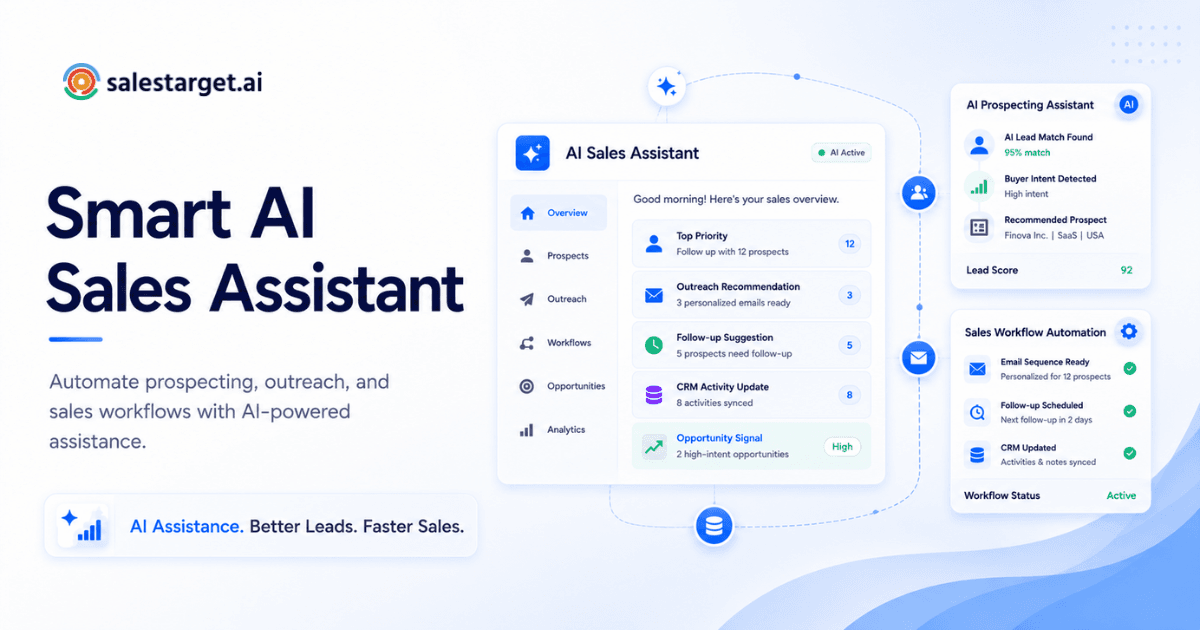
An AI sales copilot is software that sits inside your sales workflow and handles the repetitive work: finding leads, writing personalized emails, scheduling follow-ups, logging CRM activity, and flagging which deals need attention. It doesn't replace the rep. It removes the busywork so the rep can focus on actual conversations. The best copilots work across prospecting, outreach, and CRM in one place, so your team isn't stitching three tools together just to send a cold email.
This guide covers how AI sales copilots work step by step, where they make the biggest difference for outbound teams, and the ten use cases that are producing real results right now.
What Is an AI Sales Copilot?
An AI sales copilot is a conversational AI layer built into your sales platform. You interact with it using plain language: "Find me VP-level marketing leads at SaaS companies with 50 to 200 employees" or "Draft a follow-up email for the prospects who opened but didn't reply." The copilot executes the task, pulling from your lead database, outreach history, and CRM data in real time.
The difference between a copilot and a standalone AI writing tool (like using ChatGPT in a browser tab) is context. A standalone tool doesn't know your pipeline, your ICP, your past campaign performance, or which contacts are already in a sequence. A copilot does. It's connected to your data, so every action it takes is grounded in your actual sales process, not generic prompts.
Think of it as a second brain for your sales team: one that never forgets to follow up, never loses a note from a call, and can pull a segmented lead list faster than any rep could build one manually.
How Does an AI Sales Copilot Work?
Step 1 – Prospecting and lead identification
The copilot searches a B2B database using filters you define (industry, role, seniority, company size, tech stack, location) or a plain-English description of your ideal customer. It returns a list of matching prospects with verified contact details. The best copilots layer in buying signals, such as recent funding rounds, hiring surges, or leadership changes, so you're reaching people who are actively in-market, not just people who fit a demographic checkbox.
Step 2 – Contact enrichment and verification
Once a prospect is identified, the copilot enriches the record with professional email, personal email, phone, and mobile. Verification happens at the point of enrichment, not from a database that was last refreshed months ago. This distinction matters. Stale data is the top reason cold outreach bounces or hits dead inboxes. Real-time verification catches job changes, role switches, and invalid addresses before you waste a touchpoint.
Step 3 – AI-powered personalization at scale
The copilot drafts outreach messages tailored to each prospect's role, industry, company size, and situation. It goes beyond swapping in a first name and company. It references specific attributes (the prospect's department, their company's growth stage, a recent company event) and adjusts tone and angle by persona. A message to a VP of Sales reads differently than one to an SDR manager, even within the same campaign.
Step 4 – Multi-channel outreach (email and LinkedIn)
The copilot builds and runs sequences that combine email and LinkedIn touchpoints in a coordinated flow. If a prospect ignores your email but accepts your LinkedIn connection, the system adjusts the next step. Conditional branching means the sequence adapts based on what the prospect actually does, not a rigid script that keeps sending regardless. Timezone-aware scheduling places messages during the prospect's working hours, not yours.
Step 5 – Engagement tracking and follow-up
Every open, click, reply, and connection acceptance is tracked. The copilot sorts responses by intent (interested, needs follow-up, not a fit) and surfaces the hottest leads. Follow-up tasks are created automatically. Nothing falls through the cracks, which is the single biggest advantage over manual sequences where reps lose track after day three.
The Sales Problem: Why Your Team Needs an AI Sales Copilot
Manual prospecting and outreach eat up hours per rep per week
Sales reps spend only about 28% to 30% of their workweek on actual selling, according to Salesforce's State of Sales report. The rest goes to CRM data entry (roughly 17%), internal meetings (15%), research (14%), and email admin. For SDRs and BDRs, whose entire job is outbound activity, that ratio is worse. They're spending hours each day on list building, contact research, and manual message writing before they ever talk to a prospect.
Sales teams juggle too many tools and lose data between platforms
A typical outbound stack includes a prospecting database, an email automation tool, a LinkedIn automation tool, an email validator, and a CRM. That's five logins, five billing cycles, and five places where lead data can get lost, duplicated, or fall out of sync. Every CSV export between tools is a point of failure. And when your email tool doesn't know what your LinkedIn tool sent, reps end up double-messaging prospects or sending contradictory follow-ups.
This is a problem most "best tools" listicles don't address: tool fragmentation is itself a productivity killer. The overhead of managing the stack eats into the same selling hours the tools were supposed to free up.
Inconsistent follow-up and sequences kill deal velocity
Most meaningful replies happen on the third or fourth touchpoint. But manual follow-up is unreliable. A rep gets pulled into a demo, forgets to send the day-six follow-up, and a warm prospect goes cold. Multiply that across a team of five reps running 200 prospects each, and you're looking at hundreds of missed follow-ups per month. That's pipeline leaking out the bottom of the funnel.
Gartner's research on seller productivity shows that organizations reinvesting AI time savings into high-impact activities are 2.2X more likely to exceed growth targets. The pattern is clear: the teams that automate the grunt work and protect selling time are the ones hitting quota.
Top 10 Use Cases for AI Sales Copilots
1. Running AI-personalized cold email sequences
The copilot generates multi-step email sequences from a plain-language description of your target audience. Each email is unique per prospect, with AI spintax creating natural variation across sends. This kills the "Dear {first_name}" problem and keeps deliverability high, since email providers are less likely to flag varied copy as bulk mail.
2. LinkedIn outreach automation with context
The copilot automates connection requests, DMs, and follow-ups on LinkedIn with the same AI personalization used in email. The key differentiator is context: if a prospect replied to your email, the LinkedIn follow-up acknowledges that. Sequences branch based on real engagement, not blind scheduling.
3. Lead scoring and prioritization
Instead of reps guessing which leads to call first, the copilot scores prospects based on intent signals (topic research activity, company events, engagement with your outreach) and surfaces the highest-priority ones. This shifts reps from "who should I call next?" to "here's who's most likely to book a meeting today."
4. Smart follow-up and cadence management
The copilot manages multi-touch cadences across email and LinkedIn, adjusting timing, message angle, and channel based on prospect behavior. It handles the scheduling logic that breaks down when reps try to manage it in their heads or on sticky notes.
5. Multi-touch prospecting campaigns
The strongest outreach combines email, LinkedIn, and phone in a coordinated sequence. McKinsey's research on sales automation shows that roughly one-third of all sales tasks can be automated, and multi-touch campaigns are where that automation pays off most. The copilot orchestrates all three channels in one flow, so the prospect gets a consistent experience no matter where they engage.
6. Sales workflow automation for inside sales teams
Beyond outreach, copilots automate internal workflows: assigning leads to reps based on territory or round-robin rules, creating tasks when a lead hits a certain engagement threshold, and routing hot replies to the right owner. This removes the ops overhead that bogs down inside sales teams running high-volume campaigns.
7. Call prep and conversation intelligence
Before a call, the copilot pulls up the prospect's recent engagement history, company news, and any notes from prior touchpoints. After the call, it logs what was discussed and generates follow-up tasks. Reps walk into calls prepared without spending 10 minutes researching each one, and they walk out without writing up notes by hand.
8. CRM auto-logging and note-taking
CRM data entry consumes roughly 17% of a rep's workweek. A copilot that auto-logs every email, call, and LinkedIn interaction to the lead timeline eliminates that overhead entirely. Call notes are captured during the conversation and saved automatically. The CRM stays current without reps touching it.
9. Territory and account planning
The copilot can query your CRM and pipeline data in plain language: "Show me all open deals in the Northeast above $50K that haven't had activity in 14 days." This turns account planning from a spreadsheet exercise into a real-time conversation. Sales leaders and AEs get a clear picture of their territory without running reports manually.
10. Rapid experimentation and A/B testing of messaging
A copilot can generate multiple message variants per persona, run them simultaneously across segments, and report back which version drives more replies. Manual A/B testing takes weeks to set up and track. With a copilot, you can test a new subject line or opening hook across 200 prospects by lunch and have data by end of week.
An insight most teams miss: test your second message in the sequence, not just the first. The follow-up is where most deals are won or lost, yet almost all A/B testing focuses on the initial email. Experimenting with follow-up angles, timing, and tone can move reply rates by 5 to 10 percentage points.
How AI Sales Copilots Impact Sales Performance
Faster deal cycles
When follow-ups happen on time, CRM data stays current, and reps aren't spending half the day on admin, deals move faster. The mechanism is simple: removing friction between touchpoints compresses the time from first contact to closed deal. Teams using AI copilots report deal cycle reductions of 25% or more, with the biggest gains coming from automated follow-up and faster lead response times.
More dials and conversations per rep
A rep who spends two fewer hours per day on admin can make 15 to 20 more calls. Multiply that across a team and the volume of real sales conversations jumps significantly. The copilot doesn't just save time; it redirects it to the activities that actually generate revenue.
Higher-quality lead lists and lower bounce rates
When contact data is verified at the point of enrichment (not scraped months ago and left to decay), bounce rates drop. Lower bounces mean better sender reputation, higher inbox placement, and more of your emails actually reaching the prospect. This is a compounding advantage: every point of bounce reduction lifts every campaign you run going forward.
Consistent, data-backed personalization
AI personalization runs at the same quality level on the 200th prospect as the first. Manual personalization degrades over the course of a day as reps get tired. The data confirms this: AI-assisted messages maintain consistent engagement rates across full campaigns, while manually written batches show measurable drop-offs in quality and reply rates after the first 40 to 50 sends.
What to Look for in an AI Sales Copilot
Native email and LinkedIn integration
If the copilot handles email but not LinkedIn (or vice versa), you still need a second tool. Look for native, built-in support for both channels running in one coordinated sequence, with shared context so the prospect doesn't get contradictory messages across channels.
Contact enrichment with verified data
The copilot should enrich and verify contacts in real time, not pull from a static database. Ask when the data was last verified. If the answer is "at the time of scraping," that's a red flag. Verification should happen at the moment you enrich, catching job changes and invalid emails before you send.
Ease of setup (no manual data entry)
If setup takes more than a day, or requires manual CSV imports to get started, the tool is adding overhead before it saves any. Campaign leads should land in the system automatically. Every interaction should be logged without rep input. The goal is zero manual data entry from day one.
Built-in CRM or easy sync to yours
A copilot that's disconnected from the CRM creates the same "tool stitching" problem you're trying to solve. Either the copilot should include a built-in CRM, or it should sync cleanly with your existing one (HubSpot, Salesforce, Zoho) with no data loss and minimal configuration.
Transparent pricing and no per-contact fees
Per-contact or per-enrichment pricing punishes growth. As your team scales outreach, costs spike unpredictably. Look for platforms with flat or predictable pricing so your cost-per-lead stays stable as volume increases.
Why Choose SalesTarget.ai
All-in-one platform (prospecting, enrichment, outreach, and CRM in one)
SalesTarget.ai combines lead data, contact enrichment, email outreach, LinkedIn outreach, email validation, CRM, and an AI Copilot in one workspace. No more stitching Apollo for data, Instantly for email, a separate tool for LinkedIn, and another CRM. One platform, one bill, one login. Find a lead, enrich and verify it, push it into a multi-channel sequence, and close it in the built-in CRM without switching tabs.
840M+ verified profiles and 99% contact accuracy
SalesTarget.ai's Lead Explorer gives you access to 840M+ verified professional profiles and 146M+ business entities across 50+ data sources. Contact data is verified at the point of enrichment, not from a stale database. 99% verified contact data means lower bounce rates, better sender reputation, and more emails reaching the inbox.
AI Copilot that logs calls and generates follow-up tasks
The AI Copilot is a conversational AI teammate built into the platform. Chat to find leads across 840M+ profiles, generate personalized email sequences in seconds, query CRM deals and tasks in plain language, and create or assign follow-ups. The built-in AI dialer captures call notes automatically and saves them to the lead timeline, so reps never write up notes by hand. The Copilot flags at-risk deals and recommends the next move, keeping the human in control of strategy.
Email validation and warm-up to cut bounce rates
SalesTarget.ai validates 90% of emails before sending using MX/SMTP checks, disposable-email detection, and risk scoring. Unlimited inboxes with automatic AI warm-up, intelligent inbox rotation, and SPF/DKIM/DMARC checks protect your sender reputation from day one. The Unibox unified inbox pulls every reply into one view, sorts by intent, and syncs deals straight to the CRM.
3.2X faster deal cycles (average for users)
SalesTarget.ai users report 3.2X faster deal cycles, 91% follow-up completion rates, roughly 6 hours saved per rep per week, and 2.4X more meetings from the same leads. Campaign leads land in the CRM automatically, every email and call is logged to the lead timeline, and follow-up tasks are created when a lead replies or a meeting ends. Setup takes under a day.
Wrapping Up the AI Sales Copilot Guide
The sales teams hitting quota in 2025 aren't working more hours. They're spending fewer hours on admin and more hours in conversations. An AI sales copilot is the most direct path to that shift: it handles the prospecting research, the CRM logging, the follow-up scheduling, and the message personalization that currently eat up 70% of your reps' weeks.
The gap between teams using AI and those that aren't is widening fast. Reps who use AI are twice as likely to exceed their targets. That's not a small edge. It's the difference between a team that builds pipeline consistently and one that's always scrambling.
SalesTarget.ai puts the entire outbound workflow (prospecting, enrichment, multi-channel outreach, CRM, and AI Copilot) in one platform built for outbound teams, not enterprise bloat. If your reps are spending more time on admin than on selling, that's the problem SalesTarget.ai was built to fix.