Every rep has felt it. A morning that starts with 47 CRM notifications, three Slack pings from the pipeline tool, and a follow-up digest that reads more like a spam folder than a productivity feature. Somewhere between "contact viewed page" and "Bob changed the deal amount by $50," the signals that actually matter get buried. An ai powered CRM should reduce that noise, not add to it. Yet most sales teams inherit alert configurations built for record-keeping, not selling.
This guide breaks down which CRM alerts reps actually need, which to reduce, and which to switch off this week. It includes an audit any sales manager can run in about thirty minutes.
The core problem: activity is not action
Most CRM alerts answer the question, "Did something happen?" Very few answer the more important one, "Do I need to do something?" That distinction is where overload starts.
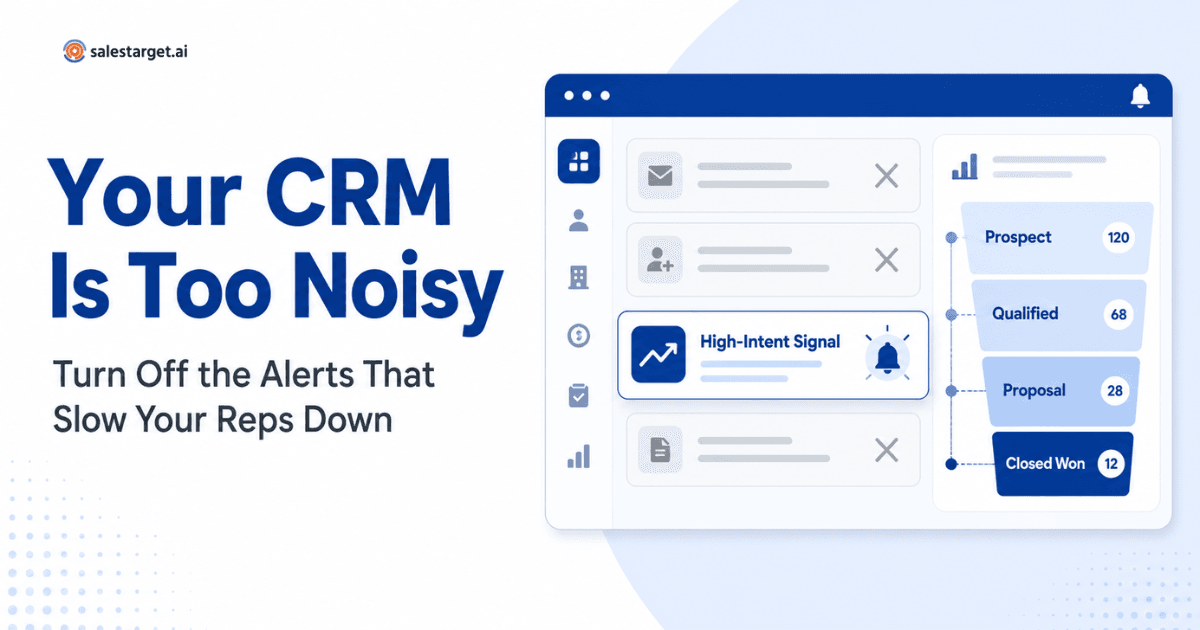
A rep does not need to know that a contact opened an email at 9:47 a.m. They need to know when a specific behavior, like a pricing page visit followed by a reply from the economic buyer, signals real intent. When every event carries equal weight, reps stop trusting the alerts. They swipe, dismiss, mute, and eventually miss the ones that matter.
Good sales management software sorts these two categories automatically. Weaker systems delegate that judgment to the rep, which is another way of saying they delegate it to no one.
How much noise is actually reaching your reps?
Here is a rough calculation using conservative numbers. Assume an AE working 40 accounts, each generating four tracked activities per week: email opens, page views, task updates, meeting reminders, stage changes, and system pings. That is 160 events per week per rep.
If half of those trigger a notification across the CRM, email, and Slack, and each notification is duplicated across two channels, a single rep is looking at roughly 480 notifications per week. Across a ten-person sales team, that is 4,800 weekly alerts. If a rep spends even 20 seconds acknowledging each one, that is 26 hours a week of aggregate alert-processing time across the team. Most of it produces no sales outcome.
That figure is illustrative, not a survey statistic. Run the same math against your own team and the picture rarely improves.
Which CRM notifications should sales reps receive?
Sales reps should receive notifications that require a decision or action within the next 24 hours. That includes new lead assignments, prospect replies, high-intent buyer behavior (pricing or demo-page visits combined with engagement), deal-stage changes on active opportunities, task deadlines, and meeting-related updates. Everything else belongs in a report, not an alert.
The best-performing teams treat notifications like a triage queue. Every alert should map to a specific rep action: respond, call, log, follow up, or escalate. If an alert cannot be tied to a next step, it does not belong in the notification stream at all.
Which CRM notifications should sales teams turn off?
Turn off individual email opens, generic link clicks, minor record edits by teammates, informational system updates, duplicate alerts across channels, and internal changes that do not require rep action. These are better reviewed on demand inside a dashboard or a deal risk scorecard, where reps can look for patterns instead of reacting to individual pings.
Role-based notifications: SDRs, AEs, and managers are not the same user
SDRs, AEs, and sales managers should never receive the same alerts. An SDR needs replies, meeting confirmations, and new lead assignments. An AE needs deal-stage changes, buyer behavior, and risk signals. A manager needs pipeline movement and coaching moments, not every task update from every rep. Blasting the same notifications across roles is one of the most common and most fixable causes of overload. This is why CRM workflows for different sales roles are worth designing before you configure a single alert.
Salesforce's own research has repeatedly shown that reps spend less than a third of their week actually selling, with administrative work and tool-switching consuming the rest (Salesforce State of Sales). Notification overload is a direct contributor to that gap and one of the easier problems for a sales leader to fix.
What makes a CRM notification useful?
A useful CRM notification meets four tests. It is timely (the action window is short), specific (it names the account, contact, or deal), actionable (it maps to a next step), and non-duplicative (it does not arrive twice on different channels). If a notification fails any of those tests, it is a candidate for the reduce or turn-off pile.
The CRM Notification Audit: a 30-minute checklist
Run this exercise once a quarter. Any sales manager can complete it in half an hour.
- Export your current list of active CRM notifications by user role.
- For each notification, ask: does this require an action within 24 hours?
- If yes, keep it. If no, mark it Reduce or Turn Off.
- Identify every notification duplicated across email, Slack, and in-app.
- Pick one primary channel per event type. Turn the others off.
- Group informational alerts into a daily or weekly digest instead.
- Review the shortlist with two reps from each role. Ask which alerts they actually respond to.
- Delete or mute anything that has not driven a rep action in the last 30 days.
Most teams cut their notification volume by 40 to 60 percent on the first pass. Pipeline visibility improves because reps start reading the alerts again.
Where AI actually helps ?
An AI CRM for sales teams shifts the model from "notify everything" to "surface what matters." Instead of firing an alert for every email open, an intelligent system correlates signals: this account visited pricing twice, opened your last two emails, and had a stakeholder change on LinkedIn. That becomes one alert, with context, tied to a suggested next action.
This is where an ai powered CRM earns its place inside a modern sales automation platform. It reduces cognitive load by prioritizing signals reps would otherwise stitch together manually, and it catches deal-risk patterns before they show up in the forecast. Good AI sales CRM design is not about more notifications; it is about fewer, better ones tied to sales performance management outcomes.
How SalesTarget.ai CRM approaches this ?
SalesTarget.ai CRM is built around the idea that alerts should drive action rather than compete for attention. It prioritizes high-intent buyer signals, surfaces deal risk before opportunities stall, and consolidates repetitive updates into workflows reps can act on. Instead of stacking more sales productivity tools on top of an overloaded system, it centralizes tasks, follow-ups, and pipeline signals so reps can focus on selling.
Less CRM Noise. More Selling.
If your team is drowning in CRM pings, it is time to reset the defaults. See how SalesTarget.ai CRM helps sales teams prioritize meaningful activity, automate repetitive workflows, and spend more of the week actually selling.