TL;DR
- Most B2B sales teams run 4–6 disconnected tools — and the gaps between them are where pipeline quietly dies.
- When your CRM and cold email tool live in separate platforms, data lags, follow-ups fall through, and reps waste hours on manual syncing instead of selling.
- A sales CRM built for outreach isn't just a convenience upgrade — it closes the loop between prospecting and pipeline automatically, in real time.
- Integrations are not the same as unification. Every sync is a delay, a failure point, and a manual task someone has to own.
- This guide breaks down exactly why the fragmented stack is costing you deals — and what changes when everything lives in one place.
Research from Salesforce's State of Sales report found that sales reps spend just 28% of their week actually selling. The rest is admin, tool-switching, manual data entry, and chasing their own pipeline to figure out what happened to a lead. If that number feels uncomfortably familiar, the problem probably isn't your reps — it's the architecture of your sales stack.
The Stack That Made Sense in 2019 Is Breaking Your Pipeline in 2026
The fragmented sales stack didn't happen by accident. It happened because every tool your team added once solved a real problem. Your cold email tool sent sequences at scale. Your CRM tracked deals and contacts. Your lead database found verified prospects. Your enrichment layer filled in missing data.
Each tool was the best option for its job at the time. Individually, they made sense. Together, they created something no one planned for: a four-platform, four-login, constant-CSV-export operation that eats hours of rep time every single week — and still manages to lose context at every handoff point.
The typical B2B sales stack in 2026 looks something like this:
| Tool in the Stack | What It Does | Where It Breaks Down |
|---|---|---|
| Cold email / outreach tool | Sends sequences, manages replies | CRM never sees what happened unless manually updated |
| CRM | Tracks deals, contacts, pipeline stages | No live outreach context — reps flying blind on calls |
| Lead database | Finds and exports prospect lists | CSV exports mean data is stale the moment it lands in CRM |
| Enrichment tool | Adds job title, company, tech stack data | Another sync layer — another point of failure |
None of these tools are bad at what they do. The problem is the space between them — and in B2B sales, gaps are where deals go to die.
What Actually Breaks When Your CRM and Outreach Tool Don't Talk
Before making the case for consolidation, it's worth being specific about the failure modes. The damage from a disconnected CRM and cold email setup isn't dramatic — it's quiet, cumulative, and invisible until it shows up in your conversion numbers at the end of the quarter.
Data Lag: Your CRM Is Always Behind
A prospect replies to your cold email sequence on Tuesday afternoon. In your outreach tool, that lead is now "interested." In your CRM, they're still "cold prospect" — because no one has manually updated it yet. Your AE opens the CRM to prep for a Thursday call and sees Tuesday's data, or last week's data. They walk into the call without knowing the prospect already expressed interest and asked two specific questions about pricing.
This isn't a process failure. It's an architectural one. Two systems that don't share data in real time will always produce a stale record on one side of the wall.
Follow-Up Gaps: The Handoff Nobody Owns
In a fragmented stack, the handoff from "replied to outreach" to "active deal in pipeline" is a manual step. Someone has to move the lead. Someone has to create the CRM record. Someone has to set the follow-up task. That someone is usually your SDR or sales manager — and it usually happens hours or days late, if it happens at all.
Response speed matters more than most teams acknowledge. Research consistently shows that B2B buyers are significantly more likely to engage with the first vendor who responds meaningfully. The rep who follows up within the hour wins the meeting at a far higher rate than the rep who follows up the next morning after they finally saw the lead had moved.
Rep Context Loss: Flying Blind on Every Discovery Call
Your rep is on a discovery call. The prospect mentions an email they received three weeks ago. The rep has no idea which email, what it said, or how the prospect engaged with the sequence. That information lives in the outreach tool — a separate tab, a separate login, a system they're not looking at right now.
This moment — small, common, avoidable — signals to the prospect that your team isn't fully on top of things. It erodes trust before the deal even gets started.
Reporting Blind Spots: You Can't See the Full Revenue Picture
Here's the question most sales managers genuinely can't answer cleanly: which outreach sequences are generating closed deals — not just replies, but actual revenue? In a fragmented stack, you can see open rates in the outreach tool and closed deals in the CRM. But connecting those two datasets requires manual exports, spreadsheet reconciliation, and a lot of assumptions. You can't optimize what you can't attribute.
"We Have an Integration" Is Not the Same as Being Unified
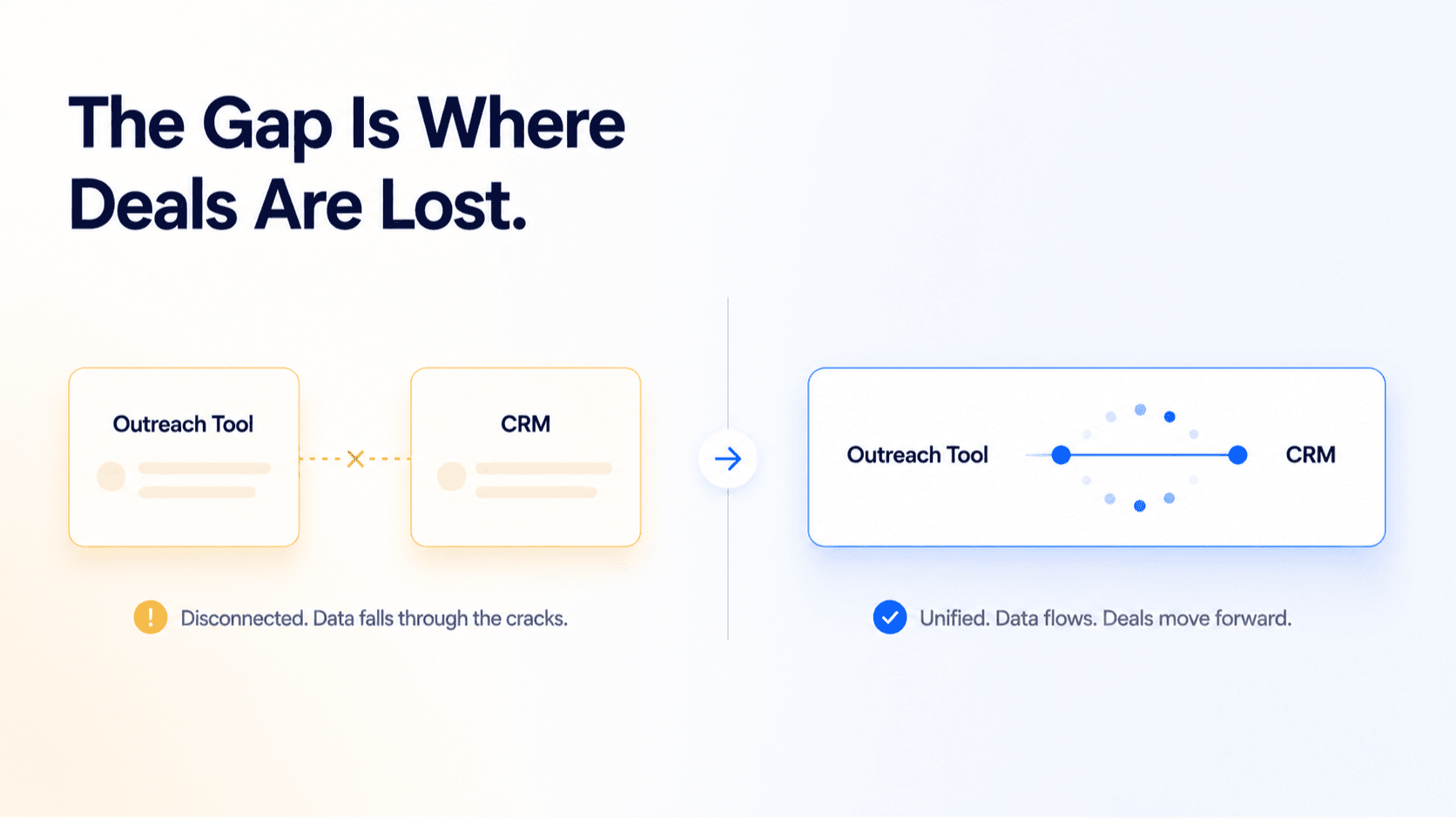
This is the objection most sales managers raise. "We already connect the two tools via an automation layer" or "we use the native integration." Fair point — except integrations and unification are fundamentally different things, and conflating them is the reason so many teams end up with the same fragmentation problems in disguise.
Integration vs. Unification — The Actual Difference
An integration syncs data between two separate systems on a schedule or trigger. It's a bridge — and every bridge has a weight limit, a delay, and a failure mode you'll eventually have to deal with.
Unification means the data never needed to travel anywhere because it was never separate in the first place. There's no sync lag because there's no sync. There's no field mapping failure because there's one data model underneath everything.
When a prospect replies to a sequence in a unified platform, the CRM record updates in that same moment — not in the next sync cycle.
Beyond the technical argument, there's an operational one. Every integration your team depends on is infrastructure that has to be maintained. Automation workflows break when APIs update. Native integrations skip fields or map them to the wrong place. Someone has to monitor them. Someone has to fix them when they fail. In a team of 10, that someone is usually the sales manager — which is not where their time should go.
Integration maintenance is a hidden cost that rarely shows up in any tool comparison. But it shows up every month, in hours spent debugging instead of selling.
What a Sales CRM Built for Outreach Actually Looks Like
There's an important distinction that gets lost in most platform comparisons. A CRM that added a basic email sequence builder is not the same as a sales CRM built for outreach from the ground up. The first is a CRM company adding features to retain customers. The second is a platform where outreach and pipeline data share the same underlying data model — and that architectural difference produces completely different workflows for every rep on your team.
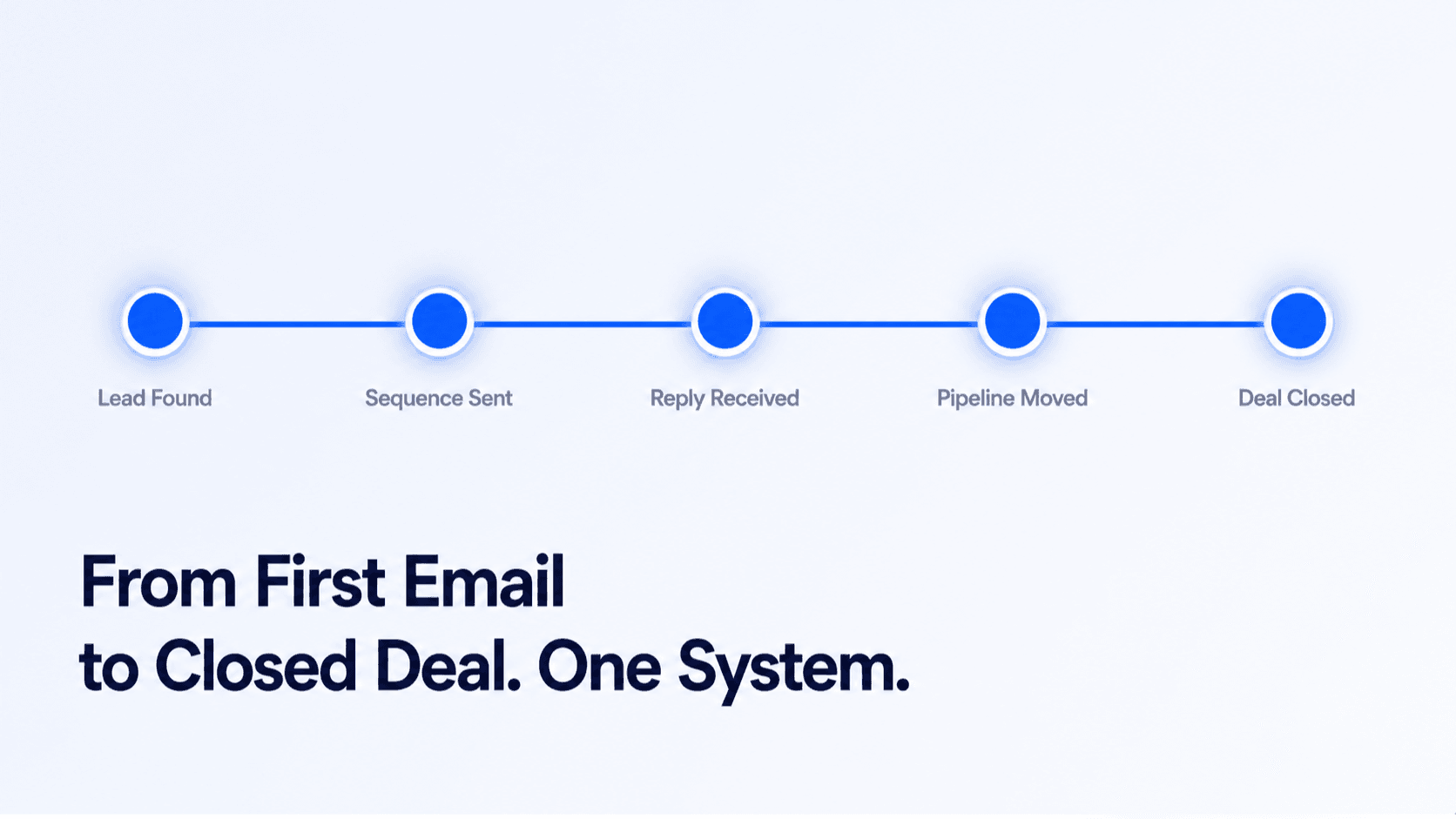
Here's what the full prospect journey looks like when these two systems genuinely live in the same platform:
| Stage | Fragmented Stack | Unified Platform |
|---|---|---|
| Lead found | Export CSV → import to outreach tool → manually create CRM contact | Lead found, added to sequence and CRM simultaneously — one action |
| Sequence sent | Activity in outreach tool only — CRM not updated | Every email, open, and click logged automatically in CRM contact record |
| Prospect replies | Rep manually moves lead to pipeline — hours or days later | Reply triggers automatic pipeline stage move and follow-up task creation |
| Discovery call | Rep switches between CRM and outreach tool to find context | Full outreach history, replies, and engagement visible in one CRM record |
| Pipeline reporting | Manual export and reconciliation across two systems | Sequence → reply → deal → close fully traceable in one report |
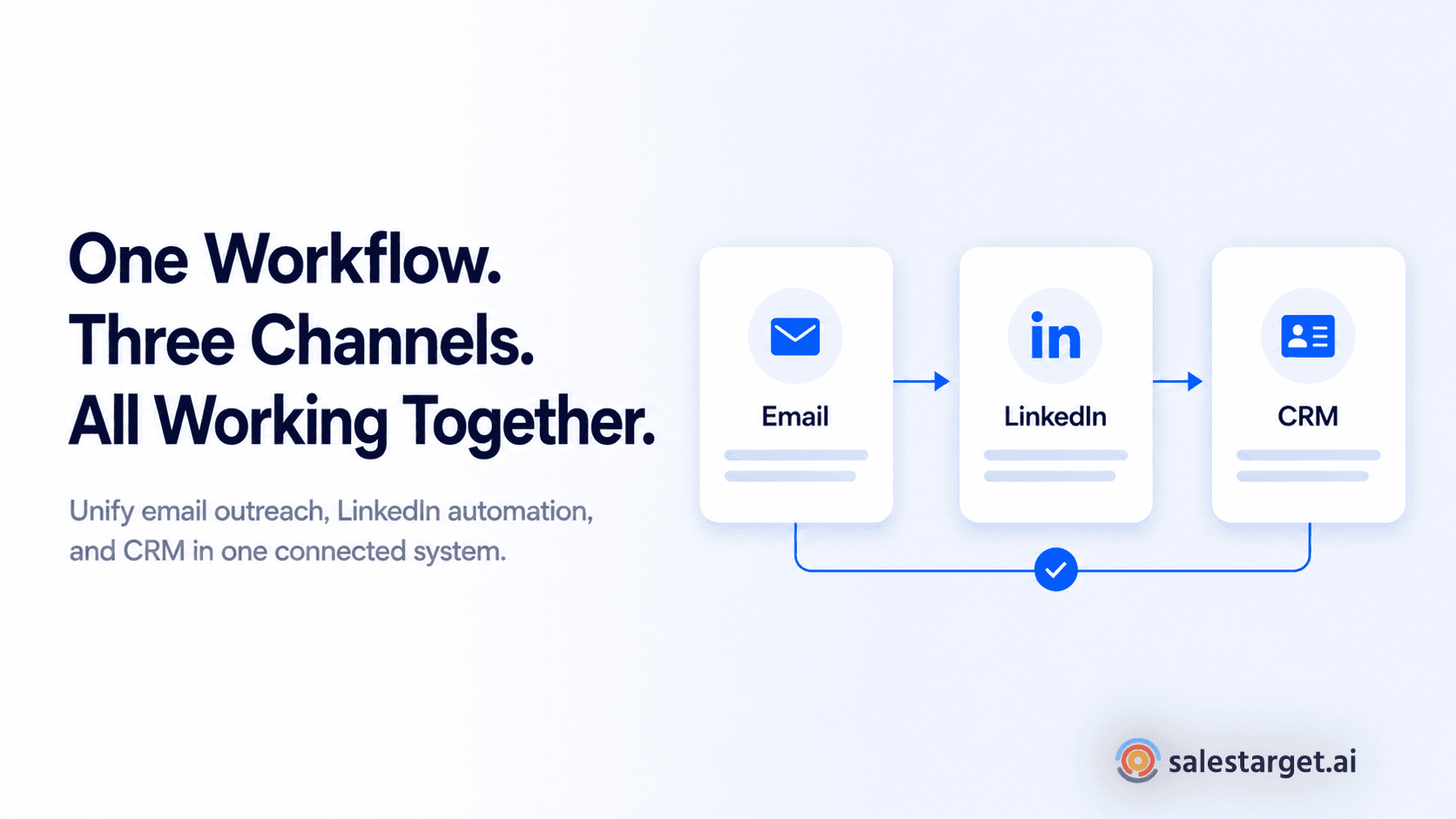
SalesTarget's CRM is built on exactly this model — email outreach, LinkedIn automation, lead intelligence, and pipeline tracking share the same data layer, so nothing needs to be synced because nothing was ever separate to begin with.
Five Signs Your Stack Has a Unification Problem
Most teams don't notice the cost of fragmentation until they see what a unified workflow feels like in practice. Before that moment, the friction feels normal — just part of running a sales operation. Here are the signals that it isn't normal. It's structural.
Signal 1 — Your reps update two systems after every prospect interaction
If logging a reply or a call means opening the outreach tool, then opening the CRM, then updating both records — that's not a process problem. That's your architecture forcing double work on every rep, on every deal, every day of the week.
Signal 2 — You can't tell which outreach campaign generated a closed deal
If your revenue attribution stops at reply rate and can't connect a specific sequence to a specific closed deal, you're optimizing outreach on incomplete data. You're spending budget on campaigns you can't fully evaluate.
Signal 3 — Leads reply to sequences but don't always make it into the pipeline
When the handoff from "interested prospect" to "active deal" is a manual step, some leads will always slip through. Not because your reps are careless — because manual handoffs at volume are a fundamentally unreliable system design.
Signal 4 — Your sales manager spends time on integration maintenance
If anyone on your team regularly has to check whether the sync is working, fix a broken automation, or manually re-import leads — you're paying for that in manager hours. That time belongs in pipeline reviews and rep coaching, not infrastructure babysitting.
Signal 5 — Reps don't actually trust the CRM data
When reps start keeping their own notes in a doc or spreadsheet because "the CRM is never up to date," the system has already failed. The data your team is making decisions from isn't reliable — and compounding errors on unreliable data gets more expensive every quarter you let it run.
What to Actually Look for When Evaluating a Unified Platform
Not every tool that positions itself as a sales CRM for outreach delivers genuine unification. Some are CRMs that added a basic email sequence builder. Some are outreach tools that added a contacts table and called it pipeline management. The bar for real unification is higher than any feature checklist — it comes down to whether the two capabilities share data in real time, or just sync on a schedule.
When you're evaluating platforms, push on these specific points:
| Capability | What Genuine Unification Looks Like | Red Flag Phrasing |
|---|---|---|
| Lead-to-pipeline flow | Reply automatically creates or advances a CRM deal — zero manual step | "You can push to CRM with one click" — still manual |
| Activity logging | Every send, open, click, and reply logged automatically in the contact record | Activity visible in outreach tool only, not in CRM timeline |
| Deal pipeline | Pipeline stages reflect outreach status in real time — no sync needed | Pipeline and sequences are in separate sections with no live connection |
| Follow-up automation | Tasks and reminders auto-created when a lead responds or hits a defined trigger | Follow-ups require manual task creation in a separate CRM module |
| Revenue attribution | Can trace a closed deal back to the exact sequence and step that started the conversation | Reporting stops at open rate — no line of sight from outreach to revenue |
SalesTarget's deal pipeline and email outreach operate on this model — prospects move through outreach stages and pipeline stages in the same system, with follow-up automation triggered the moment a lead engages, replies, or goes silent past a defined window. The activity tracking layer makes the full interaction history visible inside the CRM record — not in a separate tool your rep has to switch to mid-call.
Four Mistakes Sales Managers Make When Evaluating This Decision
Mistake 1 — Evaluating on feature count, not data architecture
A platform with 40 features and a poorly designed data model will produce the same fragmentation problems you're trying to solve. Before committing, ask specifically: does a reply in the outreach module automatically update the CRM record, or is there a sync step in between? That one question tells you more than any feature grid.
Mistake 2 — Optimizing for what current reps are already familiar with
Familiarity bias is real — reps push back on platform changes because learning a new tool feels harder than working around the current one's limitations. The question isn't which tool feels comfortable today. It's which architecture produces better pipeline in six months.
Mistake 3 — Treating stack consolidation as a cost-cutting exercise
Yes, running fewer tools costs less. But framing this as a budget decision undersells the real return. The revenue impact of eliminating follow-up gaps, reducing manual admin, and giving reps full prospect context on every call is considerably larger than the subscription savings. The business case is conversion rate improvement, not line-item reduction.
Mistake 4 — Assuming best-in-class per category is still the right strategy
The best-in-class-per-category approach made sense when integrations were seamless and data moved cleanly between systems. In 2026, with the volume and speed of outbound B2B sales, the friction cost of fragmentation outweighs the marginal feature advantage of each individual tool. A slightly leaner CRM that shares data in real time with your outreach module will outperform a premium CRM that requires a nightly sync — every time.
The Real Argument: This Is About Conversion, Not Convenience
The reason to bring your CRM and cold email tool into the same platform isn't to simplify your tech stack — though that's a real benefit. It's to eliminate the conversion losses that occur silently in the gaps between disconnected systems.
Every handoff in a fragmented stack is a moment where a lead can slip through. Every sync delay is a window where a faster-moving competitor gets there first. Every manual update a rep skips is a data point missing from the decision you'll make next quarter about which sequences to run, which personas to target, and which reps to coach.
📊 The Cost of Fragmentation in B2B Sales
- 28% of a sales rep's week is spent actually selling — Salesforce State of Sales
- Sales teams with high CRM adoption report significantly better pipeline visibility and forecast accuracy — HubSpot State of Sales
- B2B buyers expect the vendor they engage with to have full context on every interaction — not just the last email sent
A unified platform makes your CRM record the single source of truth — outreach history, replies, engagement signals, deal stage, follow-up tasks — all in one place, always current, never waiting on a sync. Your CRM analytics can finally connect sequence performance to revenue outcome, because both datasets live in the same system.
That's not a convenience argument. That's a conversion argument. And for any B2B team running outbound at real volume, it may be the most important infrastructure decision you make this year.
Stop managing your pipeline across disconnected tools.
See what cold email outreach and CRM look like when they share the same data — and the same platform.
✓ 50 credits ✓ 7-day trial ✓ No credit card required
Frequently Asked Questions

See It In Action: Book Your Free Demo
Get a personalized walkthrough and see how it works for your team.
Book My Demo →



