 TL;DR
TL;DR
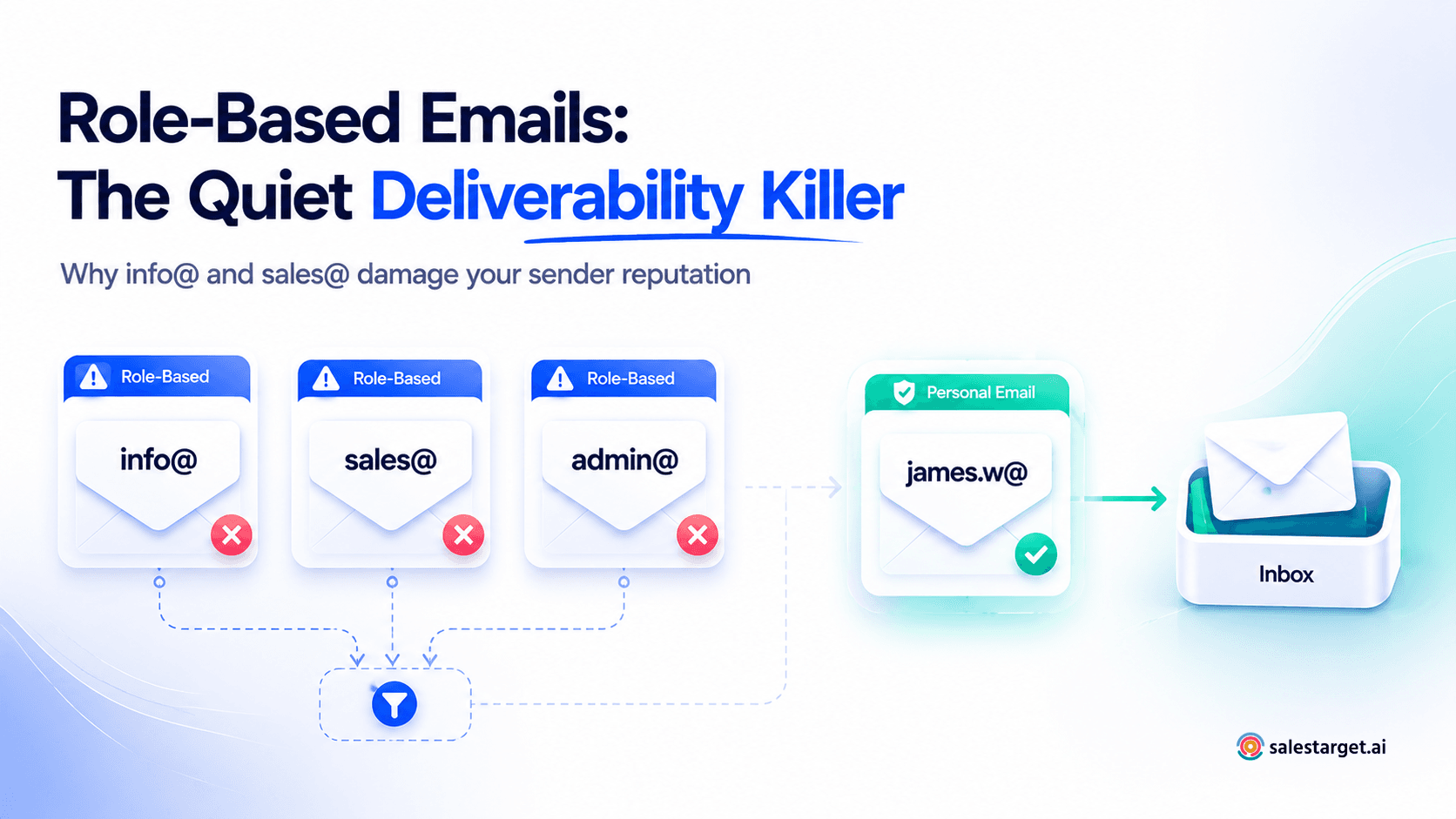
- A role-based email address is a shared mailbox tied to a department or function — info@, sales@, admin@, support@ — not a real person. RFC 2142 codifies the most common ones.
- Sending cold email to role-based addresses produces higher complaint rates, more hard bounces, and faster sender-reputation decay than any other lead-quality issue.
- Gmail's 2024 bulk-sender rules cap spam complaints at 0.3%. Role-based addresses are the fastest way to cross that line without realising it.
- Manual detection (looking for admin@, info@, sales@) catches the obvious ones but misses 20–30% of variants. Real-time validation at list-build and at send is the only reliable defence.
- SalesTarget's Email Validator auto-flags role-based addresses before they enter your outbound campaigns.
Your reply rate dropped 40% in two weeks. Your sender score is sliding. You haven't changed copy, sequence, or list source. The culprit hiding in your CSV? A handful of addresses starting with info@, sales@, and admin@.
Role-based emails are the quietest deliverability killer in B2B outbound — and most SDR teams don't catch them until the damage is already baked into their domain reputation.
What Is a Role-Based Email Address?
A role-based email address is a shared inbox tied to a job function, department, or service — not a specific human. Anyone in that team can read, ignore, or report messages sent to it. Common examples: info@company.com, sales@company.com, support@company.com, admin@company.com, hello@company.com.
These addresses aren't an internet quirk. They're codified in RFC 2142, a 1997 IETF standard that defined the official mailbox names every organisation should support for operations and business functions — postmaster@, abuse@, webmaster@, security@, sales@, marketing@, and so on. The standard exists so internet infrastructure has predictable contact points. It was never designed to receive cold outreach.
That distinction matters. When a sender treats a role-based address like a personal contact, the mailbox provider treats the sender like a spammer.
Common role-based email prefixes you'll see in B2B lists
| Category | Typical prefixes | Who actually reads it |
|---|---|---|
| General contact | info@, hello@, contact@, hi@ | Whoever rotates through the shared inbox that week |
| Sales & marketing | sales@, marketing@, partnerships@ | Usually a distribution list to 3–8 reps |
| Support & operations | support@, help@, ops@, billing@ | A ticketing system, often nobody human first |
| Admin & HR | admin@, hr@, careers@, jobs@ | Internal-only audience, external mail flagged aggressively |
| Technical / RFC 2142 | postmaster@, abuse@, webmaster@, security@ | IT and infosec. They will report you. |
Why Role-Based Emails Quietly Kill Cold Email Deliverability
The damage isn't theoretical. Every problem with role-based addresses compounds — one message can pull three different reputation levers at once.
1. Multiple humans means multiple chances to mark you as spam
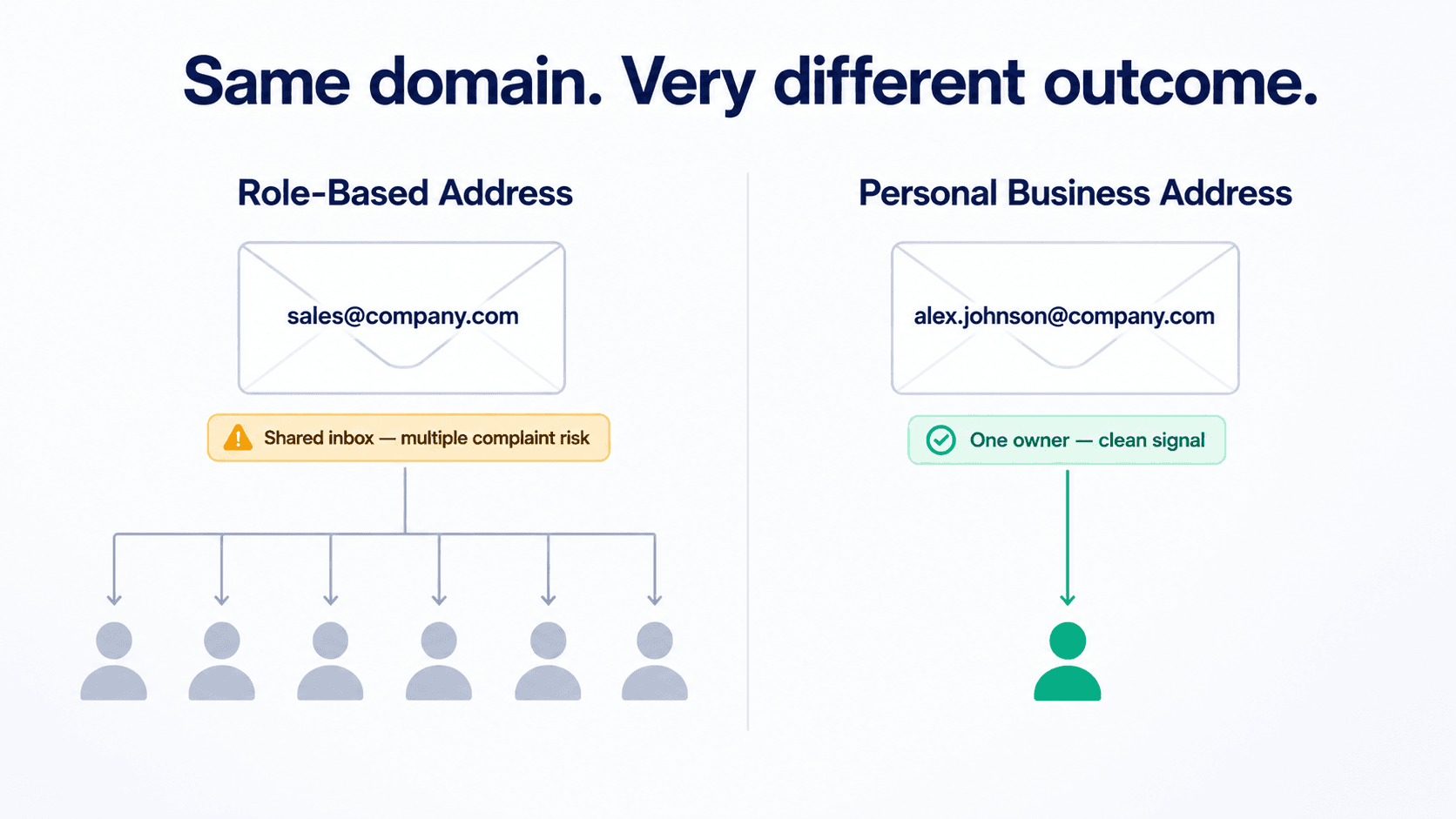
A personal inbox has one owner. If they don't recognise your name, they delete the email or ignore it. A role-based inbox has between 3 and 15 people watching it. Each one is a separate decision-maker, and at least one of them will hit "Report Spam" — especially when the email is clearly mass outreach to an address they know wasn't supposed to receive sales pitches.
That single complaint, multiplied across a sequence and a list, is what tips your spam-complaint rate into the red zone.
2. Mailbox providers actively pattern-match role-based prefixes
Google, Microsoft, and the major B2B filters know exactly which prefixes are role-based. They use the prefix as a signal: a sender hitting many role-based addresses inside a short window looks like list-buying or scraping behaviour, regardless of how clean the copy is. The result is silent throttling — your emails still send, they just stop landing in inboxes.
3. Hard bounce rates jump on role-based addresses that no longer exist
Role-based mailboxes are often abandoned. A company decommissions sales@ when they move to a CRM-routed form. Nobody updates the website. The address keeps appearing in scraped lists for months. When your campaign hits 50 of them, you get 50 hard bounces in a single send — a textbook spam-trigger pattern.
📊 The numbers that matter
- 0.3% — Gmail's hard ceiling on spam-complaint rate under its 2024 bulk-sender guidelines. Cross it and inbox placement degrades fast. (Google Postmaster guidelines)
- 0.1% — The recommended ceiling that gives senders a buffer before throttling kicks in.
- 0.02% — Industry best-practice complaint rate for healthy B2B senders.
- 0.014% — Global average complaint rate across opted-in lists (GDMA 2024 benchmark). Cold outbound to role-based addresses routinely runs 10–30x higher.
Role-Based vs Personal vs Disposable Emails: The Differences That Matter
All three of these get lumped together as "bad email types" in most validation tools. They're not the same problem, and treating them the same way will cost you good leads.
| Email type | Example | Owner | Risk to sender |
|---|---|---|---|
| Personal business | priya.sharma@acme.com | One named person | Low — primary outbound target |
| Role-based | sales@acme.com | Shared team or function | High — complaints, bounces, reputation drag |
| Disposable / temporary | abc123@mailinator.com | Nobody — burner | High — bounces fast, signals dirty list |
| Spam trap | Looks like a real address; isn't | ISP or anti-spam org | Severe — blocklist within hours |
Personal business addresses are what you want — one human, one decision. Disposable addresses are short-lived burners that scream "scraped list" to mailbox providers. Spam traps and disposable addresses deserve their own playbooks. Role-based addresses are the trickiest category because they look completely legitimate. They resolve. They don't bounce on initial validation. They sit in your CSV looking like real prospects right up until they start damaging your sender reputation.
How to Detect Role-Based Emails in Your Outbound List
There are two detection layers — and you need both. Manual pattern matching catches the obvious cases. Tool-based real-time validation catches everything else.
Layer 1: Manual prefix patterns
If you're scrubbing a list by hand, filter for these prefix patterns first. They cover the bulk of standard role-based addresses:
| Pattern group | Common variants |
|---|---|
| Generic inbox | info@, hello@, hi@, contact@, mail@, office@ |
| Department | sales@, marketing@, support@, hr@, finance@, legal@, ops@ |
| RFC 2142 technical | postmaster@, abuse@, webmaster@, security@, noc@, hostmaster@ |
| Function-specific | careers@, jobs@, press@, partnerships@, events@, newsletter@, no-reply@ |
| Team-flavoured | team@, group@, everyone@, all@, staff@ |
Layer 2: Why manual detection isn't enough
Pattern matching breaks down fast in real lists. Three reasons:
Localised variants. A French SaaS company uses ventes@ instead of sales@. A German firm uses vertrieb@. Most prefix lists were built in English and miss these entirely.
Custom internal naming. Big companies invent their own role-based addresses — biz-dev@, growth-team@, founders@, enterprise-sales@. They behave exactly like sales@ but won't match a static prefix list.
First-name-as-role. Addresses like john@company.com look personal but are often catch-all inboxes for the founder's entire staff. Pattern matching can't tell the difference. Real-time validation against mail-server response patterns can.
This is where running every address through a dedicated email verification tool before sending stops being optional. It's the difference between catching 70% of role-based addresses and catching 99%.
The 3 Mistakes Outbound Teams Make With Role-Based Emails
Mistake #1: "If it has a valid MX record, send it"
The trap
Role-based addresses pass basic syntax and DNS checks. They're not invalid — they're just toxic for cold outreach. Teams that rely on simple verification (syntax + MX lookup) ship campaigns to hundreds of info@ and sales@ addresses every week without realising. Treat valid and safe-to-send as two different filters.
Mistake #2: Letting role-based addresses through "for testing"
The trap
Some teams keep role-based addresses in the list to "see if they convert." They never do — and the spam complaints they generate are attributed to the entire sending domain. Even a single bad batch can shift your reputation from green to yellow in Google Postmaster Tools, and from yellow to red takes one more.
Mistake #3: Validating once at list-build, never again
The trap
A list that was clean three months ago isn't clean now. People leave companies, role-based addresses get rerouted to ticketing systems, and former personal addresses get converted to shared inboxes. Re-verify before every major campaign — especially if the list has been sitting in your CRM for longer than a quarter.
How SalesTarget Auto-Flags Role-Based Emails Before They Hurt You
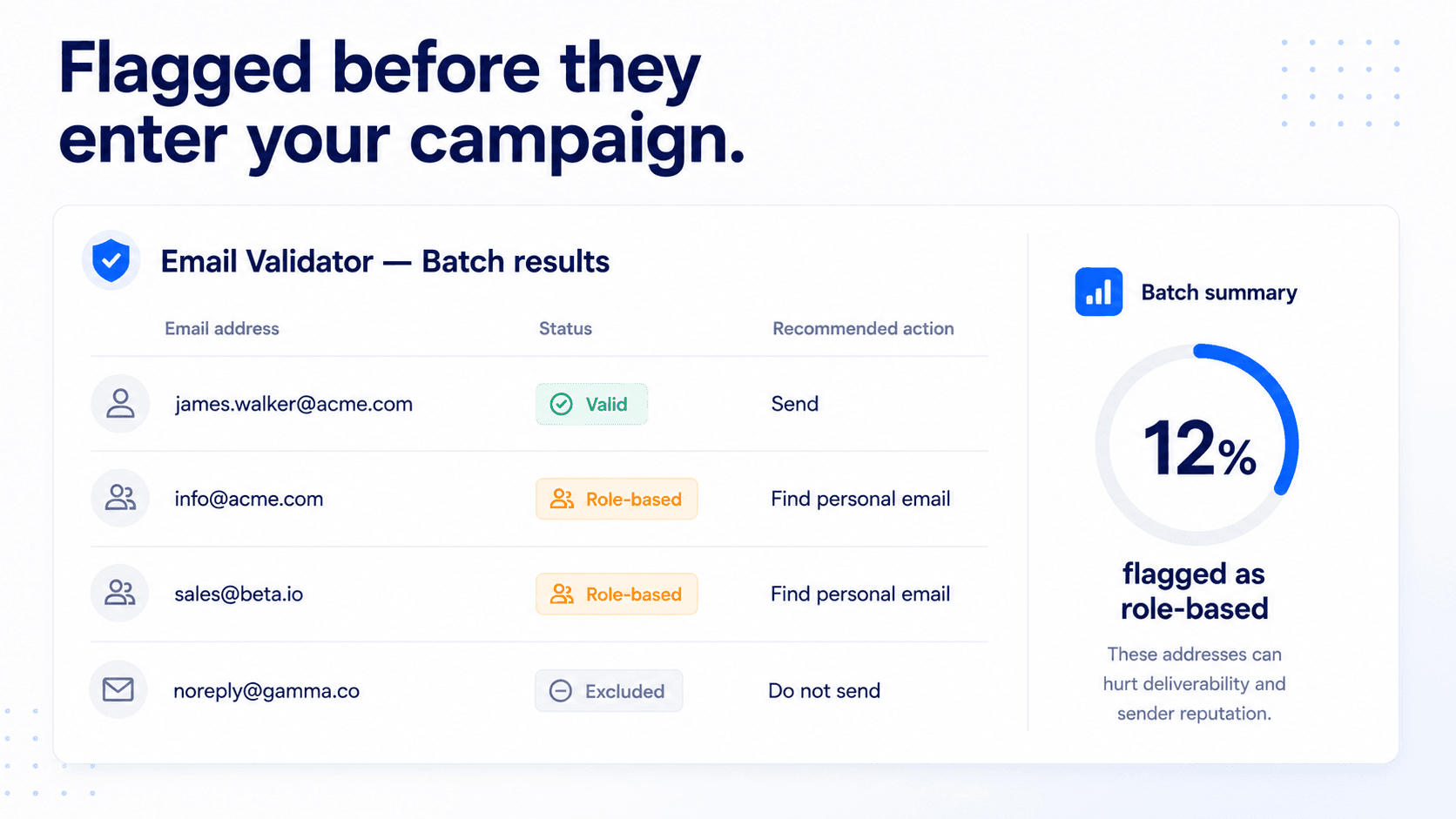
SalesTarget's Email Validator runs every contact through a multi-layer check — syntax, domain, MX record, SMTP response, catch-all detection, disposable-domain blacklist, and role-based pattern recognition — before any address enters an active outbound sequence.
Role-based detection runs on two layers in parallel. Layer one is an expanded prefix dictionary that covers English plus the most common localised variants. Layer two is behavioural — addresses that respond to SMTP probes with patterns typical of shared mailboxes (multiple-recipient routing, ticket-system signatures, auto-acknowledge replies) get flagged even if the prefix looks personal.
The result lands in your dashboard with a clear status flag. You decide whether to drop them, segment them into a separate low-priority sequence, or route them to a different sender domain. The data isn't hidden inside a deliverability score — it's labelled.
For teams sourcing leads inside the SalesTarget platform, role-based filtering is built into Verified Contact Data upstream. The address never enters the campaign in the first place. Combined with Deliverability Boost on the send side, the role-based vector closes end-to-end.
When (If Ever) You Should Email a Role-Based Address
There are narrow scenarios where role-based outreach is defensible. They're rare. They're not your primary motion. They are:
Inbound nurture, not cold outreach. If someone filled out a form using sales@ as their work email, that's a consented contact. They're still annoying to nurture, but they aren't a cold-list deliverability hazard.
Account-based outreach where the role-based mailbox is the documented contact path. Some companies publish partnerships@ as the only inbound channel. Sending one thoughtful, personalised note to that address is reasonable. Sending a six-step sequence is not.
Segregated sender domain. If you must include role-based addresses in a campaign, isolate them on a secondary sending domain so any reputation damage stays contained.
Outside these scenarios, the rule is straightforward: flag, separate, and exclude. Email list hygiene around role-based addresses isn't a polish step — it's the difference between a campaign that performs and a domain that gets quietly throttled into irrelevance.
Stop sending cold email to info@ and sales@.
Auto-flag every role-based, disposable, and high-risk address before it touches your sequence.
✓ 50 credits ✓ 7-day trial ✓ No credit card required





