You send a campaign to 800 prospects. By lunch, dozens of emails have bounced, replies are thin, and your next send lands in spam. The list came from a B2B contact database, and it was supposed to be clean.
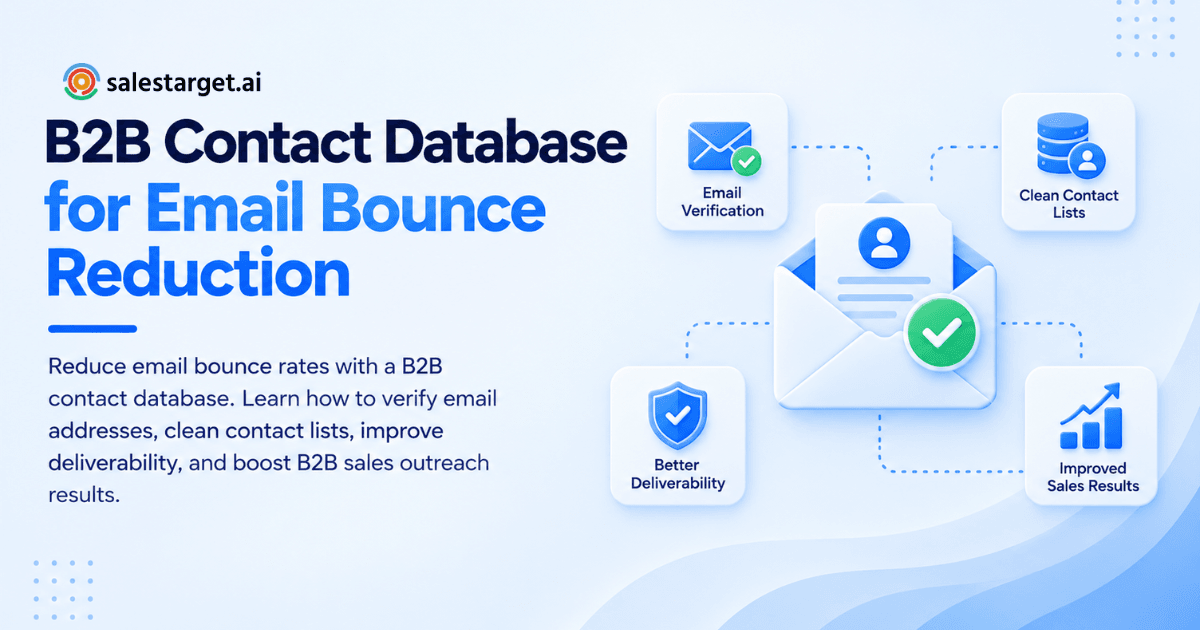
To reduce email bounce rates when using a B2B contact database, verify every address before sending, remove invalid and outdated records, flag catch-all domains, and track bounces by data source. Keep total bounces under 2% and hard bounces under 1%. Bounces drop fastest when verification happens at the moment you enrich a lead, not weeks after the data was first collected. SalesTarget.ai does that, then validates again before sending.
This guide covers where bounces come from, how to stop them, and how to turn it into a process your team repeats.
Email Bounce Rates in B2B Sales Outreach
Common Causes of Bounced Emails in B2B Campaigns
Most B2B bounces come from invalid addresses, job changes, typos, full mailboxes, and blocked sending domains. Work email is tied to employment, so every promotion or layoff can turn a good record into a dead one. Pattern-guessed addresses from scraped sources add more failures before you press send.
Impact of Email Bounce Rates on Sender Reputation and Sales Performance
High bounce rates lower your sender reputation, which lowers inbox placement for every later email. Mailbox providers read bounces as a sign of careless list sourcing. One bad batch can push a healthy domain toward spam folders, and your best prospects never see the message. Reps then blame the copy when the data was the problem.
Hard Bounces, Soft Bounces, and Acceptable Bounce Rate Benchmarks
A hard bounce is a permanent failure (the address does not exist). A soft bounce is temporary (full inbox, server down). Belkins tracked 7.5 million B2B cold emails and found an overall bounce rate of 1.71%. Treat 2% as your ceiling, keep hard bounces under 1%, and pause sending above 5%.
B2B Contact Database Quality and Email Deliverability
Your B2B contact database sets your bounce ceiling. No sending setup fixes a list full of dead addresses.
Invalid Email Addresses and Outdated Contact Records
Invalid addresses were mistyped or never existed. Outdated records belong to people who moved on. Databases refresh on a schedule, so a contact scraped months ago may be gone today. Ask every provider when each contact was last verified, not when it was added.
Inaccurate Business Data and Unverified Prospect Lists
Wrong company, wrong role, or wrong domain all produce bounces. Acquisitions and rebrands move email domains. The old domain forwards for a while, then stops. Purchased CSV exports carry all of this with no verification trail, which is why they bounce harder than lists built inside a verified platform.
Catch-All Domains, Mailbox Availability, and Server Errors
A catch-all domain accepts mail for any address, so a basic SMTP check returns a false "valid." BounceZero found roughly 23% of B2B domains behave this way across 50M+ emails checked. Many are large enterprises behind security gateways, so skipping all of them also skips some of your best accounts. Full mailboxes and server errors cause soft bounces.
Best Practices for Reducing Email Bounce Rates
Verify Email Addresses Before Starting Outreach
Run every address through MX and SMTP checks before it enters a sequence. Verification decays, so a list verified at build time is not verified at send time. Re-verify any contact older than 30 days before launch. Skip this and you trust a status that expired weeks ago.
Validate Contact Lists Before Importing Them Into Sales Tools
Validate the file before it touches your sequencer or CRM. Once a bad record enters, it spreads into sequences, reports, and territory assignments, and cleanup gets harder. Run bulk validation first and import only the rows that pass.
Remove Invalid Addresses and Update Outdated Records
Delete hard bounces from active lists and re-enrich stale records instead of discarding them. A contact who changed jobs is often reachable at the new company. That is a warmer lead than a cold name, and most teams delete it. Re-enrich, verify the new address, and restart the conversation.
Segment Prospects by Data Quality and Outreach Priority
Split your list into tiers: verified, risky (catch-all or unknown), and unverified. Send the verified tier at full volume. Send the risky tier in small batches from a warmed inbox. Track bounce rate per tier, since a blended number hides the segment that is leaking.
Monitor Bounce Reports and Maintain Email Suppression Lists
A suppression list is a permanent do-not-send list for bounced and complaining addresses. Check bounces within 24 hours of every send. Treat three soft bounces in a row as a hard bounce. Suppress at the workspace level, so no rep or campaign can email a dead address again.
Want to see how your current list holds up? Start free with SalesTarget.ai and validate a sample before your next send.
Email Verification and Contact Data Management
Email List Validation and MX/SMTP Verification
An MX check confirms the domain can receive mail. An SMTP check asks the server whether the mailbox exists, without sending a message. Syntax and disposable-address checks run first. Together they catch most invalid addresses. They cannot settle catch-all domains, which need risk scoring and careful sending.
Real-Time Email Verification and Bulk List Cleaning
Real-time verification checks one address as it is captured or enriched. Bulk cleaning checks a whole file. Use real-time for new leads so errors never enter your system. Use bulk for older databases and imported lists. Most teams need both.
Contact Data Enrichment and Record Updates
Enrichment fills missing fields and refreshes titles and emails. Re-enrichment replaces a stale address when a contact changes jobs. Verify after enrichment, since new data can carry new errors. The order matters: enrich, verify, then send.
Automated Email List Hygiene for Ongoing Campaigns
Automate re-verification so list hygiene never depends on a rep remembering. Re-verify active lists before every campaign and idle lists monthly. Hygiene fails when it is a task. It holds when it is a schedule. Keep a clear email list hygiene routine with an owner.
Email Deliverability Best Practices for B2B Prospecting
SPF, DKIM, and DMARC Authentication
SPF, DKIM, and DMARC are three DNS records that prove your emails are real. SPF lists approved sending servers, DKIM signs each message, and DMARC tells providers what to do with failures. Missing records get you filtered no matter how clean the list is.
Mailbox Warm-Up and Sending Volume Management
Warm-up means starting a new inbox with a few sends per day and raising volume slowly. Spread volume across several inboxes instead of loading one. A sudden spike looks like spam to providers, and bounces during a spike do double damage.
Sender Reputation and Domain Health Monitoring
Watch bounce, spam complaint, and reply rates per sending domain. Use Google Postmaster Tools for the Gmail view. Run outreach from a secondary domain so a problem never touches your primary one.
Personalized Outreach and Relevant Email Content
Relevant emails earn replies and draw fewer spam complaints. Complaints hurt reputation the way bounces do. Personalize on role, company event, or buying signal, not just a first name.
Bounce Tracking and Campaign Performance Analysis
Track bounces by campaign, data source, enrichment date, and domain. A sudden jump in one sequence points to one bad source. A slow climb across everything points to data decay. Compare both against the 2% line.
Selecting a B2B Contact Database for Reliable Outreach
Contact Accuracy, Verification Coverage, and Data Freshness
Ask for the verification method, the share of records verified, and last-verified dates. Then test it. Pull 200 contacts, send them from a warmed inbox, and read your own bounce rate. Your result beats any accuracy claim on a sales page.
Email Validation Features and Bounce Prevention Capabilities
Look for MX/SMTP checks, disposable detection, risk scoring, catch-all flags, a real-time API, and bulk cleaning. If validation is a separate tool, that is one more export step where data goes stale between find and send.
CRM Integration and Sales Workflow Compatibility
Contacts should flow into sequences and your CRM without CSV hops. Each export adds delay and version drift. Before you shortlist the best B2B contact database for your team, check how each option handles this handoff.
Database Coverage, Pricing, and Total Cost of Ownership
Pricing models vary (credits, seats, flat plans), but the real cost is what bad data wastes. Count the sends that bounce, the reputation repair, and the rep hours spent on dead contacts. A cheap list with a high bounce rate costs more than a verified one.
Why Choose SalesTarget.ai
Verified B2B Prospect Data With Lead Explorer
Lead Explorer searches 840M+ professional profiles and 146M+ business entities across 50+ data sources. One-click enrichment unlocks verified professional email, personal email, phone, and mobile. Contacts are verified at the point of enrichment, not whenever the data was first scraped. SalesTarget.ai reports 99% verified contact data. Compare that with the Belkins bounce benchmark above.
Email Validation to Reduce Invalid Contact Records
Email Validator runs MX and SMTP checks, detects disposable addresses, and scores risk before you send. It offers a real-time verification API and bulk list cleaning, and connects across 60+ platforms, including CRMs and email service providers. Bad records get caught before they reach a sequence.
Integrated Email and LinkedIn Outreach
Email Outreach offers unlimited inboxes with automatic AI warm-up, inbox rotation, and SPF, DKIM, and DMARC checks. SalesTarget.ai reports 90% of emails validated before sending. For risky catch-all contacts, LinkedIn Outreach reaches the same prospect in one coordinated flow without putting your domain at risk.
Built-In CRM for Contact and Sales Activity Management
The CRM receives campaign leads automatically, so no import step lets stale data back in. Every email and call is logged to the lead timeline, which gives reps the full contact history before they decide to retry an address.
AI Copilot for Prospect Research and Sales Tasks
AI Copilot is free inside the platform. Ask it in plain language to find leads that fit your ICP, draft a full sequence, or pull CRM deals and tasks. Prospect research stays inside the same workspace as verification.
Common Email Bounce Rate Mistakes to Avoid
Sending Campaigns Without Validating Contact Lists
A list you did not validate is a list you are guessing about. Even a trusted database needs a pre-send check, since contacts change jobs between the last refresh and your send date.
Treating Catch-All Addresses as Fully Verified
A catch-all result means "unknown," not "valid." FirstSales, citing Hunter's testing, reports catch-all addresses bounce roughly 27 times more often than addresses on standard servers. Tier them and send small.
Repeatedly Contacting Addresses That Previously Bounced
Every retry to a dead address is another strike against your domain. Suppress after the first hard bounce. Check suppression across campaigns, not inside one.
Ignoring Bounce Trends After Database Updates
A fresh import changes your bounce profile. Watch the first two sends after any database update. A rise tells you the new batch needs cleaning before the rest of the list suffers.
Confusing Successful Delivery With Inbox Placement
"Delivered" only means the server accepted the message. It does not mean the inbox got it. A message in spam still counts as delivered. Track replies and use seed tests alongside bounce rate.
Building a Repeatable Email Bounce Prevention Process
Contact Verification Before Every Campaign
Make verification a launch gate. No campaign goes live until every contact has a verification date within the last 30 days.
Regular Database Cleaning and Contact Updates
Schedule cleaning monthly and re-enrich job changers. Assign an owner, usually RevOps or the sales ops lead, so it gets done.
Bounce Rate Monitoring and Corrective Actions
Set trigger points. Review at 1%, investigate at 2%, pause at 5%. Write down who acts at each level, so a spike is handled the same day.
Continuous Improvement in Data Quality and Outreach Performance
Compare bounce rates by data source every month and cut the worst one. Over a quarter, your list sources get better, and so does your reputation.
Conclusion: Maintain Clean Contact Data for Better B2B Outreach
Bounces start in the data, not the email. Stale records, unverified addresses, and unflagged catch-all domains fill your send list with failures, and each failure costs you reputation you worked to build. The fix is a short loop: enrich, verify, segment, send, review, repeat.
SalesTarget.ai runs that loop in one workspace. Lead Explorer finds and enriches contacts with verification at the point of enrichment, Email Validator checks them before sending, Email Outreach protects your domains, and the CRM keeps the history. That is how teams stop losing campaigns to dead addresses.
Start free with SalesTarget.ai and send your next campaign to a list you can trust.