Your reps just pulled 5,000 contacts from a B2B lead database, loaded them into a sequence, and hit send. Three days later: a 14% bounce rate, two domain blacklist warnings, and exactly zero replies from anyone who can actually sign a purchase order. The list looked big. It just wasn't accurate, and it wasn't targeted at the people who make buying decisions.
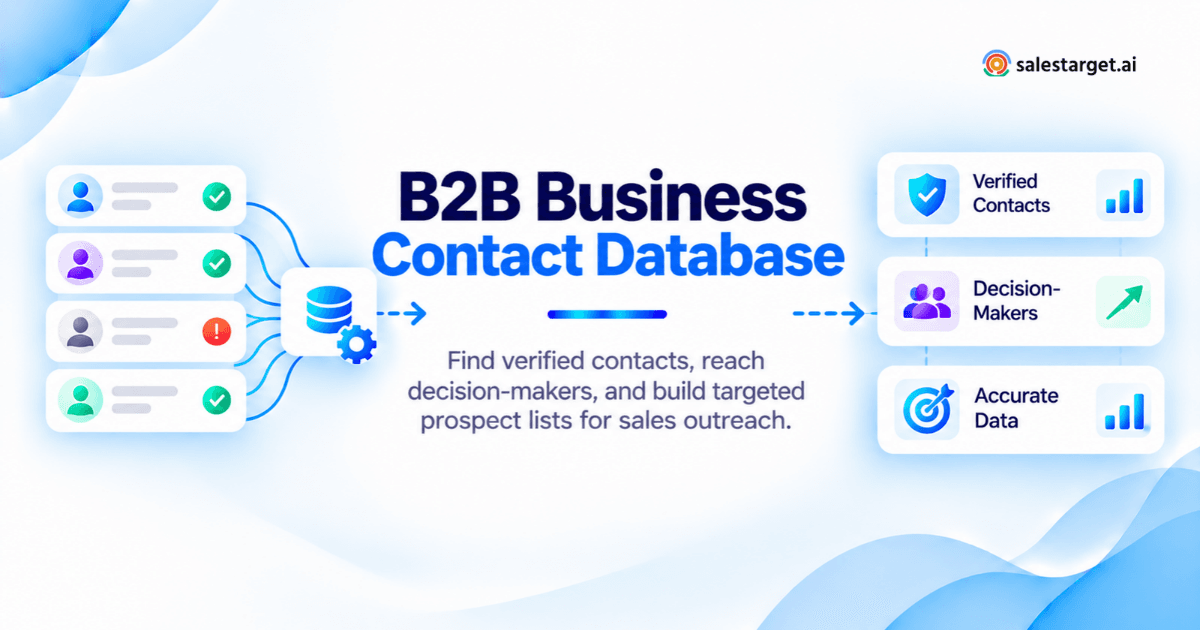
A B2B business contact database is a searchable system that stores verified professional emails, phone numbers, job titles, and company details for business buyers. The best ones let you filter by industry, company size, seniority, and department so you reach decision-makers, not just anyone with a LinkedIn profile. When contacts are verified at the point of enrichment (not months earlier), bounce rates drop, reply rates climb, and reps spend time selling instead of cleaning spreadsheets.
Where Can You Find Verified B2B Business Contacts and Decision-Makers?
Why large B2B contact lists still miss the right decision-makers
Volume is the oldest trick in the B2B data business. Providers advertise millions of records, but a closer look reveals contacts without direct emails, job titles that haven't been updated in two years, and zero filtering for purchasing authority. A list of 50,000 "marketing professionals" is useless if none of them control budget at companies that fit your ICP.
The fastest way to find accurate business contacts for outbound sales
Skip the generic list purchase. Start with your ideal customer profile, filter by industry, company size, and buying role, then enrich and verify contacts at the moment you pull them. SalesTarget.ai's Lead Explorer does this in one step: search across 840M+ verified professional profiles using business and people filters, and one-click enrichment unlocks verified email, phone, and mobile before the contact ever touches your sequence.
What Is a B2B Business Contact Database, and How Does It Work?
A B2B business contact database is a structured collection of professional contact records tied to business entities, storing names, job titles, emails, phone numbers, and firmographic data for sales teams to search, filter, and build prospect lists.
What contact and company information should a B2B database include?
At minimum: verified business email, direct phone or mobile, full name, current job title, department, seniority level, company name, industry, employee count, revenue range, and technology stack. Stronger databases add buyer intent signals, funding history, and hiring activity. SalesTarget.ai pulls from 50+ data sources and layers in 4,000+ intent and buyer signals from Bombora, so you see whether a company is actively researching solutions like yours.
B2B Contact Database vs. B2B Company Database: What's the difference?
A B2B company database indexes business entities: name, industry, size, revenue, tech stack. A B2B contact database indexes the people inside those companies: names, roles, emails, phone numbers. You need both. SalesTarget.ai combines 146M+ business entities with 840M+ professional profiles in one search, so you go from "mid-market SaaS companies in North America" to "VP of Sales at those companies, with verified email" in a single workflow.
How are business contacts collected, enriched, and updated?
Most B2B data providers scrape public sources (LinkedIn profiles, company websites, SEC filings, job postings) and aggregate records from data partnerships. The weak point is freshness. If a provider enriched a contact six months ago, you're betting that person hasn't changed jobs since then. SalesTarget.ai enriches contacts at the moment you request them, pulling real-time data rather than serving a cached record.
What makes a B2B contact verified and ready for outreach?
A verified contact has passed email validation (MX record check, SMTP handshake, disposable-email detection, risk scoring) and has a confirmed current job title at an active company. "Verified" should mean the check happened recently, not when the record was first created. SalesTarget.ai's Email Validator runs these checks and scores deliverability risk before any message is sent, reporting 99% verified contact data.
How to Find Verified B2B Business Contacts in 6 Steps
Step 1: Define your ideal customer profile by industry, company size, and location
Write down the firmographic traits of your best-fit accounts: industry vertical, employee count range, annual revenue band, and geography. If your product sells best to B2B SaaS companies with 50 to 500 employees in the US, that's your starting filter. SalesTarget.ai's ICP Builder lets you save these parameters and reuse them across searches.
Step 2: Find targeted B2B prospects using industry and company filters
Use your ICP criteria to search for matching companies. Filter by industry, sub-industry, company size, revenue, location, and technology stack. In Lead Explorer, you can stack these filters or type a plain-English description and let the AI prospecting engine return matching accounts.
Step 3: Identify buying roles using job title, department, and seniority filters
Filter for people who hold purchasing authority. Use job title, department (Sales, Marketing, IT, Finance), and seniority level (C-suite, VP, Director, Manager) to zero in on decision-makers. A common mistake is targeting only one title. Multi-threading the buying group matters, and we'll cover why in a later section.
Step 4: Find business email addresses and phone numbers of decision-makers
Enrich each contact to unlock their verified business email, personal email, phone number, and mobile. In SalesTarget.ai, this is a one-click action inside Lead Explorer. Enrichment happens in real time, so the data reflects the contact's current role and company, not a snapshot from months ago.
Step 5: Verify email addresses, company details, and current job roles
Before any contact enters a sequence, run it through email verification. Check for invalid domains, inactive mailboxes, and disposable addresses. SalesTarget.ai runs this verification at the point of enrichment and flags risky addresses with a deliverability score.
Step 6: Build a clean prospect list and sync verified contacts with your CRM
Remove duplicates, strip out contacts that failed verification, and push the clean list into your CRM or outreach sequence. SalesTarget.ai lets you push enriched leads straight into sequences or the built-in CRM with no CSV export required.
How Do You Find the Right B2B Decision-Makers at Target Companies?
A verified email address is only valuable if it belongs to someone who can say yes to your deal.
Who makes purchasing decisions in small, mid-market, and enterprise companies?
At a 10-person startup, the founder or CEO signs off on most purchases. At a mid-market company (100 to 1,000 employees), a department head or VP typically owns budget. At enterprise organizations, buying committees of five to ten people control purchasing. Your prospecting approach has to match the company's decision-making structure.
How to identify budget owners, buying champions, and technical evaluators
Budget owners approve the spend. Buying champions advocate internally for your solution. Technical evaluators test whether it fits existing systems. Map all three at each target account. SalesTarget.ai's filters for seniority, department, and job function let you pull all three roles from a single search.
How to find decision-makers when job titles differ across companies
A "Head of Growth" at one company does the same job as a "VP of Demand Gen" at another. Instead of searching for exact titles, filter by department and seniority level. This catches the right people regardless of what their company calls the role.
Why targeting multiple buying-group members can improve sales opportunities
Reaching one person at an account is a single thread that breaks if they leave or lose interest. Reaching three to five buying-group members creates redundancy and social proof inside the organization. Gartner research shows B2B buying groups include six to ten stakeholders on average. Multi-threading your outreach to match that reality increases your chances of getting a deal into pipeline.
How Can You Check Whether B2B Business Contact Information Is Accurate?
Bad data doesn't announce itself. You have to test for it.
How to check if a business email address is verified
A verified business email has passed MX record validation (the domain has a working mail server), SMTP verification (the mailbox exists and accepts mail), and disposable-email detection. Deliverability risk scoring adds another layer by flagging addresses with a history of bounces.
Email verification vs. contact data enrichment: What does each check?
Enrichment fills in missing fields: job title, phone number, company details. Verification checks whether the email address is deliverable right now. They solve different problems. SalesTarget.ai runs both in one workflow: enrichment fills the gaps and verification scores deliverability at the same moment.
How to confirm current job titles, company associations, and contact details
Cross-reference the contact's job title and company with their LinkedIn profile. If the enrichment data says "VP Sales at Acme Corp" but their LinkedIn says "Advisor," the contact has moved on. Fresh enrichment at the time of search (not from a months-old cache) reduces this mismatch.
How to handle catch-all emails, missing phone numbers, and outdated records
Catch-all domains accept any email sent to them, so SMTP checks can't confirm whether a specific mailbox exists. Flag these as "unverifiable" and send to them last in small batches. For missing phone numbers, try re-enriching from a second source. For outdated records, re-verify any contact older than 90 days before it enters a new sequence.
How to test contact accuracy using a sample of 100 B2B leads
Pull 100 contacts and run three checks: send a test campaign and measure bounce rate (target under 2%), manually verify 20 job titles against LinkedIn, and check 20 company associations against company websites. If more than 5% of your sample fails any check, your data source has a quality problem.
How to Build Targeted B2B Prospect Lists That Match Your Sales Goals
A contact database is a tool. A prospect list is a weapon. The difference is targeting.
How to segment prospects by industry, geography, company size, and buying role
Start with firmographics (industry, location, employee count, revenue), then layer in buyer role (title, department, seniority). A list of "VP Sales at B2B SaaS companies with 50 to 200 employees in the US" is infinitely more actionable than "Sales professionals in the US."
Example: Find VP Sales and RevOps decision-makers at mid-market SaaS companies
In Lead Explorer, set industry to "Computer Software" or "SaaS," company size to 50 to 500 employees, geography to United States, and job title to VP Sales or RevOps Manager. Hit search, review the results, and enrich in one click. You now have a verified list ready for a multichannel outreach sequence.
Example: Find founders and CEOs at early-stage B2B companies
Filter by seniority (C-suite or Founder), company size (1 to 50 employees), and industry (B2B verticals relevant to your product). Enrich the results to unlock direct email and mobile. Early-stage founders are more reachable by phone and personal email than executives at larger companies.
How to prioritize verified contacts using customer fit and buyer intent signals
Not every verified contact is worth the same effort. Prioritize by ICP fit score and buyer intent signals: is their company actively researching your category? SalesTarget.ai surfaces real-time signals from Bombora intent topics, funding events, hiring spikes, and leadership changes, so you rank contacts by likelihood to buy.
How to remove duplicate, irrelevant, and outdated contacts before outreach
Deduplication is non-negotiable. Merge records that share the same email or LinkedIn profile. Remove contacts outside your ICP filters. Flag any record older than 90 days for re-verification. Run all remaining emails through validation.
What Should You Look for in a B2B Business Contact Database?
Verified contact coverage across your target industries and regions
A platform with 840M+ profiles sounds impressive, but ask: how many are in your target industry and geography? Run a test search with your ICP filters and check whether the results include contacts you recognize.
Advanced company and decision-maker search filters
Basic filters (industry, location) are table stakes. Look for job function, seniority level, department, tech stack, company revenue, and intent topics. SalesTarget.ai offers 50+ data attributes with both business-level and people-level filters.
Contact data freshness, verification methods, and update frequency
Ask how the data is verified and when. A provider that verified records at initial collection and hasn't re-checked since is selling you a depreciating asset. Look for real-time verification at the point of enrichment.
CRM connectivity, email outreach, and LinkedIn prospecting features
A database that requires CSV exports and manual imports into separate tools creates friction at every handoff. SalesTarget.ai keeps prospecting, email outreach, LinkedIn automation, and CRM in one platform, so a contact moves from discovery to pipeline without leaving the system.
Cost per usable contact, data sourcing, and privacy controls
Calculate cost per usable contact, not cost per record. If 30% of a provider's records bounce or have outdated titles, your effective cost is nearly double the list price. Check that the provider complies with GDPR and CCPA and gives you control over opt-out handling.
How Can You Turn Verified B2B Contacts Into Qualified Sales Opportunities?
Organize your B2B prospect database by buying role and account priority
Tag each contact by buying role (budget owner, champion, evaluator) and assign an account tier: Tier 1 for best-fit high-intent accounts, Tier 2 for good-fit, Tier 3 for speculative. Allocate rep time where it creates the most pipeline.
Create personalized email and LinkedIn outreach for verified prospects
Generic emails to verified addresses still get ignored. SalesTarget.ai's AI Content Generator builds personalized multi-step sequences from a plain-English audience description, and the LinkedIn Outreach module runs connection requests, DMs, and follow-ups in a coordinated multichannel flow.
Track prospect replies, follow-ups, and sales opportunities in your CRM
Every reply should log automatically to a contact's timeline. SalesTarget.ai's built-in CRM captures email opens, replies, LinkedIn responses, and calls in one view. Follow-up tasks generate when a lead replies or a meeting wraps up. Teams using this workflow report 91% follow-up completion and 3.2X faster deal cycles.
Measure bounce rate, qualified reply rate, and cost per booked meeting
The metrics that matter: bounce rate (target under 2%), qualified reply rate (positive replies from ICP-fit contacts), and cost per booked meeting. If bounces are above 5%, your data source is the problem. If reply rates are low but bounces are clean, your messaging needs work.
Why Choose SalesTarget.ai
SalesTarget.ai replaces the disconnected point tools most outbound teams stitch together: one platform, one bill.
Find targeted B2B contacts and decision-makers using Lead Explorer
Search 840M+ verified profiles and 146M+ businesses using plain-English queries or advanced filters. Stack industry, role, seniority, company size, revenue, location, and tech stack filters. One-click enrichment unlocks verified email, phone, and mobile in real time.
Access business contact information and enrich missing prospect details
Enrichment happens at the moment of discovery, not from a cached database. Every enriched record includes professional email, personal email, phone, mobile, job title, department, and full company details.
Validate business email addresses before starting outreach
The built-in Email Validator runs MX checks, SMTP verification, disposable-email detection, and risk scoring. Bulk list cleaning and a real-time API connect across 60+ platforms, so 90% of emails are validated before they enter a campaign.
Run email and LinkedIn outreach from one sales platform
Build AI-generated email sequences with automatic warm-up, inbox rotation, and SPF/DKIM/DMARC checks. Run LinkedIn connection requests, DMs, and follow-ups in parallel. Both channels feed into Unibox, where replies are sorted by intent and assigned to reps.
Manage lead activity and sales pipeline stages with the built-in CRM
Campaign leads land in the CRM automatically. Every email, call, and LinkedIn interaction logs to the lead's timeline. Follow-up tasks generate on reply or meeting completion, without enterprise bloat.
Use AI Copilot to create outreach sequences and review campaign results
Chat with AI Copilot to find leads, generate personalized email sequences in seconds, query CRM deals in plain language, and flag at-risk deals. Built-in A/B variation tests messaging across role, industry, and company size.
What Common Mistakes Reduce B2B Contact Database Quality?
Targeting verified email addresses without checking purchasing authority
A verified email to someone with no budget authority is a perfectly delivered message to the wrong person. Cross-reference title, seniority, and department against your buying-group map before adding any contact to a sequence.
Building large prospect lists without industry or ICP filters
An unfiltered list of 10,000 contacts will underperform a filtered list of 500 that matches your ICP on industry, company size, and buyer role. SalesTarget.ai's filter-first approach inside Lead Explorer makes it harder to pull a junk list by accident.
Using outdated job titles and unverified contact details
The average B2B professional changes roles every 2.5 to 3 years. If your database hasn't re-verified a contact in six months, that person may have moved on. Use a provider that enriches and verifies at the point of search, not at original data collection.
Ignoring duplicate records, unsubscribe requests, and data privacy rules
Duplicates waste sequence slots and annoy prospects who receive the same message twice. Unsubscribe violations create legal risk under GDPR and CAN-SPAM. Build deduplication and opt-out enforcement into your workflow from the start.
Measuring database success by contact volume instead of qualified meetings
The only metric that connects your B2B contact database to revenue is meetings booked with qualified buyers. Track cost per booked meeting, not cost per contact or list size.
Build Your Next Verified B2B Contact List With SalesTarget.ai
The gap between outbound teams that hit quota and teams that chase dead leads comes down to data quality at the point of outreach. Not data quantity. Not database size. Whether the contacts are verified, current, and targeted at people who can actually buy.
SalesTarget.ai closes that gap by putting prospecting, enrichment, verification, outreach, and CRM in one platform. Find your next 500 verified decision-makers, push them into a multichannel sequence, and track every reply through to a closed deal.
Start building your verified B2B contact list with SalesTarget.ai.