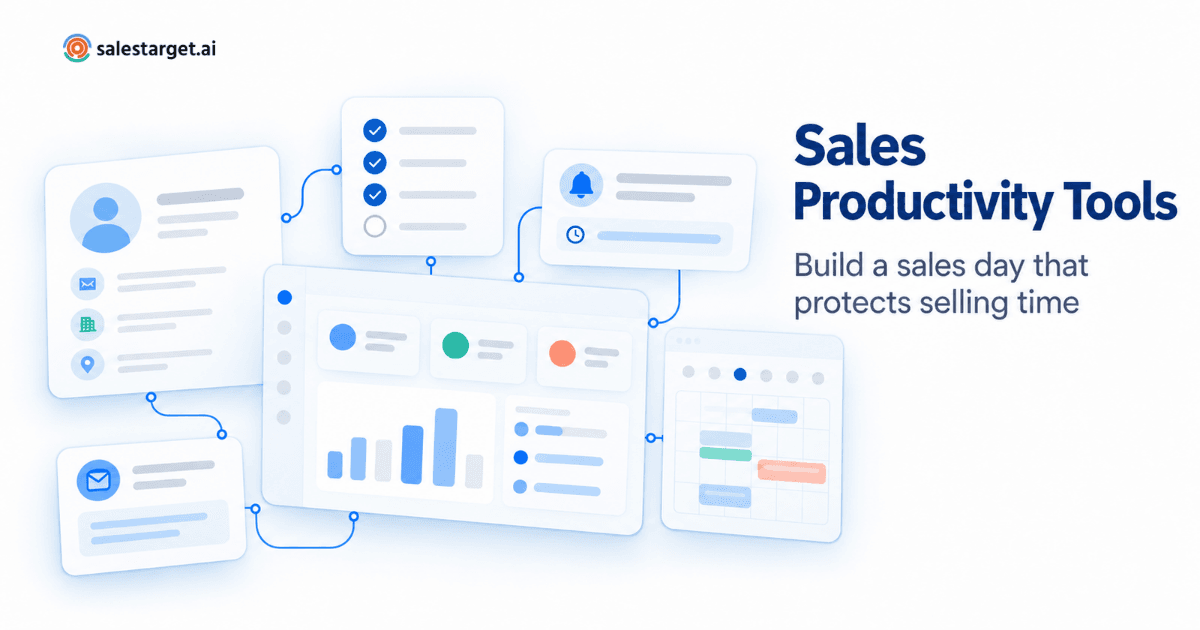
It's 9:10 on a Tuesday. An SDR has six tabs open: a contact database, last week's prospect spreadsheet, two inboxes, LinkedIn and the CRM. She's trying to work out who replied overnight, which follow-ups are due today, and whether the VP of Operations she found yesterday still has a working email address. By the time she has a list she trusts, it's 10:30 and she hasn't spoken to a single buyer.
That morning is common. Salesforce's latest State of Sales research found that the average seller spends about 40% of their time actually selling, and Gen Z reps just 35%. Sales productivity tools exist to change that ratio. The useful ones don't add more screens to the morning. They remove specific steps from it, so reps spend more of the day talking to the right buyers and following up on time.
Simplify Your Sales Workflow
This guide starts from a rep's working day rather than a product list: where the day loses time, which tool fixes which leak, how to combine tools, and how to tell whether reps are actually more productive.
What Are Sales Productivity Tools?
Sales productivity tools are software that help sales reps spend more of their working hours on activities that move deals forward, such as conversations with qualified buyers, personalized outreach and timely follow-ups. They do this by automating or simplifying the work around selling: prospect research, list building, data entry, activity logging, scheduling and deciding what to do next.
Sales productivity software spans prospecting databases, outreach platforms, CRMs, task managers and AI assistants. What unites them is an outcome, not a feature set: more valuable selling activity per hour worked. A tool that doubles emails sent but also doubles bounce cleanup isn't improving productivity.
Why Sales Productivity Comes Down to the Rep's Day
B2B sales productivity is usually discussed at team level: quota attainment, revenue per rep, forecast accuracy. But those numbers are produced one working day at a time. A rep who spends the first ninety minutes rebuilding context, misses two follow-ups because they lived in a different inbox, and logs calls from memory at 6 p.m. will underperform regardless of talent.
More software doesn't automatically help. In a 2024 Gartner survey of more than 1,000 B2B sellers, half said they were overwhelmed by the amount of technology their job required, and sellers who felt overwhelmed were 45% less likely to attain quota. The goal is not more tools. It's tools that take steps out of the day.
Where a typical day loses selling time
Most lost time falls into a handful of recurring jobs, and each one maps to a different kind of tool:
| Time leak | What it looks like | Tool category that addresses it |
|---|---|---|
| Researching and building lists | Hopping between a database, LinkedIn and company websites to find a decision-maker and guess an email | Prospect research and contact data |
| Writing first touches from scratch | Drafting every opening email and connection note by hand | Outreach sequencing with AI-assisted writing |
| Tracking who needs a follow-up | Starred emails, sticky notes and a "check back Thursday" spreadsheet | Sequence automation and CRM tasks |
| Logging activity | Copying call notes and replies into the CRM at the end of the day | CRM with automatic activity capture |
| Switching channels | Email in one tool, LinkedIn in another, no shared history | Multichannel outreach in one workflow |
| Deciding what to do first | Starting with whatever sits at the top of the inbox | Intent signals, reply sorting and task queues |
| Answering "where are we?" | Building a status update before the weekly pipeline review | Live dashboards and AI assistants that query pipeline data |
These are separate jobs. A team rarely needs seven tools to cover them, but each job needs to be covered by something, ideally by tools that share data so the output of one step becomes the input of the next.
Essential Categories of Sales Productivity Tools (and the Job Each One Does)
Prospect research and contact data
Job in the day: produce a short, qualified list of people worth contacting, with details that work. This step sets the ceiling for everything after it. Look for ideal-customer-profile filters, buying signals such as funding or hiring news, and enrichment that verifies contacts when you pull them. A tool that combines AI prospect search with one-click contact enrichment removes the export-and-clean step entirely.
Email outreach and sequencing
Job in the day: send first touches and follow-ups on schedule without the rep having to remember them. This is where sales follow-up automation earns its keep: the gain is consistency, not volume, because every prospect gets the follow-up they were promised even in a week full of meetings. Inbox warm-up and pre-send validation matter too, since every bounce creates cleanup work. Look for email sequences that feed replies into one shared inbox.
LinkedIn outreach
Job in the day: reach buyers where they're active without an hour of manual connection requests. Good tools run requests, messages and follow-ups with daily limits and human-like pacing. The bigger win is coordination: when LinkedIn steps run in the same sequence as email, a prospect who replies on one channel stops hearing from you on the other.
CRM and pipeline management
Job in the day: keep one accurate record of every prospect and deal, and show what happens next. A CRM only helps productivity if it largely fills itself; if reps type in every call and email, it becomes another admin task. Prioritize a CRM that logs activity and creates follow-up tasks automatically.
Sales task management
Job in the day: turn "things I should do" into a ranked queue of "things due today." Tasks inside the CRM usually beat a standalone task manager, because each one carries the contact's history. The test: can a rep open one view at 9 a.m. and see every follow-up due, in priority order?
Workflow automation
Job in the day: move data between steps so nobody has to. A verified lead enters a sequence, a reply creates a task, a booked meeting updates the deal stage. Our guide to how sales workflow automation connects prospecting, outreach and CRM covers those handoffs; the productivity question is how many exports and copy-paste steps remain in a rep's day.
AI sales assistants
Job in the day: compress the research, drafting and analysis between a rep and the next conversation. In Salesforce's 2026 survey, sellers expected fully deployed AI agents to cut prospect research time by 34% and email drafting time by 36%. An AI sales copilot that finds leads, drafts sequences and answers pipeline questions helps most when it works on the same data as the rest of the workflow.
How to Choose the Right Sales Productivity Tools
Start with a one-week time audit before you look at any vendor. Ask two or three reps to log, in 30-minute blocks, what they actually did: research, writing, follow-ups, logging, internal meetings and live conversations. That shows which leaks are largest for your team.
Then judge every candidate with the net-minutes rule: a tool earns a place only if it removes more minutes from a rep's day than it adds through logins, setup, data entry and notifications. These criteria apply whether you're comparing tools to improve sales productivity or one platform that covers several jobs:
| Criterion | Question to ask | Red flag |
|---|---|---|
| Workflow fit | Which leak from the time audit does this tool close? | It solves a problem nobody listed |
| Ease of use | Can a new rep complete a real task on day one? | Nothing works until an admin configures it |
| Data quality | Is contact data verified when it's pulled, or only when it was collected? | Bounce cleanup becomes a weekly chore |
| Integration | Does data reach the next step without CSV exports? | Reps copy and paste between tools |
| Automation controls | Can sequences branch, pause on reply and respect sending limits? | Automation can't be stopped for a single prospect |
| Reporting | Can reps see their own follow-ups and conversions without building a report? | Only managers can see useful data |
| Scalability | What breaks when the team doubles? | Shared logins or per-seat workarounds |
| Rep adoption | Would reps open it if it weren't mandatory? | Usage drops after the first two weeks |
Pilot the shortlist with two reps for two weeks on real prospects and compare against the audit baseline. If selling time didn't move, the tool didn't do its job, however good the demo looked.
How to Build a More Productive Sales Workflow, Block by Block
Tools only help when they're arranged around how the day runs. Here's a practical structure for an outbound rep; adjust the times to your team's meeting load.
- Prioritize (first 15 minutes). Open one view showing overnight replies sorted by intent, follow-ups due today and accounts with fresh buying signals. Answer interested replies first.
- Prospect for tomorrow (45–60 minutes). Build the next day's list in one focused block instead of searching all day. Filter by your ideal customer profile, verify contacts and push them straight into a sequence.
- Personalize where it counts (30–45 minutes). Tier the list: write a genuinely personal first line for top accounts, and let reviewed AI drafts and sequence templates handle the rest.
- Protect conversation time (through the day). Hold calls and meetings in protected blocks and mute non-urgent alerts. If your CRM interrupts constantly, review which notifications deserve to interrupt selling time.
- Work the follow-up queue (30 minutes). Clear the tasks your tools created from replies, meetings and sequence steps. The aim is every follow-up due today, not maximum volume.
- Close the loop (last 10 minutes). Confirm every active deal has a next step and a date. With automatic activity capture, this is a review, not a data-entry session.
The structure matters as much as the software. A team with excellent tools and no protected blocks will still lose the day to context switching.
Common Mistakes That Cancel Out Productivity Gains
- Buying overlapping tools. Two sequencers or two contact databases mean duplicate records and two places to check. Audit your outbound stack layer by layer before adding anything new.
- Automating before the list is right. Automation multiplies whatever you feed it; a poorly targeted sequence just reaches the wrong people faster.
- Tolerating poor data quality. Unverified emails bounce, bounces hurt sender reputation, and reps research the same accounts twice.
- Letting notifications take over. Switch off alerts that don't need action today and route the rest to one channel.
- Counting activity instead of outcomes. Emails sent and calls dialed are easy to inflate. Pair every activity metric with an outcome metric.
- Not reinvesting saved time. Gartner reported in May 2026 that AI tools save sellers an average of 4.8 hours a week, yet 72% of sales organizations fail to reinvest that time in high-value activities. Decide in advance where reclaimed hours go: more conversations, deeper account research or coaching.
How to Measure Sales Rep Productivity
Team metrics such as quota attainment and revenue per rep tell you whether the sales organization is working; our breakdown of sales performance metrics that move revenue covers those. To know whether sales productivity tools are helping, you also need rep-level sales productivity metrics that connect time to results. Use activity metrics to diagnose problems and outcome metrics to judge success.
| Metric | Type | How to calculate | What it tells you |
|---|---|---|---|
| Selling-time ratio | Time | Hours on prospect-facing work ÷ total working hours | Whether tools are actually giving time back |
| Qualified conversations per selling hour | Efficiency | Conversations with ICP-fit buyers ÷ selling hours | Whether reclaimed time goes to the right people |
| Follow-up on-time rate | Consistency | Follow-ups completed by due date ÷ follow-ups due | Whether sequences and tasks are working |
| Reply response time | Responsiveness | Median time from prospect reply to rep response | Whether interested buyers are left waiting |
| Conversation-to-meeting rate | Outcome | Meetings booked ÷ qualified conversations | Quality of targeting and messaging |
| Pipeline progression | Outcome | Opportunities advancing a stage per week; days spent in each stage | Whether activity turns into deal momentum |
| Activity volume | Activity | Emails, calls and touches per day or week | Diagnostic only; meaningful next to outcomes |
Record a baseline before rolling out a new tool, then compare at 30 and 60 days. If activity rises while the conversation-to-meeting rate falls, the team is doing more of the wrong work. If selling time and outcomes rise together, the tool is earning its place.
How SalesTarget.ai Fits Into a Rep's Workflow
SalesTarget.ai is a B2B outbound sales platform that brings prospecting, email and LinkedIn outreach, a CRM and an AI Copilot into one workspace. Mapped to the day above:
- Prospecting block. Lead Explorer searches 840M+ professional profiles and 96M+ business entities in plain English or with filters, unlocks verified contact details in one click, and pushes leads straight into a sequence or the CRM. Intent topics and business-event filters (funding, hiring spikes, leadership changes) help surface accounts that may be in-market.
- Outreach block. Email Outreach builds multi-step sequences from a description of your ideal customer, with automatic inbox warm-up, rotation and pre-send validation. LinkedIn Outreach runs connection requests, messages and conditional follow-ups with timezone-aware scheduling and rate limits, and both channels can share one multichannel sequence.
- Prioritizing and following up. The Unibox sorts replies from every campaign by intent (Interested, Follow-Up, Not a Fit). In the CRM, campaign leads arrive automatically, emails and dialer calls are logged to each lead's timeline, and follow-up tasks are created when a lead replies or a meeting ends.
- Questions and analysis. The AI Copilot finds leads, writes sequences, creates tasks, answers plain-language questions about deals and meetings, and flags deals that may be at risk.
The result is fewer handoffs: the morning's list becomes the sequence and replies become tasks. As with any tool, test it against your own baseline by comparing a few reps' selling-time ratio and follow-up on-time rate before and after.
The best sales productivity tools don't make reps busier. They make the day shorter on research, data entry and remembering, and longer on conversations with buyers who fit. Start with a time audit, cover each recurring job with one tool, connect those tools so data flows from list to sequence to CRM, and judge the result with rep-level metrics.
To see a connected workflow in practice, from prospect discovery to multichannel outreach and automatic follow-up tasks, explore Salestarget AI and test it against your own baseline.