LinkedIn Connection Request Templates That Actually Get Accepted in 2026
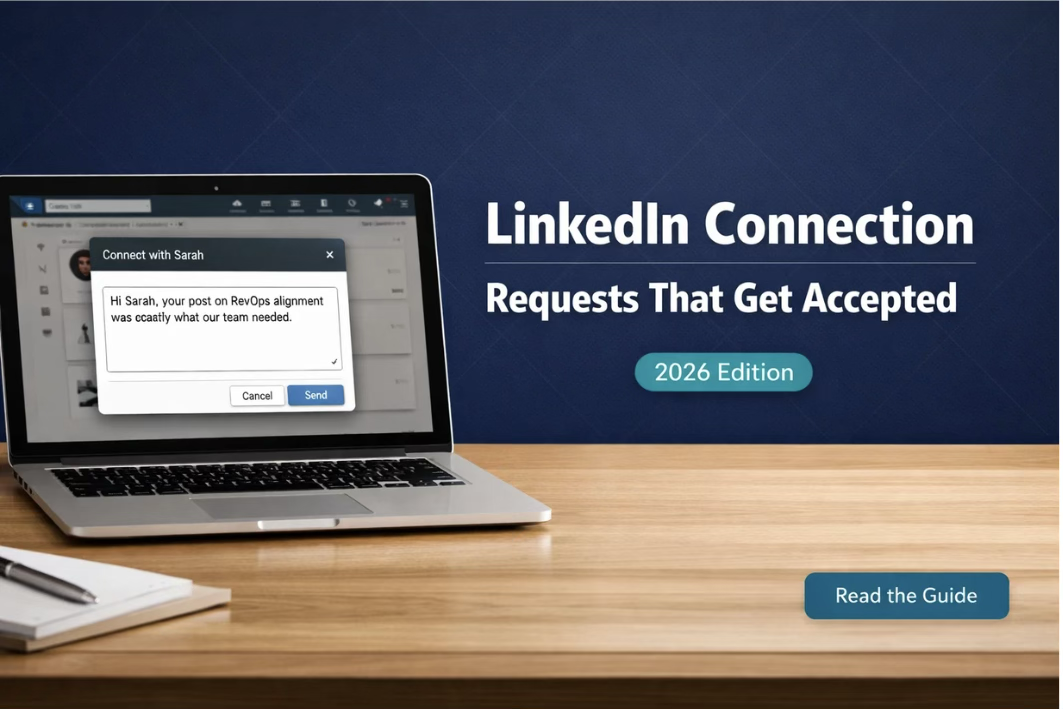
Most LinkedIn Connection Requests Get Ignored Within 3 Seconds
Not declined. Not rejected. Just ignored — scrolled past without a second thought.
That is the reality of LinkedIn in 2026. The average professional receives between 15 and 30 connection requests per week. They spend about three seconds deciding on each one. In that window, your LinkedIn invite message either earns a click or disappears into the noise forever.
The difference between a 12% acceptance rate and a 48% acceptance rate is rarely about targeting. Most teams are sending to the right people. The gap is in how the request reads. One feels like a person reached out. The other feels like a sequence fired.
This guide breaks down exactly what makes a LinkedIn connection request message work in 2026 — with real templates organized by use case, a clear breakdown of what drives linkedin connection rate, and the tactics that have consistently moved the needle across industries. For the account safety rules that keep your outreach running, see our LinkedIn automation limits and safety guide.
The one rule that overrides everything
The best LinkedIn connection request is the one that makes the recipient think: this person clearly looked at my profile. Everything else follows from that.
Why Most LinkedIn Invite Messages Fail
Most LinkedIn connection requests fail for one of four reasons — and most people are guilty of at least two.
| What People Send | What the Recipient Sees |
|---|---|
| “Hi [First Name], I would like to connect.” | A copy-paste request from someone who put in zero effort |
| “I came across your profile and thought we should connect.” | A lie — nobody accidentally finds a VP of Sales |
| “I help companies like yours increase revenue by 40%.” | A cold pitch disguised as a connection request |
| “We have mutual connections and I would love to chat.” | Mutual connections are not a reason to connect with a stranger |
| “I am a [Job Title] at [Company] looking to expand my network.” | Entirely about the sender, not the recipient |
Notice the pattern: every failed message is sender-focused. High-performing LinkedIn invite messages flip this entirely. They start with the recipient. They reference something specific. They give the recipient a reason to feel good about accepting — not a reason to feel like they are entering a sales funnel.
What Actually Drives LinkedIn Connection Rate in 2026
Across thousands of outreach sequences, a consistent set of factors separates requests that get accepted from those that get ignored. Research from LinkedIn Sales Solutions shows personalized messages achieve up to 300% higher response rates than generic ones.
| Factor | Impact on Acceptance Rate |
|---|---|
| Personalized opening line referencing their content or role | High — 35 to 55% lift vs. generic |
| Note under 200 characters (uses full available space) | Medium — longer notes get truncated and feel rushed |
| No pitch or product mention in the note | High — pitching in request drops rate by 40%+ |
| Shared context (mutual connection, event, community) | High — shared context nearly doubles acceptance likelihood |
| Timing — sent within 48hrs of a prospect trigger | High — job change or post significantly boosts acceptance |
| Profile completeness of the sender | Medium — a thin profile undercuts even a great message |
| Connection note vs. no note | Variable — good notes help; bad notes hurt more than no note |
The character limit is a strategic constraint, not a technical one
LinkedIn caps connection notes at 300 characters. Many practitioners recommend staying under 200. Notes get truncated in mobile notifications, and a message that reads cleanly in 160 characters lands better than one that requires clicking through to finish.
Write like the first 160 characters need to close the deal on their own.
LinkedIn Connection Request Templates by Use Case
The templates below are designed to be adapted, not copied verbatim. Each one includes a trigger — the situation that makes it most effective — and the mechanic that makes it work. Variables in [brackets] should always be replaced with specific, researched details.
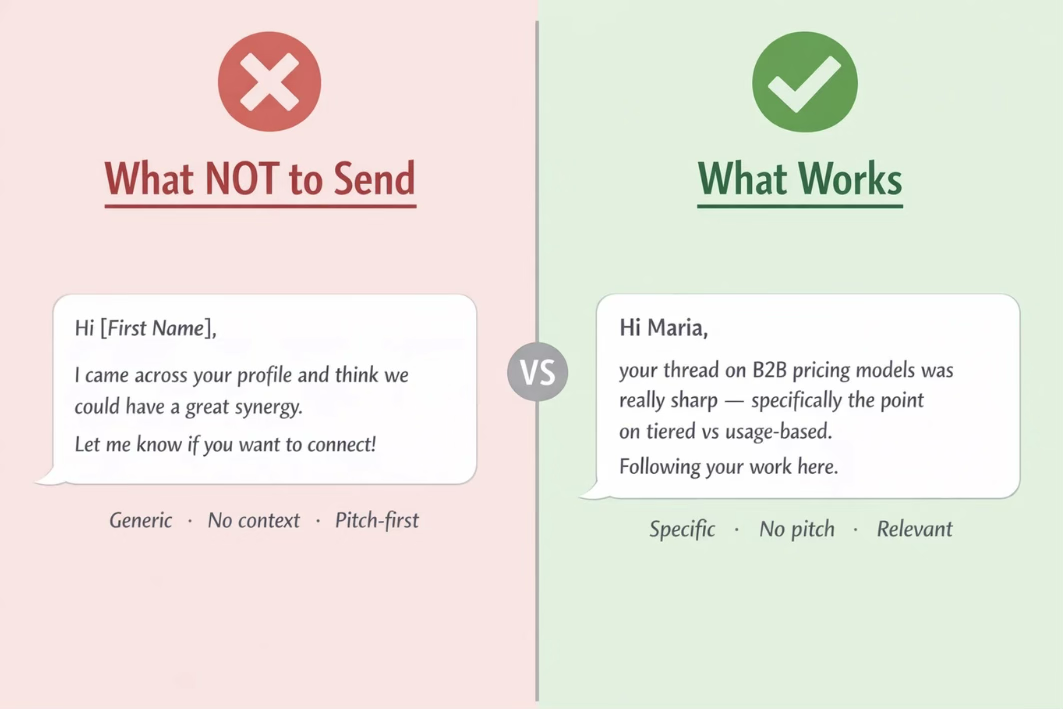
Template 1 — The Content Engager
Best for: Prospects who post regularly on LinkedIn
Why it works: People who create content invest emotional energy in it. Referencing it specifically signals you are a real human who pays attention — not a bot running a sequence.
CONNECTION NOTE:
[First Name] — your post on [specific topic] landed differently. The point about [specific detail] is something most people in [industry] get wrong. Would love to connect and follow your thinking.
~210 characters · Do not reference vague topics — be specific enough that they know you actually read it.
Template 2 — The Job Change Congratulation
Best for: Prospects who have changed roles in the last 30 days
Why it works: New roles come with new budgets, new mandates, and new vendor evaluations. A timely note at this moment gets accepted at rates 60 to 80% above baseline.
CONNECTION NOTE:
[First Name] — congrats on the move to [Company]. The [specific challenge] that comes with scaling a [team/function] at that stage is genuinely hard. Worth staying connected.
~190 characters · Do not pitch the product. The congratulation is the opening — the conversation comes later.
Template 3 — The Shared Event or Community
Best for: Prospects from the same conference, webinar, Slack community, or industry group
Why it works: Shared context collapses the distance between strangers. Being from the same community creates an implied social contract — we are already in the same room, we should know each other.
CONNECTION NOTE:
[First Name] — we were both at [Event/Community name] last [week/month]. Your question during [session] was exactly what most people in this space avoid asking. Worth connecting.
~215 characters · Works best within 7 days of the event while context is fresh in both parties' minds.
Template 4 — The Mutual Connection Bridge
Best for: Prospects with 2 or more mutual first-degree connections you know personally
Why it works: Social proof from a trusted mutual lowers skepticism dramatically. A mutual connection only counts if you could pick up the phone and call them right now.
CONNECTION NOTE:
[First Name] — [Mutual Name] mentioned you when we were talking about [relevant topic]. I have been following your work on [specific area] for a while. Makes sense to connect.
~195 characters · Only use this if the mutual connection genuinely mentioned them or would vouch for you.
Template 5 — The Research-Backed Cold Reach
Best for: Highly targeted cold outreach with no existing trigger
Why it works: When there is no warm signal, specificity becomes the social proof. Demonstrating that you understand their business or challenge positions the connection as valuable to them — not just to you.
CONNECTION NOTE:
[First Name] — your [team/company] has been doing interesting things in [specific area]. The approach you are taking to [specific challenge] is worth watching. Reaching out to connect.
~195 characters · Replace [specific area] with actual research — company news, LinkedIn posts, or job listings surface the right detail.
Template 6 — The Peer-to-Peer Professional
Best for: Reaching out to professionals at the same level
Why it works: Peer framing removes the sales dynamic. You are not a vendor trying to get in front of a buyer — you are a professional who works on similar problems and recognizes a kindred perspective.
CONNECTION NOTE:
[First Name] — I run [function] at [Company] and we are navigating a lot of the same [challenge/transition] you are probably seeing in your space. Would be good to compare notes.
~200 characters · Works especially well in industries going through disruption, regulation changes, or market shifts.
Template 7 — The Direct No-Note Request
Best for: High-volume prospecting to warm audiences — event attendees, alumni lists, content engagers on your own posts
Why it works: Counterintuitively, no note sometimes outperforms a weak note. A blank request to someone who already has context about you carries implicit familiarity. A bad personalization attempt actively destroys it.
APPROACH (NO NOTE):
- — Professional headshot and clear, descriptive banner
- — Headline that explains who you help and how
- — Recent relevant activity visible on your profile
Only use this if you cannot personalize confidently. A generic note is always worse than no note. A specific note is always better than no note.
Template 8 — The Recruiter or Talent Sourcer
Best for: Talent acquisition teams reaching out to passive candidates
Why it works: Passive candidates are not looking — which means they need a compelling reason to engage. Framing the connection around their career trajectory rather than the open role shifts the dynamic from transactional to consultative.
CONNECTION NOTE:
[First Name] — your background in [specific skill/area] at [Company] stands out. We are building something in [space] that could be interesting at your career stage. Worth a quick connect.
~200 characters · Never mention the role title in the connection note — save it for the follow-up after they accept.
What to Do Immediately After They Accept
The connection request was the handshake. What comes next determines whether that handshake becomes a conversation or a forgotten name in your connections list.
Most sales teams get this wrong in one of two ways: they either pitch immediately (which reverses all the goodwill from the invitation) or they do nothing and let the momentum die.
| Timeline | What to Send |
|---|---|
| Within 24 hours | A warm thanks that references what you mentioned in the note — 2 sentences, no ask |
| Day 2 to Day 4 | Add value — a relevant article, a data point, a question about something specific in their profile |
| Day 5 to Day 7 | Soft transition toward your purpose — framed around their situation, not your product |
| Day 8 onward | If no response: final follow-up or move to cold email with a fully warmed sending domain |
If LinkedIn touchpoints are exhausted, transition to a coordinated multichannel sequence that brings email into the flow. SalesTarget.ai's LinkedIn automation platform manages this transition automatically — so no lead falls through the gap between channels.
The rule most teams ignore:
The follow-up sequence should feel like a continuation of the conversation you started — not like the automated sequence it actually is. If the tone shifts between your connection note and your first message, acceptance turns into silence.
How to Test and Improve Your LinkedIn Connection Rate
Templates are a starting point. The teams with consistently high acceptance rates treat them as hypotheses to be tested, not scripts to be deployed unchanged.
Build a simple testing framework
Run each template variant on a minimum of 100 prospects in the same persona segment before drawing conclusions. Less than 100 sends produces noise, not signal.
| Metric | What It Tells You |
|---|---|
| Acceptance rate | How well your note resonates with the persona — aim for 35%+ |
| Message reply rate (post-accept) | Whether your follow-up tone matches the note — aim for 25%+ |
| Sequence-to-meeting rate | Overall sequence efficiency — the product of all steps above |
| Ignored-to-declined ratio | High declines signal your note feels spammy or low-effort |
The A/B test that matters most
Most teams test message copy. The most impactful test is usually trigger timing. The same template sent within 24 hours of a prospect's job change, post, or promotion will outperform the same template sent with no trigger by a factor of two to three.
If your linkedin connection rate plateaus below 30%, the answer is rarely better copy. It is usually better trigger detection and a stronger follow-up system. See our guide on building AI-driven follow-up sequences for the exact multi-step structure that converts accepted connections into meetings.
The number that changes everything:
Going from a 20% to a 40% acceptance rate on the same prospect list does not just double your conversations. It doubles them while cutting the account restrictions you accumulate — because LinkedIn's algorithm rewards high acceptance rates with account safety. Your outreach quality and your account health are the same variable.
Verified by SalesTarget.ai users on G2 — rated 4.5/5 for multichannel outreach results.





