Ask any SDR what eats up their day, and you'll hear the same answer: prospecting. Scrolling through profiles, crafting personalized messages, sending connection requests, following up — it's relentless. And as competition in B2B sales intensifies, the volume of outreach needed to fill a healthy pipeline keeps climbing.
LinkedIn Outreach Automation has emerged as the answer. Rather than replacing the human touch in sales, it removes the mechanical repetition — freeing reps to focus on conversations, discovery calls, and closing deals. Yet many teams are still running manual processes in 2026, wondering why their outreach isn't converting.
If your team is spending more than two hours a day on LinkedIn prospecting tasks that could be systematized, you're leaving both time and revenue on the table. This guide breaks down how modern automation workflows operate, what to automate (and what not to), and how to build a process that generates qualified pipeline at scale. Explore the LinkedIn Outreach Automation platform built for exactly this purpose.
Why Sales Teams Are Automating LinkedIn Outreach ?
Manual LinkedIn prospecting has a fundamental problem: it doesn't scale. A rep sending 30–40 personalized connection requests per day, with follow-ups and research factored in, can spend half their working hours just on top-of-funnel activities. That's before a single real conversation starts.
The B2B buyer landscape has also grown more crowded. Decision-makers on LinkedIn receive dozens of outreach messages weekly. Generic, impersonal messages get ignored. But highly personalized messages — the kind that reference a recent LinkedIn post or company milestone — take time to write at scale.
This is the tension automation resolves: how do you maintain quality while increasing volume? The answer isn't to sacrifice one for the other. Modern LinkedIn sales automation tools use data enrichment and AI-driven personalization to make messages feel handcrafted, even when thousands are sent per month.
According to LinkedIn's own research, sales professionals who leverage data and technology in their outreach are significantly more likely to exceed quota than those relying on manual processes alone. The gap between high-performing and average sales teams is increasingly a technology gap.
What Is LinkedIn Outreach Automation?
At its core, LinkedIn Outreach Automation means using software to handle repeatable prospecting tasks on LinkedIn without manual effort for each step. Instead of a rep individually searching for leads, reviewing profiles, writing custom messages, and scheduling follow-ups, an automation platform executes these steps based on defined rules and sequences.
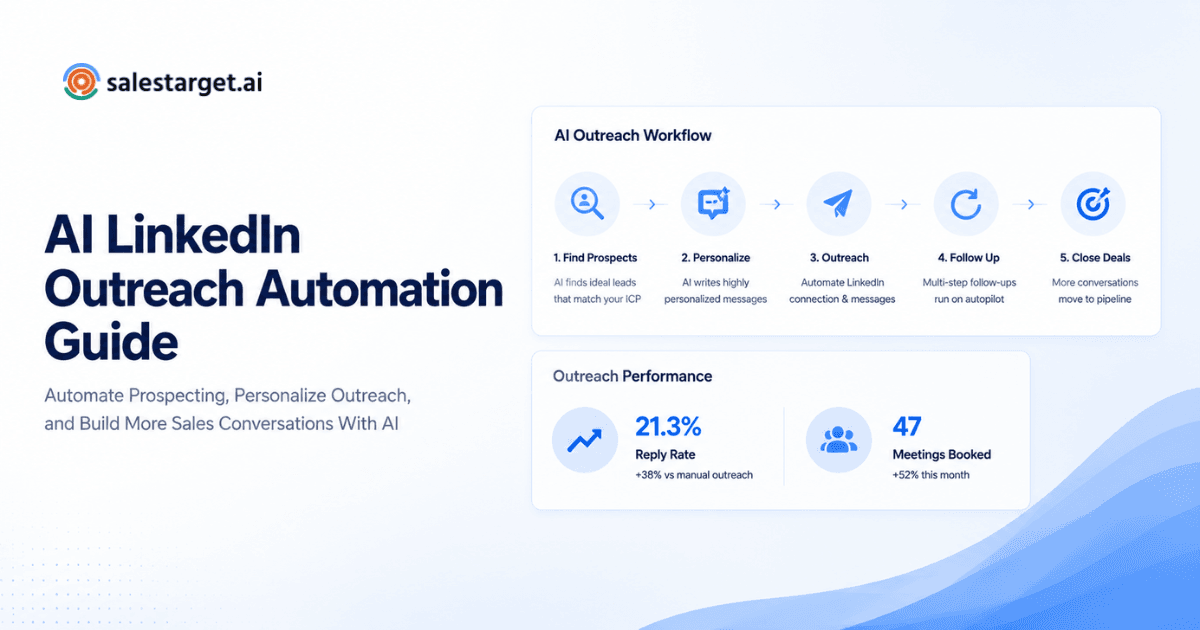
A typical LinkedIn automation workflow looks like this: the platform pulls a list of prospects that match your Ideal Customer Profile (ICP), enriches each lead with relevant data (job title, company size, recent activity), generates a personalized message, sends the connection request, and triggers follow-up messages based on how the prospect responds — or doesn't.
For SDRs, this means spending time on warm leads instead of cold research. For Account Executives, it means more qualified conversations entering the pipeline. For sales leaders, it means predictable, measurable outreach at scale.
The secondary benefit is consistency. Reps have good days and bad days. Automated workflows don't — they execute the same quality process at 9am on a Monday and 4pm on a Friday. When combined with a multi-channel outreach strategy — pairing LinkedIn with email, for example — the reach and conversion potential compound significantly.
Core Tasks That Can Be Automated
Not everything should be automated — but a surprising amount of the prospecting workflow can be, without losing quality. Here are the key areas where LinkedIn outreach software delivers the most value:
Connection Requests
Manually sending connection requests with personalized notes is time-consuming. Automation platforms send tailored connection requests to segmented prospect lists, adjusting the note based on the prospect's role, industry, or mutual connections. Limits and pacing keep accounts safe and compliant.
Prospect Research
Before outreach, reps need context: What does this company do? Has this person posted recently? Did they just get promoted? Automated data enrichment pulls this information in real time, feeding personalization tokens directly into message templates — so each message references something relevant about the recipient.
Personalized Messaging
Message templates with dynamic fields — first name, company name, recent achievement, shared industry — feel personal even when deployed at scale. The key is good data and thoughtful template design. Automation handles the deployment; strategy and creativity still require human input.
Follow-Up Sequences
Most responses come from follow-ups, not first messages. Manually tracking who needs a follow-up and when is chaos at scale. Automated sequences trigger follow-ups based on time delays or actions — for example, sending a second message five days after a connection request is accepted but not replied to.
Lead Prioritization
Not every prospect deserves equal attention. Automation platforms can score and prioritize leads based on engagement signals — profile views, message opens, link clicks — surfacing the warmest leads for immediate rep follow-up. This turns a flat prospect list into an intelligent, action-ready queue.
How a Modern Automated Outreach Workflow Works
A well-structured LinkedIn outreach automation workflow has clear stages. Here's how high-performing teams typically build theirs:
- Identify Your ICP. Define the characteristics of your ideal customer: industry, company size, job title, geography, tech stack. The more specific, the better. Automation is only as good as the targeting behind it.
- Build Prospect Lists. Use LinkedIn Sales Navigator or a data provider to pull prospects matching your ICP. Export or sync them directly into your outreach platform.
- Enrich Data. Run leads through enrichment to fill in missing details — email addresses, phone numbers, company news, recent LinkedIn activity. This fuels personalization.
- Personalize Messaging. Build message templates with dynamic tokens for personalization. Reference the prospect's industry, recent post, or company milestone to make the message feel researched, not scripted.
- Launch Campaign. Deploy the sequence: connection request, initial message, follow-up one, follow-up two. Set timing intervals that feel natural, not aggressive.
- Monitor Responses. When a prospect responds, the automation pauses and routes the conversation to the rep. From here, it's human-led — the automation has done its job.
- Optimize Performance. Review open rates, acceptance rates, and reply rates by campaign, message variant, and persona. Use the data to continuously improve your templates and targeting.
Industry benchmarks suggest that sales teams using automated outreach workflows reduce prospecting time by 40–60% while maintaining or improving message personalization — particularly when AI-generated tokens are used for dynamic content at scale.
LinkedIn Outreach Automation vs Manual Outreach
Still on the fence? Here's how the two approaches compare across the metrics that matter most to sales teams:
| Metric | Manual Outreach | LinkedIn Outreach Automation |
|---|---|---|
| Time Spent | 3–5 hrs/day on prospecting | 30–60 mins/day with automation |
| Scale | 50–100 outreaches/week | 500–2,000+ outreaches/week |
| Personalization | High per message, but slow | High at scale with AI tokens |
| Consistency | Varies by rep energy/mood | Always-on, always consistent |
| Reporting | Manual tracking in spreadsheets | Real-time dashboards & analytics |
| Pipeline Generation | Unpredictable, effort-dependent | Scalable, data-driven, repeatable |
The numbers aren't close. Teams that automate intelligently don't just save time — they generate more pipeline from the same headcount.
Common Mistakes Teams Make With Outreach Automation
Automation isn't a silver bullet. Teams that misuse it often damage their brand reputation or waste resources on outreach that never converts. Here are the pitfalls to avoid:
- Over-automation. Automating every single touchpoint, including the close, makes sales feel transactional. Automation should handle early-stage outreach, not replace human judgment in later stages.
- Generic messages. Using the same template for every prospect in every industry defeats the purpose. Personalization tokens are available for a reason — use them.
- Poor targeting. Sending 2,000 messages to loosely matched prospects produces lower results than sending 400 messages to tightly qualified leads. Precision always beats volume.
- Ignoring analytics. Launching campaigns and never reviewing performance data is like driving without looking at the road. Optimization is ongoing, not optional.
- No multi-channel strategy. LinkedIn alone has limits. Teams that layer in email or other channels see compounding results — but they need to coordinate messaging across channels to avoid confusion.
What to Look for in a LinkedIn Automation Tool
The right LinkedIn Automation Tool depends on your team size, tech stack, and outreach strategy. But these capabilities should be non-negotiable:
- Personalization engine. Dynamic tokens, AI-assisted copy, and the ability to pull in real-time data about each prospect.
- CRM syncing. Two-way integration with Salesforce, HubSpot, or your CRM of choice. Leads, activities, and responses should sync automatically — no manual data entry.
- Workflow automation. Condition-based branching (e.g., "If accepted but no reply, send follow-up after 4 days") for intelligent sequencing.
- Analytics and reporting. Campaign-level metrics and A/B testing capabilities so you can see what's working and iterate quickly.
- Multi-channel capabilities. LinkedIn Outreach Software that integrates with email campaigns so you can coordinate messaging without switching platforms.
- Compliance and safety. Rate limiting, human-like send patterns, and compliance with LinkedIn's usage policies to protect your account.
For a deeper look at how these features work in practice, explore LinkedIn sales automation best practices that high-performance sales teams use to fill their pipeline.
The Future of Outreach Automation
LinkedIn outreach automation is still evolving — and quickly. Here's where the space is heading, based on current trends and HubSpot's State of Sales research:
- AI-powered personalization. Beyond dynamic tokens, AI will generate fully unique messages for each prospect based on their profile, recent activity, and company news — at scale, in real time.
- Intent-based outreach. Platforms are beginning to surface prospects based on buying intent signals — job postings, technology changes, funding rounds — so outreach reaches prospects at the right moment in their buying journey.
- Buyer signal integration. Engagement data from LinkedIn, email, and website visits will feed into a unified lead score, automatically prioritizing follow-up based on who's most likely to convert.
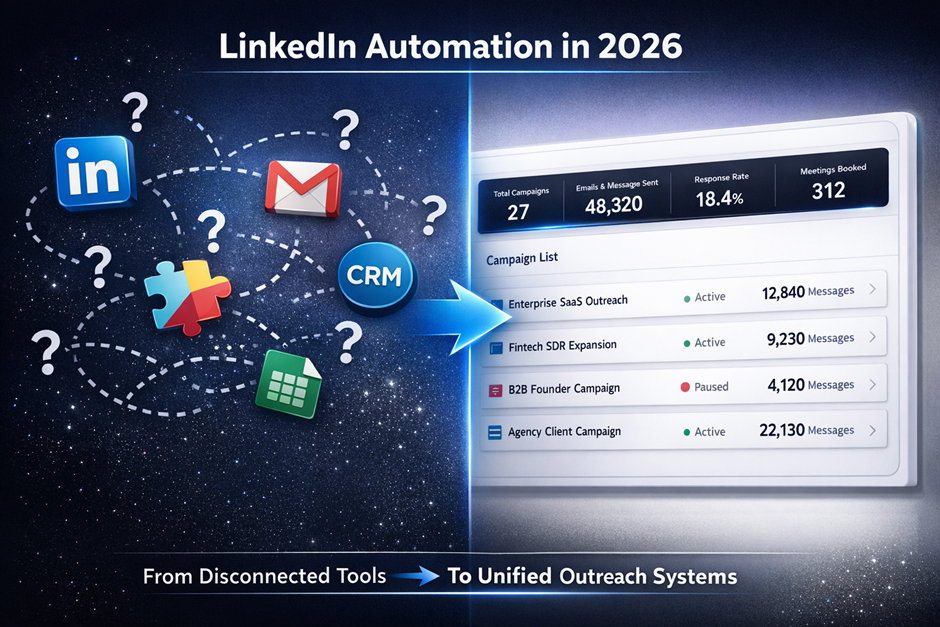
- Unified communication workflows. The divide between LinkedIn, email, and phone outreach is collapsing. Future platforms will orchestrate all touchpoints from a single workflow, ensuring consistent messaging and timing.
- Predictive engagement modelling. Machine learning models will predict the best time to send, the best message angle for each persona, and the optimal sequence length — taking the guesswork out of outreach strategy.
Teams that invest in these capabilities now will have a significant advantage as outreach becomes more competitive and buyers become more discerning.
Turn LinkedIn Conversations Into Qualified Pipeline
Stop sending one-off messages and hoping for the best. SalesTarget AI helps you automate personalized LinkedIn outreach at scale, optimize your follow-up sequences, and build a predictable pipeline — all through a single workflow.
- ✓ Personalization at scale
- ✓ Automated workflows
- ✓ Response optimization
Start Automating LinkedIn Outreach →
LinkedIn outreach automation isn't about replacing sales reps — it's about amplifying what they can do. By removing the time-consuming, repetitive parts of prospecting, automation lets your team focus on what actually drives revenue: building relationships, navigating objections, and closing deals.
The competitive reality is straightforward: teams still relying on manual outreach are at a structural disadvantage. Not because they lack talent, but because they're spending that talent on tasks that software can do faster and more consistently.
The personalization concern — the worry that automation makes outreach feel robotic — is increasingly outdated. Modern platforms use real-time data enrichment and AI-assisted messaging to make automated outreach feel more relevant than most manual messages.
If you're ready to build an outreach process that scales without sacrificing quality, start with the right foundation. Visit salestarget.ai to see how SalesTarget AI can help your team convert more LinkedIn conversations into qualified pipeline.