Most LinkedIn outreach automation problems are created before the first connection request goes out. A campaign gets built from a filtered list, a message gets written around a personalization field nobody checked, the follow-ups get set to "if no reply, send the next one," and the team presses launch. Three weeks later the numbers look soft, and the first instinct is to rewrite the copy.
Usually the copy isn't the problem. The campaign was never designed, only configured. Automation does exactly what it's told, and in doing so it removes the small moments where a rep working by hand would have noticed something was off: the company name that rendered wrong, the prospect who was clearly the wrong person, the request that sat unanswered for a month.
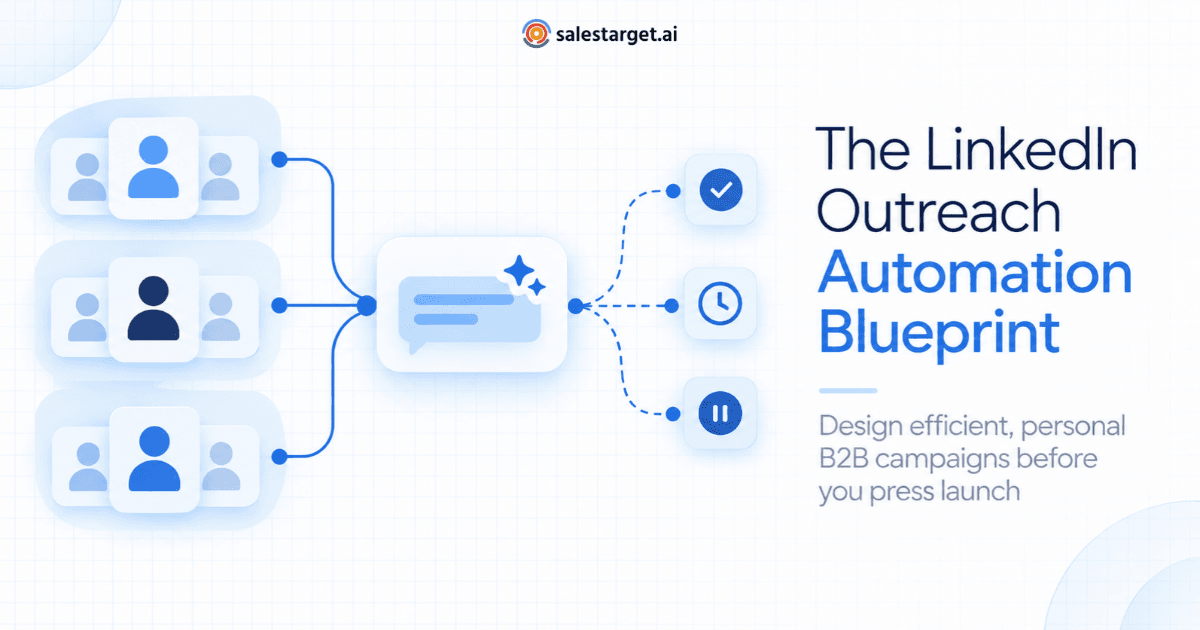
An efficient, personalized LinkedIn outreach automation system is designed in five passes before launch: (1) define each segment by a shared situation and trigger, not just filters; (2) audit the data your personalization depends on and write fallbacks; (3) map every state a prospect can enter, with an automated action and a human owner for each; (4) budget weekly LinkedIn actions across segments, including the follow-ups you already owe; and (5) launch as a pilot with pass/fail gates written in advance. Once campaigns are live, diagnose weak results by checking the system before the message.
This guide is for SDR leaders, founders and sales managers who already know what LinkedIn outreach automation tools do and want a repeatable way to build B2B LinkedIn outreach campaigns that hold up. It skips the basics and focuses on the design decisions most playbooks leave out.
If you'd rather build this blueprint in one place, with segmented campaigns, conditional follow-ups, working-hour scheduling, safety limits and live reporting, SalesTarget.ai's LinkedIn Outreach follows the same flow: add your leads, create a campaign, define actions and follow-ups, set execution limits, then launch and monitor.
Why LinkedIn outreach automation needs a design phase
Fixing a campaign after launch costs more in LinkedIn sales automation than in most outbound channels, for three reasons:
- You can't re-introduce yourself. A prospect who received a clumsy connection note has already formed an impression. A better version of the campaign won't reach them for the first time again.
- Capacity is finite. LinkedIn limits how many invitations an account can send in a week, so every request spent on a broken version is capacity you don't get back that week.
- Mid-flight edits blur the data. When targeting, copy and timing all change in week two, nobody can say which change helped and which one hurt.
A design phase doesn't need to be long. For most teams it's a working session of an hour or two per segment. The output is a one-page blueprint per campaign that anyone on the team could pick up and run.
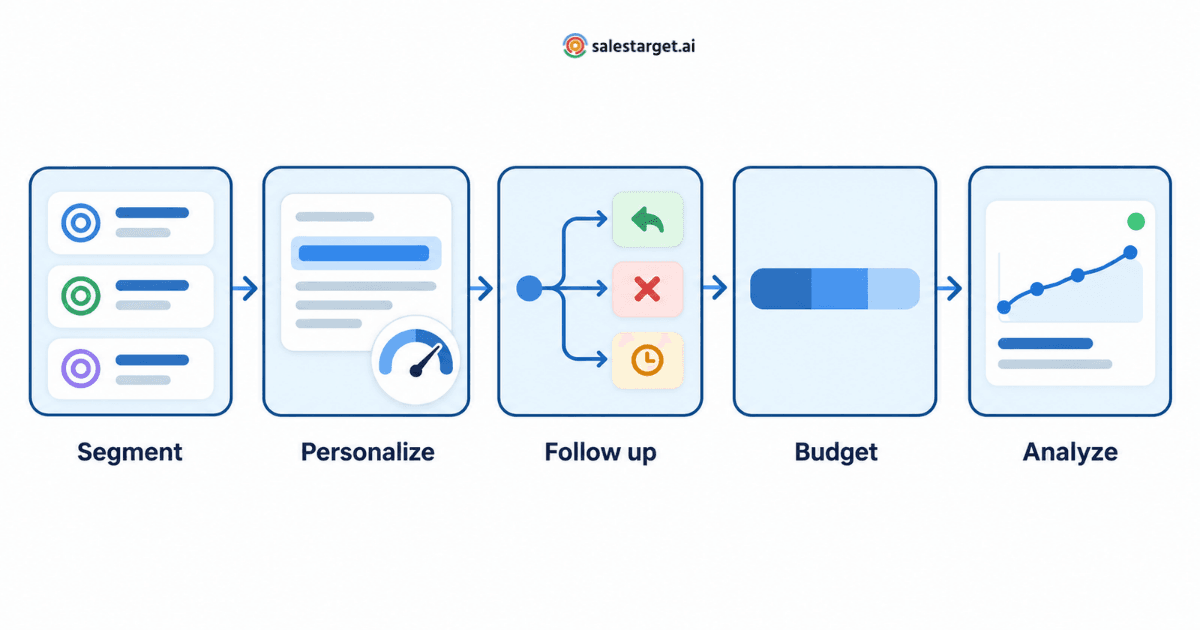
Design pass 1: Write segment cards before you build lists
Most LinkedIn prospecting automation starts from a filtered list. A filtered list tells you who. A segment card tells you why this group, why now, and what you can credibly say to them. If you can't fill in the card, you don't have a segment yet. You have a search result.
What goes on a segment card
| Field | What to write | Example (hypothetical AP automation vendor) |
|---|---|---|
| Who | Role, seniority and company profile | Controllers and finance directors at 200 to 1,000-employee distribution companies |
| Shared situation | The problem this group is likely living with right now | Month-end close slowed down by manual invoice matching |
| Trigger | An observable reason to reach out now | The company has posted open roles for AP specialists in the last 60 days |
| Proof | Something specific you can offer as evidence | A short customer story from a similar distribution business |
| Personalization source | The data field the message will rely on | Job posting title and posting date |
| Exclusions | Who must never enter this campaign | Current customers, open opportunities, accounts owned by another rep |
| Success threshold | The result that justifies scaling | Positive replies and meetings at or above the team's baseline for similar segments |
Two quick tests keep segments honest:
- The merge test. If two segment cards would produce the same message, they're one segment. Merge them and give the combined group more capacity.
- The split test. If one segment needs two different proofs to be convincing (say, distribution companies and SaaS companies), it's two segments. Split it, even if each half is small.
One campaign, one segment card. That single rule makes reporting readable later, because every result maps back to one situation, one trigger and one angle.
Design pass 2: Audit the data before you write the personalization
This is the step teams skip most often, and it decides whether "personalized at scale" is actually true. Messages get written around a field such as a recent post, a funding round or a tech-stack signal, and nobody checks how many leads in the segment have that field, or whether it's still accurate.
Run a personalization coverage check
For every variable your message uses, check three things on the segment before you write a word:
- Fill rate. What share of leads have the field at all?
- Freshness. How old is the information? A "recent" post from eight months ago reads strangely in an opener.
- Accuracy. Spot-check 15 to 20 records by hand. Do the job titles, company names and signals match what you see on the actual profiles?
Then decide how each variable is allowed to be used:
| Coverage result | How to use the variable |
|---|---|
| Present and accurate for nearly every lead | Safe to anchor the opener or the connection note |
| Present for some leads, reliable when present | Use only inside a conditional block, with a written fallback for everyone else |
| Patchy, stale or often wrong | Don't build messages on it. Use it to sort leads into segments instead |
Write the fallback first
If a variable covers only part of the list, the fallback version is what a large share of prospects will actually receive. Write it first, and make it good enough to send on its own. A strong segment-level message with a modest personalized line on top beats a clever personalized line sitting on a weak fallback.
AI personalization helps here, but it doesn't replace the check. AI can turn profile data, role and industry into a natural-sounding line; it can't make an outdated job title current. Review a sample of AI-generated lines from different parts of the list before launch, not after.
Decide where the personalization lives
LinkedIn caps the length of connection notes and limits how many notes free accounts can attach to invitations each month. Before writing, check what each sending seat can actually do. If some seats can't send notes at volume, plan for the connection request to go out without one and put the personalization in the first message after acceptance. A sequence designed around a note that never gets sent is a common, quiet failure.
Design pass 3: Map every state a prospect can be in
Most sequences are written as a straight line: request, message, follow-up, follow-up. Prospects don't move in a straight line. A state map lists every situation a lead can end up in and decides in advance what the automation does and who on the team acts. Automated LinkedIn follow-ups only behave well when every one of these states has been thought through.
| Prospect state | What it usually signals | Automated action | Human owner action |
|---|---|---|---|
| Request still pending after your cut-off (for example, two to three weeks) | Low interest, an inactive profile or a weak note | Stop LinkedIn steps; withdraw or park the request; move to email only if you hold a verified address | None; review the pending backlog weekly |
| Accepted, no reply to message 1 | Open to connecting, not yet convinced | Send a follow-up that changes the proof, the question or the format | None until a reply arrives |
| Positive reply | Interest or a genuine question | Stop all steps immediately; log the reply to the CRM | Respond within the team's agreed response window |
| "Not now" or timing reply | Right fit, wrong moment | Stop; set a recontact date and a reason tag | Confirm the recontact date in the CRM |
| Referral ("talk to my colleague") | Wrong person, right account | Stop; add the referred contact to the right segment | Send a short note that names the referral |
| Negative reply or opt-out | No interest | Stop permanently; add to the suppression list | None |
| Sequence finished, no response | Silence | Exit and cool off; eligible later for a different angle, never the same sequence | None |
| Job change or data change mid-sequence | The segment card no longer fits | Exit; re-segment based on the new role | Decide whether the change is itself a new trigger |
Two rules make the map work:
- Every state needs an exit. A lead that can sit in a state forever will. Pending requests are the usual culprit: they pile up quietly and nobody owns them.
- Every follow-up changes something. Each step should change one of three things: the proof (a different example), the question (easier to answer) or the format (a shorter note, a useful resource). A follow-up that only nudges is a reminder, not a reason to reply.
Once the map is set, you can drop proven sequence patterns into it. For trigger-based examples you can adapt to your own states, see these automated LinkedIn outreach workflows.
Design pass 4: Budget your weekly actions across segments
In LinkedIn lead generation automation, sending capacity per account is the scarcest resource in the whole system. Teams that ignore this end up running nine segments on two seats. Each segment gets a trickle of sends, and none of them reaches enough volume to learn anything for weeks.
Account for follow-up debt
Every accepted connection creates future work: the first message, the follow-ups and, ideally, a conversation. Think of it as follow-up debt. If this week's budget goes entirely to new invitations, last week's accepted connections wait, and the prospects most likely to reply get the slowest follow-up.
A simple allocation method
- Set a conservative weekly cap per seat inside your tool's safety limits, and treat that cap as fixed. Don't plan on pushing it.
- Reserve capacity for the follow-up debt from campaigns already running.
- Give most of the remaining capacity to segments that have already proven themselves.
- Give new segments only enough to reach their pilot gate (design pass 5), then decide.
- If a segment can't get enough capacity to produce a readable result within a few weeks, park it rather than starving everything else.
Hypothetical example: a team of three SDRs sets each seat to a conservative cap of 80 connection requests a week, or 240 across the team. One proven segment gets roughly half of those invitations, a second segment gets about a third, and a new test segment gets the rest until it clears its pilot gate. Messages to already-accepted connections are scheduled first, so new invitations never crowd out conversations that are already moving.
Design pass 5: Launch as a pilot with pass/fail gates
Run a render test before anything sends
Preview 15 to 20 fully rendered messages pulled from different parts of the list, not just the first few rows. Read them out loud. You're looking for:
- Blank or broken variables, double greetings and oddly capitalized company names
- AI-generated lines that state something you can't verify
- Messages scheduled outside the prospect's working hours
- Steps that should stop on reply but don't (test this with an internal contact)
Write the gates before launch
Launch to a first slice of the segment and decide, in writing, what happens at each checkpoint:
| Gate | Read it when | Continue if | Adjust if | Stop if |
|---|---|---|---|---|
| 1. Acceptance | The first batch of requests has had time to resolve | Acceptance is in line with your baseline for similar segments | Acceptance is well below baseline in one sub-group only | Acceptance is low across the board; revisit the segment card |
| 2. Reply quality | Accepted prospects have received messages 1 and 2 | Positive replies arrive and reflect the shared situation | Replies arrive but miss the point (confusion, wrong person) | Replies are mostly negative or opt-outs |
| 3. Meetings | Positive replies have had time to convert | Meetings are being booked and held | Positive replies stall before a meeting is booked | Positive replies never progress; check fit with the AE team |
Each gate should name an owner and a review date. A gate nobody owns becomes a dashboard nobody reads.
Name campaigns so reports roll up
Good LinkedIn campaign management depends on names that encode what each campaign is testing. A simple pattern is Segment_Trigger_Angle_Version_Owner, for example DIST-Controller_APHiring_CloseSpeed_v2_RK. When every campaign follows the same pattern, you can compare segments, triggers and angles without exporting anything, and a new version never overwrites the history of the old one.
What to monitor once LinkedIn campaigns are live
Most dashboards show outcomes and funnel rates. Fewer show whether the machinery underneath is working as designed. Monitor three layers:
| Layer | What to watch | What it tells you |
|---|---|---|
| Outcomes | Positive replies, meetings held and opportunities created, per segment | Whether the campaign is worth the capacity it uses |
| Funnel mechanics | Acceptance rate; reply rate by sequence step | Where in the sequence prospects drop out |
| System health | Pending request backlog; personalization fallback rate; leads stuck in one state; time from positive reply to first human response; planned vs actual sends per seat; seat warnings or pauses | Whether the campaign actually ran the way it was designed |
System-health signals are your early warnings. A growing pending backlog, or a fallback rate higher than your coverage check predicted, usually shows up days before reply rates move.
How to fix an underperforming campaign: check the system before the message
When a campaign underperforms, rewriting the opener feels productive. But copy changes are the slowest fix to evaluate and the easiest to misread. Work through the system in this order, and only rewrite once the earlier checks come back clean:
- Delivery. Did the campaign send what was planned? Compare planned and actual sends, and look for paused seats or scheduling windows that are too narrow.
- Data. Is the fallback rate higher than expected? Are titles stale, or are company names rendering incorrectly?
- Mix. Is the campaign quietly blending two segments? Split the results by tag; one sub-group often drags the average down.
- Flow. Are leads stuck in a state, are replies failing to stop the sequence, or is human follow-up slow?
- Message. Now change one element (the opener, the proof or the ask) and save it as a new campaign version.
- Market. If a clean, well-delivered message still gets nothing, the segment may not have the problem right now. Retire it and move the capacity elsewhere.
Common symptoms and the system faults behind them
| Symptom | Likely system fault | What to check |
|---|---|---|
| Acceptance is fine, but replies ask "who are you?" or "why me?" | Context was planned for the connection note, but the note didn't go out, or message 1 assumes context the prospect never saw | Note delivery per seat; whether message 1 makes sense on its own |
| Replies look healthy overall, but few meetings follow | A slow or unclear handoff after positive replies | Time from positive reply to first human response; who owns replies |
| Results drop sharply on one seat only | A seat-level issue: paused, warned or schedule changed | Seat status and planned vs actual sends for that seat |
| Acceptance is low in one part of the list only | Two segments mixed inside one campaign | Results split by company type, role or trigger tag |
| Replies point out wrong details ("I left that company") | Stale data feeding the personalization | Data freshness and a fresh accuracy spot-check |
| A steady decline across successive launch cohorts | The angle is wearing out in that segment | Results by launch week; plan a new angle rather than more volume |
A realistic example: one team's blueprint, from design to fix
Illustrative scenario, not customer data. A three-person SDR team sells accounts-payable automation to finance leaders at mid-market distribution and manufacturing companies.
- Segment cards. They built three: newly appointed controllers (under four months in the role), companies actively hiring AP staff, and companies that had announced an ERP migration. Each card had its own trigger and its own customer story.
- Data audit. The coverage check showed that recent-post data existed for only a small share of the hiring segment, so they dropped it from the opener. Job-posting data and role tenure were available for nearly everyone, so the messages were built on those, with a written fallback for the rest.
- State map. Pending requests older than three weeks were withdrawn. Referrals were routed into the correct segment within a day by the owning rep.
- Action budget. Follow-ups to accepted connections were scheduled first. The new-controller segment, which had worked before, received most of the new invitations; the ERP segment received a pilot-sized slice.
- Pilot gates. The ERP segment passed the acceptance gate but stalled at reply quality. Prospects accepted, then replied with variations of "we finished that project last year."
- Fix. The team checked the system before touching the copy. The ERP trigger list included companies whose migration announcements were more than a year old. Narrowing the trigger window to recent announcements removed the mismatch. The message itself didn't change.
The copy was fine; the trigger data was stale. A rewrite would have cost another two weeks and taught the team nothing.
How to evaluate your LinkedIn outreach automation approach: a 10-point design scorecard
Use this scorecard before scaling any campaign, and again each quarter for the program as a whole. Score each item 0 (not in place), 1 (partly in place) or 2 (in place and documented).
| # | Question | Score (0 to 2) |
|---|---|---|
| 1 | Does every live campaign map to exactly one segment card with a stated trigger? | |
| 2 | Are exclusions (customers, open deals, other reps' accounts) applied before launch? | |
| 3 | Does every personalization variable have a measured fill rate and a written fallback? | |
| 4 | Do you know which seats can send connection notes, and where personalization lives when they can't? | |
| 5 | Does every prospect state have an automated action and a named human owner? | |
| 6 | Do replies stop the sequence and reach a person within an agreed response window? | |
| 7 | Does the weekly action budget cover follow-up debt before new invitations? | |
| 8 | Do campaign names encode the segment, trigger, angle and version? | |
| 9 | Were continue, adjust and stop gates written down before launch? | |
| 10 | Are system-health metrics reviewed weekly alongside outcomes? |
How to read your total:
- 16 to 20: Ready to scale. Add capacity to proven segments and test one new segment at a time.
- 10 to 15: Fix before you add volume. Start with the lowest-scoring items; they're usually cheaper to fix than they look.
- Below 10: Pause new launches. Rebuild the blueprint for your best segment before running anything else.
One more test that doesn't fit a score: could a rep who joined last week run this campaign from the blueprint alone? If the answer depends on asking the person who built it, the system lives in someone's head rather than in the process.
Implementation mistakes that quietly break LinkedIn outreach automation
- Building segments from filters alone. The same job title doesn't mean the same situation. Without a shared trigger, the message has nothing specific to say.
- Writing personalization before checking the data. The result is a campaign where many prospects receive a fallback nobody reviewed.
- Treating "no reply" as one state. A pending request and an accepted-but-silent connection need different next steps.
- Launching more segments than your seats can feed. Thin volume everywhere means no readable result anywhere.
- Editing live campaigns without versioning. Once version 1 and version 2 share a name, the record of what worked is gone.
- Rewriting copy when the fault is delivery or data. It feels like progress and usually isn't.
- Assuming a tool removes platform risk. LinkedIn's User Agreement restricts the use of bots and other unauthorized automated methods for actions such as adding contacts and sending messages, and LinkedIn can restrict accounts. Safety controls reduce operational risk; they don't change the terms. Review them and set conservative limits.
Where SalesTarget.ai's LinkedIn Outreach fits into the blueprint
A blueprint is a planning document. You still need LinkedIn outreach software that can run it without workarounds. Here's how the design passes map to SalesTarget.ai's LinkedIn outreach automation platform, based on the capabilities described on the product page:
| Blueprint step | Relevant SalesTarget.ai capability |
|---|---|
| Segment cards and campaigns | Campaign & Sequence Builder for creating LinkedIn outreach sequences per campaign |
| Personalization | AI-Powered LinkedIn Personalization, which generates messages that adapt to each lead's profile data, role and industry |
| Prospect state map | Conditional follow-ups that change course when a lead replies, takes an action or doesn't respond, so every lead moves through the campaign on its own path |
| Prospects who don't accept | Multi-Channel Outreach, which continues conversations by email without losing context |
| Action budget and timing | Smart Scheduling & Execution (timezone-aware scheduling, working-hour limits, human-like delays) and LinkedIn Safety & Compliance (built-in rate limits, warm-up logic, auto-pause safeguards) |
| Monitoring | Analytics & CRM Visibility, which shows connections, replies and each lead's status as they happen and syncs LinkedIn outreach activity into your CRM |
The tool runs the system; the blueprint decides what the system should do. Neither one substitutes for the other.
Build the blueprint, then press launch
LinkedIn outreach automation works best when the hard decisions are made before launch: which situation each segment is in, what data the personalization can trust, what happens in every prospect state, where limited capacity goes, and what result would make you stop. Make those decisions once, write them down, and the campaign becomes something your team can run, read and fix, instead of something it keeps reacting to.
Start with your strongest segment. Fill in its card, run the coverage check, map the states, budget the week and set your gates. Then launch small, and let the results tell you what to scale.