You pull a list of 500 prospects on Monday. By Wednesday, 40 emails have bounced, two reps are calling switchboards that never heard of the person, and your sending domain is starting to look like spam. The list took hours to build. Now it's damaging your reputation.
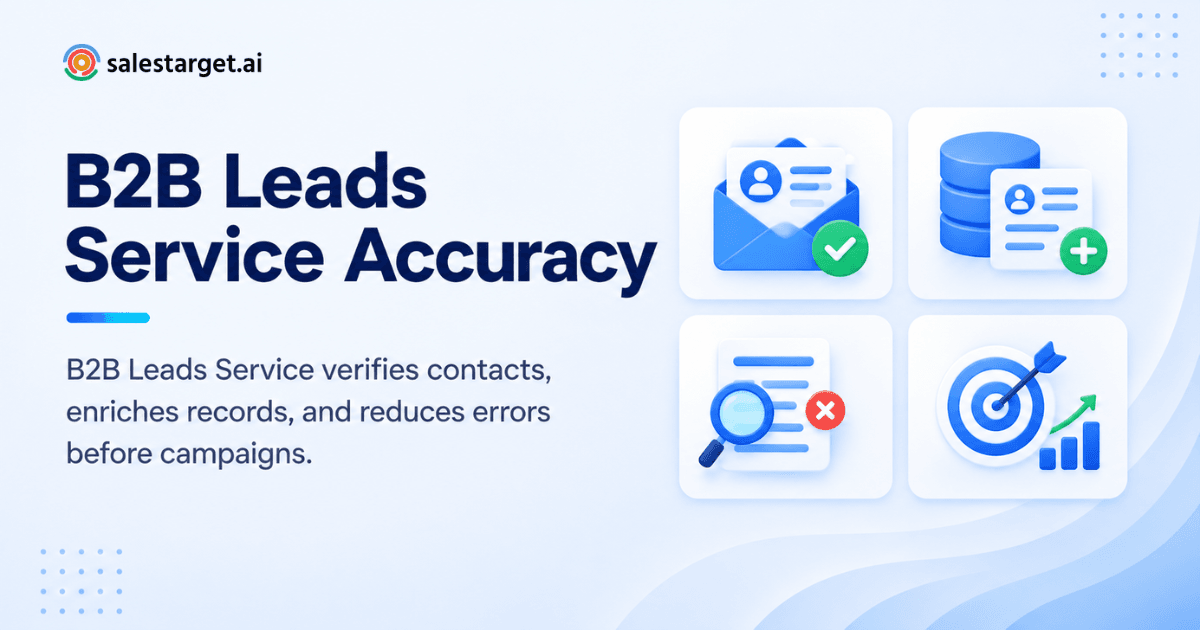
A B2B leads service improves contact data accuracy by collecting profiles from many sources, filling in missing fields, verifying emails and phone numbers, and removing outdated or duplicate records before outreach starts. The result is fewer bounces, more real conversations, and a cleaner pipeline. Salestarget.ai does this in one workflow: find the lead, enrich it, verify it, and send.
This post covers how that process works and what to check before you trust any provider with your prospect data.
How a B2B Leads Service Improves Contact Data Accuracy
A B2B leads service improves accuracy by checking records at the moment you use them, not the moment they were first scraped. A static CSV starts decaying the day you download it. People change jobs, companies rebrand, and mailboxes get shut down.
Gartner research puts the average yearly loss from poor data quality at $12.9 million per organization. That figure covers all business data, not only sales data, but the pattern holds in outbound: bad inputs waste every step after them.
The fix is a service that treats accuracy as a process. Records get sourced, enriched, verified, and cleaned in sequence. Salestarget.ai's Lead Explorer draws on 840M+ professional profiles, 146M+ business entities, and 50+ data sources, and enrichment runs at the moment you find the lead. That timing is the difference between "verified once" and "verified when it matters."
How B2B Lead Data Is Collected, Enriched, and Verified
Good B2B lead data goes through five stages: collection, enrichment, email verification, phone validation, and cleanup. Skip one and the errors pass straight into your sequences.
Building accurate B2B prospect data
Accurate prospect data starts with many sources cross-checked against each other. One source gives you one opinion about who works where. Fifty give you a way to spot disagreement.
Salestarget.ai's Lead Explorer lets you search in plain English or stack Business and People filters: industry, role, seniority, department, company size, revenue, location, tech stack, and Intent Topics. Tight filters matter for accuracy too. A narrow list has fewer wrong-fit contacts hiding in it.
Enriching incomplete contact records
Enrichment fills the gaps in a record: missing email, phone, title, or company details. A lead with only a name and a company is a research task, not a prospect.
With Lead Explorer, one-click enrichment unlocks verified professional email, personal email, phone, and mobile. Enriched leads go straight to sequences or the CRM with no CSV in between. That last point is a data quality feature, not only a convenience. Every export and re-import is a chance to create a duplicate or paste a column into the wrong place.
Verifying professional email addresses
Email verification confirms a mailbox exists and can receive mail before you send. It checks the domain's mail servers, tests the address, and flags risky ones.
The Email Validator runs MX and SMTP checks, detects disposable addresses, and assigns a risk score. It offers a real-time verification API and bulk list cleaning, and it connects to 60+ platforms.
Here is a detail most guides skip: catch-all domains. Some company servers accept every address, real or not, so a basic check says "valid" and the email still bounces or vanishes. Risk scoring exists for these cases. Treat "risky" as its own bucket, and send to it in small batches, not in your main campaign.
Validating business phone numbers and mobile contacts
Phone validation confirms a number reaches the person you think it does. A number that rings is not the same as a number that reaches your buyer.
Lead Explorer returns phone and mobile numbers at enrichment. Before you scale a call list, dial a sample of 20 and count how many reach the right person. If the built-in AI dialer in the CRM logs each call to the lead timeline, wrong numbers get flagged in the record instead of living in one rep's memory.
Removing outdated and duplicate lead records
Cleanup removes contacts who left the company, invalid addresses, and repeat records. Do it before every campaign, not once a quarter.
Dedupe on the person, not the email address. One buyer can appear as a work email, an old work email, and a personal email. If all three land in a sequence, that buyer gets three cold emails in a week and remembers your brand for the wrong reason.
Why Contact Data Accuracy Matters for B2B Sales Teams
Accurate contact data protects sender reputation, saves rep time, and puts your message in front of people who can say yes. Every other outreach metric sits on top of it.
Reducing email bounces and failed outreach
Bounces hurt your whole sending domain, not just the campaign that produced them. Mailbox providers score the domain. A bad list poisons good campaigns running from the same inboxes.
Salestarget.ai reports that 90% of emails sent through Email Outreach are validated before sending. Pair that kind of gate with your own bounce ceiling. [add source: industry bounce-rate benchmark from a named deliverability report]
Email Outreach also runs automatic AI warm-up, inbox rotation, and SPF, DKIM, and DMARC checks. Those protect reputation, but they can't rescue a list full of dead addresses. Clean data comes first.
Improving SDR and BDR prospecting efficiency
Accurate data gives reps their research time back. When every record arrives complete and verified, the rep's day shifts from checking to talking.
The manual loop is familiar: open LinkedIn, guess the email format, test it, paste it into a sheet. Multiply that by 50 prospects a day. Salestarget.ai's CRM figures show about 6 hours saved per rep per week, which is the kind of gain you see when lead capture, logging, and follow-ups stop depending on manual entry.
Reaching the right decision-makers with accurate data
Accuracy includes the title and the company facts, not only the email address. A valid mailbox for the wrong person is still a failed touch.
Filters for seniority, department, and tech stack narrow the list to actual buyers. Intent signals add timing: Lead Explorer surfaces Bombora Intent Topics and business events such as funding rounds, hiring spikes, and leadership changes on a 30 to 90 day lookback. A verified contact at an account that just raised money is a better first email than a verified contact at a random account.
Improving sales pipeline quality with verified contact information
Verified contact data keeps junk out of the pipeline. Bounced leads and wrong-person replies inflate the top of your funnel and mislead forecasts.
In the CRM, campaign leads land automatically with no imports, and every email and call is logged to the lead timeline. Salestarget.ai's figures show 2.4X more meetings from the same leads and 91% follow-up completion. The leads did not change. The handling did.
If your CRM is filling with records nobody trusts, that is the moment to test verification at the source. You can start free with Salestarget.ai and run a real list through it.
Steps to Improve B2B Contact Data Accuracy for Sales Outreach
Improve accuracy by working in order: define the target, build the list, enrich it, verify it, clean it, then send. Reversing the order wastes effort.
Define the right prospect and account criteria
Write down who you sell to before you pull any data. Industry, company size, role, and a disqualifier list.
Salestarget.ai's ICP Builder helps turn that description into search filters. Add one negative filter, such as excluded industries or company sizes, so bad fits never enter the list.
Build targeted lists from a reliable B2B lead database
Start from a database with wide coverage and fresh records. Coverage without freshness gives you volume of the wrong kind.
Ask any provider how records are sourced and how often they are refreshed. Our own guide on how a B2B leads service helps sales teams covers what to look for in a database.
Enrich missing prospect and company information
Enrich before you send, not after replies stall. Missing phone numbers and titles are easier to fix at list-building time.
Run enrichment on the whole list, then look at completeness by field. If 30% of records lack a mobile number, decide now whether that channel is even viable for this campaign.
Verify email and phone data before outreach
Run every email through validation on the day you send. A list verified last month is not a verified list.
Check verification dates, not only verification status. Data that was valid in spring can be stale by autumn. Route "risky" results to a separate low-volume batch.
Remove invalid and duplicate contacts
Delete invalid records, merge duplicates, and check against people already in active sequences. Overlap between campaigns is a hidden cause of spam complaints.
The same person showing up in two sequences from two reps is a common rep mistake. Central visibility solves it.
Connect verified leads with sales outreach campaigns
Send only verified leads into sequences, and keep the link between data and outreach unbroken. Copying between tools reintroduces errors.
Salestarget.ai builds multi-step sequences from a plain-English audience description and runs email and LinkedIn in one coordinated flow, so replies, connection requests, and follow-ups share context.
Key Features to Look for in a B2B Leads Service
Look for verification built into the workflow, broad coverage, and clean connections to your outreach and CRM. A long feature list matters less than whether the pieces talk to each other.
Accurate B2B lead databases and contact coverage
Check both size and depth. A large database with thin records still leaves you doing research. Ask for coverage in your target region and industry, not global totals.
Lead enrichment and contact verification
Enrichment and verification should happen in one step. If they are separate purchases in separate tools, expect gaps between them.
Email and phone number validation
Email validation should include MX and SMTP checks, disposable detection, and risk scoring. Phone data should come with a way to confirm quality after the call.
Prospect filtering and buyer identification
Filters should reach role, seniority, department, company size, revenue, location, and tech stack. Intent data is a bonus that helps you rank who to contact first.
Integration with email, LinkedIn, and CRM workflows
Data should flow to email, LinkedIn, and your CRM without CSV files. Native links cut errors and save time. Salestarget.ai's CRM also connects with Google Calendar, Google Meet, Calendly, Slack, Zapier, HubSpot, Salesforce, and Zoho.
Data quality controls for ongoing prospecting
Look for ways to keep checking data after the first send. Bulk cleaning, real-time verification through an API, and visible verification status let you keep a list healthy over months.
Why Choose SalesTarget.ai
SalesTarget.ai keeps lead data, verification, outreach, and CRM in one platform, so accuracy does not leak between tools. Apollo gives you data and engagement, but you still add deliverability and a CRM. Instantly, Smartlead, and Lemlist focus on cold email and deliverability, without a native B2B database, LinkedIn automation, or a full CRM. Salestarget.ai puts all of it in one workspace on one bill.
Salestarget.ai states that 99% of its contact data is verified. Treat any vendor figure, ours included, as a claim to test on your own list, which is why a free trial matters.
Find and enrich prospects with Lead Explorer
Lead Explorer finds and enriches prospects in one step. Search in plain English or with filters, then unlock verified professional email, personal email, phone, and mobile. Smart Prospect Search, ICP Builder, and Intent-Based Lead Scoring help you rank leads by fit and timing.
Verify contact data with Email Validator
Email Validator checks addresses before sending. MX and SMTP checks, disposable detection, and risk scoring cut bounces and protect your domain. The real-time API and bulk cleaning cover both new leads and old lists.
Connect verified leads with email and LinkedIn outreach
Verified leads move straight into email and LinkedIn sequences. Email Outreach brings unlimited inboxes with AI warm-up and inbox rotation. LinkedIn Outreach automates connection requests, DMs, and follow-ups with built-in safety limits. Unibox sorts replies by intent so the right ones get answered first.
Manage prospects and follow-ups in the built-in CRM
The built-in CRM tracks every lead, email, and call in one timeline. Lead Management, Deal Pipeline, Tasks and Follow-Ups, Activity Tracking, and Reports and Analytics sit in one place. The AI dialer takes call notes and saves them to the lead timeline, so records stay accurate without manual write-ups.
Use AI Copilot for prospect lists and sales workflows
AI Copilot is a chat assistant inside the platform that finds leads, drafts sequences, and answers questions about your CRM. Ask it for prospects matching a profile, generate a personalized sequence, or check which deals are at risk. Strategy stays with your team.
Common B2B Lead Data Problems That Affect Outreach
Five problems show up again and again: stale titles, dead emails, missing phones, duplicates, and unverified leads sent live. Each one has a matching fix above.
Outdated job titles and company information
People change roles faster than lists update. An email to a former VP goes to a colleague, or nowhere. Re-check titles before each campaign.
Invalid or inactive email addresses
Invalid addresses bounce; inactive ones fail silently. Validation catches the first kind reliably and flags the second through risk scoring.
Missing phone numbers and contact details
Missing details cap what channels you can use. No phone means no calling. No LinkedIn profile means no multichannel touch. Enrich before you plan channels.
Duplicate records across prospect lists
Duplicates cause double outreach and skew reporting. Merge on person-level identifiers, not email alone.
Unverified leads entering active outreach campaigns
One unverified batch can harm a sending domain for weeks. Make validation a required gate, not an optional step.
Measuring the Quality of B2B Contact Data
Measure quality with five numbers: validity rate, bounce rate, completeness, duplicate and outdated rate, and reply performance. Track them per list, not only per campaign.
Email validity and bounce rates
Validity rate is the share of addresses that pass verification; bounce rate is the share that fail at send. Compare the two. A big gap means verification was stale.
Completeness of prospect records
Completeness is the share of records with all the fields you need. Define required fields per channel: email for cold email, mobile for calling.
Duplicate and outdated contact rates
Track how many records are duplicates or older than your freshness limit. Pick a limit and stick to it.
Accuracy of job titles and company information
Sample 25 records by hand each month and check titles and company details against LinkedIn. Small samples catch drift early.
Outreach performance from verified B2B leads
Compare reply and meeting rates for verified lists against unverified ones. For a deeper look at qualification, see our piece on using a B2B leads service to find qualified prospects.
Conclusion: Build More Accurate Sales Outreach With Better B2B Lead Data
The problem you started with is a familiar one: a list that looked full and turned out dead. A B2B leads service fixes it by making accuracy a routine. Source widely, enrich at the point of finding, verify on send day, clean before every campaign, and measure the results.
Salestarget.ai puts that routine in one workspace. Lead Explorer finds and enriches, Email Validator checks, Email Outreach and LinkedIn Outreach send, the CRM tracks, and AI Copilot handles the grunt work. No tool-stitching, no CSV round trips.
Ready to see it on your own list? Start with Salestarget.ai and run your next campaign on verified data.