Your SDR opens a LinkedIn profile, guesses the email format, runs it through a separate verifier, and pastes the record into the CRM. Ten minutes, one lead. Two weeks later, part of that list bounces and your domain start sliding into spam.
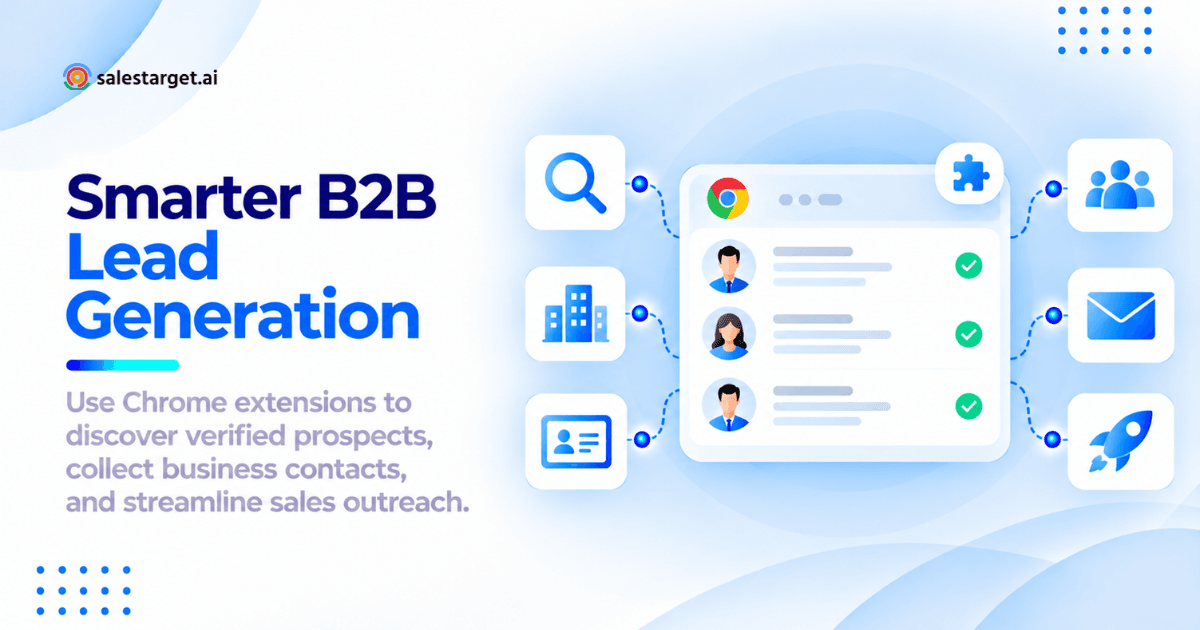
Install a B2B prospecting Chrome extension, open a LinkedIn profile or company website, and let it reveal the person's verified work email, phone number, and company details in one click. Confirm the contact fits your ideal customer profile, save it to a targeted list, and push it to your CRM or outreach sequence.
The extension does the lookup; your team still owns the judgment. Here's the full workflow.
The Role of Chrome Extensions in B2B Lead Generation
How Chrome Extensions Support B2B Contact Discovery and Prospect Research
A prospecting extension reads the page you're on, identifies the person or company, and matches it against a B2B contact database. A LinkedIn profile becomes a work email, phone number, and company record without opening a second tab.
Key Functions of Chrome Extensions for Sales Prospecting
Most B2B prospecting Chrome extensions handle five jobs:
- Discovery: reveal emails and phone numbers
- Company lookup: industry, headcount, revenue, location
- Verification: confirm an address can receive mail
- List building: save prospects into named lists
- Sync: push records to a CRM or sequence
Tools differ most on the last two.
Finding Business Contacts Across LinkedIn and Company Websites
LinkedIn shows who holds a role; company websites show leadership pages, team bios, and press contacts. An extension that works on both lets you start from a domain and cross-check titles against what the company publishes.
The Difference Between Contact Discovery, Lead Enrichment, and Email Verification
- Contact discovery finds the person and their channels.
- Lead enrichment adds context: seniority, company size, tech stack, intent.
- Email verification confirms the address works before you send.
Discovery without verification is how lists rot. In Salestarget.ai, all three happen in the same click.
Benefits of Using Chrome Extensions for B2B Sales Prospecting
Faster Access to Decision-Maker and Company Contact Information
Salesforce's 2026 State of Sales report, a survey of 4,050 sales professionals, found reps spend only 40% of their time selling and close to a full day each week on prospecting. An extension cuts each lookup from minutes to seconds.
Reduced Manual Research and Prospect Data Collection
No copied names, no guessed email patterns, no tab-switching between a data tool and a verifier. The rep's job shifts from data entry to deciding who deserves outreach, the one part a tool can't do.
Better Prospect Segmentation and Lead List Organization
Saving a prospect into a named list the moment you find them (by campaign, region, or account) beats sorting a 2,000-row export later. Lists built during research keep the reason each lead was picked.
Connecting Browser-Based Research with Sales Outreach Workflows
An extension that stops at "here's the email" leaves an export, clean, import cycle. The useful ones send the lead straight to an email or LinkedIn sequence and log it in the CRM.
Preparing Your B2B Prospecting Workflow Before Using Chrome Extensions
Defining Your Ideal Customer Profile and Target Market
Write the ICP down before anyone installs anything: industry, headcount band, revenue range, geography, tech stack, and one buying trigger, like a funding round or new sales leader. Without it, an extension just helps reps collect wrong contacts faster.
Identifying Relevant Decision-Makers and Buying Roles
Map three roles per account: the economic buyer, the daily champion, and the evaluator. Then normalize titles by company size: a "VP of Sales" at a 15-person startup and at a 5,000-person enterprise are different buyers, yet seniority filters treat them as one.
Selecting Prospect Sources Based on Industry and Company Size
LinkedIn coverage is strong in SaaS, tech, and professional services, and thin in manufacturing, construction, and local services, where company websites and directories list more decision-makers. Pick the source first, then an extension that reads it.
Setting Contact Data and Lead Qualification Requirements
Define a complete record before collecting one. A sensible minimum: verified work email, current title, company domain, headcount, and an ICP fit score. Records missing two or more go to enrichment, not a sequence.
How to Use Chrome Extensions for B2B Lead Generation: Step-by-Step Process
Step 1: Install and Configure a Chrome Extension for B2B Prospecting
Add the extension from the Chrome Web Store, sign in, and set the default list and the CRM or sequence it pushes to. Then prospect in a separate Chrome profile, away from banking and admin logins, so extension permissions stay contained.
Step 2: Find Target Prospects on LinkedIn and Company Websites
Search LinkedIn or Sales Navigator with your ICP filters, or start from a target account's domain. Read the profile before revealing anything: role start date, team size, recent activity. Leaders in the first 90 days of a new role tend to review vendors early, so they move up the list.
Step 3: Collect Business Email Addresses, Phone Numbers, and Company Details
Reveal contact data only for prospects who passed Step 2; revealing every profile you open burns lookups on people you'll never contact. Capture email, direct dial, title, company, and location in one pass.
Step 4: Enrich Contact Records with Professional and Firmographic Data
Add the context that sets priority: seniority, department, headcount, revenue, tech stack, and recent events like funding or a hiring spike. A contact with a live buying signal goes to the top of the queue.
Step 5: Verify Business Emails and Review Contact Accuracy
Check every email before it touches a sequence and sort results into three buckets: valid (send), invalid (drop), and catch-all or risky (send in small batches and watch bounces). Catch-all domains accept any address at the server check, so a "valid" result there proves little.
Step 6: Qualify and Segment Prospects into Targeted B2B Lead Lists
Score each lead against the ICP and file it into a list built for one message: one industry, one role, one pain. A list mixing CFOs and SDR managers forces generic copy, and generic copy gets ignored.
Step 7: Export Verified Leads to Your CRM for Sales Outreach
Push leads with source, list, fit score, and verification status attached. Skip CSVs where you can; every export-import cycle drops fields and creates duplicates. Re-verify any lead that sat in a list longer than 30 days before it enters a sequence.
Run it on your next account: install the Salestarget.ai Chrome extension and go from LinkedIn profile to verified, sequenced lead without leaving the tab. You can start free.
Practical B2B Lead Generation Use Cases for Chrome Extensions
LinkedIn Lead Generation for SDRs and BDRs
SDRs work LinkedIn search results in a loop: open, qualify, reveal, save. A rhythm that holds up: build the day's list in the morning, sequence it by noon, and spend the afternoon on replies and calls.
Decision-Maker Research for Account-Based Sales
Start from the target account's domain, pull the buying committee, and attach account-level signals (funding, hiring, leadership changes) so every stakeholder hears about the same trigger.
Business Contact Discovery from Company Websites
For companies with a thin LinkedIn presence, the website is the source. Open the domain, pull listed leaders and department heads, and verify each address. Generic inboxes like info@ rarely reach a decision-maker.
Prospect List Building for B2B Lead Generation Agencies
Agencies run this workflow for many clients, so list hygiene is the job. Keep one list per client per campaign, tag every source, and never let one contact sit on two clients' lists, which protects client trust and sender domains.
Researching Multiple Stakeholders Within Target Accounts
Single-threaded deals die when the one contact leaves or goes quiet. From one profile, find three to five colleagues across your mapped roles and save them as one account group.
Improving B2B Lead Quality with Contact Verification and Data Enrichment
Identifying Accurate Business Email Addresses and Contact Details
Accurate means current, not just well formatted. A pattern-guessed firstname.lastname@ address can look perfect and belong to someone who left last year. Trust emails confirmed by multiple sources over pattern guesses.
Checking Email Verification Status Before Sales Outreach
Verify at the point of send, not just at capture. Gmail and Yahoo have required bulk senders to keep spam complaints under 0.3% since February 2024, and Microsoft began enforcing similar rules for Outlook.com in May 2025. Salestarget.ai's Email Validator runs MX and SMTP checks, flags disposable addresses, and scores risk before anything sends.
Filling Missing Contact Information Through Lead Enrichment
Each gap blocks something: no phone kills the call step, no title breaks segmentation. Enrich gaps before a lead enters a sequence, and hold it back if email, title, or company still can't be confirmed.
Removing Duplicate, Invalid, and Outdated Prospect Records
Dedupe on email and on LinkedIn URL, since one person can carry two emails across tools. Drop invalid addresses and flag anyone whose employer no longer matches the record. Job changers aren't dead leads; they're new accounts.
Creating a Lead Qualification Checklist for Sales Teams
A lead enters outreach only when it:
- Matches the ICP on industry, headcount, and geography
- Holds a mapped buying role
- Has a verified email, or is flagged catch-all
- Shows a confirmed current employer
- Isn't already in an active sequence or open deal
- Has one reason to reach out now
Managing Chrome Extension Leads Across CRM and Outreach Workflows
Structuring Prospect Data for CRM Imports and Synchronization
Agree on field names before the first push: source, list, ICP score, verification status, owner, and signal. Map them once so every extension-sourced lead arrives in the same shape and reports stay comparable.
Segmenting Leads by Industry, Job Role, and Sales Priority
Three tags carry most of the routing: industry sets the message, role sets the angle, priority sets the order. High priority means ICP fit plus an active signal, worked within 48 hours.
Preparing Verified Leads for Personalized Cold Email Campaigns
Capture one concrete detail per lead during research, with the profile still open (a recent post, a new hire, a product launch) and store it in a custom field. First lines written from that field are fast; ones rebuilt from memory aren't.
Connecting LinkedIn Prospecting with Multichannel Follow-Ups
A profile view or connection request before the first email puts a face to the name. Run both channels from one sequence, so a LinkedIn reply stops the email follow-ups instead of triggering a "just bumping this" note to someone who already answered.
Tracking Contact Engagement and Sales Pipeline Activities
Log replies, calls, and meetings to the lead record automatically; manual logging falls apart by Wednesday. The weekly question: which lists, sources, and signals produced meetings, not just replies?
Key Factors When Selecting Chrome Extensions for B2B Sales
Contact Database Coverage and Data Accuracy
Test, don't trust the database size. Run a 25-contact sample from recent closed-won deals, where you know the details are right, through each tool and count correct emails, direct dials, and titles. Still shortlisting? Our roundup of the best Chrome extensions for B2B sales compares the main options.
LinkedIn and Company Website Compatibility
Confirm where the extension actually works: standard LinkedIn profiles, Sales Navigator, company sites, and search results. A LinkedIn-only overlay leaves you stuck on every account with a thin LinkedIn footprint.
Business Email Verification and Contact Enrichment Features
Look for verification at the moment of reveal, not as a separate step, with clear statuses (valid, risky, invalid). Firmographics are table stakes; intent and business-event signals decide who gets called first.
CRM Integration and Prospect Data Export Options
Native sync beats CSV. Ask whether the extension maps custom fields, blocks duplicates on sync, and drops leads straight into a sequence. If all three answers are "export a file," your reps become part-time data clerks.
Pricing, Usage Credits, and Cost per Verified Lead
Compare cost per verified lead, not list price: monthly tool spend divided by leads that passed verification and qualification. Some tools bill email and phone separately, and some bill reveals that return nothing usable. Salestarget.ai's extension doesn't charge for contacts it can't verify.
Browser Security, Data Privacy, and Platform Restrictions
A trusted extension can turn hostile through a single update. In December 2024, attackers phished developers and pushed malicious updates to more than 30 Chrome extensions, including Cyberhaven's, exposing roughly 2.6 million users. Review permissions, favor extensions that activate only when opened, and check the vendor's GDPR and data retention terms.
Common Challenges and Mistakes in Chrome Extension Lead Generation
Incomplete or Outdated Business Contact Information
Contact data decays every month. HubSpot's widely cited benchmark puts B2B database decay at about 2.1% a month, roughly 22.5% a year. A list built in January and sent in June has already lost a real slice.
Missing Email Addresses and Unverified Prospect Records
No extension finds every email. When one comes back empty, don't guess the pattern; reach the prospect on LinkedIn or by phone, or park the record until enrichment fills it.
Duplicate Contacts Across Prospecting Tools and CRM Systems
The costly version is account-level: two reps working different stakeholders at the same company without knowing it. Assign account ownership in the CRM and check it before revealing anyone new there.
Collecting High Volumes of Leads Without ICP Qualification
Big lists feel productive and perform badly. Off-ICP contacts drag reply rates down, raise spam complaints, and convince the team outbound "doesn't work." Judge reps on qualified leads, not leads collected.
Data Privacy and LinkedIn Usage Restrictions
LinkedIn's User Agreement bans scraping and unauthorized automation. In March 2025, LinkedIn removed the company pages of Apollo.io and Seamless.AI without a public explanation, a move widely read as a response to scraping; Apollo's page was later restored. Keep activity at human pace, use tools with built-in limits, and document a lawful basis for EU contacts.
Measuring Chrome Extension Performance in B2B Lead Generation
Number of Verified Contacts and Qualified Leads Collected
Track two numbers per rep per week: verified contacts saved and leads that passed qualification. The gap between them shows whether reps are researching or just collecting.
Email Verification Rates and Contact Data Coverage
Measure the share of reveals returning a valid email, a direct dial, and a complete record. After sending, watch bounce rate; most deliverability teams treat 2%+ as a cue to clean the list.
Time Saved on Prospect Research and List Building
Time ten manual lookups and ten extension lookups, from opening the profile to a CRM-ready record. Multiply the difference by weekly volume. That's the number leadership asks for.
Cost per Qualified Lead and Prospecting Efficiency
Cost per qualified lead = (tool spend + rep hours × loaded hourly cost) ÷ qualified leads. Rep time belongs in the formula: a cheaper tool that doubles research time costs more.
Measuring Positive Replies, Meetings, and Pipeline Contribution
Tag each lead with its source list and signal, then report positive replies, meetings, and pipeline value by source. If extension-sourced leads book meetings but never become deals, revisit the ICP, not the tool.
Why Choose Salestarget.ai for B2B Lead Generation and Sales Prospecting?
Salestarget.ai runs this entire workflow in one platform, with no exports or extra tools.
Discover Business Contacts Using Salestarget.ai Chrome Extension
The Salestarget.ai Chrome extension auto-detects the person on a LinkedIn profile and reveals their verified email, direct phone, title, company, and location. It works on company websites, Google results, and recruitment sites, and takes plain-English searches through AI Copilot.
Build Targeted B2B Prospect Lists with Lead Explorer
Lead Explorer searches 840M+ verified professional profiles and 146M+ businesses by filter (industry, seniority, headcount, revenue, tech stack) or plain-English prompt. It layers in 4,000+ intent signals: Bombora Intent Topics plus funding rounds, hiring spikes, and leadership changes on a 30 to 90 day lookback.
Verify and Enrich Business Contact Information
Salestarget.ai enriches and verifies a contact at the moment you find it, not whenever the data was first scraped. One click returns verified professional email, personal email, phone, and mobile, drawn from 50+ data sources with 99% verified contact data.
Connect Prospect Discovery with Email and LinkedIn Outreach
Saved leads go straight into email and LinkedIn sequences with no CSV. Email Outreach builds sequences from a plain-English audience description and validates 90% of emails before sending; LinkedIn Outreach runs connection requests, DMs, and follow-ups in the same flow, with rate limits and auto-pause safeguards.
Manage Leads, Follow-Ups, and Sales Opportunities in the Built-In CRM
Campaign leads land in the built-in CRM automatically. Every email and call logs to the lead timeline, and follow-up tasks appear when a lead replies or a meeting ends. Salestarget.ai reports 91% follow-up completion and about 6 hours saved per rep each week.
Use AI Copilot for Prospecting and Outreach Management
AI Copilot is a chat-based sales teammate. Ask it to find leads, write a personalized sequence, show which campaigns drove revenue, or flag at-risk deals; your workspace data stays private.
Build a Connected B2B Prospecting and Outreach Workflow with Salestarget.ai
The problem was never that reps can't find emails. It's the ten-minute loop between finding, checking, saving, and sequencing, and the stale data that leaks out of it. Salestarget.ai closes that loop: the extension reveals the verified contact, Lead Explorer adds buying signals, the Email Validator protects your domain, sequences run across email and LinkedIn, and the CRM tracks every lead to close.
Start prospecting with Salestarget.ai and turn your next LinkedIn session into verified, sequenced pipeline.