A rep opens a fresh list of 500 "leads" and half the emails bounce, three job titles are two years stale, and nobody on the list has shown any sign of caring about what's being sold. That's not a prospecting problem. That's a data problem wearing a prospecting costume, and it's the reason so many outbound teams miss quota on activity they can prove happened.
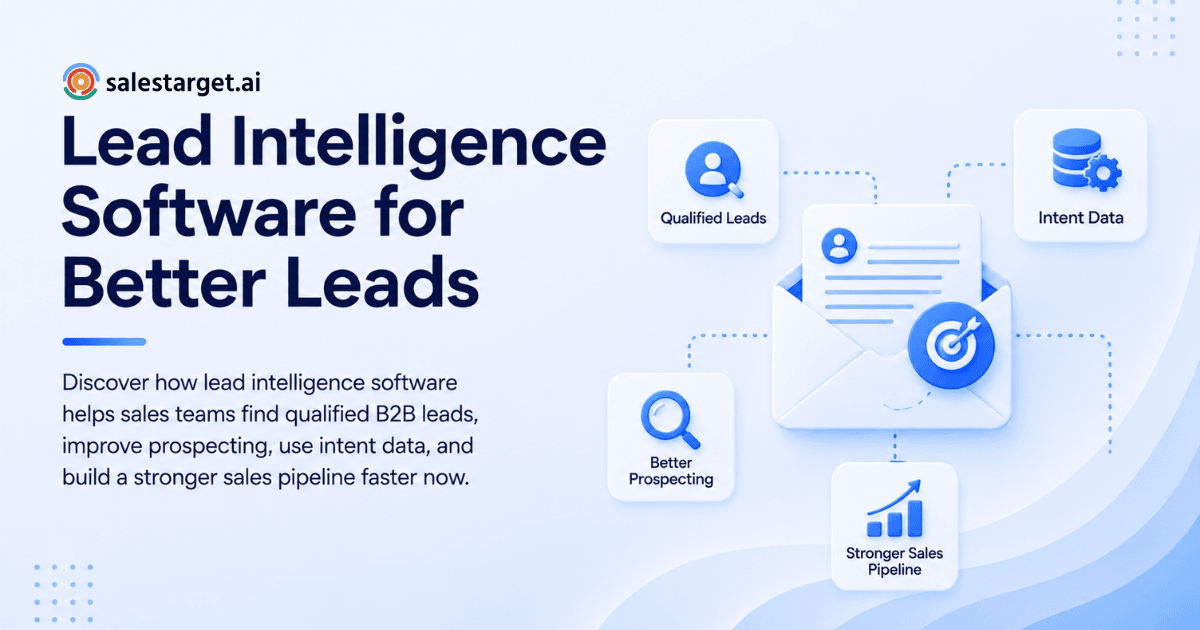
Lead intelligence software fixes this by pulling accurate company and contact data, buyer intent signals, and fit scoring into one system, so reps spend their day talking to people who match the target profile and show real buying signs, instead of guessing from a spreadsheet. In plain terms: it tells a sales team who to call, why that person is worth calling, and how to reach them with a working email and phone number. Good lead intelligence software turns a pile of names into a ranked, working prospect list.
The Growing Need for Better Lead Intelligence in B2B Sales
Outbound has gotten harder, not easier. Buying committees are bigger, budgets get more scrutiny, and generic outreach gets ignored on sight.
The challenge of finding relevant prospects
Most sales teams don't lack contacts. They lack contacts that fit. A list built from a stale export or a purchased database usually mixes real fits with names that have no reason to buy, and reps burn hours sorting one from the other by hand. Gartner reports that 73% of B2B buyers actively avoid vendors that send irrelevant outreach, which makes list quality a direct revenue issue, not a nice-to-have.
The impact of inaccurate and incomplete lead data
Bad data compounds. A wrong title skews personalization, a dead email tanks sender reputation, and a missing phone number kills a channel before it starts. SPOTIO's 2026 State of Field Sales data shows B2B reps spend around 9 to 11% of their working time on prospecting research alone, before a single outreach attempt goes out. That's paid time spent patching gaps a better data source should have closed.
Why sales teams need actionable prospect information
Names and titles aren't enough anymore. A rep needs to know what a company is doing right now: hiring for a role tied to the product, raising a funding round, changing leadership, or actively researching a category online. Lead intelligence software surfaces that context next to the contact record, so the first outreach line has a reason behind it.
Lead Intelligence Software: Core Concepts and Capabilities
Lead intelligence platforms combine a few distinct jobs into one workflow: finding companies and people, filling in missing details, reading buying signals, and ranking who matters most.
B2B lead data collection and organization
At the base sits a searchable database of companies and professionals, filterable by industry, headcount, revenue, role, seniority, and location. The value isn't the size of the database alone; it's how easily a rep can slice it down to a working list that matches what sales lead software does and how it helps teams sell.
Contact and company data enrichment
Enrichment fills the gaps: a verified work email, a direct or mobile number, company size, tech stack, and revenue band attached to a bare name. The best systems enrich a record the moment a rep finds it, not on a delayed batch job that runs overnight.
Buyer intent and prospect activity signals
Intent data flags accounts researching a topic related to the product, visiting relevant content, or hitting a business trigger like a new funding round or a leadership change. These signals separate an account that's ready for a conversation from one that isn't there yet.
Lead scoring and qualification
Scoring blends fit (does this account match the ideal customer profile) with intent (is this account showing buying behavior) into one ranked number. Reps work the list top to bottom instead of guessing which name to dial next.
The Role of Lead Intelligence in B2B Sales
Lead intelligence doesn't replace a sales process. It feeds the process better inputs at every stage.
Improving B2B lead generation
A ranked, enriched, verified list turns lead generation from a volume game into a targeting exercise. Fewer names go out, and more of them convert to conversations.
Finding prospects that match the ideal customer profile
Filtering by firmographic and technographic criteria means a team builds lists around accounts that resemble past wins, not accounts that merely exist in a category.
Identifying high-intent prospects
Timing matters as much as fit. A TOPO study on B2B buying behavior found that companies with mature intent data programs see an 80% higher close rate on the high-intent accounts they identify, since outreach lands while the account is actively evaluating, not months before or after.
Improving sales pipeline quality
Better inputs at the top of the funnel mean fewer unqualified deals clogging a pipeline review. A pipeline built on fit and intent data holds up better under forecast scrutiny than one built on raw volume.
A Practical Lead Intelligence Workflow for Sales Teams
Here's what a working lead intelligence process looks like in practice, step by step.
Define target accounts and buyer profiles
Start with firmographic criteria (industry, size, revenue) and the roles that buy or influence the purchase. This profile becomes the filter for every list built afterward.
Build targeted prospect lists
Search the database against that profile, using plain filters or AI-assisted search to pull a list of matching companies and people in minutes instead of days.
Enrich and verify contact information
Add verified email, phone, and mobile data to each record before the list goes anywhere near a sequence. Skipping this step is where most bounce and dead-line problems start.
Analyze intent and engagement signals
Layer intent topics and business events onto the list to see which accounts are showing buying behavior right now, and which ones are still cold.
Qualify and prioritize prospects
Score each contact on fit and intent, then rank the list so reps start with the accounts most likely to convert.
Move qualified leads into outreach
Push the finished list straight into an email or LinkedIn sequence instead of exporting to CSV and re-uploading somewhere else. Start a free trial to try this handoff on a real list.
Key Features to Look for in Lead Intelligence Software
A few features separate a genuinely useful platform from a database with a search bar.
Advanced lead and company search
Look for the option to stack filters (role, seniority, department, tech stack, revenue) or search in plain language and get a usable list back.
Accurate lead enrichment
Enrichment quality matters more than volume. A database of a billion profiles is worthless if half the emails bounce on send.
Intent data and buying signals
Real intent data pulls from named sources like third-party research providers and public business events, not a black-box "AI score" with no explanation behind it.
Lead scoring and qualification
Scoring needs to be visible and adjustable, so a sales team can tune the model to match what "qualified" actually means for their product.
Contact verification
Email and phone verification at the point of enrichment, not weeks later, keeps bounce rates low and protects sender reputation before a campaign launches.
CRM and sales workflow integration
A lead intelligence tool that dumps data into a CSV creates work. One that pushes enriched, scored leads straight into sequences and a CRM removes a manual step reps skip when they're busy.
Business Benefits of Lead Intelligence Software
The payoff shows up in time saved and pipeline that actually closes.
Reduce manual prospect research
Reps stop spending hours a week cross-referencing LinkedIn, company websites, and old spreadsheets to confirm a title or find an email.
Improve lead quality and targeting
Filtering on real fit and intent criteria cuts down the number of names that never had a shot at converting in the first place.
Increase sales team productivity
Time saved on research and data cleanup goes straight into calls, emails, and follow-ups, the activities that actually move deals.
Support more relevant outreach
Context from enrichment and intent data gives reps something specific to reference in the first message, instead of a generic opener that reads like a template.
Improve pipeline efficiency
Cleaner inputs mean fewer stalled deals and a forecast that holds up in review. Teams that want to see this in their own numbers can book a demo and run it against a live list.
Why Choose SalesTarget.ai
SalesTarget.ai builds lead intelligence, enrichment, outreach, and CRM into one workspace instead of a stack of separate tools that need manual handoffs.
Lead Explorer for B2B prospecting and enrichment
Lead Explorer searches over 840 million verified professional profiles and 146 million business entities, with 4,000+ intent and buyer signals pulled from 50+ data sources. Filters cover industry, role, seniority, company size, revenue, tech stack, and Bombora Intent Topics, and enrichment (verified email, personal email, phone, mobile) happens in the same click a lead is found, not on a delayed batch.
Email and LinkedIn outreach in one workflow
Email Outreach builds multi-step sequences from a plain-language audience description, with automatic inbox warm-up and SPF, DKIM, and DMARC checks built in. LinkedIn Outreach runs connection requests, DMs, and follow-ups on the same account, with rate limits and warm-up logic that protect the LinkedIn account. Both channels share context, so a reply on one adjusts the sequence on the other.
Email Validator for cleaner contact data
The Email Validator runs MX and SMTP checks and disposable-email detection before a send goes out, which is part of why 90% of emails sent through the platform are validated ahead of time.
Built-in CRM for managing qualified prospects
Campaign leads land in the CRM automatically, no import step required. Every call and email logs to the lead timeline, follow-up tasks get created when a lead replies, and teams using it report closing deals 3.2X faster with 91% follow-up completion.
AI Copilot for faster sales workflows
AI Copilot lets a rep chat to find leads, draft a personalized sequence, or check which campaigns are driving revenue, without switching tools mid-task.
Common Challenges and Mistakes in Lead Intelligence
A few recurring mistakes undercut even a good lead intelligence tool.
Relying on outdated or incomplete lead data
A database that isn't refreshed regularly drifts fast; people change jobs, companies get acquired, and phone numbers get reassigned within months.
Prioritizing lead volume over lead quality
A list of 10,000 loosely matched names looks impressive and performs worse than a list of 500 tightly matched ones. Volume without fit just moves the sorting problem downstream to the rep.
Ignoring buyer intent signals
Fit alone answers "should we ever talk to this account." Intent answers "should we talk to them today." Skipping intent data means reaching accounts before they're ready, and losing the moment when they are.
Starting outreach without verifying contacts
Sending to unverified emails drives up bounce rates, which damages sender reputation for every campaign that follows, not just the one that failed.
Using disconnected tools across the sales process
Separate tools for data, outreach, and CRM mean manual exports, duplicate entry, and gaps where a lead falls through between systems.
Selecting the Right Lead Intelligence Software
A short checklist for evaluating options before committing to one.
Data coverage and accuracy
Check the size of the database against the actual accuracy rate on emails and phone numbers, not just the headline profile count.
Enrichment and intent capabilities
Confirm enrichment happens at the point of search, and that intent signals come from named, credible sources.
Prospecting and qualification features
Look for adjustable scoring and filters specific enough to build a list that matches a real ideal customer profile, not a generic industry category.
Outreach and CRM connectivity
A platform that connects lead data straight to sequences and a CRM removes the manual handoff most teams lose leads in. For a deeper breakdown of what to compare, this guide to the best lead intelligence software for sales teams covers the shortlist criteria in more detail.
Pricing and overall workflow value
Weigh the cost against the manual research hours it replaces and the number of separate tools it lets a team cancel.
From Lead Intelligence to Sales-Ready Opportunities
Lead intelligence only pays off when it connects to what happens after the list gets built.
Combine lead fit, data quality, and intent
The strongest lists score high on all three: accounts that match the ideal customer profile, contact data that's been verified recently, and intent signals showing active buying behavior.
Turn prospect insights into targeted outreach
Signals and enrichment data belong in the message itself, referenced directly instead of buried in a CRM field nobody checks before sending.
Connect lead intelligence with the full sales workflow
Data, outreach, and CRM working in one system means a lead moves from discovery to a logged deal without a manual export in between, and for a wider view of how this connects to lead software generally, see how lead scoring and qualification fit into a modern prospecting stack.
Conclusion: Turn Better Lead Intelligence Into Better Sales Results
Bad lead data isn't a minor annoyance. It's hours of rep time lost every week, deals lost to outreach that missed the timing, and a pipeline that looks fuller than it actually is. Lead intelligence software fixes the root problem: accurate data, real intent signals, and scoring that tells a rep where to spend the next hour.
SalesTarget.ai builds that intelligence layer directly into the same platform that runs outreach and tracks deals, so a lead found in Lead Explorer this morning can be in a sequence by lunch and logged in the CRM by end of day. See it in action and run it against a real list.