LinkedIn Safe Automation: How to Scale Outreach Without Getting Restricted
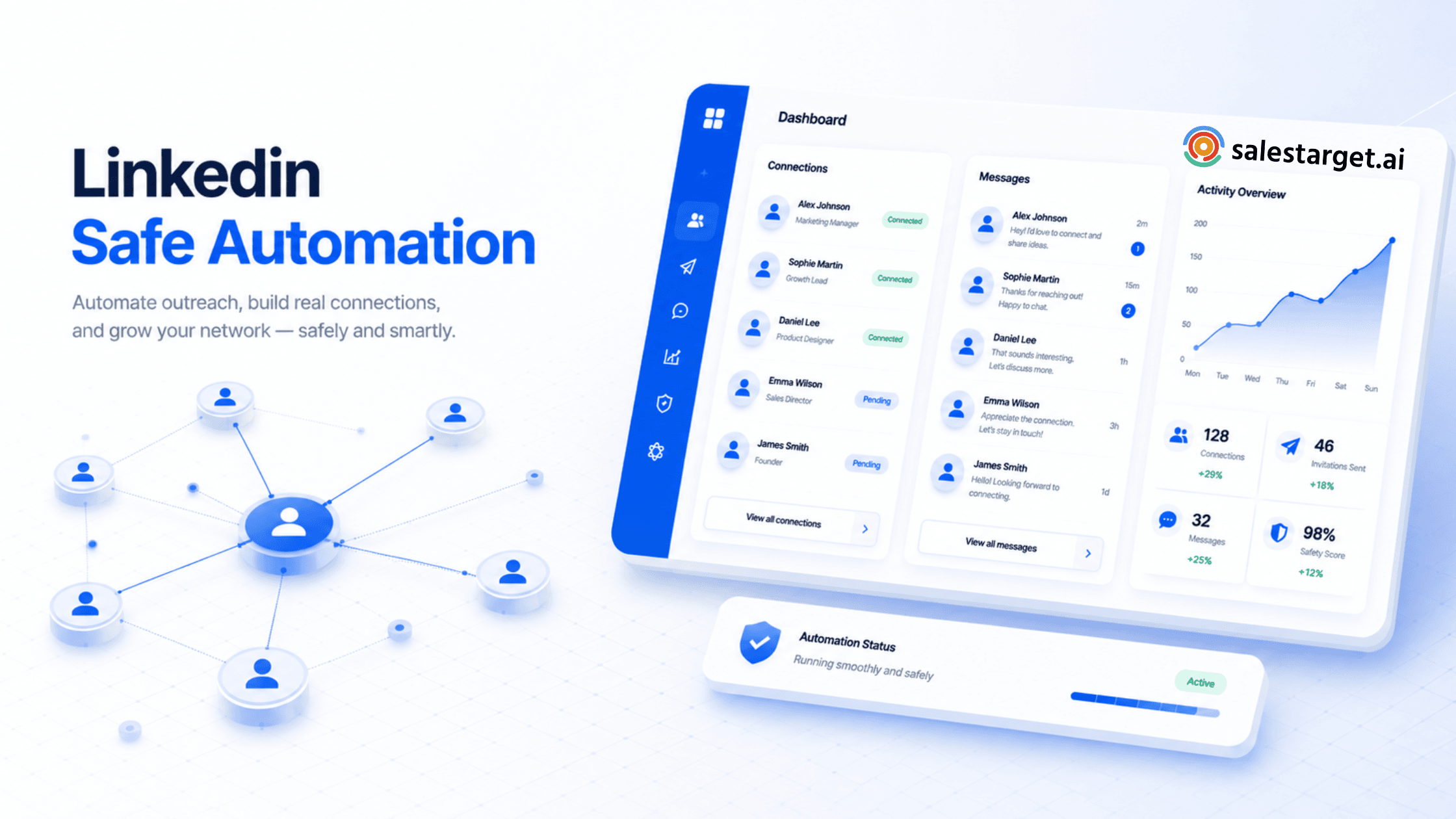
LinkedIn Safe Automation is the practice of running outreach workflows (connection requests, follow-ups, profile visits, messages) in a way that mimics human behavior, respects LinkedIn's daily limits, and avoids triggering anti-bot systems. The safest stack combines randomized activity, AI personalization, gradual volume ramp-up, and clean prospect data verified through an email checker before any campaign goes live. Sales teams that ignore these guardrails risk warnings, search restrictions, or permanent account bans.
If you're a founder, SDR, or growth marketer, you've probably felt the pain: your team starts hitting LinkedIn hard, and within weeks accounts get flagged or restricted. LinkedIn Safe Automation solves this by replacing aggressive bulk sending with smart, throttled, human-like activity backed by an email verifier and clean lists. This guide walks through what's actually safe in 2025, what gets flagged, and how to build outreach that scales without burning accounts.
What is LinkedIn Safe Automation?
LinkedIn Safe Automation refers to a category of outreach tools and workflows engineered to operate within LinkedIn's behavioral thresholds. Unlike old-school browser bots that blast 200+ connection requests a day, modern safe automation focuses on:
- Behavioral mimicry (random delays, mouse-like timing, off-peak pauses)
- Daily caps that match how a real person browses LinkedIn
- Cloud-based execution from a consistent IP, not rotating proxies
- Native-looking actions: profile views, post engagement, then messaging
- Clean lead data, often pre-cleaned with an email validation tool
Done correctly, it feels less like "automation" and more like a tireless assistant working a normal 8-hour day.
Is LinkedIn automation safe?
Yes — but only when it follows three principles: human pacing, native behavior, and clean data.
LinkedIn itself does not publicly endorse third-party automation tools, and its User Agreement discourages scraping. However, the platform's enforcement is behavioral, not philosophical.
If your tool sends 300 connection requests in two hours from a desktop IP at 3 a.m., you'll get flagged. If it sends 18 connection requests spread across business hours with personalized notes, it looks indistinguishable from a busy sales rep.
The LinkedIn official Help Center openly states that automated activity violating its terms can result in account restrictions — so the line between safe and unsafe is entirely about how human your activity looks.
How can you automate LinkedIn outreach safely?
Here is the practical playbook our team recommends:
- Warm up the account: Start with 5–10 actions per day for week one, then scale gradually.
- Use one dedicated IP: Cloud automation from a single residential IP beats rotating proxies.
- Personalize at scale: Use AI to reference the prospect's company, role, or recent post.
- Verify emails before enrichment: Run your prospect list through an email checker so bounce rates stay below 2%.
- Sequence across channels: Pair LinkedIn touches with email steps — don't rely on LinkedIn alone.
- Pause on weekends: Activity 24/7 is the fastest way to look like a bot.
For a deeper walkthrough on structuring multi-touch sequences, see our LinkedIn campaign management strategies guide.
What actions can get your LinkedIn account restricted?
Based on patterns we've observed across hundreds of accounts, these are the top triggers:
| Risky Action | Why It's Flagged | Safer Alternative |
|---|---|---|
| 100+ connection requests/day | Exceeds human pace | Cap at 18–25/day |
| Identical message templates | Spam-pattern detection | AI-personalized variants |
| Browser extensions on shared Wi-Fi | IP inconsistency | Cloud-based safe automation |
| 24/7 nonstop activity | Inhuman schedule | Business-hour windows |
| Pending invites above 500 | Indicates blanket spam | Withdraw old invites weekly |
How many LinkedIn connection requests are safe per day?
For most accounts in 2025, the safe ceiling is roughly 18–25 connection requests per day for established profiles, and 5–10 for newer or warming accounts. LinkedIn also enforces an unofficial weekly cap that hovers near 100 invites — sending fewer but higher-quality requests almost always outperforms volume.
If your acceptance rate dips below 25%, slow down. A low acceptance rate is itself a signal LinkedIn watches.
Why should businesses use safe LinkedIn automation?
The honest answer: time. A founder or SDR has roughly 90 minutes a day for outbound — not enough to manually research, message, and follow up with 30 prospects. Safe automation gives you back those hours without trading away your account.
Real-world benefits we see across SalesTarget.ai customers:
- 3–4x more conversations per rep without extra headcount
- Consistent pipeline coverage even during travel or busy weeks
- Higher reply quality from AI-personalized openers
- Lower cost-per-meeting compared to paid ads
How does AI improve LinkedIn outreach safely?
AI is what separates today's safe automation from the spammy bots of 2018. Instead of templated copy, AI reads a prospect's headline, recent posts, and company news to generate a one-line opener that actually feels written for them.
This matters because LinkedIn's spam detection partly looks at message similarity across recipients. Unique, contextual openers slip past those filters naturally. For a deeper dive into prompt patterns and personalization frameworks, see our AI LinkedIn personalization techniques playbook.
What role does email verification play in outbound campaigns?
Email verification — sometimes called email authentication or email address verification — is the quiet workhorse behind every high-performing outbound program. Before you ever send a message or import contacts into your CRM, an email verifier checks:
- Whether the domain accepts mail (MX records)
- Whether the inbox actually exists (SMTP handshake)
- Whether the address is a catch-all or disposable
- Whether it has hit known spam traps
Skip this step and bounce rates climb above 5%, which damages your sender reputation across the board — including the email channel paired with your LinkedIn sequences.
How can email validation improve outreach deliverability?
Bulk email validation directly affects three numbers your team probably tracks:
| Metric | Without Email List Verification | With Email List Verification |
|---|---|---|
| Bounce rate | 8–15% | Under 2% |
| Inbox placement | 60–70% | 88–95% |
| Reply rate | Baseline | +25–40% |
Original insight: According to internal outbound campaign observations across SalesTarget.ai customer cohorts, personalized LinkedIn outreach combined with email verification improves reply quality by over 35% compared to LinkedIn-only sequences using unverified lists.
Which LinkedIn automation mistakes should you avoid?
Even experienced teams trip over the same patterns. Here are the ones we see most often:
- Running two automation tools on the same account simultaneously
- Importing huge contact lists without prior email checker validation
- Using clearly templated language like "I came across your profile" at scale
- Connecting with prospects outside your stated industry or geography
- Logging in from multiple cities in the same day (bot signal)
- Ignoring the messages tab — replies that go unanswered hurt your sender score
What features should a safe LinkedIn automation tool include?
If you're evaluating vendors, use this short checklist:
- Cloud execution from a dedicated IP
- Smart daily caps that auto-adjust to account age
- AI personalization at the opener and follow-up level
- Built-in email verifier for bulk email validation before send
- Multi-channel sequencing (LinkedIn + email)
- Real-time safety alerts if LinkedIn behavior changes
- Detailed analytics per step, not just per campaign
Industry analysts like Gartner have repeatedly noted that the highest-performing sales tech stacks combine signal-based prospecting, verified contact data, and multi-channel automation — not single-channel blasting.
How does SalesTarget.ai support safe LinkedIn outreach?
SalesTarget.ai was built specifically around the principles in this guide. Its LinkedIn Outreach module ships with:
- Human-paced sending with randomized delays
- AI-written opening lines that pull live context from each prospect
- Native, cloud-based execution from a consistent IP
- Integrated email list verification so your contact data is clean before any campaign launches
- A unified inbox combining LinkedIn replies and email responses
Teams can launch a fully sequenced LinkedIn + email campaign in roughly 20 minutes, with safety thresholds enforced automatically in the background.