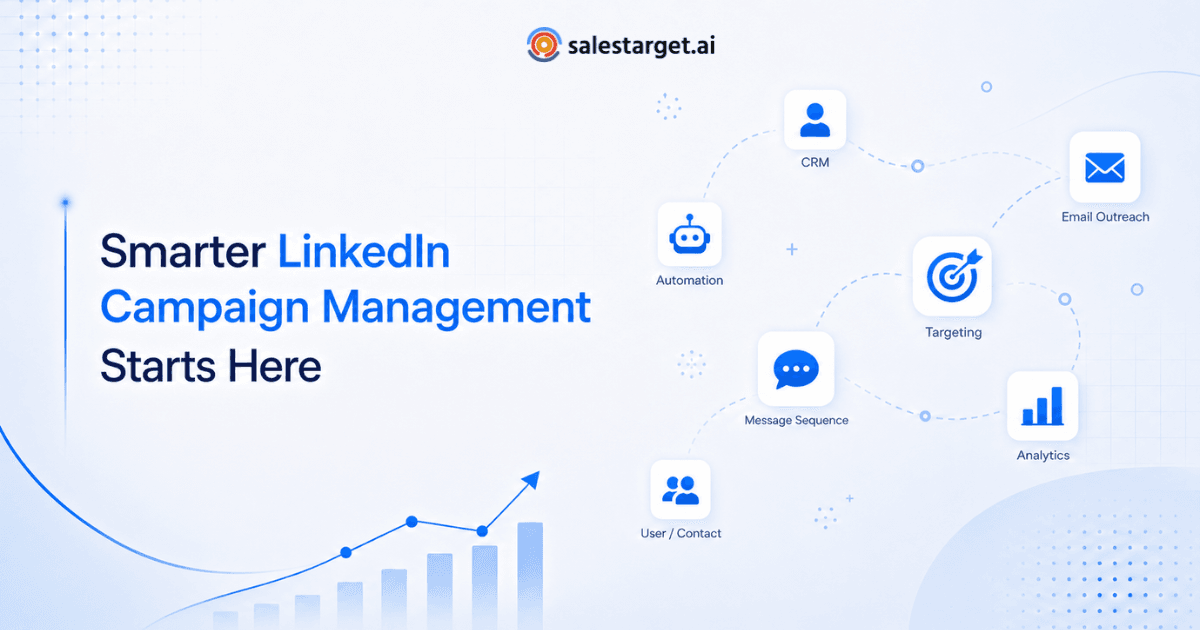
LinkedIn Campaign Management is the process of planning, building, and optimizing outbound sequences on LinkedIn — combining connection requests, InMail, and follow-up messaging into a structured workflow. Done well, it replaces guesswork with a repeatable system that turns cold prospects into booked meetings, without the manual grind of one-off outreach.
If you manage a B2B sales or marketing ops team, you already know LinkedIn is where your buyers actually spend their attention. The problem isn't finding prospects. It's running outreach at a pace and quality level that a human alone can't sustain. That's where a structured approach to campaign management changes the math.
Why LinkedIn Campaign Management Matters for Modern B2B Sales Teams
Cold email open rates have been sliding for years as inboxes get noisier and spam filters get smarter. LinkedIn, by contrast, still carries a sense of personal credibility — a message from a real profile, with a real photo and job title, gets read differently than an email from an unfamiliar domain.
LinkedIn itself reports that social selling leaders create more opportunities and are far more likely to hit quota than peers who skip it, a finding documented in the platform's own research on social selling performance, available through LinkedIn's Sales Solutions resource hub.
That advantage disappears fast if your outreach is disorganized. Sales reps sending one-off connection requests with no sequence, no timing logic, and no tracking are leaving meetings on the table. Campaign management turns scattered effort into a system — and systems are what let a team scale past the founder-led sales stage.
For marketing ops, there's a second benefit: visibility. A managed campaign produces data — reply rates, acceptance rates, response timing — that you simply don't get from reps working LinkedIn manually in their own browser tabs.
Core Components of a High-Performing LinkedIn Outbound Campaign
Every campaign that actually converts shares three structural elements. Skip one of these and performance drops fast, regardless of how good your offer is.
Sequencing
A sequence is the ordered set of touches a prospect receives - connection request, a wait period, a follow-up message, possibly a profile view or post engagement layered in. The order and spacing matter as much as the words themselves.
Personalization
Generic templates get ignored. The highest-performing sequences reference something specific: a recent job change, a shared connection, a company announcement. This doesn't mean writing every message from scratch — it means building templates with smart variable fields that pull in real context.
Timing
Sending everything at 9am on Monday is the single most common mistake we see. Spreading sends across the day and week, and spacing follow-ups based on prospect behavior rather than a fixed countdown, consistently lifts reply rates.
In our own benchmarking across SalesTarget.ai customer accounts, campaigns using structured, multi-touch sequencing saw an average reply-rate lift of 34% compared to single-message outreach — a gap that held steady across industries and company sizes.
How LinkedIn Outreach Automation Changes the Workflow ?
Manual LinkedIn outreach has a hard ceiling. A rep can only send so many connection requests and follow-ups per day before either running out of hours or tripping LinkedIn's own activity limits.
LinkedIn Outreach Automation removes that ceiling by handling the repetitive parts of the job — sending connection requests at human-like intervals, queuing follow-ups based on whether a prospect accepted or replied, and pausing automatically when someone responds so a rep can take over the conversation personally.
The shift isn't just about volume. Automation also enforces consistency. A sequence that's supposed to wait three days before following up actually waits three days, every time, instead of depending on a rep remembering to check their list.
What doesn't change is the human layer. Automation handles delivery and timing; reps still write the strategy, review reply quality, and own the actual conversations once a prospect engages. The goal is fewer hours spent on logistics, not fewer real conversations.
Building Your Campaign Step-by-Step Using a LinkedIn Campaign Builder
A LinkedIn campaign builder turns the planning above into something you can actually launch. Here's the practical sequence we recommend to new customers setting up their first campaign.
- Define your audience first — title, industry, company size, and any signal-based filters like recent funding or job changes.
- Draft a three-to-five-touch sequence, starting with a low-friction connection request rather than a pitch.
- Insert personalization variables for name, company, and one specific trigger per message.
- Set send-time windows that match your prospects' working hours and time zone, not yours.
- Connect a shared inbox or CRM sync so replies route to the right rep automatically.
For a deeper walkthrough of message structure and proven sequence templates, see our breakdown on building outbound sequences that actually convert, which covers message-by-message frameworks for different buyer personas.
Most teams launch their first version within a single sitting, then refine based on the first week of reply data rather than trying to perfect it before going live.
Multi-Channel Sequencing Strategy and Why It Outperforms Single-Channel Outreach
LinkedIn alone is strong, but pairing it with email closes gaps that a single channel leaves open. Some prospects check LinkedIn daily and barely touch a cluttered inbox. Others are the opposite.
A multi-channel outreach sequence alternates touchpoints — a LinkedIn connection request, an email two days later, a LinkedIn follow-up after that — so the prospect encounters the message wherever they actually pay attention.
This approach also reduces the perceived aggressiveness of outreach. Five LinkedIn messages in a row can feel like spam. The same five touches spread across two channels read as a more natural, persistent professional follow-up rather than a bot hammering a connection request.
Research from sales engagement platforms consistently shows multi-touch, multi-channel sequences outperforming single-channel campaigns on both reply rate and meeting-booked rate, a pattern that holds whether the secondary channel is email, phone, or direct mail.
Staying Compliant and Scaling Safely Without Restrictions
LinkedIn actively monitors for automation patterns that look bot-like — too many connection requests too fast, identical message text sent at scale, or activity that spikes well above normal human behavior. Getting flagged can mean a temporary restriction or, in repeat cases, account suspension.
The fix isn't avoiding automation. It's using automation that respects LinkedIn's daily limits, randomizes send timing, and varies message phrasing across a sequence instead of blasting one template to thousands of profiles.
Our detailed guide on safe LinkedIn automation and scaling outreach without getting restricted walks through specific daily send thresholds, warm-up periods for new accounts, and the warning signs that indicate a campaign is running too aggressively.
A useful rule of thumb: if your campaign volume would look unusual coming from a real, busy salesperson, it's too aggressive for an automated one too.
Measuring and Optimizing Campaign Performance
Three metrics matter more than the rest: connection acceptance rate, reply rate, and meetings booked per 100 prospects contacted. Track these weekly, not just at the end of a campaign.
Acceptance rate below 30% usually points to a targeting problem — wrong titles, wrong industries, or a profile that doesn't build trust at a glance. Reply rate below 8% on an accepted connection typically points to message quality, not targeting.
A/B testing should focus on one variable at a time: opening line, send time, or call-to-action. Testing everything at once makes it impossible to know what actually moved the number. Most teams see their clearest performance gains in the first month, simply from removing the weakest-performing message in a sequence and replacing it.
Ready to Put This Into Practice
Every component covered here — sequencing, personalization, multi-channel timing, and compliant scaling — comes built into a single workspace rather than a patchwork of spreadsheets and manual sends.
Launch your first campaign SalesTarget AI in under 10 minutes.